

 中文
中文 
忘记、过去 deepin
2021-08-07 07:21 deepin 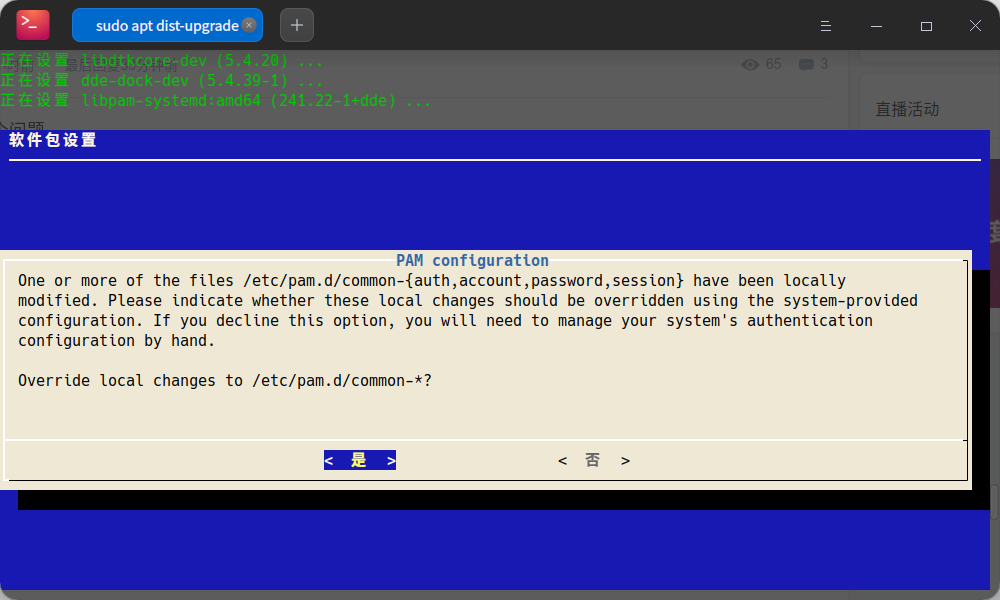
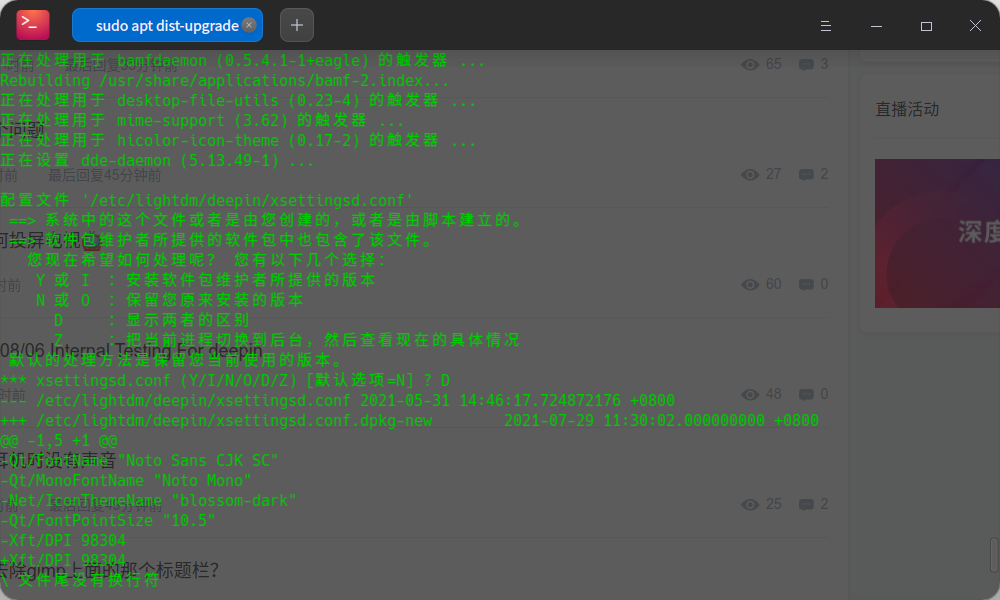
两个需要用户手动配置的地方,不知道控制中心有没有做处理?
Reply Like 0 View the author
 deepin
两个需要用户手动配置的地方,不知道控制中心有没有做处理?
 deepin
 截图下来
tty怎么截图? 拍照片吧?

 deepin deepin
 截图下来
 deepin
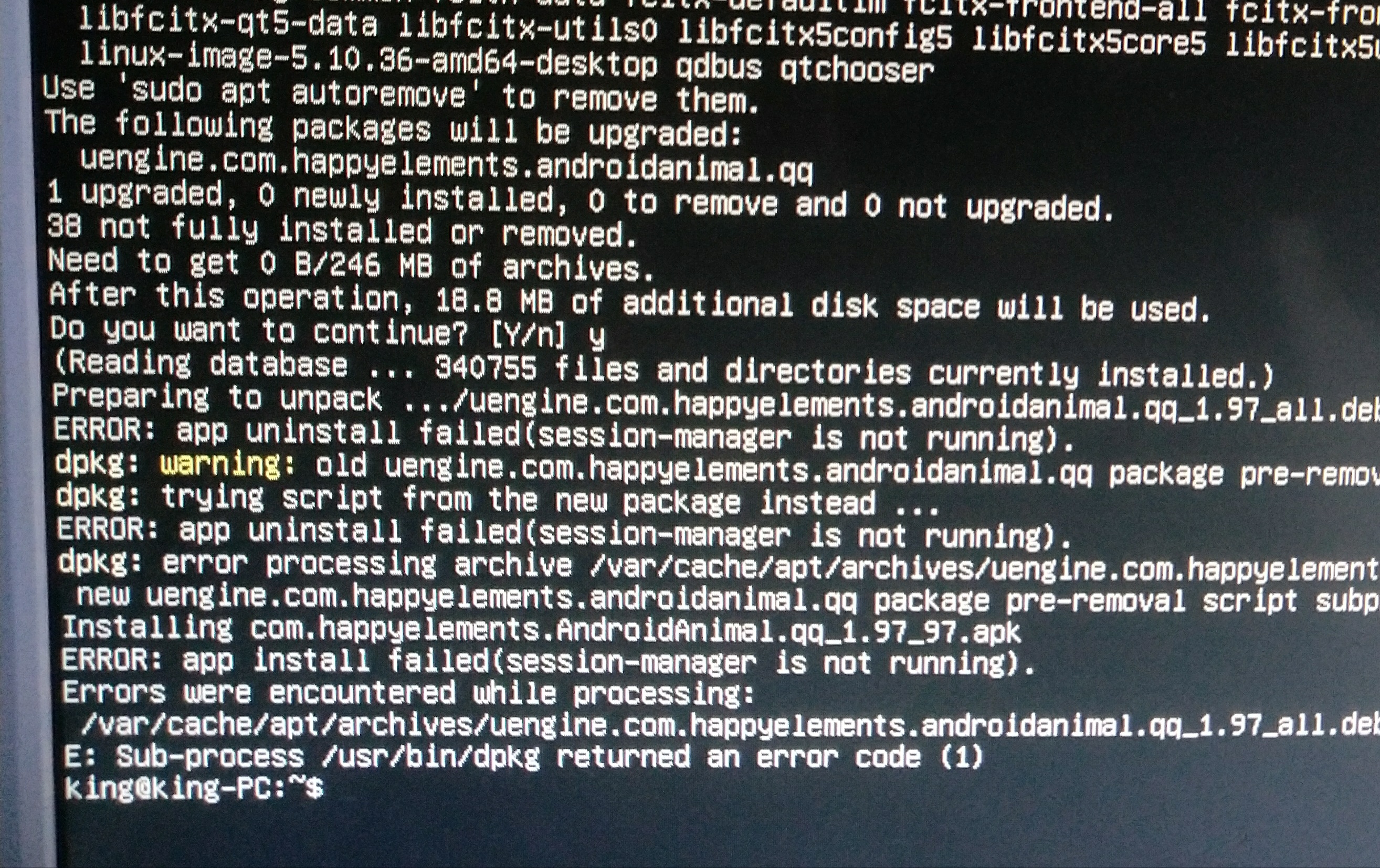
 install-info错误:
/etc/environment SDL_IM_MODULE: not found

 deepin
 安装fcitx5和讯飞输入法后,右键输入法面板变这样了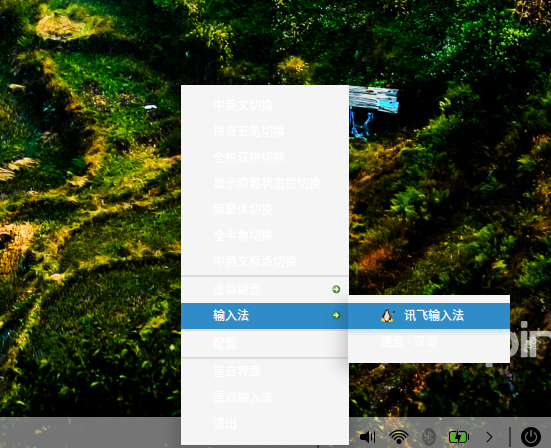 。
。

 deepin
 安装fcitx5和讯飞输入法后,右键输入法面板变这样了。
迅飞是fcitx4的,你有fcitx5就不要有迅飞
deepin
sudo apt remove uengine*
sudo apt autoremove
看样子uengine出了点问题,先卸载掉看看
deepin 出现屏幕闪烁。

 deepin
 更新测试后,无法进入系统,停留在了密码输入界面。密码是正确的,但就是进不了桌面,黑屏之后又回到密码输入界面。
这个问题,从我遇到至目前应该半年了。论坛帖子还有更早的,没有解决。tty是可以的。下次经过内测的版本,还有致命bug,只能切换到UOS了,还有4套正版系统没有用。
deepin 这个问题,从我遇到至目前应该半年了。论坛帖子还有更早的,没有解决。tty是可以的。下次经过内测的版本,还有致命bug,只能切换到UOS了,还有4套正版系统没有用。
这个问题不是大佬们回复过很多次了吗?一般进 tty 重新执行 sudo apt update && apt dist-upgrade 就好了,更新不完整或者没成功。
 deepin deepin deepin deepin
 更新失败
正在设置 linux-firmware (1.197.2) ...
update-initramfs: Generating /boot/initrd.img-5.10.50-amd64-desktop
/usr/sbin/mkinitramfs: 85: /usr/sbin/mkinitramfs: modinfo: Text file busy
/usr/sbin/mkinitramfs: 85: /usr/sbin/mkinitramfs: modinfo: Text file busy
/usr/sbin/mkinitramfs: 85: /usr/sbin/mkinitramfs: modinfo: Text file busy
/usr/sbin/mkinitramfs: 85: /usr/sbin/mkinitramfs: modinfo: Text file busy
cryptsetup: WARNING: The initramfs image may not contain cryptsetup binaries
    nor crypto modules. If that's on purpose, you may want to uninstall the
    'cryptsetup-initramfs' package in order to disable the cryptsetup initramfs
    integration and avoid this warning.
setupcon is missing. Please install the 'console-setup' package.
/usr/share/initramfs-tools/hooks/plymouth: 202: /usr/share/initramfs-tools/hooks/plymouth: sed: Text file busy
E: /usr/share/initramfs-tools/hooks/plymouth failed with return 2.
update-initramfs: failed for /boot/initrd.img-5.10.50-amd64-desktop with 2.
dpkg: 处理软件包 linux-firmware (--configure)时出错:
 已安装 linux-firmware 软件包 post-installation 脚本 子进程返回错误状态 2
在处理时有错误发生:
 linux-firmware
E: Sub-process /usr/bin/dpkg returned an error code (1)
这是什么原因?
deepin 这个更新能卸载吗?
deepin +1
 deepin
 UOS已把乘号乱码的字体显示问题解决了,希望Deepin也能把这如乘号乱码的字体显示问题尽早解决。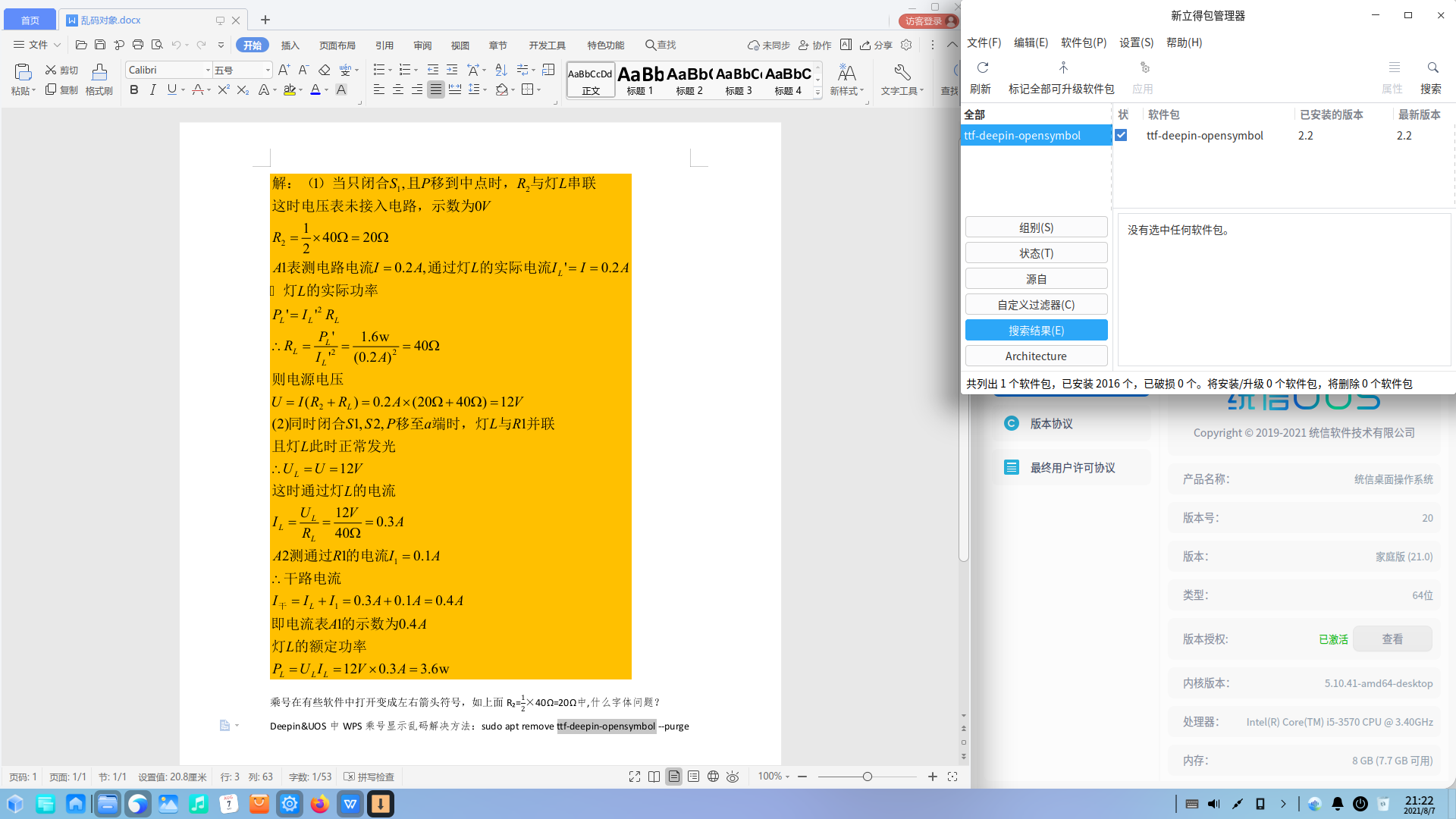
deepin 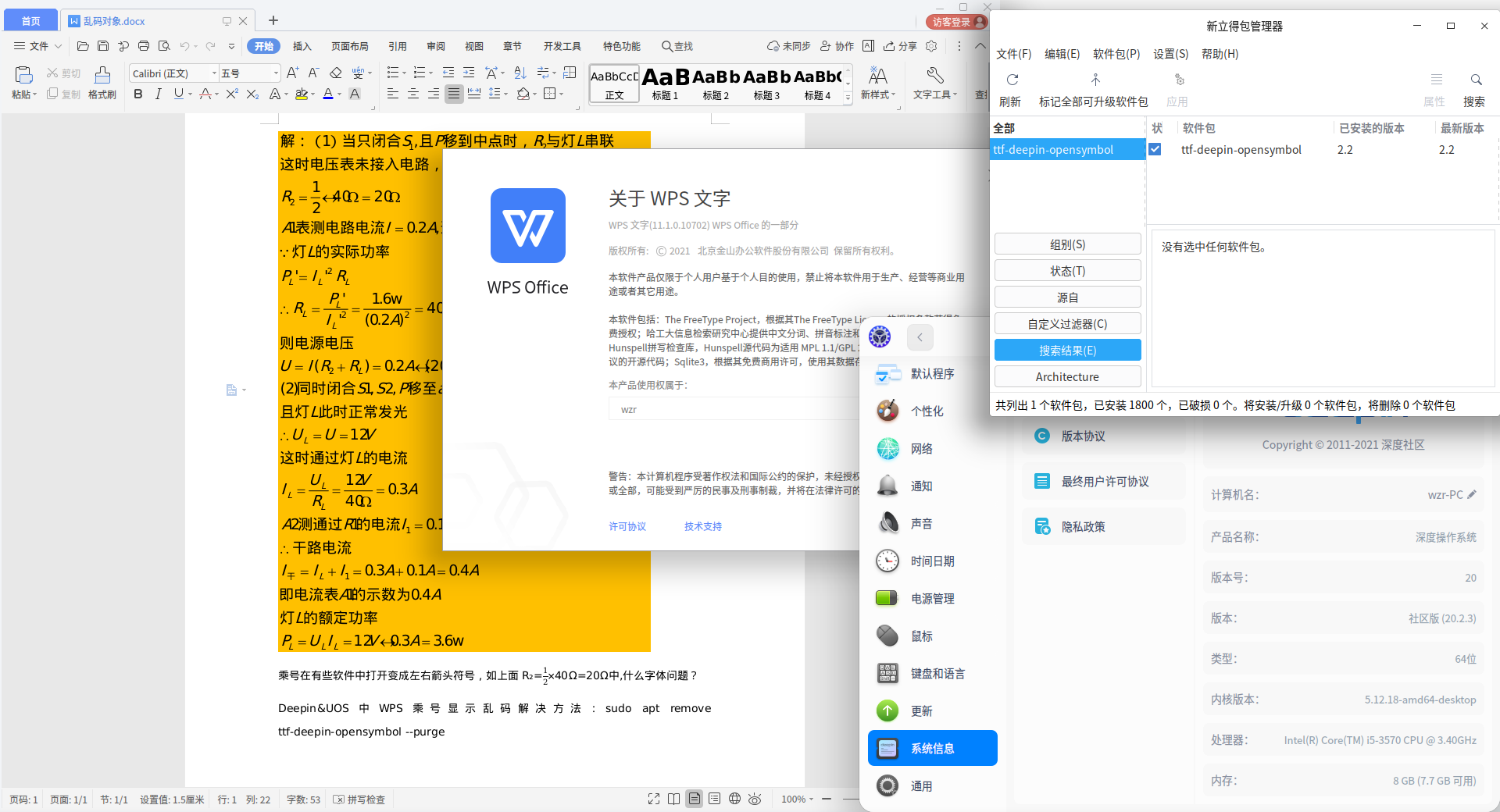
deepin 刚按原来的方法卸载深度开源字体后并没有正常显示乘号,加装一些字体后能正常显示了,即使再安装深度开源字体也是显示正常的了。好了哈哈哈
Popular Events
More


 The settings menu needs to be translated into Russian.
大家好,为了保证下个系统更新的质量,现在开展内测活动,请内部测试团队的成员们积极参加,谢谢!
更新说明:
新增多屏模式下在任务栏-右键菜单中的显示设置
新增在控制中心修改计算机名称的入口
优化帐户名称校验逻辑
优化启动器的交互逻辑
优化网络代理功能
修复无法成功删除账户的问题
修复右侧通知中心面板显示异常的问题
修复账户密码输入错误后,提示信息未汉化的问题
修复中文输入法下输入锁屏密码后显示中文的问题
修复网络信号显示错误的问题
修复首次接入dp口副屏并选择复制模式后,全屏应用越过dock栏的问题
测试时间
2021.8.6:开始测试
2021.8.6——2021.8.13:测试并在本帖下回复,反馈您的问题
2021.8.13:结束测试
测试流程
一、连接内部测试源,将系统升级至最新;(内测版本可能存在不稳定的情况,请勿用于生产环境)
1、将系统修改为内部测试源,终端执行以下命令:sudo deepin-editor /etc/apt/sources.list
2、然后使用以下内容覆盖sources.list文件,然后保存并退出。
3、在终端执行以下命令:
sudo apt-get update && sudo apt-get dist-upgrade(可能需要注销重启)
二、测试并在在本帖下回复,反馈您的问题。
注意
本次内测活动范围仅限内部测试团队成员,点击这里加入
全体内部测试团队成员默认参加本活动
连续3次不反馈且不请假者测试活动的内部测试团队成员,将失去内部测试团队资格
请不要私自散播本次内测活动的内容和数据,否则将失去内测资格
感谢 非常感谢各位内部测试团队成员的积极参与!