

 中文
中文 
字甲达宾 deepin
6 hours ago deepin 看了一下,是qt 编写的。
https://github.com/oferkv/phototonic/tree/master/translations
dpkg -S phototonic | grep .tm
看有没有 zh 字样的 中文 tm 翻译文件。
如果没有,试试安装
sudo apt install phototonic-l10n
类似的 翻译包
Reply Like 0 View the author
 deepin
 看了一下,是qt 编写的。
https://github.com/oferkv/phototonic/tree/master/translations
dpkg -S phototonic | grep .tm
看有没有 zh 字样的 中文 tm 翻译文件。
如果没有,试试安装
sudo apt install phototonic-l10n
类似的 翻译包
 deepin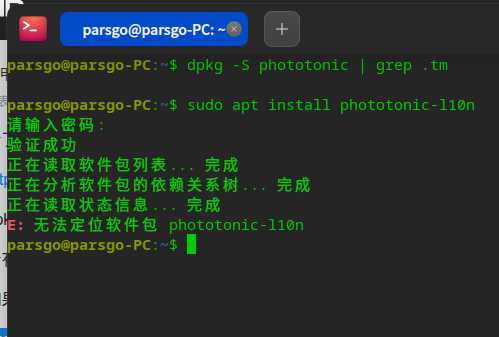
不弄了,就用英文版的吧。
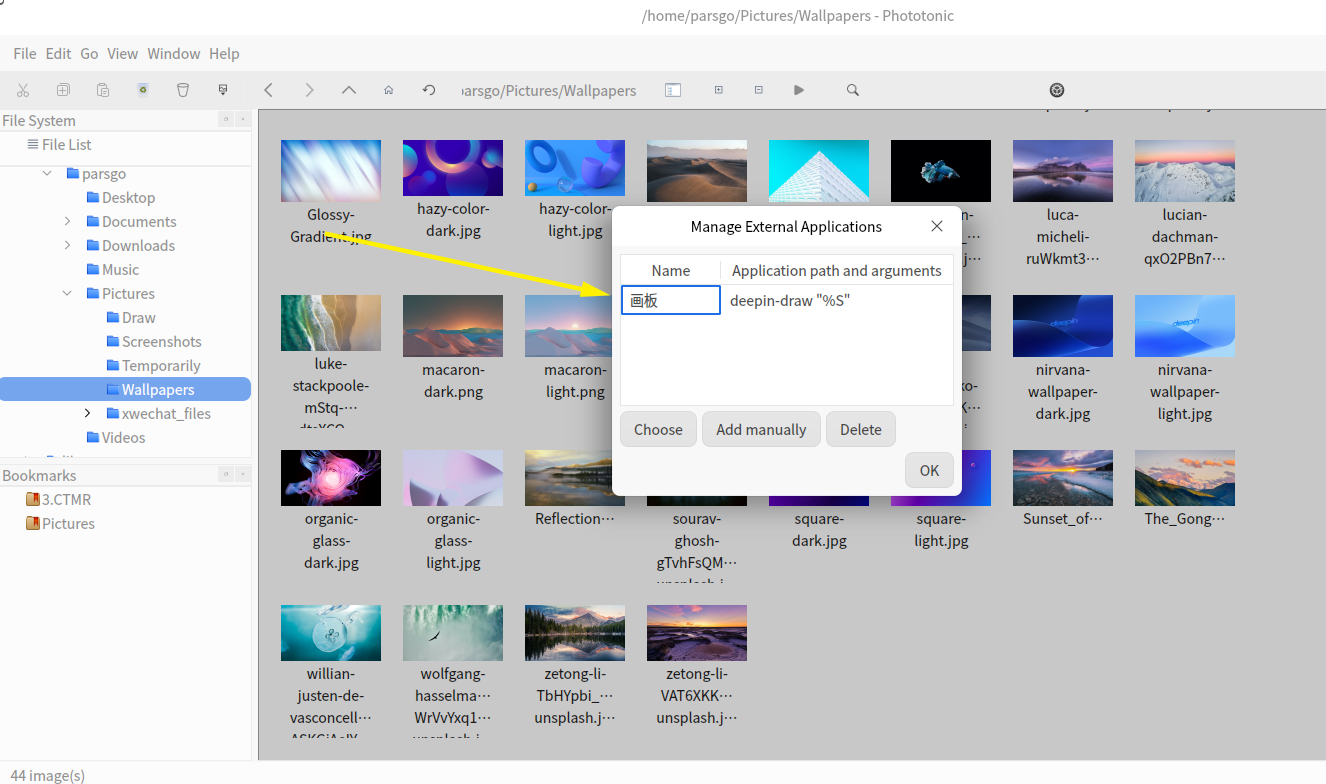
deepin 菜单--Edit--扩展--【画板】(deepin-draw "%S")

 deepin
 好用吗,这个软件在那里淘来的,可以试试能不能中文
 deepin
 好用吗,这个软件在那里淘来的,可以试试能不能中文
官方的不好用?
deepin 好用吗,这个软件在那里淘来的,可以试试能不能中文
我看到“龙芯应用合作社”里面有。用deepseek的方法安装的。
然后找我外甥(计算机专业)弄的扩展画板。
deepin 好用吗,这个软件在那里淘来的,可以试试能不能中文
好用,有时间给打包,放商店里,丰富资源。
我不会弄。
deepin 好用,有时间给打包,放商店里,丰富资源。
我不会弄。
试试吧,又一个多年都没动过代码的僵尸项目😂
deepin 好用,有时间给打包,放商店里,丰富资源。
我不会弄。
先来个标准包,试用下,后期我再优化下入商店
deepin 真快,外部应用打不开了。
deepin 真快,外部应用打不开了。
手动加一个就行了,我没法直接加,因为,画板有的是deb,有的是玲珑,命令不一样
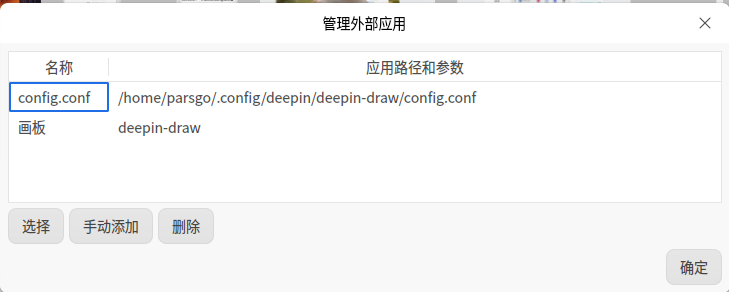
手动添加 绝对路径是 /usr/bin/deepin-draw 可不加参数,名自由起
deepin 加上了:
Popular Events
More

 Jp106 keyboard layout issue of use fcitx5-mozc
deepin25.1loong下,phototonic图片浏览器,如何显示中文?
终端下:
sudo apt update
sudo apt install phototonic
(首选项里,没有语言选项。)