[Share Experiences] Deepin 25.2.2 on minimum Hardware
Experiences and Insight 27 views · 0 replies ·
Rainer Adam
deepin
11 hours ago
Author
Hello,
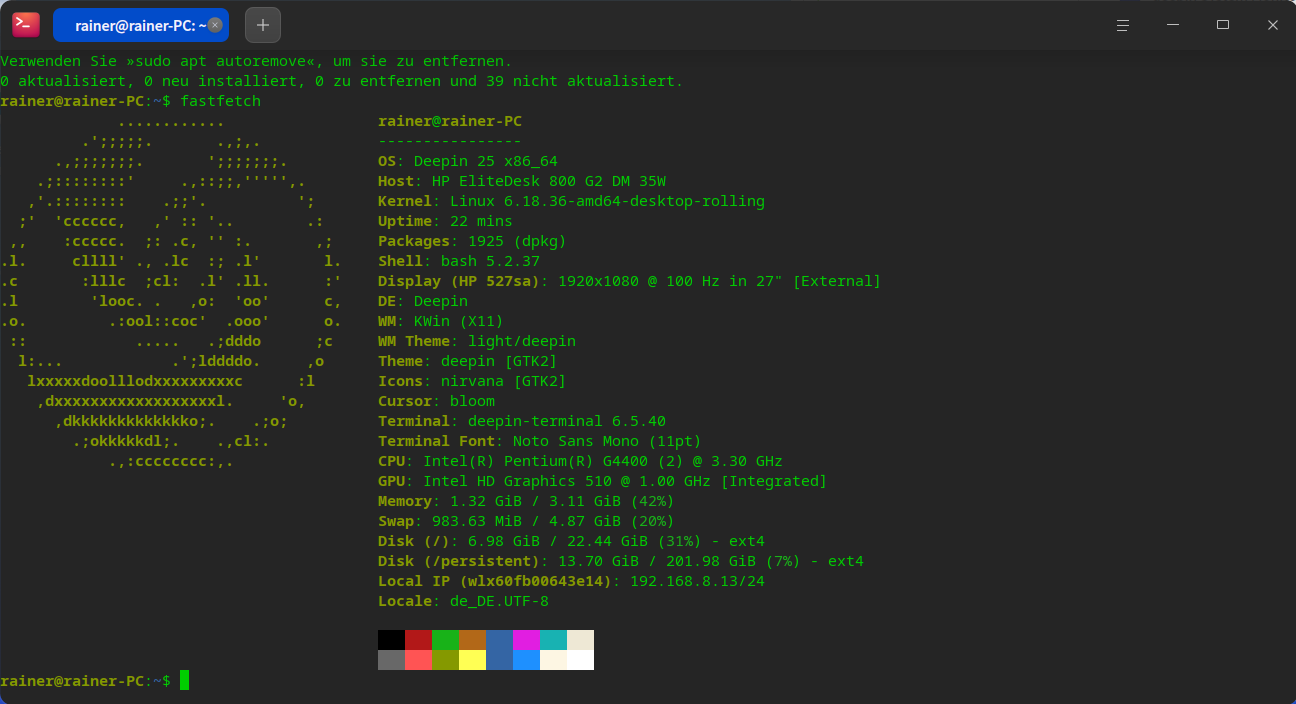
I decided to conduct an experiment using my "HP EliteDesk 800 G2 DM 35W," equipped with an "Intel(R) Pentium(R) G4400" processor, 4GB of RAM, and a 250GB NVMe drive.
The installation process itself took exactly 15 minutes—as fast as expected.
Immediately following the installation, updates were applied, including kernel 6.18, without any issues. Before the first reboot, I captured the kernel logs—which we can use for troubleshooting or reporting—as well as the output of systemd-analyze (saved as 1.txt). I also collected the logs via journal.txt and kernel_journal.txt, followed by a second systemd-analyze run (saved as systemd-analyze2.txt).
Next, I installed the new kernel, version 7.3.0, and performed another systemd-analyze run after the reboot (saved as systemd-analyze_Kernel_7.3.txt).
After that, I upgraded the RAM from 4GB to 8GB and ran systemd-analyze once more (saved as systemd-analyze_Kernel_7.3_8GB_RAM.txt).


 中文


 Switchable USB stick mounted read-only gives false damage warning


Hello,
I decided to conduct an experiment using my "HP EliteDesk 800 G2 DM 35W," equipped with an "Intel(R) Pentium(R) G4400" processor, 4GB of RAM, and a 250GB NVMe drive.
The installation process itself took exactly 15 minutes—as fast as expected.
Immediately following the installation, updates were applied, including kernel 6.18, without any issues. Before the first reboot, I captured the kernel logs—which we can use for troubleshooting or reporting—as well as the output of
systemd-analyze(saved as1.txt). I also collected the logs viajournal.txtandkernel_journal.txt, followed by a secondsystemd-analyzerun (saved assystemd-analyze2.txt).Next, I installed the new kernel, version 7.3.0, and performed another
systemd-analyzerun after the reboot (saved assystemd-analyze_Kernel_7.3.txt).After that, I upgraded the RAM from 4GB to 8GB and ran
systemd-analyzeonce more (saved assystemd-analyze_Kernel_7.3_8GB_RAM.txt).While it is possible to install Deepin 25.2.2 with only 4GB of RAM, the system relies on a swap file on the hard drive. This significantly impacts performance—especially when launching applications—though the initial system boot time remains unaffected.systemd-analyze2.txtsystemd-analyze_Kernel_7.3.txtsystemd-analyze_Kernel_7.3_8GB_RAM.txtsystemd-analyze 1.txtkernel_journal.txt