

 中文
中文 
努力的人儿 deepin
2026-08-15 14:27 deepin 本项目欢迎大佬们继续扩展功能参与贡献!!!
Reply Like 1 View the author
deepin 本项目欢迎大佬们继续扩展功能参与贡献!!!

 deepin
 Deepin的控制中心原来还能这样用的....

 deepin
 这个必须点赞!
 deepin
 这个百姓需求必须点赞
deepin 版本升级到3.1.0 了,修了一点显示bug,deb包已支持amd64/arm64/loong64 ,下载地址如下:
https://github.com/liujianqiang-niu/deepin-meme-plugin/releases#release-3.1.0
deepin 版本升级到3.1.0 了,修了一点显示bug,deb包已支持amd64/arm64/loong64 ,下载地址如下:
https://github.com/liujianqiang-niu/deepin-meme-plugin/releases#release-3.1.0
优秀!!
 deepin
 环境:deepin 25.2.1 amd64(Intel N150) deepin-meme-plugin_3.1.0_amd64.deb 包安装
安装运行:顺利
亮点:壁纸与桌面集成良好,桌面右键菜单方便快捷
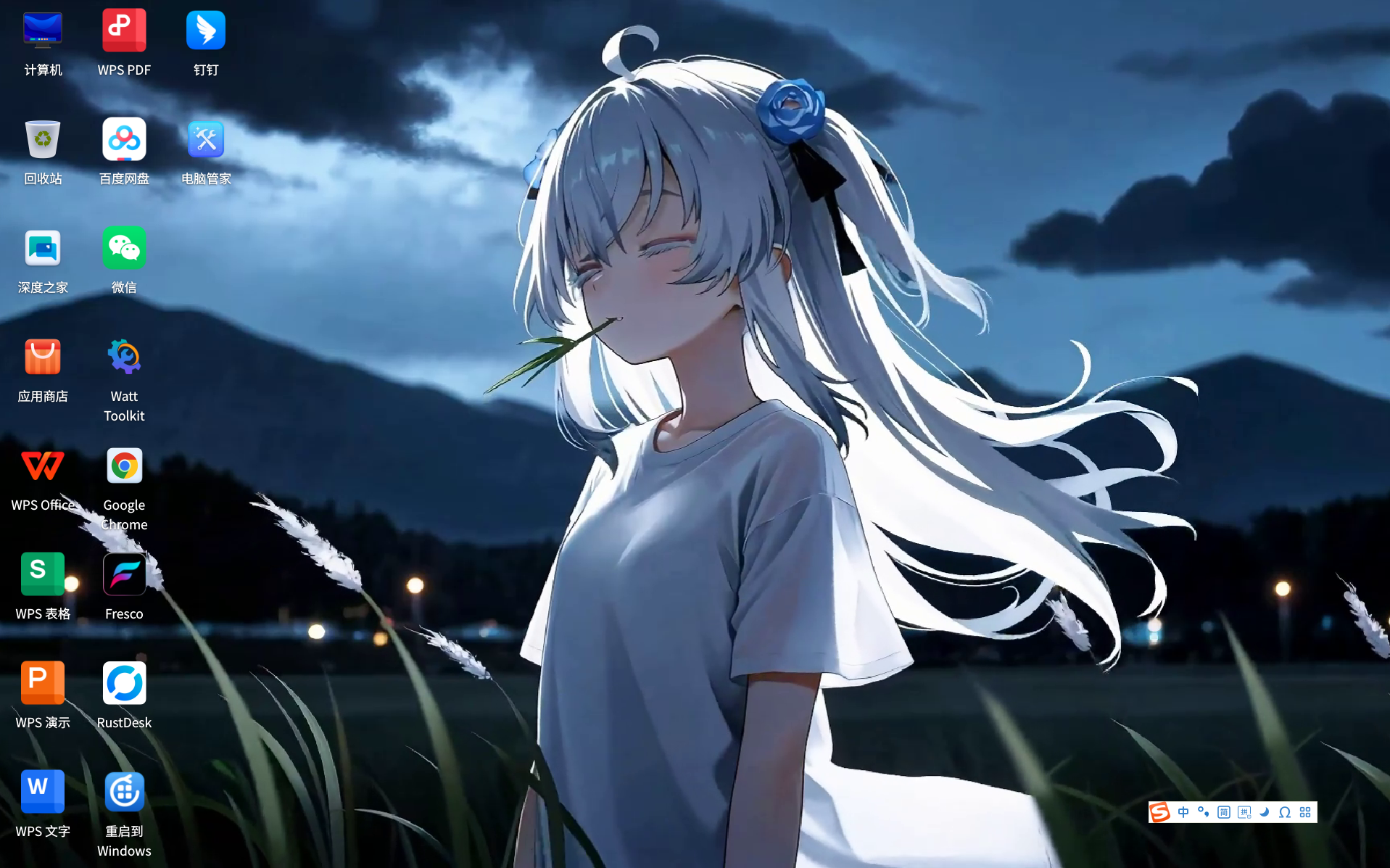
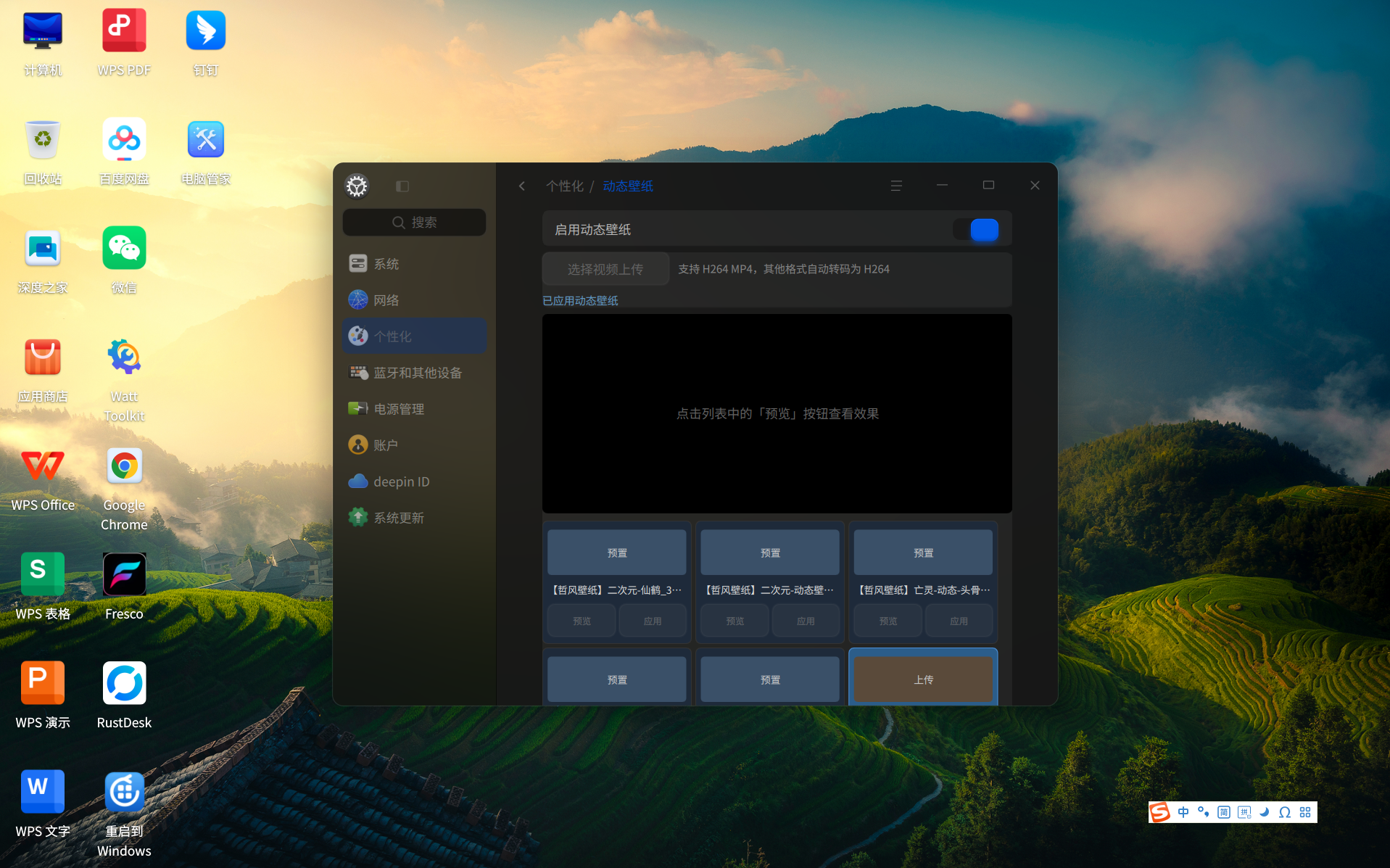
问题:1.桌面右键菜单与控制中心开关不完全实时同步,控制中心的开关状态可与右键菜单同步,但右键菜单的动态壁纸开关状态需在控制中心重启后才能同步给控制中心的开关
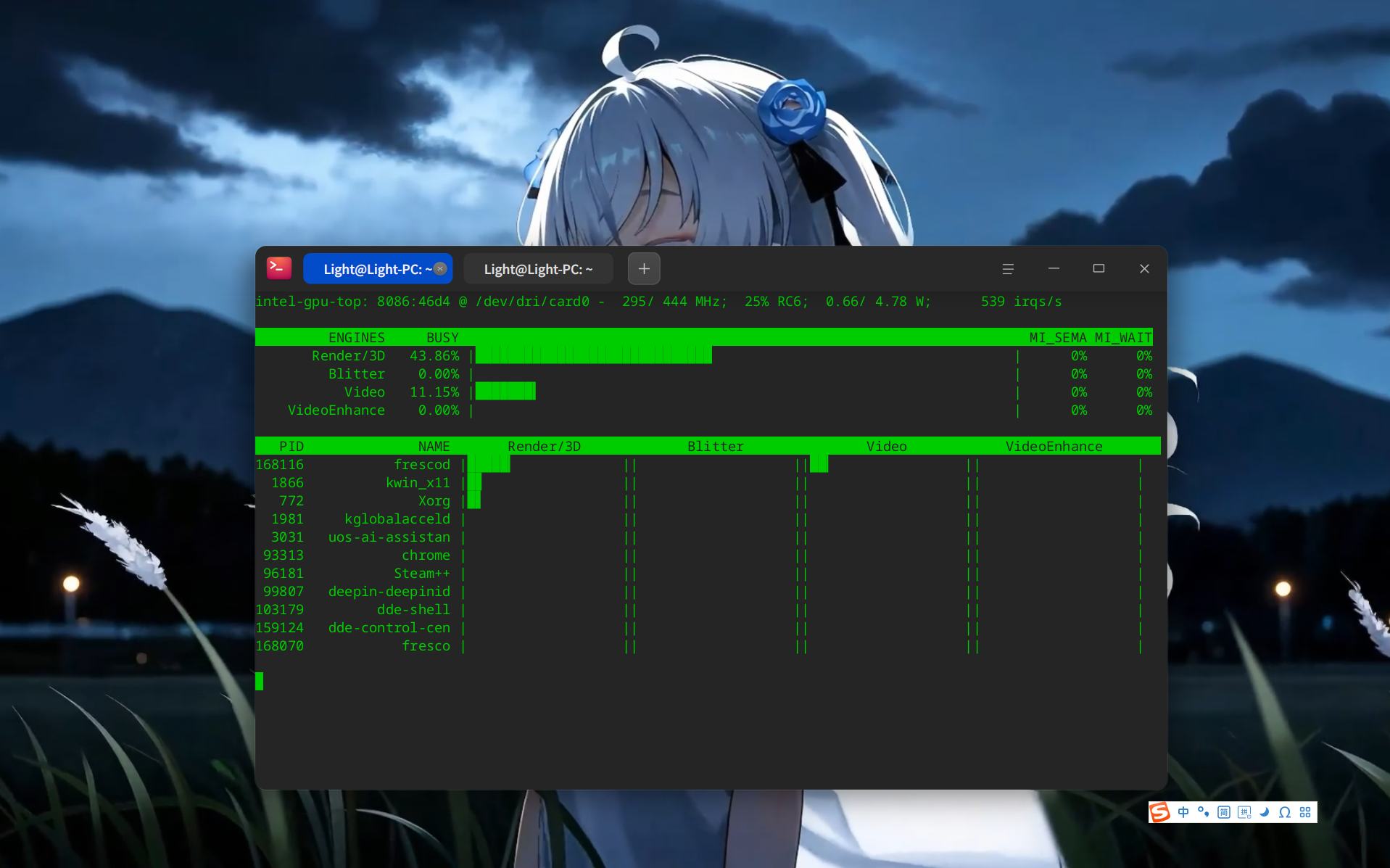
2.VA-API硬件解码未生效(设置用户级配置和系统级配置均未生效)
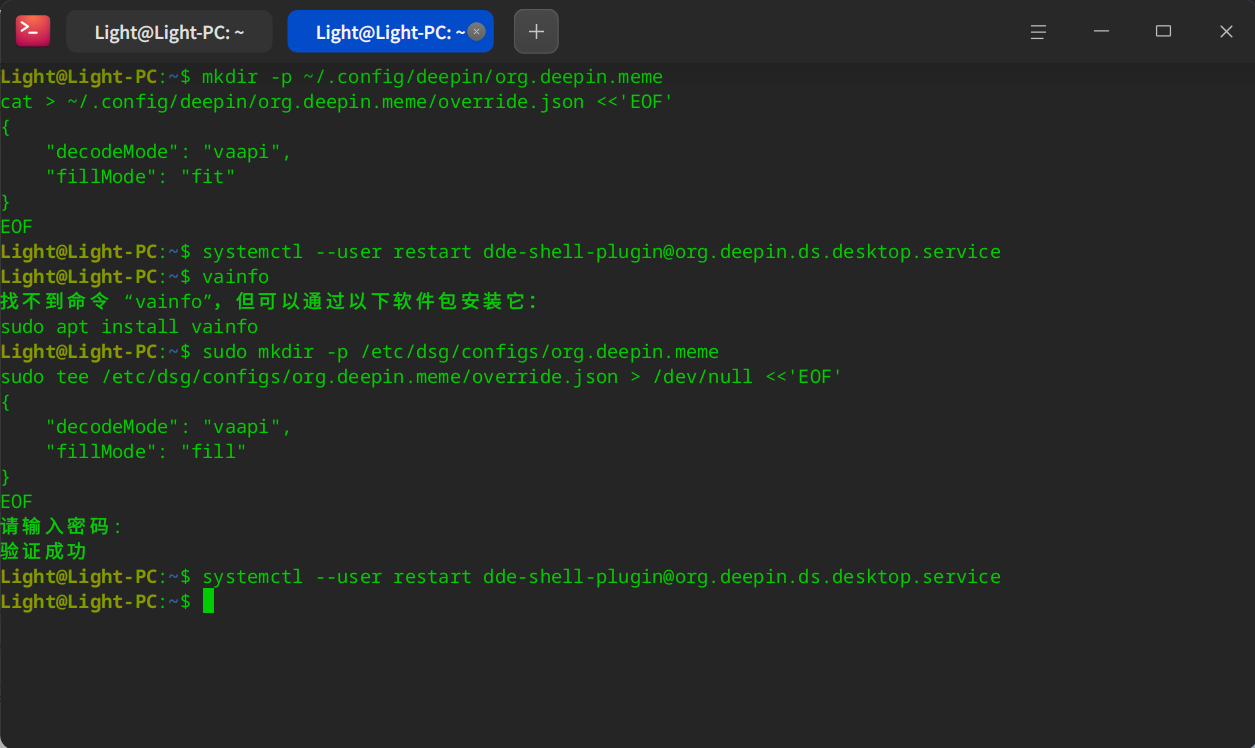
文件存在且内容无误
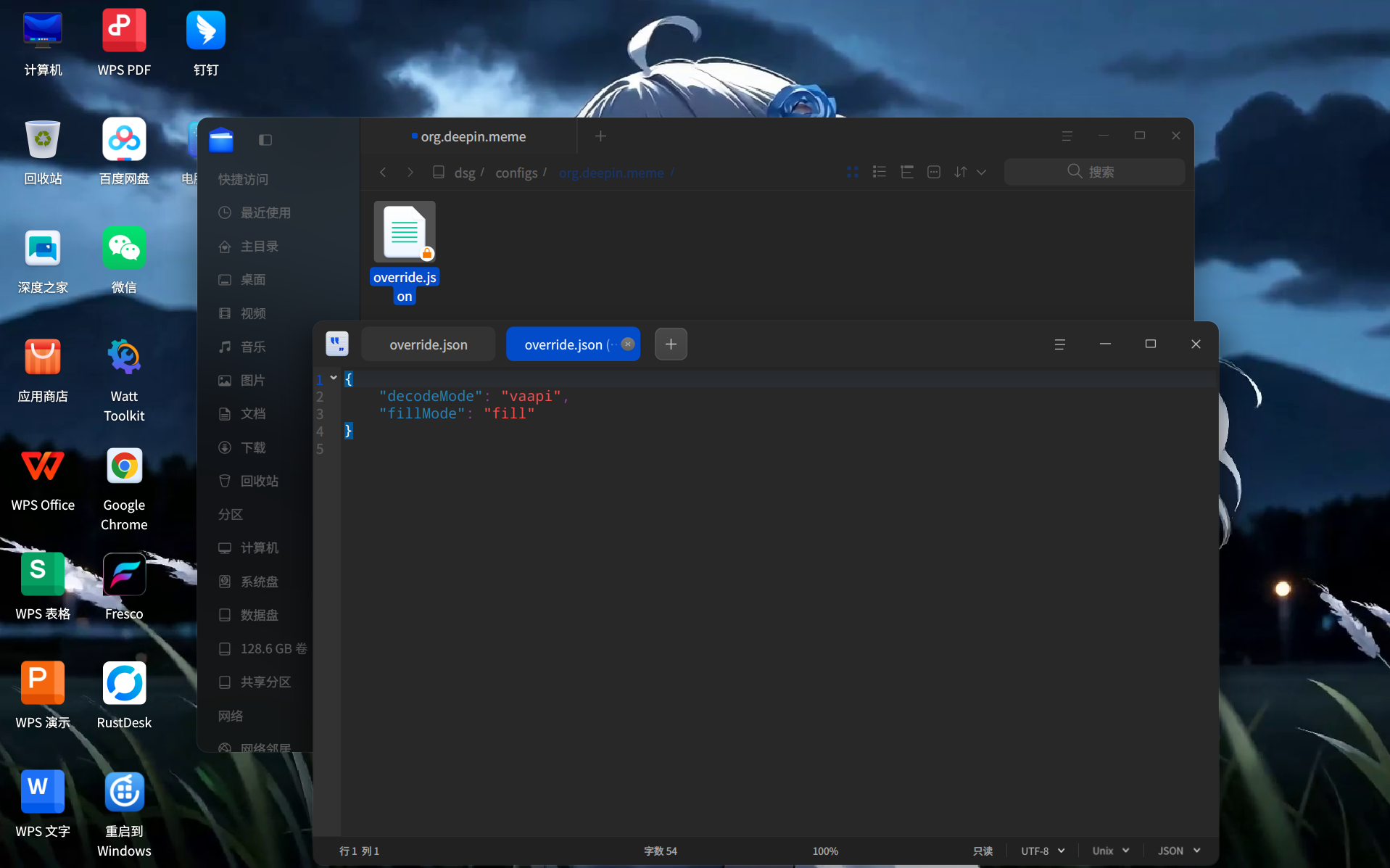
使用intel_gpu_top检查核显占用情况
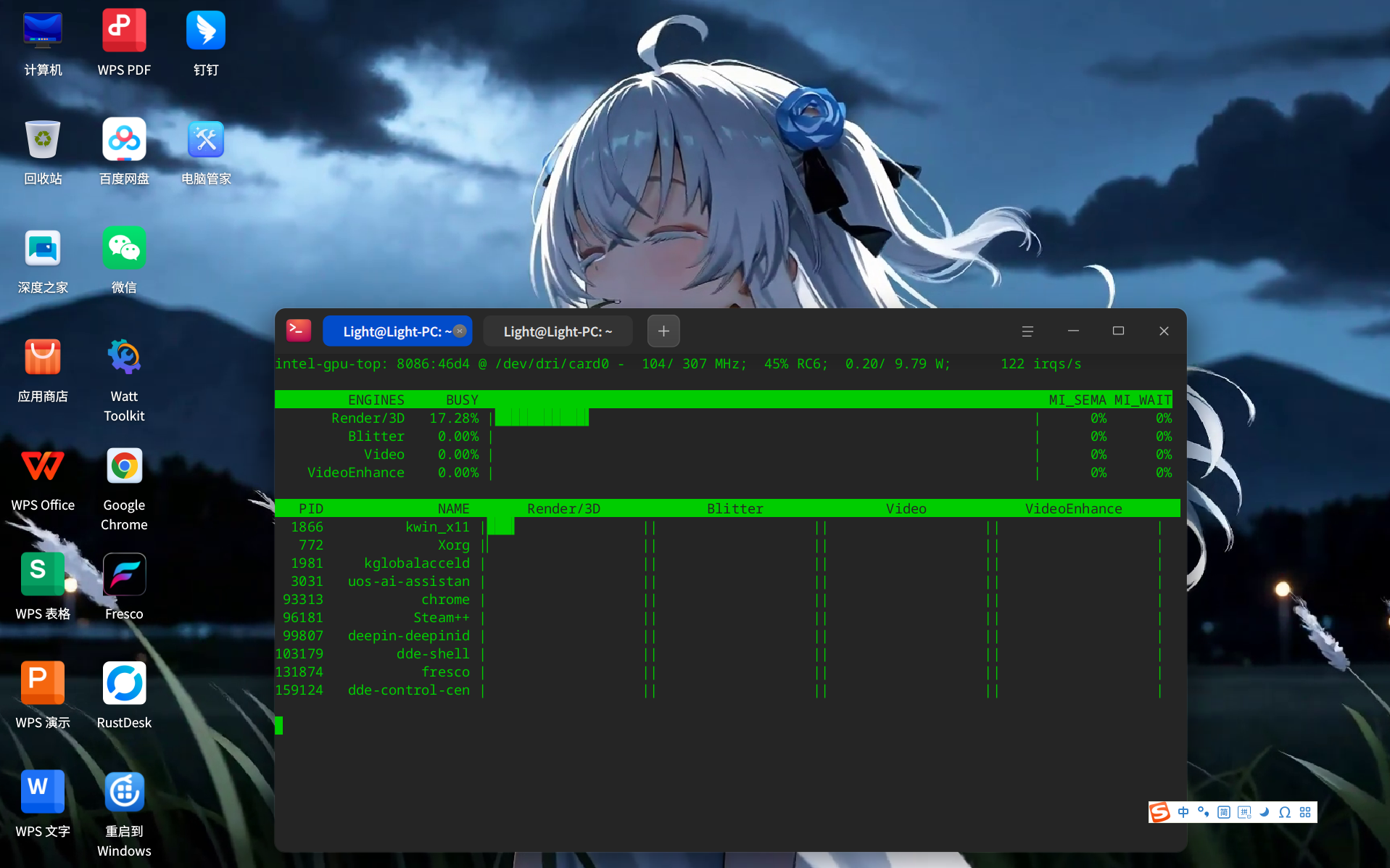
相同壁纸及环境下使用VA-API的Fresco可正常硬解

环境:deepin 25.2.1 amd64(Intel N150) deepin-meme-plugin_3.1.0_amd64.deb 包安装
安装运行:顺利
亮点:壁纸与桌面集成良好,桌面右键菜单方便快捷
问题:1.桌面右键菜单与控制中心开关不完全实时同步,控制中心的开关状态可与右键菜单同步,但右键菜单的动态壁纸开关状态需在控制中心重启后才能同步给控制中心的开关
2.VA-API硬件解码未生效(设置用户级配置和系统级配置均未生效)
文件存在且内容无误
使用intel_gpu_top检查核显占用情况
相同壁纸及环境下使用VA-API的Fresco可正常硬解
成功参与!

 deepin deepin deepin
 Let's start with the conclusion: This plugin has opened up the path of "desktop edge plugin" and is of great value to our type of live wallpaper project.
I am the developer of Fresco (a Linux live wallpaper project, also GPL-3.0, https://github.com/DibbayajyotiRoy/fresco), and the interface is in Chinese. #7Foundation 79 mentioned us in the comparison test, so sharing the pit we stepped into first can be considered a small reward.[](https://github.com/DibbayajyotiRoy/fresco)
## A test result that can support your thinking
We tested on Deepin 25: After setting the DDE wallpaper to fully transparent PNG, the desktop window of dde-shell is****Synthetic to black**** on, rather than compositing to the window below it. We put a solid red window underneath, completely invisible. That is, **Any window stacked under that desktop window will never be seen**.
Therefore, external processes only have the option of "lifting their own window onto the desktop window", and if the DDE wallpaper and desktop icon are drawn in the same window, lifting it will inevitably cover the icon. We can only use a compromise for now: give way for a few seconds when clicking on the desktop to make the icon appear.
This line in your plugin is exactly the one we haven't found yet:'bwp->setProperty(DesktopFrameProperty::kPropWidgetLevel, 5.1);`
Cooperate with hiding 'kPropWidgetName == "background"\The child control of ', with the wallpaper below and the icon above, 5.1 falls exactly in the middle of the two, and this level is out of reach outside the process. This path is right; according to our measurements,**It is the only way to display both video and desktop icons**.
## Regarding the VA-API issue on the #7th floor
I took the liberty of taking a look 'decoder.cpp', hard solving this part itself is written correctly:`av_hwdevice_ctx_create` → `get_format` → `av_hwframe_transfer_data` All of them. So it's more likely **Configuration did not reach the decoder**, not that there is a problem with the decoding path. Two directions to check first:
Also, let me state an expectation in advance to avoid being too happy: even if VA-API is enabled normally, because the "embedded QWidget" architecture requires CPU side-by-side graphics, each frame still needs to be `av_hwframe_transfer_data` Return to memory, then `sws_scale' into BGRA. Decoding itself is on the GPU, but this readback overhead cannot be saved. This is not a problem of implementation, but an inherent cost of this path. If we go down this path, we'll have to pay the same amount of money.
If these two are placed in the warehouse issue for easier tracking, I can open one and ask here first to avoid being presumptuous.
## Two questions
Regardless, this plugin desires a thumbs up it answers a question we haven't been able to resolve since 1.1.3.
deepin Let's start with the conclusion: This plugin has opened up the path of "desktop edge plugin" and is of great value to our type of live wallpaper project.
I am the developer of Fresco (a Linux live wallpaper project, also GPL-3.0, https://github.com/DibbayajyotiRoy/fresco), and the interface is in Chinese. #7Foundation 79 mentioned us in the comparison test, so sharing the pit we stepped into first can be considered a small reward.[](https://github.com/DibbayajyotiRoy/fresco)
## A test result that can support your thinking
We tested on Deepin 25: After setting the DDE wallpaper to fully transparent PNG, the desktop window of dde-shell is****Synthetic to black**** on, rather than compositing to the window below it. We put a solid red window underneath, completely invisible. That is, **Any window stacked under that desktop window will never be seen**.
Therefore, external processes only have the option of "lifting their own window onto the desktop window", and if the DDE wallpaper and desktop icon are drawn in the same window, lifting it will inevitably cover the icon. We can only use a compromise for now: give way for a few seconds when clicking on the desktop to make the icon appear.
This line in your plugin is exactly the one we haven't found yet:'bwp->setProperty(DesktopFrameProperty::kPropWidgetLevel, 5.1);`
Cooperate with hiding 'kPropWidgetName == "background"\The child control of ', with the wallpaper below and the icon above, 5.1 falls exactly in the middle of the two, and this level is out of reach outside the process. This path is right; according to our measurements,**It is the only way to display both video and desktop icons**.
## Regarding the VA-API issue on the #7th floor
I took the liberty of taking a look 'decoder.cpp', hard solving this part itself is written correctly:`av_hwdevice_ctx_create` → `get_format` → `av_hwframe_transfer_data` All of them. So it's more likely **Configuration did not reach the decoder**, not that there is a problem with the decoding path. Two directions to check first:
Also, let me state an expectation in advance to avoid being too happy: even if VA-API is enabled normally, because the "embedded QWidget" architecture requires CPU side-by-side graphics, each frame still needs to be `av_hwframe_transfer_data` Return to memory, then `sws_scale' into BGRA. Decoding itself is on the GPU, but this readback overhead cannot be saved. This is not a problem of implementation, but an inherent cost of this path. If we go down this path, we'll have to pay the same amount of money.
If these two are placed in the warehouse issue for easier tracking, I can open one and ask here first to avoid being presumptuous.
## Two questions
Regardless, this plugin desires a thumbs up it answers a question we haven't been able to resolve since 1.1.3.
To be upfront about my availability, I should mention that due to work and family commitments, I can only set aside a limited amount of free time for development. That said, I’m genuinely glad to have you involved.
To address your questions:
 deepin
 deepin
Popular Ranking
ChangePopular Events
More


 Unable to install HP Laserject Pro M15a Printer
项目简介
deepin-meme-plugin 是面向 Deepin / UOS v25 桌面的动态视频壁纸插件,由「桌面边缘插件」与「控制中心插件」两部分组成,让桌面壁纸动起来的同时,提供友好的管理界面与强大的视频兼容能力。本来打算做趣味桌面壁纸的,包含动效和音效结合,奈何token已用爆表了,精力有限,暂时搁置。
申明
本项目视频都是我从网上下载的,且本项目不涉及盈利目的,如涉及侵权,请联系我删除处理。
项目地址
https://github.com/liujianqiang-niu/deepin-meme-plugin/tree/master
目前只支持amd64架构,可直接通过deb包安装再deepin/uos v25环境
https://github.com/liujianqiang-niu/deepin-meme-plugin/releases
上图
在控制中心,个性化里面,支持预览以及一键启用
支持手动上传,并自动转码,并显示进度条
桌面展示,实际是动图
桌面展示,实际是动图
主要特性
🎬 视频壁纸渲染
auto模式下自动探测最优硬件路径。🖼️ 显示模式
支持 5 种铺屏方式,适配不同分辨率与画幅:
⚙️ 控制中心管理
「控制中心 → 个性化 → 动态壁纸」提供一站式管理:
🖱️ 桌面右键菜单
桌面空白处右键即可快速「设置动态壁纸 / 打开设置」,无需进入控制中心。
🧩 预置壁纸
内置 5 个精选动态壁纸视频资源(含 4K 分辨率),开箱即用。
预置视频均为 H264 MP4 编码,单文件小于 50 MB(可直接从源码仓库
data/res/目录获取):🌐 国际化
内置中英文翻译,随系统语言自动适配。
使用说明
配置
本插件使用 DConfig 统一管理配置,应用 ID 为
org.deepin.meme,边缘插件与控制中心插件共享同一套配置数据。配置项一览
enabledfalsecurrentVideo""decodeMode"software"software/cuda/vaapi/autofillMode"fill"fill/fit/stretch/center/tile其中
enabled与currentVideo可由控制中心界面直接操作并自动写回配置;decodeMode与fillMode暂未提供图形化入口,需通过下述配置方式进行设置。配置方式
DConfig 采用「默认值 → 系统级覆盖 → 用户级覆盖」的优先级,默认值由 schema(
/usr/share/dsg/configs/org.deepin.meme/org.deepin.meme.json)提供,用户配置写入 override 文件。用户级配置(仅当前用户生效,推荐)
系统级配置(对所有用户生效,需 root)
修改配置后,重启桌面服务使边缘插件重新读取:
配置项详解
decodeMode(解码模式)
softwarecudavaapiautofillMode(铺屏方式)
fillfitstretchcentertile环境要求
构建与安装
源码构建
Debian 打包
生成两个安装包:
deepin-meme-plugin:两个插件二进制(边缘插件 + 控制中心插件)。deepin-meme-plugin-data:预置视频资源与 DConfig schema。安装后自动重启桌面服务以加载新插件,无需手动操作。
安装产物
/usr/lib//dde-file-manager/plugins/desktop-edge/libdd-meme-wallpaper-plugin.so.3.0.0/usr/lib//dde-control-center/plugins_v1.1/meme//usr/share/deepin-meme-wallpapers//usr/share/dsg/configs/org.deepin.meme/org.deepin.meme.json