

 中文
中文 
WangZhongyun deepin
2026-08-12 23:12 deepin 怪力熊玩Fedora:
我们已经推送修复包,输入:sudo dnf up evernight-vista-repos --refresh --disablerepo=evernight-vista -y
执行之后似乎已修复源成功
Reply Like 0 View the author
 deepin
 我们已经推送修复包,输入:sudo dnf up evernight-vista-repos --refresh --disablerepo=evernight-vista -y
执行之后似乎已修复源成功

 deepin
 执行之后似乎已修复源成功
是的,然后你可以安装nvidia 470驱动了
deepin 是的,然后你可以安装nvidia 470驱动了
从系统里选择一键安装安装470驱动,完了重启终端命令:
nvidia-smi
NVIDIA-SMI has failed because it couldn't communicate with the NVIDIA driver. Make sure that the latest NVIDIA driver is installed and running.
deepin sudo dnf in xorg-x11-drv-nvidia-470xx-cuda akmod-nvidia-470xx kernel-evernight-devel akmods-evernight -y
[sudo] wzr 的密码:
仓库更新和加载中:
仓库加载完成。
软件包「xorg-x11-drv-nvidia-470xx-cuda-3:470.256.02-5.fc44.x86_64」已安装。
软件包「akmod-nvidia-470xx-3:470.256.02-18.fc44.x86_64」已安装。
软件包「kernel-evernight-devel-7.1.8-kairiki.fc44.x86_64」已安装。
软件包「akmods-evernight-44-2.fc44.noarch」已安装。
无需任何处理。
deepin 从系统里一键安装安全启动的470驱动也是一样
deepin 从系统里一键安装安全启动的470驱动也是一样
nvidia-smi查一下
deepin nvidia-smi查一下
nvidia-smi
NVIDIA-SMI has failed because it couldn't communicate with the NVIDIA driver. Make sure that the latest NVIDIA driver is installed and running.
deepin 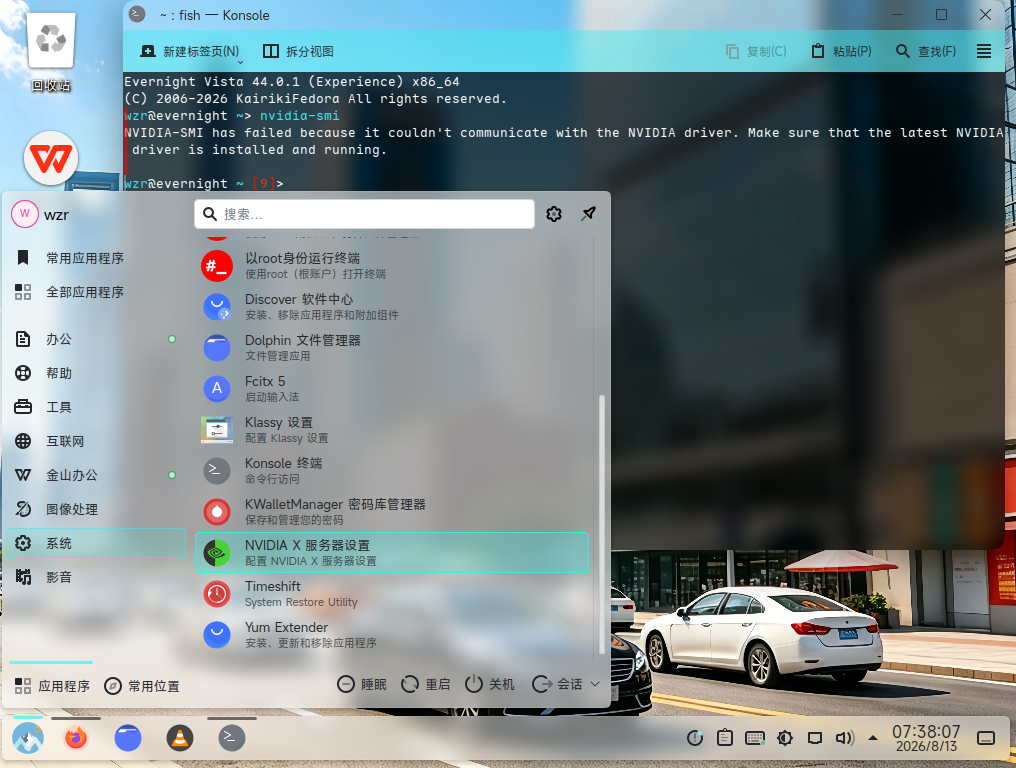
deepin nvidia-smi
NVIDIA-SMI has failed because it couldn't communicate with the NVIDIA driver. Make sure that the latest NVIDIA driver is installed and running.
mokutil --sb-state我查一下,然后sudo modprobe nvidia看一下
deepin mokutil --sb-state我查一下,然后sudo modprobe nvidia看一下
mokutil --sb-state
EFI variables are not supported on this system
deepin mokutil --sb-state我查一下,然后sudo modprobe nvidia看一下
modprobe: ERROR: could not insert 'nvidia': No such device
deepin modprobe: ERROR: could not insert 'nvidia': No such device
你的驱动不支持这个N卡,sudo dnf rm "nvidia*",然后sudo dnf in akmod-nvidia-390xx kernel-evernight-devel xorg-x11-drv-nvidia-390xx-cuda
deepin 你的驱动不支持这个N卡,sudo dnf rm "nvidia*",然后sudo dnf in akmod-nvidia-390xx kernel-evernight-devel xorg-x11-drv-nvidia-390xx-cuda
我的Deepin25 6.6内核加Debian12源后安装470驱动是正常的。这里我试试你这个
deepin 你的驱动不支持这个N卡,sudo dnf rm "nvidia*",然后sudo dnf in akmod-nvidia-390xx kernel-evernight-devel xorg-x11-drv-nvidia-390xx-cuda
执行你这些命令后,再终端命令
nvidia-smi
NVIDIA-SMI has failed because it couldn't communicate with the NVIDIA driver. Make sure that the latest NVIDIA driver is installed and running.
deepin 执行你这些命令后,再终端命令
nvidia-smi
NVIDIA-SMI has failed because it couldn't communicate with the NVIDIA driver. Make sure that the latest NVIDIA driver is installed and running.
重启进入系统黑屏,进入tty2后卸载驱动再重启才能进入桌面
deepin 重启进入系统黑屏,进入tty2后卸载驱动再重启才能进入桌面
唯一的方法是安装x11,sudo dnf in plasma-workspace-x11
deepin 唯一的方法是安装x11,sudo dnf in plasma-workspace-x11
或者添加内核参数 nano /etc/modprobed.d/nvidia-drm.conf,添加:options modeset=1 nvidia_drm。保存即可
deepin 更新后QQ也不能登录,空白的没有二维码等登录窗口
deepin 或者添加内核参数 nano /etc/modprobed.d/nvidia-drm.conf,添加:options modeset=1 nvidia_drm。保存即可
从系统里执行一键安装470驱动后,
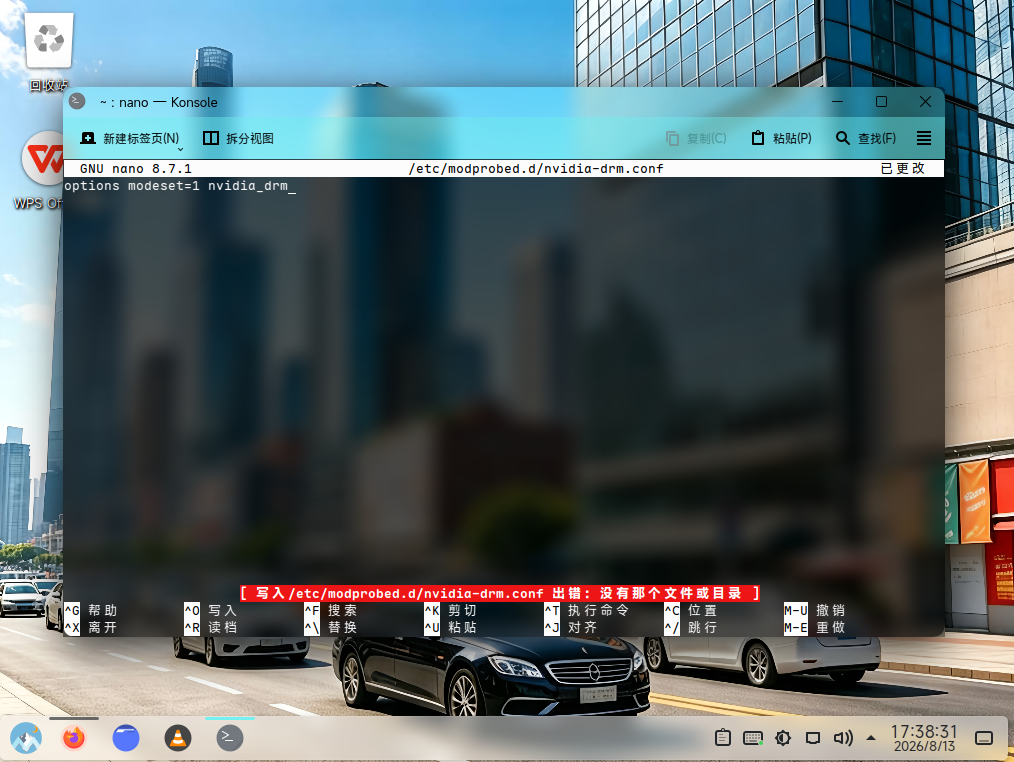
deepin 从系统里执行一键安装470驱动后,
sudo mkdir -p /etc/modprobe.d
sudo nano /etc/modprobe.d/nvidia-drm.conf
Popular Ranking
ChangePopular Events
More


 Unable to install HP Laserject Pro M15a Printer
我注意到了Evernight Vista操作系统下载量(例如SourceForge)逐渐降低,我认为很大程度上是因为它不足以像Linux Mint那样适合新手(例如NVidia驱动安装),也许是其他原因导致Evernight Vista操作系统下载量逐渐降低,下一个主要版本45.0开始,我决定加入nvidia驱动图形安装器、图形化软件源换源配置等,如果有其他新功能建议可以在评论区打出来