

 中文
中文 
huaqi deepin
2026-08-04 00:56 deepin 还能这样,我记得多余的启动项是可以通过diskgenus这个软件删除的
Reply Like 0 View the author
 deepin
 还能这样,我记得多余的启动项是可以通过diskgenus这个软件删除的
 deepin
 你需要grub-customizer

 deepin
 efibootmgr
 deepin
 这个菜单是 /boot/grub/grub.cfg 配置文件控制的,请把这个文件发过来看看。
deepin 修复多余的GRUB引导:
sudo apt-get purge grub-customize
sudo update-grub
sudo apt-get reinstall deepin-immutable-boot
sudo apt-get reinstall -o Dpkg::Options::="--force-confmiss" deepin-immutable-boot
dpkg -V deepin-immutable-boot
sudo chmod -x /etc/grub.d/*_proxy
sudo update-grub
完成。
修复 多余的系统设置:
sudo chmod -x /etc/grub.d/42_uefi-firmware
sudo update-grub
deepin 你需要grub-customizer
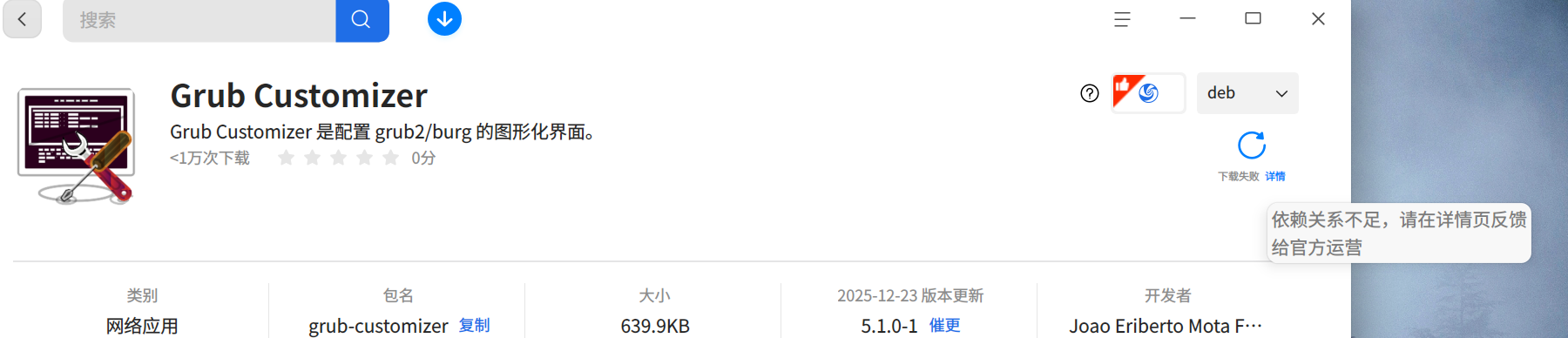
商店里,安装不了这个东西。
而且DeepIn的工程师让我把这个东西删掉
deepin 商店里,安装不了这个东西。
而且DeepIn的工程师让我把这个东西删掉
命令安装 sudo apt install -y grub-customizer,然后就能随意修改了
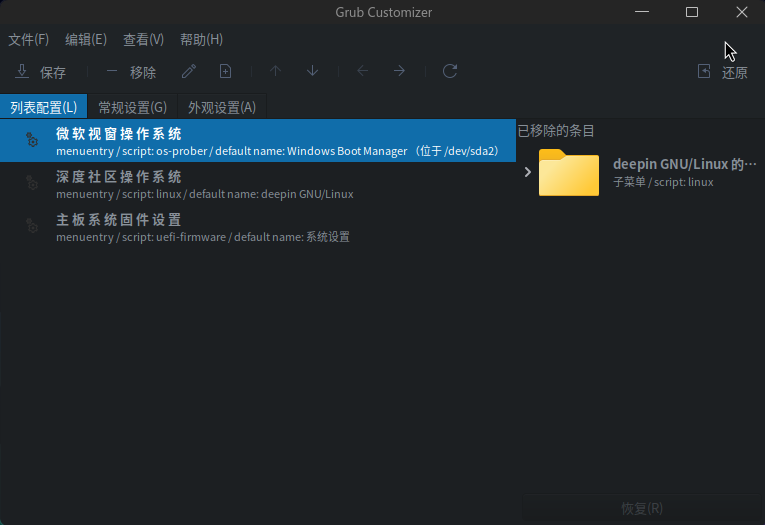
deepin 命令安装 sudo apt install -y grub-customizer,然后就能随意修改了
deepin
我是命令装的,没报依赖不足
Popular Ranking
ChangePopular Events
More


 List of bugs and suggestions
如图:
建议: 提供启动菜单,删除,修改的功能。 (主启动菜单不能删除)