中文
中文 
drw deepin
2026-07-30 11:25 deepin 刚才在huawei本本,UOS v20 1070 pro上试了下,也是不行,似乎调不出来输入法。
又在一台长城麒麟2503电脑上试了,好像是正常的。
Reply Like 0 View the author
 deepin
 刚才在huawei本本,UOS v20 1070 pro上试了下,也是不行,似乎调不出来输入法。
又在一台长城麒麟2503电脑上试了,好像是正常的。

chrome ARM还没正式发布呢,等发布了应该就好了,现在估计得自己改环境变量那些的。
If you’ve got an Arm64 device – this isn’t limited to single-board computers; it’ll work on a PineBook Pro, Snapdragon X laptop or expensive Arm PCs like System76 Thelio and the NVIDIA DGX Spark – download it from the Chrome website:
I can’t find an official ‘announcement’ that Arrch64 builds are ready for use (or testing – they might not be reliable enough for daily use). The Chrome support pages don’t currently mentioned that Arm64 Linux is supported. If you try this, keep that in mind.
Still, chances are Google will say something “official” about these builds in the coming weeks, and update the Chrome website download link to serve an Arm64 build directly.
deepin 刚才在huawei本本,UOS v20 1070 pro上试了下,也是不行,似乎调不出来输入法。
又在一台长城麒麟2503电脑上试了,好像是正常的。
我猜测原因出在wayland上
deepin chrome ARM还没正式发布呢,等发布了应该就好了,现在估计得自己改环境变量那些的。
If you’ve got an Arm64 device – this isn’t limited to single-board computers; it’ll work on a PineBook Pro, Snapdragon X laptop or expensive Arm PCs like System76 Thelio and the NVIDIA DGX Spark – download it from the Chrome website:
I can’t find an official ‘announcement’ that Arrch64 builds are ready for use (or testing – they might not be reliable enough for daily use). The Chrome support pages don’t currently mentioned that Arm64 Linux is supported. If you try this, keep that in mind.
Still, chances are Google will say something “official” about these builds in the coming weeks, and update the Chrome website download link to serve an Arm64 build directly.
我捣鼓半天没弄好,放弃了,准备再等等,看看更新后能不能好

 deepin
 chrome ARM还没正式发布呢,等发布了应该就好了,现在估计得自己改环境变量那些的。
If you’ve got an Arm64 device – this isn’t limited to single-board computers; it’ll work on a PineBook Pro, Snapdragon X laptop or expensive Arm PCs like System76 Thelio and the NVIDIA DGX Spark – download it from the Chrome website:
I can’t find an official ‘announcement’ that Arrch64 builds are ready for use (or testing – they might not be reliable enough for daily use). The Chrome support pages don’t currently mentioned that Arm64 Linux is supported. If you try this, keep that in mind.
Still, chances are Google will say something “official” about these builds in the coming weeks, and update the Chrome website download link to serve an Arm64 build directly.
擎云UOS的搜狗输入法在较新的chrome上有问题
我这边trae出现了同样的无法输入问题
可能是fcitx版本过低/不可用fcixt5的问题
GXDE OS For Kirin9000C 快来咯
擎云UOS的搜狗输入法在较新的chrome上有问题
我这边trae出现了同样的无法输入问题
可能是fcitx版本过低/不可用fcixt5的问题
GXDE OS For Kirin9000C 快来咯
这样啊,我转给UOS项目同学看看。系统默认的拼音输入法也不行么?
 deepin
 飞腾表示可以,说明又是麒麟芯片的问题。
这破芯片就没有一个arm64标准应用不出适配问题的。
deepin 飞腾表示可以,说明又是麒麟芯片的问题。
这破芯片就没有一个arm64标准应用不出适配问题的。
可能是输入法版本相关版本问题?麒麟芯片的一些应用走自己的定制源,版本和主线UOS不一致
或者是单纯是UOS 的fcitx版本过低,wayland下用不了
楼主试试加参数强制xwayland启动试试?
 deepin
 鲲鹏920中文输入没问题,猜测是麒麟芯片wayland环境的问题。
deepin 我捣鼓半天没弄好,放弃了,准备再等等,看看更新后能不能好
启动时候加参数 --ozone-platform=x11 可以强制xwayland 就可以输入了
 deepin
 界面字体显示过小怎么解决,问了豆包,改desktop、写配置文件都没解决。
华为l420x Kirin9000C
deepin 界面字体显示过小怎么解决,问了豆包,改desktop、写配置文件都没解决。
华为l420x Kirin9000C
华为L450x Kirin9000C本本,除了UOS自带的浏览器界面字体正常,其他安装的都是界面字体过小。
deepin 启动时候加参数 --ozone-platform=x11 可以强制xwayland 就可以输入了
好的,周一上班时试试,感谢
deepin 鲲鹏920中文输入没问题,猜测是麒麟芯片wayland环境的问题。
我猜测也是这个原因
deepin 好的,周一上班时试试,感谢
结果怎么样?
deepin 结果怎么样?
可以正常打字了
Popular Ranking
ChangePopular Events
More


 List of bugs and suggestions
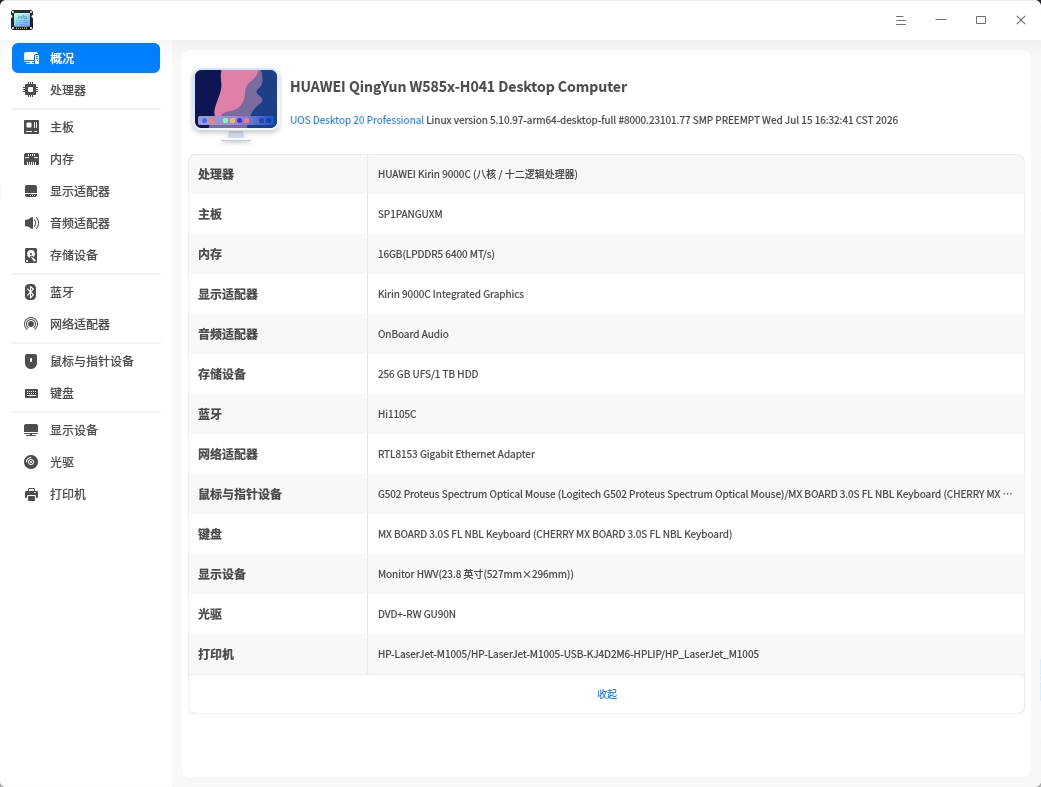
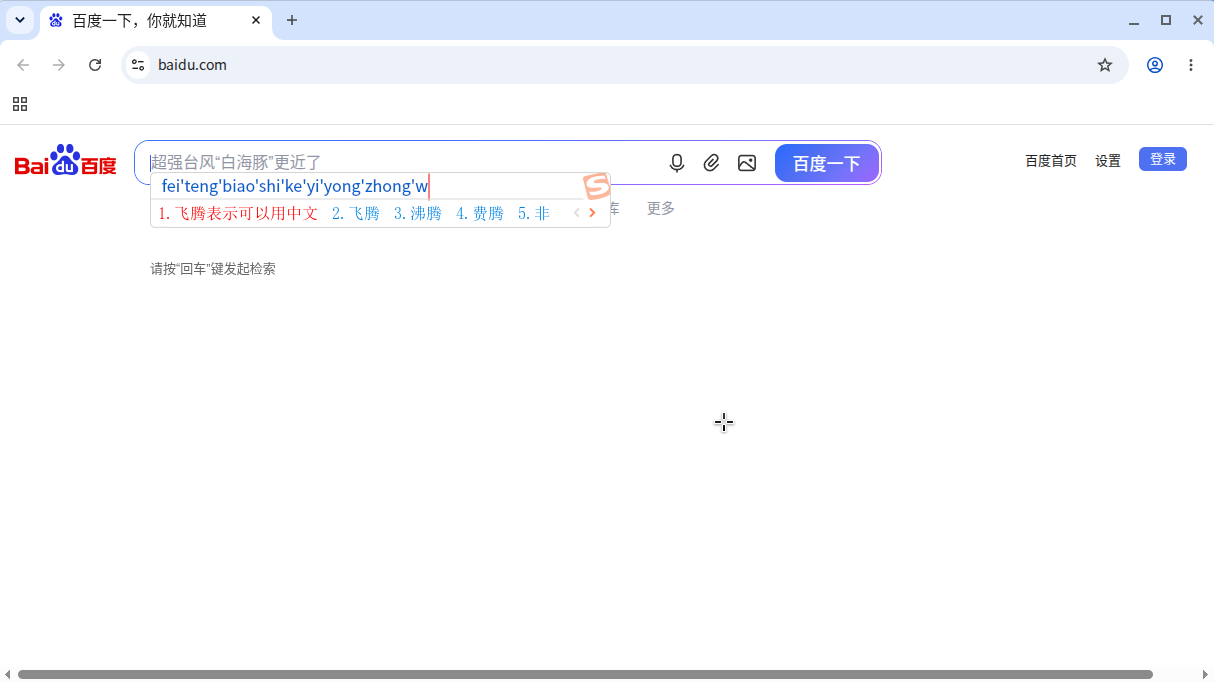
刚刚安装了Google Chrome,但是在Chrome内没办法输入中文,有什么办法能解决吗?系统配置如下: