

 中文
中文 
deepin流云
2026-07-08 09:41 Super Moderator
Community OP
https://www.deepin.org/zh/deepin-25-installation/
ultra185h处理器需要更新下mesa集显才能正常工作,参考安装指南3.6、3.5部分先更mesa再装N卡驱动。
Reply Like 0 View the author

https://www.deepin.org/zh/deepin-25-installation/
ultra185h处理器需要更新下mesa集显才能正常工作,参考安装指南3.6、3.5部分先更mesa再装N卡驱动。
 deepin
 https://www.deepin.org/zh/deepin-25-installation/
ultra185h处理器需要更新下mesa集显才能正常工作,参考安装指南3.6、3.5部分先更mesa再装N卡驱动。
连接扩展屏,发现扩展屏没有出现闪屏,只有笔记本屏幕会闪屏
deepin https://www.deepin.org/zh/deepin-25-installation/
ultra185h处理器需要更新下mesa集显才能正常工作,参考安装指南3.6、3.5部分先更mesa再装N卡驱动。
按3.6安装然后重启,按3.5安装然后重启,无法进入系统
deepin 安装nvida驱动后,笔记本屏幕卡在蓝色界面,副屏输出如图
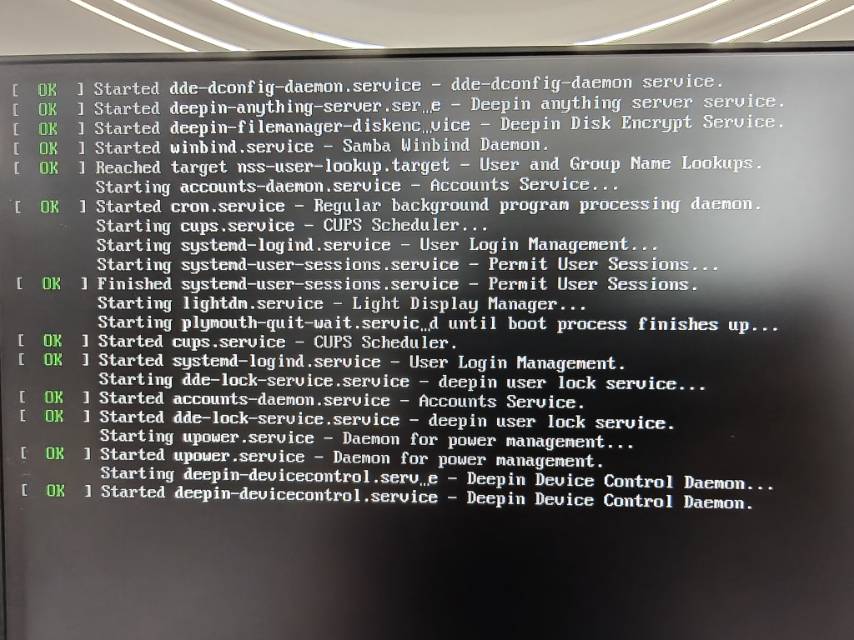
安装nvida驱动后,笔记本屏幕卡在蓝色界面,副屏输出如图
看下BIOS是不是安全启动打开了?
deepin 看下BIOS是不是安全启动打开了?
安装系统前已经关闭了,不关闭安全启动无法安装系统
Popular Ranking
ChangePopular Events
More


 List of bugs and suggestions
华硕笔记本电脑,配置是ultra 185h + rtx4060,windows 11+ deepin 25双系统,使用非safe模式安装过程和安装后均出现闪屏。
使用safe模式安装过程和安装后均无闪屏,但是安装后分辨率只有
1024x768,但是安装过程分辨率是正常的。论坛里手动安装
n卡驱动和英特尔驱动的方法都试过,要不就是没有生效,要不就是卡在蓝色boot界面,无法进入系统。