

 中文
中文 
会飞的鱼11 deepin
2026-06-15 10:25 deepin Community Developer
Please use sudo ll-cli uninstall app.netlify.ytdn to uninstall, and then execute sudo ll-cli prune to clean up.
Reply Like 1 View the author
 deepin
 Please use sudo ll-cli uninstall app.netlify.ytdn to uninstall, and then execute sudo ll-cli prune to clean up.
deepin Additionally, this update notification comes from the application itself; the application in the repository may not necessarily be updated. You can use ll-cli list --upgradable | grep app.netlify.ytdn to check if there is a new version in the remote repository. If so, you can use ll-cli upgrade app.netlify.ytdn.
Popular Ranking
ChangePopular Events
More


 Unable to install HP Laserject Pro M15a Printer
I have installed the Linyaps App "app.netlify.ytdn" (YTDownloader).
I can see it within the terminal at "ll-cli list" (Screenshot attached)
Now the app reports on startup that there is an update, when you try to update it, it looks fine, then you will be asked if you want to restart (the App) "now" or "Later" it does'nt matter what you choose, it fails.
So I am also not able to uninstall this app in the App Store (it will be shown as "installed" but after some seconds when you click "uninstall" it reports an failure.
Attached some sceenshots and the 2 recommended journalctl outputs.
journal.txtkernel_journal.txt
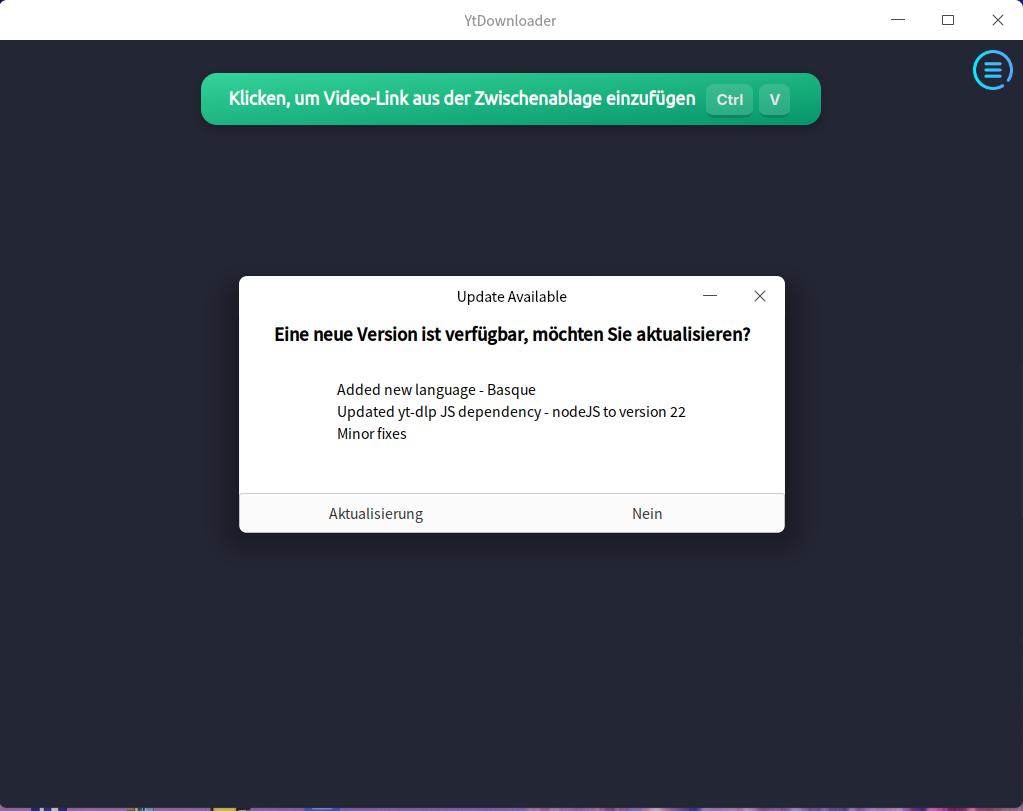
Can someone please tell me how to solve this issue? I really love this app, it is great.
Best way in my opinion is the uninstall it and then re-install it from the new release, but I am not able to uninstall it first....