中文
中文 
deepin流云
2026-06-11 17:20 Super Moderator
Community OP
我发你下微信,拉测试研发一起看看。
Reply Like 0 View the author

我发你下微信,拉测试研发一起看看。
 deepin
 我发你下微信,拉测试研发一起看看。
已加,通过一下
deepin 我发现运行killall dde-shell命令后能出现图标,但重启后又没图标了。
 deepin
 试试 systemctl restart --user dde-shell@DDE.service
deepin 试试 systemctl restart --user dde-shell@DDE.service
谢谢了,研发给了我一个github的代码,这个没图标的问题已解决。现在头大输入法出不来,系统重启后没有任何fcitx5相关的进程,输入法管理对话框中也是空的,运行fcitx5之后才出现输入法。正常启动时是有fcitx5和fcitx5-helper两个进程的。现在每次启动系统输入法都需手工启动。
deepin 终于所有问题都解决了😁
deepin 同样的问题,怎么解决?
deepin $git clone https://github.com/linuxdeepin/dde-launchpad.git
$cd dde-launchpad
$ sudo apt build-dep . # install build dependencies
$ dpkg-buildpackage -uc -us -nc -b # build binary package(s)
注意生成包在dde-launchpad的父目录中
deepin 同样的问题,怎么解决?
解决方法见贴子😃
deepin 哇,感谢,刚才流云已经发给我了,输入法的问题还没有解决。
deepin 1、在关闭磐石系统重启后修改/usr/share/applications/org.fcitx.Fcitx5.desktop文件,删除其中的NoDisplay=true语句
2、启动器的系统管理中会出现Fcitx 5图标,没有请注销后重新登录
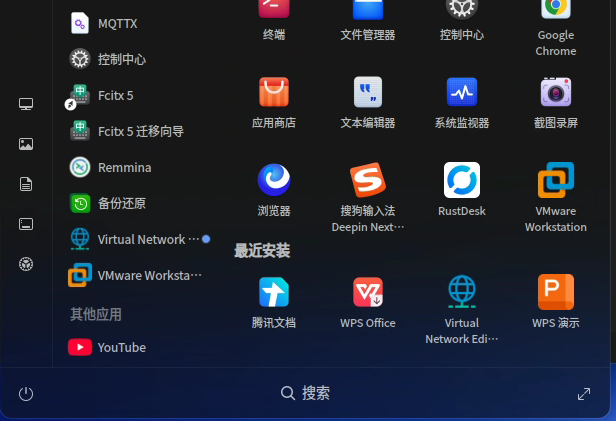
3、右击Fcitx 5图标,在弹出菜单中勾选"取消开机自动启动",然后再右击Fcitx 5图标勾选"开机自动启动",输入法就正常了,然后再开启磐石系统
deepin 哇,感谢,刚才流云已经发给我了,输入法的问题还没有解决。
我就是按上述方法修复的,你试试
 deepin
 +1,我也有一台设备碰到了 蹲个正式修复
Popular Ranking
ChangePopular Events
More


 List of bugs and suggestions
升级了Deepin V25.1.1后启动器内的所有应用程序图标都消失了
同时输入法也没有了,需手工启动,但明明应用都在的
使用了许多方法,如:sudo apt install dde-qt6integration --reinstall,也无效。
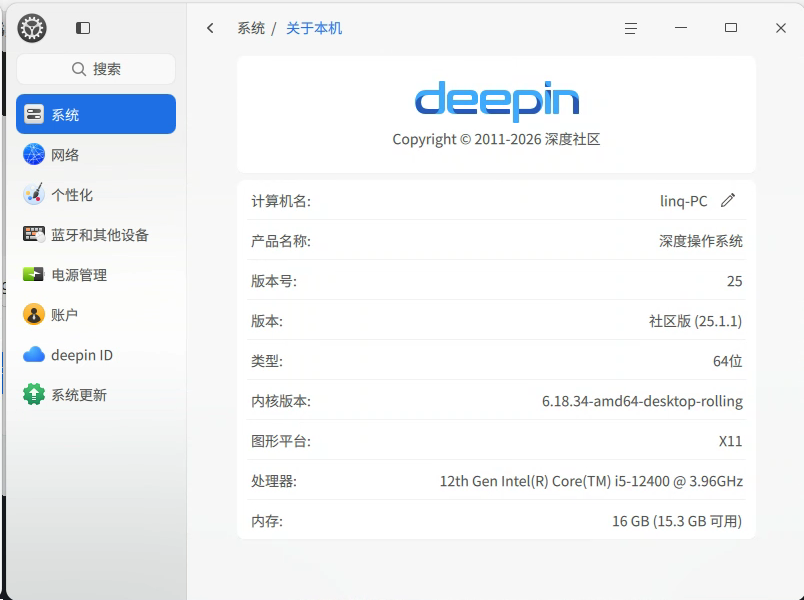
系统信息如下: