Home
Categories
WIKI
Topic
User
LANGUAGE:
中文
English
[Others]
拼音输入法待选词显示的文字太小
V25.1.0
Product Feedback
833
views ·
2
replies ·
To
floor
Go
深度之家
deepin
2026-05-28 17:00
Author
【系统环境】: deepin V25.1.0 【前置条件】: 【复现步骤】: 使用1920x1080的显示器开机,切换到3840x2400的显示器显示 【预期结果】: 拼音输入法提示词框的字体显示正常 【实际结果】: 字体过小
Reply
Like 0
Favorite
View the author
All Replies
深度之家
deepin
2026-05-28 17:00
#1
您好,已收到您反馈的信息,如果您使用的是高分屏,请确保控制中心-显示-缩放为225%,再尝试下,如果使用还是存在问题,可以在论坛发帖提供下具体的使用场景和截图,或者您可以尝试下载最新镜像
Reply
Like 0
View the author

qq4945286
deepin
2026-05-28 20:20
#2
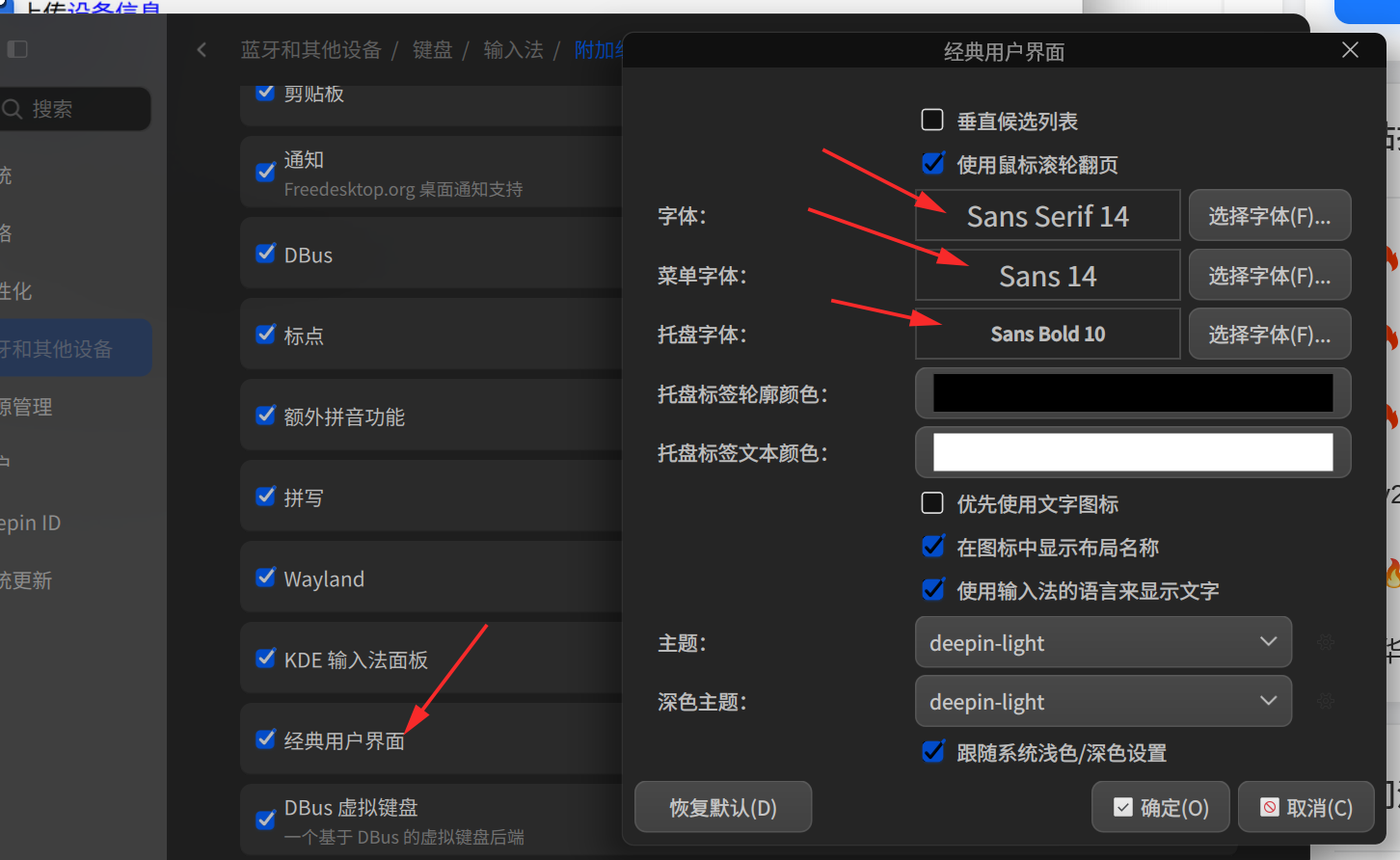
这里也可以调,而且方便。
Reply
Like 0
View the author
Please
sign
in first
Featured Collection
Change
[Tutorial] deepin25 WSL Offline Installation Guide
UOS AI 2.8 Released! Three New Intelligent Agents & Major Evolution
Solid Q&A | deepin 25 Common Questions – The Immutable System Edition
New Thread
Popular Ranking
Change
Deepin 25.2.0 Black Screen After Sleep
login to bbs.deepin.org only works without ipv6
NVIDIA graphics driver are not working with enabled secure boot
OBS Flatpak with Treeland
Popular Events
More