

 中文
中文 
冰凤琉璃 deepin
2026-05-17 23:57 deepin 手动安装了玲珑环境再次调用安装脚本之后可以正常安装了
Reply Like 0 View the author
 deepin
 手动安装了玲珑环境再次调用安装脚本之后可以正常安装了
deepin 还是不行
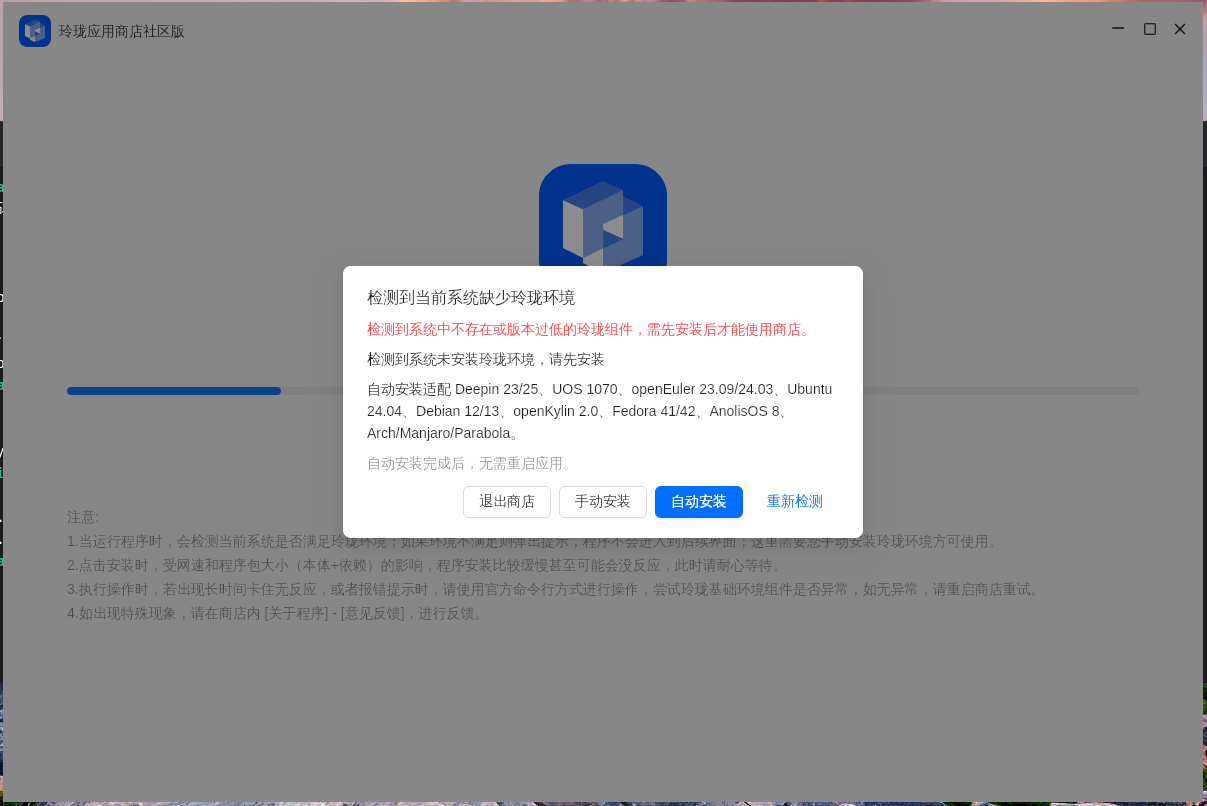

命令行下看看ll-cli --version
看看


Fc44走这里装: https://bbs.deepin.org.cn/post/289061

 deepin
 Also try 星火应用商店
 deepin
 https://ci.deepin.com/repo/obs/linglong:/CI:/release/Fedora_43/x86_64/
下载安装这两个文件,先安装box再安装bin
linglong-box-2.1.21-7.1.x86_64.rpm
linglong-bin-1.12.11-2.1.x86_64.rpm
再安装
https://github.com/HanHan666666/flutter-linglong-store/releases/tag/v3.3.6
deepin 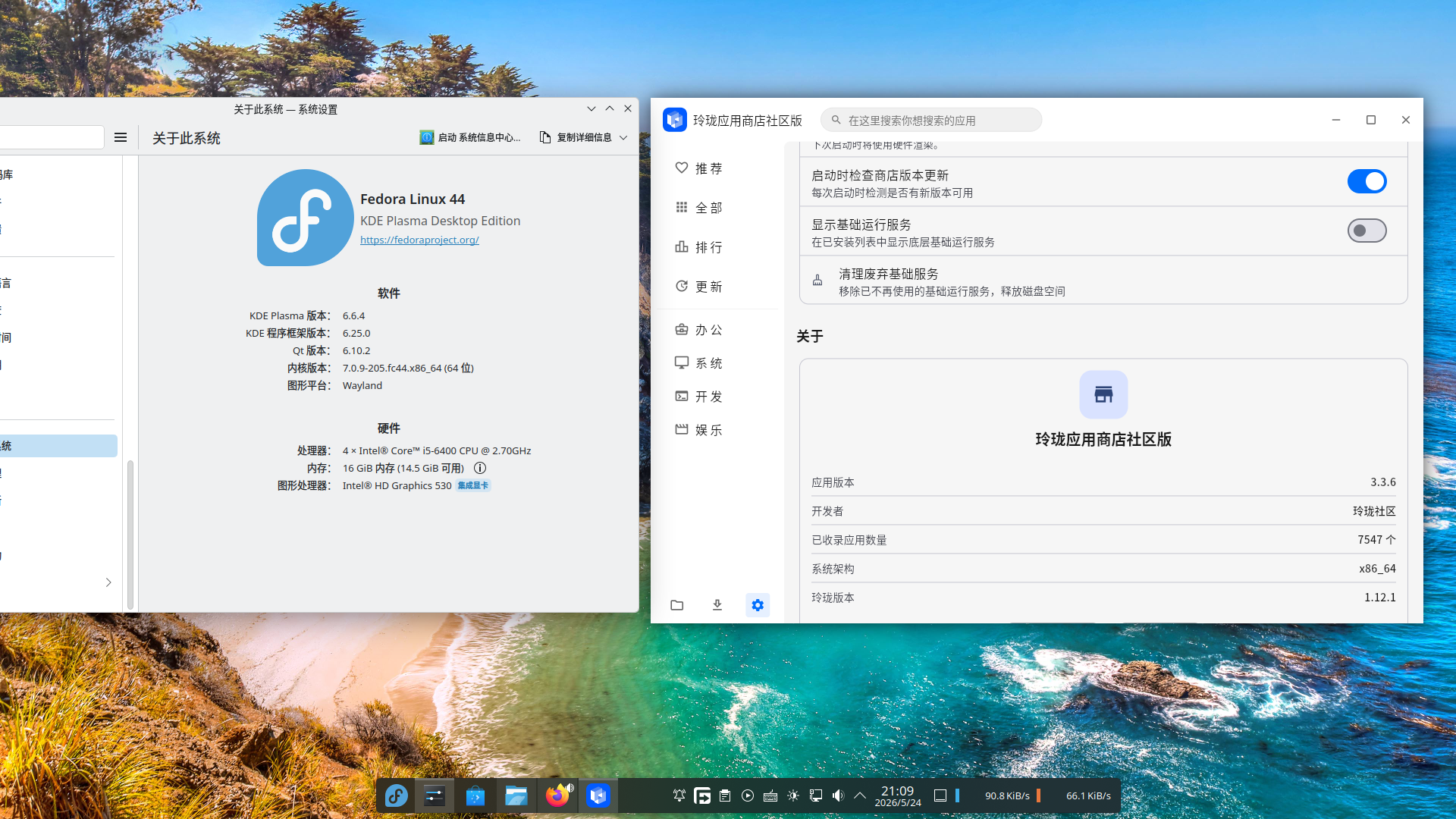
 deepin
 Fc44走这里装: https://bbs.deepin.org.cn/post/289061
但是这样安装的话商店好像还是不认
deepin 新安装了一台 Fedora 44. 想要通过包管理器 dnf 来管理玲珑的话,好像怎么着都有点儿问题。
如果是通过 @mozixun 佬提供的 COPR,再去单独下载安装玲珑商店,装上之后玲珑商店认不出来(如下图)。
如果是通过官方源(https://ci.deepin.com/repo/obs/linglong),则官方源没有 fc44; 如果强行添加 fc43 的源,则直接报签名错误,无法安装。
尝试重启服务的办法,结果直接就没有这个服务。
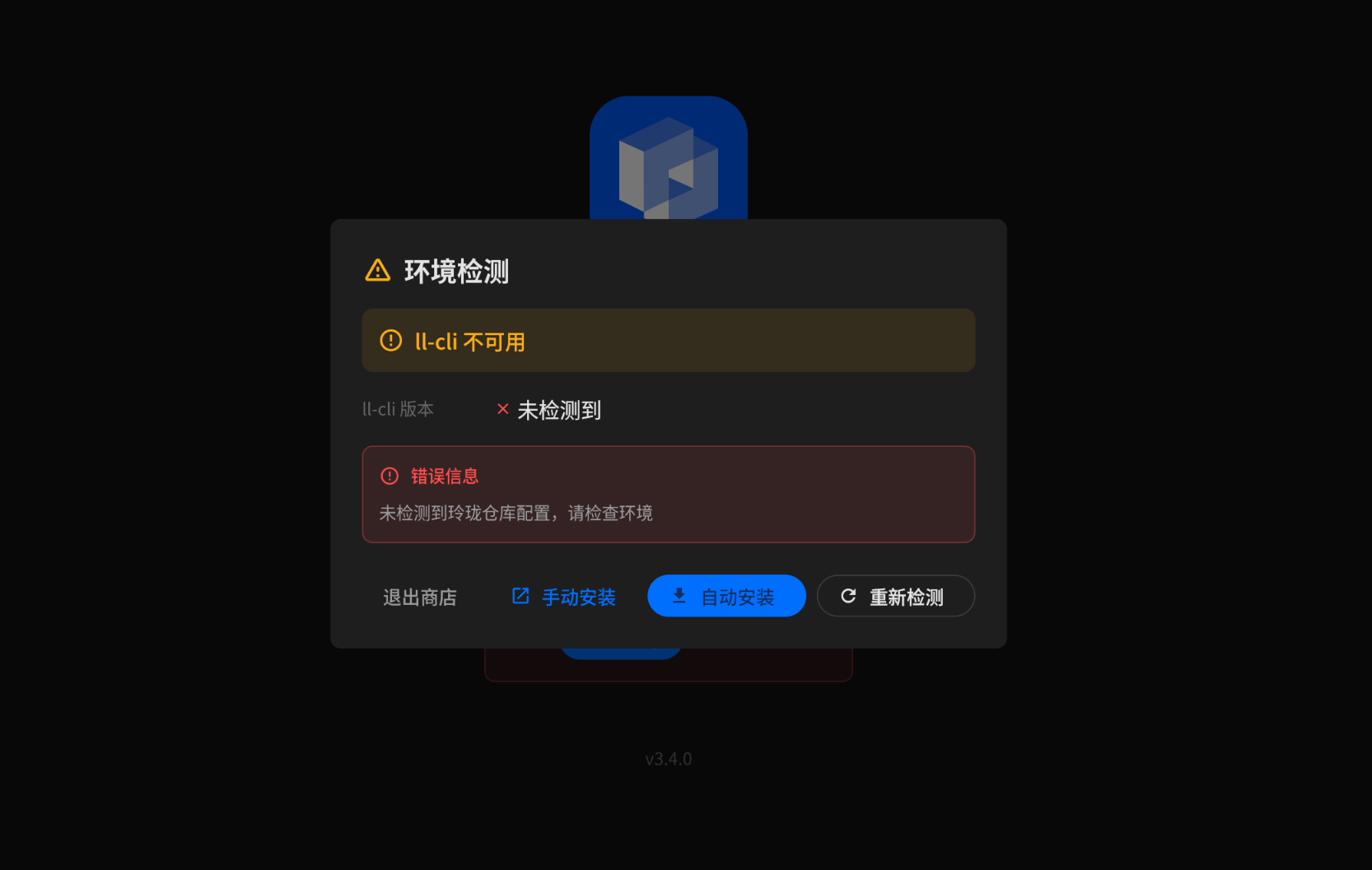
附上我的环境:
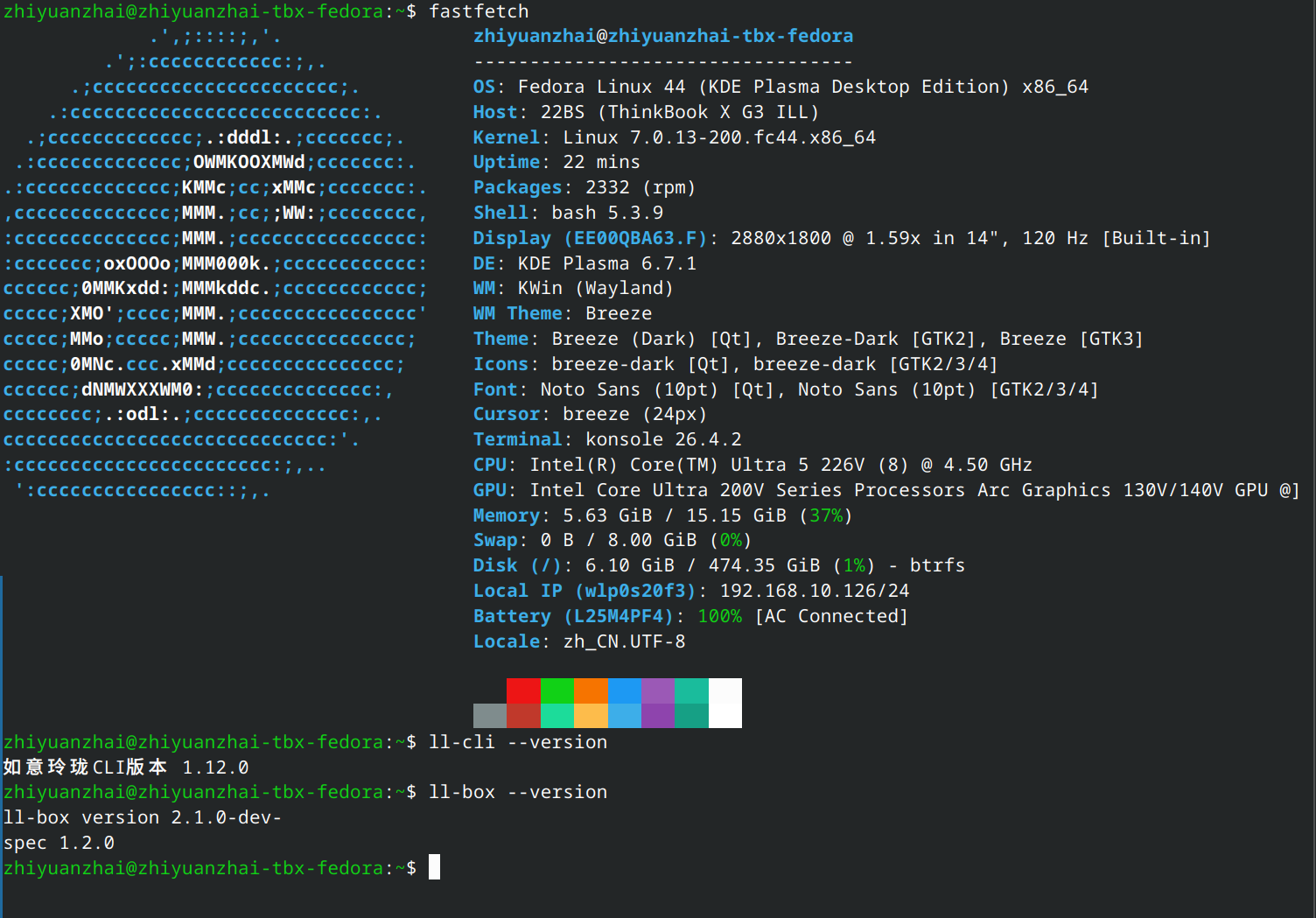
新安装了一台 Fedora 44. 想要通过包管理器 dnf 来管理玲珑的话,好像怎么着都有点儿问题。
如果是通过 @mozixun 佬提供的 COPR,再去单独下载安装玲珑商店,装上之后玲珑商店认不出来(如下图)。
如果是通过官方源(https://ci.deepin.com/repo/obs/linglong),则官方源没有 fc44; 如果强行添加 fc43 的源,则直接报签名错误,无法安装。
尝试重启服务的办法,结果直接就没有这个服务。
附上我的环境:
@wuhan 你确定玲珑商店判断玲珑正不正常没加别的私货罢
如果你真的试过不行, 试一下用极速版的玲珑商店
deepin @wuhan 你确定玲珑商店判断玲珑正不正常没加别的私货罢
如果你真的试过不行, 试一下用极速版的玲珑商店
极速版启动正常,但是无法安装任何 app:
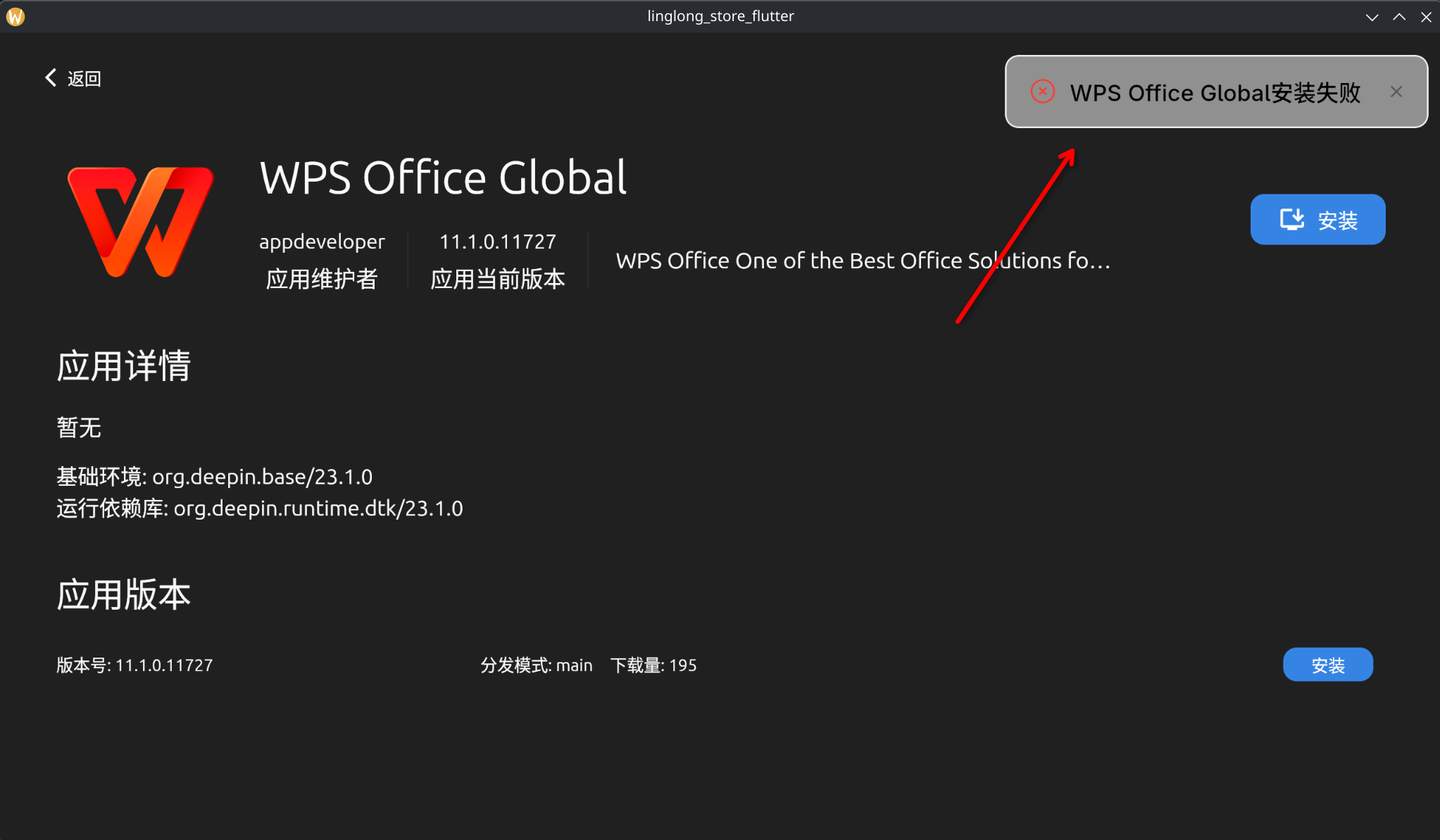
感觉好像是 ll-cli 的运行有点问题。实际上如果直接执行:
sudo ll-cli install com.wps.global/11.1.0.11727 --force -y
则报以下错误:
failed to load repo: [code -1]:
failed to load config
是缺少哪些配置么?我不太清楚。
极速版启动正常,但是无法安装任何 app:
感觉好像是 ll-cli 的运行有点问题。实际上如果直接执行:
sudo ll-cli install com.wps.global/11.1.0.11727 --force -y
则报以下错误:
failed to load repo: [code -1]:
failed to load config
是缺少哪些配置么?我不太清楚。
建议先检查一下自己有没有混源装了主线玲珑同时又开了我那个COPR
如果还有这个问题我建议删除/var/lib/linglong然后重新走命令安装试一下
deepin 建议先检查一下自己有没有混源装了主线玲珑同时又开了我那个COPR
如果还有这个问题我建议删除/var/lib/linglong然后重新走命令安装试一下
https://pastebin.com/azJw9ZGM
字数所限,把这个记录放在了 pastebin 上。
/var/lib/linglong 这个目录似乎就不存在,即使是安装后。
https://pastebin.com/azJw9ZGM
字数所限,把这个记录放在了 pastebin 上。
/var/lib/linglong 这个目录似乎就不存在,即使是安装后。
你安装后重启电脑了没 ))
deepin 你安装后重启电脑了没 ))
重启回来了,确实有 /var/lib/linglong 目录了,但是里面空无一物。
然后安装还是不成功,shell 输出和之前一样。
 deepin
 新安装了一台 Fedora 44. 想要通过包管理器 dnf 来管理玲珑的话,好像怎么着都有点儿问题。
如果是通过 @mozixun 佬提供的 COPR,再去单独下载安装玲珑商店,装上之后玲珑商店认不出来(如下图)。
如果是通过官方源(https://ci.deepin.com/repo/obs/linglong),则官方源没有 fc44; 如果强行添加 fc43 的源,则直接报签名错误,无法安装。
尝试重启服务的办法,结果直接就没有这个服务。
附上我的环境:
ll-cli repo show 看看有没有内容输出,估计有什么问题,商店3.5加上了更详细的问题输出,可以试试
Popular Ranking
ChangePopular Events
More


 List of bugs and suggestions
用的是官网的安装命令,以下是错误日志希望能得到解决
Starting: shell-bash
Executing: bash /tmp/linglong-installer-1601871055/distros/fedora_44.sh
https://copr.fedorainfracloud.org/api_ 100% | 258.0 B/s | 521.0 B | 00m02s
启用 Copr 仓库。请注意,这个仓库不是
主发行版的一部分,质量可能有所不同。
Fedora 项目不会在 Copr 常见问题解答中所列规则之外
对该仓库的内容行使任何权力,
(请参阅 https://docs.pagure.org/copr.copr/user_documentation.html#what-i-can-build-in-copr),
这些软件包不受任何质量或安全级别的保障。
请不要在 Fedora Bugzilla 中提交有关这些软件包的 bug 报告。
如果遇到问题,请联系该仓库的所有者。
仓库更新和加载中:
Copr repo for OpenAtom-Linyaps owned b 100% | 1.7 KiB/s | 1.5 KiB | 00m01s
仓库加载完成。
无法解析事务:
未找到匹配的参数:linyaps-web-store-installer
你可以尝试添加到命令行中:
--skip-unavailable 跳过不可用软件包
Command failed: exit status 1
✗ Error in shell-bash: command failed: exit status 1
Task shell-bash failed: command failed: exit status 1
Installation failed: command failed: exit status 1