

 中文
中文 
Ligocut光剪视频剪辑软件 deepin
2026-04-19 00:40 deepin Backbone of ecological co-construction group
4.不能卸载
Reply Like 0 View the author
 deepin
 4.不能卸载

 deepin
 截图快捷键 PrintScreen

4.不能卸载
能的只是会麻烦一点。
但是很麻烦。

1.驱动上大概是支持了,但是deepin没有提供图形界面的设置
3.从命令行启动可以附加延时的参数。快捷键有Ctrl+Alt+A和Print Screen,也可以在控制中心修改
 deepin
 感谢以上各位大佬的解答
deepin 1.驱动上大概是支持了,但是deepin没有提供图形界面的设置
3.从命令行启动可以附加延时的参数。快捷键有Ctrl+Alt+A和Print Screen,也可以在控制中心修改
那么请问
这个问题1还有希望给增加上吗?毕竟也是“成熟功能”不是,而且就算是信创本,那也有支持电池阈值和键盘灯的啊
它们也需要不是。。。
那么请问
这个问题1还有希望给增加上吗?毕竟也是“成熟功能”不是,而且就算是信创本,那也有支持电池阈值和键盘灯的啊
它们也需要不是。。。
这个我说不好, @一头牛 大佬麻烦来评估下需求

 deepin
 让你说的我都想装一个试试了=。=!
deepin 换了一个AMD 225H 的笔记本
原来试用V20 HWE内核的时候就发现它不支持 这个780M显卡,现在V25还是不支持
硬解B 站也不行
而且安装系统内的amdgpu-dkms还装不了报错。。。
还有一个问题是我这个机器网卡是intel ax210,可以搜到5G 频段,但是无法链接,2.4G的可。。。
03:00.0 Network controller: Intel Corporation Wi-Fi 6E(802.11ax) AX210/AX1675* 2x2 [Typhoon Peak] (rev 1a)
那么如果去官网下,现在的系统应该用类似debian12的驱动?
user@user-255h:$ sudo apt install amdgpu-dkms22.04 DKMS files...
请输入密码:
验证成功
正在读取软件包列表... 完成
正在分析软件包的依赖关系树... 完成
正在读取状态信息... 完成
amdgpu-dkms 已经是最新版 (5.16.9.22.20)。
升级了 0 个软件包,新安装了 0 个软件包,要卸载 0 个软件包,有 0 个软件包未被升级。
有 1 个软件包没有被完全安装或卸载。
解压缩后会消耗 0 B 的额外空间。
您希望继续执行吗? [Y/n]
正在设置 amdgpu-dkms (5.16.9.22.20) ...
Removing old amdgpu-5.16.9.22.20-1438747
Deleting module amdgpu-5.16.9.22.20-143874722.04 completely from the DKMS tree.22.04 DKMS files...
Loading new amdgpu-5.16.9.22.20-1438747
Building for 6.6.0-amd64-desktop
Building for architecture x86_64
Building initial module for 6.6.0-amd64-desktop
Warning: The /var/lib/dkms/amdgpu/5.16.9.22.20-143874722.04/6.6.0-amd64-desktop/x86_64/dkms.conf
for module amdgpu includes a BUILD_EXCLUSIVE directive
which does not match this kernel/arch/config.
This indicates that it should not be built.
Skipped.
update-initramfs: Generating /boot/initrd.img-added
grep: /boot/config-added: 没有那个文件或目录
W: lz4 compression (CONFIG_RD_LZ4) not supported by kernel, using gzip
grep: /boot/config-added: 没有那个文件或目录
E: gzip compression (CONFIG_RD_GZIP) not supported by kernel
update-initramfs: failed for /boot/initrd.img-added with 1.
dpkg: 处理软件包 amdgpu-dkms (--configure)时出错:
已安装 amdgpu-dkms 软件包 post-installation 脚本 子进程返回错误状态 1
在处理时有错误发生:
amdgpu-dkms
E: Sub-process /usr/bin/dpkg returned an error code (1)
deepin 让你说的我都想装一个试试了=。=!
可以装个试试
这个版本个人感觉是比V20好用的
sudo 任务栏程序不分组 glibc 都还好
整体感觉完成度比V20高不少
deepin 又安装了AMD官网 debian12的的驱动
依然不能硬解B站 VLC也不能硬解本地视频
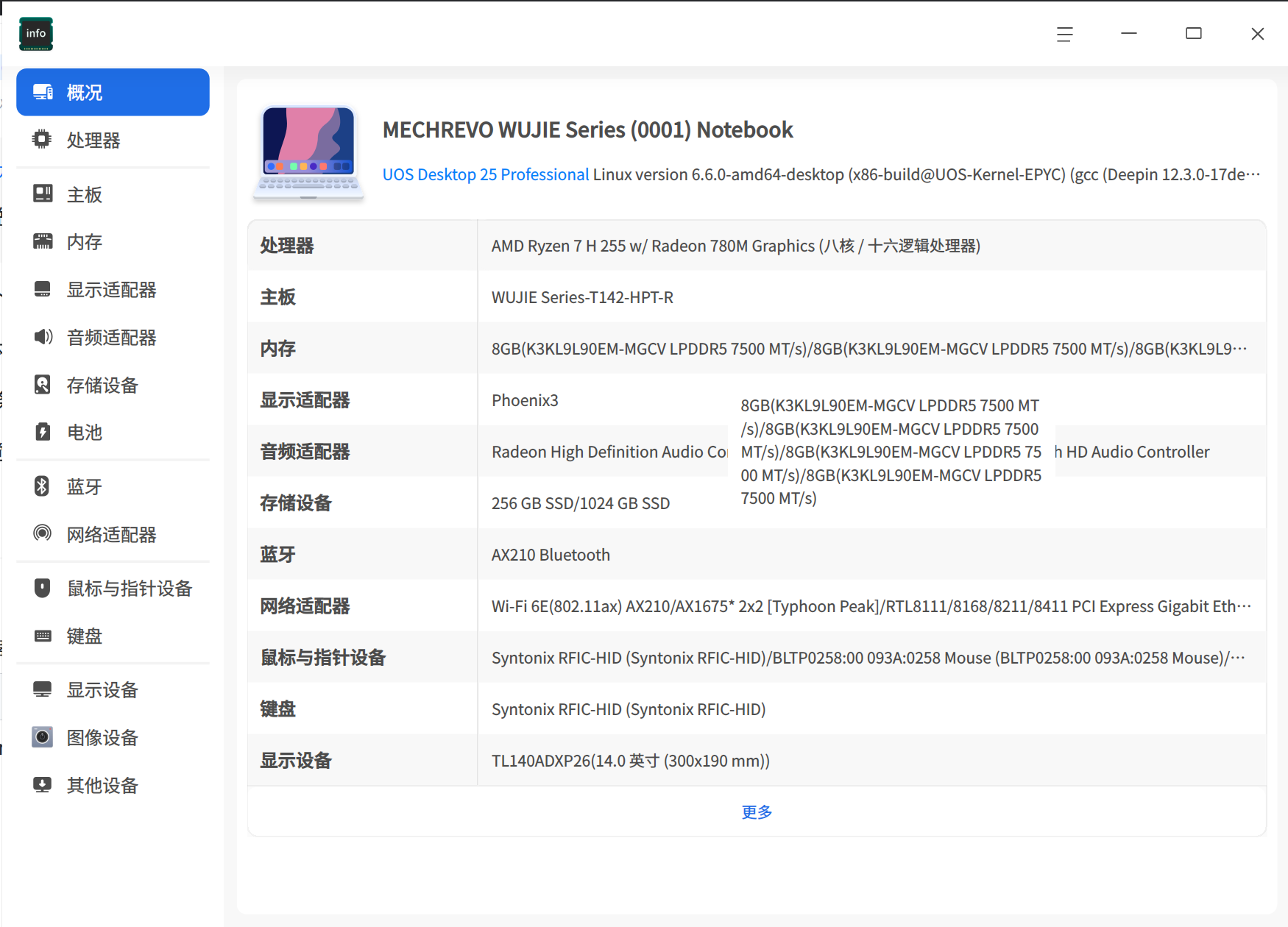
但是安装过程中还有WARN... 但是还是不成功的
user@user-255h:~$ sudo apt install console-setup
user@user-255h:~$ sudo dpkg-reconfigure amdgpu-dkms
Module amdgpu-6.16.13-2303411.22.04 for kernel 6.6.0-amd64-desktop (x86_64):
Before uninstall, this module version was ACTIVE on this kernel.
Deleting /lib/modules/6.6.0-amd64-desktop/kernel/drivers/gpu/drm/amd/amdgpu/amdgpu.ko
Restoring archived original module
Deleting /lib/modules/6.6.0-amd64-desktop/kernel/drivers/gpu/drm/ttm/amdttm.ko
Deleting /lib/modules/6.6.0-amd64-desktop/kernel/drivers/gpu/drm/amd/amdkcl/amdkcl.ko
Deleting /lib/modules/6.6.0-amd64-desktop/kernel/drivers/gpu/drm/scheduler/amd-sched.ko
Deleting /lib/modules/6.6.0-amd64-desktop/kernel/drivers/gpu/drm/amddrm_ttm_helper.ko
Deleting /lib/modules/6.6.0-amd64-desktop/kernel/drivers/gpu/drm/amddrm_buddy.ko
Deleting /lib/modules/6.6.0-amd64-desktop/kernel/drivers/gpu/drm/amddrm_exec.ko
Deleting /lib/modules/6.6.0-amd64-desktop/kernel/drivers/gpu/drm/amd/amdxcp/amdxcp.ko
Restoring archived original module
Running depmod... done.
Removing original_module from DKMS tree for kernel 6.6.0-amd64-desktop (x86_64)
Deleting module amdgpu-6.16.13-2303411.22.04 completely from the DKMS tree.
Loading new amdgpu-6.16.13-2303411.22.04 DKMS files...
Building for 6.6.0-amd64-desktop
Building for architecture x86_64
Building initial module for 6.6.0-amd64-desktop
cp: 对 '/lib/modules/6.6.0-amd64-desktop/build/.config' 调用 stat 失败: 没有那个文件或目录
Done.
Forcing installation of amdgpu
Found pre-existing /lib/modules/6.6.0-amd64-desktop/kernel/drivers/gpu/drm/amd/amdgpu/amdgpu.ko, archiving for uninstallation
Installing /lib/modules/6.6.0-amd64-desktop/kernel/drivers/gpu/drm/amd/amdgpu/amdgpu.ko
Installing /lib/modules/6.6.0-amd64-desktop/kernel/drivers/gpu/drm/ttm/amdttm.ko
Installing /lib/modules/6.6.0-amd64-desktop/kernel/drivers/gpu/drm/amd/amdkcl/amdkcl.ko
Installing /lib/modules/6.6.0-amd64-desktop/kernel/drivers/gpu/drm/scheduler/amd-sched.ko
Installing /lib/modules/6.6.0-amd64-desktop/kernel/drivers/gpu/drm/amddrm_ttm_helper.ko
Installing /lib/modules/6.6.0-amd64-desktop/kernel/drivers/gpu/drm/amddrm_buddy.ko
Installing /lib/modules/6.6.0-amd64-desktop/kernel/drivers/gpu/drm/amddrm_exec.ko
Found pre-existing /lib/modules/6.6.0-amd64-desktop/kernel/drivers/gpu/drm/amd/amdxcp/amdxcp.ko, archiving for uninstallation
Installing /lib/modules/6.6.0-amd64-desktop/kernel/drivers/gpu/drm/amd/amdxcp/amdxcp.ko
Running depmod... done.
update-initramfs: Generating /boot/initrd.img-6.6.0-amd64-desktop
[WARN] Failed to copy file: /usr/lib/terminfo/l/linux
[WARN] Failed to copy file: /usr/share/fonts/truetype/unifont/unifont.ttf
[WARN] Failed to copy file: /usr/share/locale/fix-init-locale-archive -> /usr/lib/locale/locale-archive
[WARN] Failed to copy file: /etc/default/locale
root dev: /dev/nvme0n1p2 type: xfs
live-boot: core filesystems devices utils udev blockdev dns.
user@user-255h:$ modinfo$ modinfo amdgpu
modinfo: ERROR: missing module or filename.
user@user-255h:
filename: /lib/modules/6.6.0-amd64-desktop/kernel/drivers/gpu/drm/amd/amdgpu/amdgpu.ko
version: 6.16.13
license: GPL and additional rights
description: AMD GPU
author: AMD linux driver team
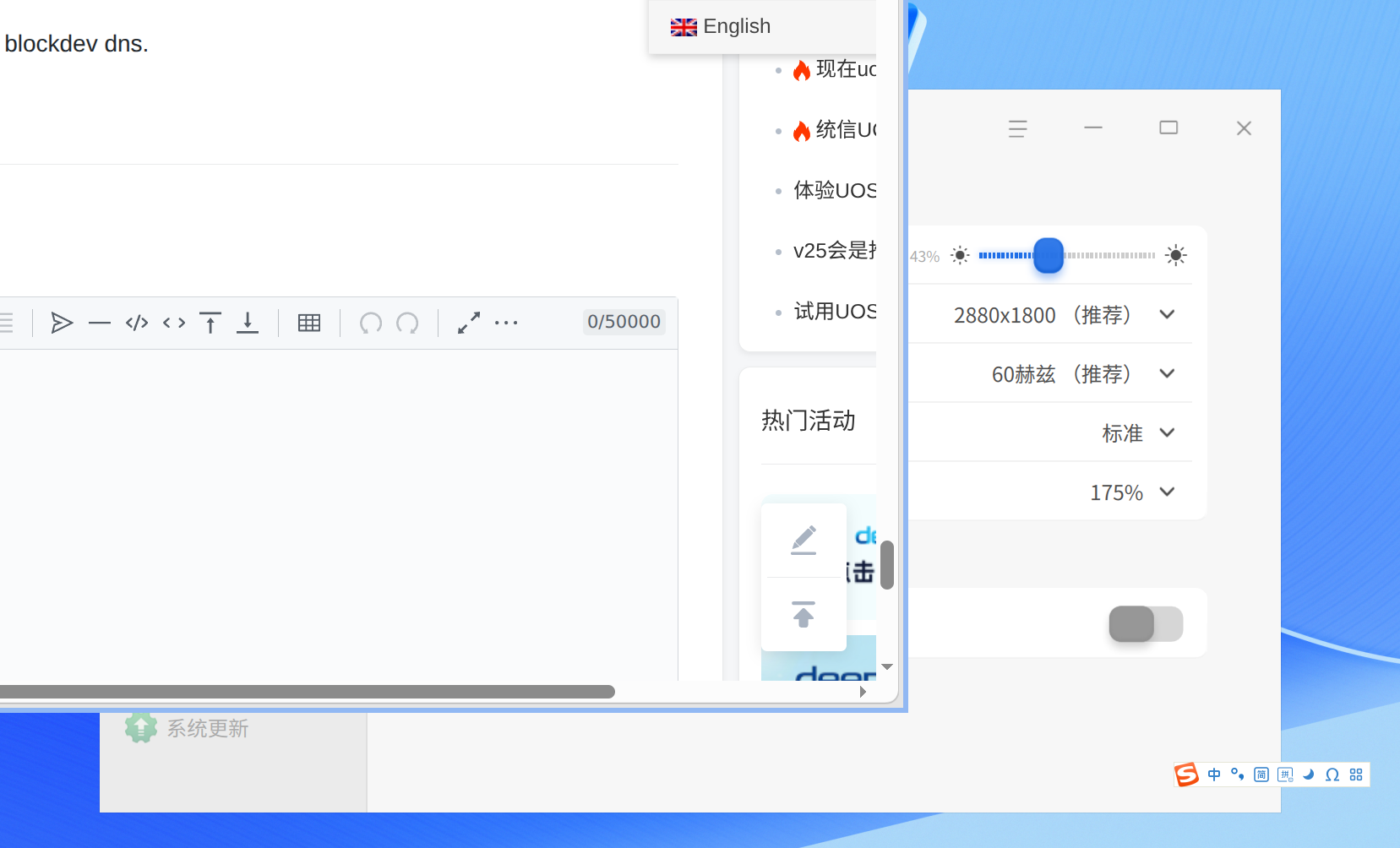
deepin 还发现一个问题
搜狗输入法的状态栏没有与桌面保持相同的缩放比例
它应该是根本没有应用缩放
 deepin
 我从V25更新到V25.1系统自带的壁纸都没了 不知道怎么回事
deepin 我从V25更新到V25.1系统自带的壁纸都没了 不知道怎么回事
桌面上 右键 -- 壁纸 ,如果控制中心没打开,就只能到控制中心,需要再次右键--壁纸 才能打开壁纸选项,看了下这个问题也存在

我从V25更新到V25.1系统自带的壁纸都没了 不知道怎么回事
不会吧,我的龙架构都有,但我是全新安装的,不是升级安装。

 deepin
 截图快捷键 Ctrl+Alt+A
录屏快捷键 Ctrl+Alt+R
deepin AMD 225H 再更新了系统推送的kernel(不知道为啥叫beta版)
视频 firefox可以硬解了
但是vlc 不行 ,自带浏览器不行 edge不行
但是 系统自带的视频程序就可以硬解
这AMD机器上的AX210 5G wifi也好了
Popular Ranking
ChangePopular Events
More


 List of bugs and suggestions
我在我的I5 1125 thinkbook笔记本上安装的,这个版本我感觉至少是目前我比较满意
root可以直接开 磐石可以关 甚至自带了杀毒软件(就是不知道咋升级病毒库 我用的这段时间病毒库一直都是2026.01.01)
软件库也可以,终于与世界基本对齐了
但是发现一个BUG
桌面上 右键 -- 壁纸 ,如果控制中心没打开,就只能到控制中心,需要再次右键--壁纸 才能打开壁纸选项
还有几个问题
1.我的这个笔记本是比较老的了,于是按理说linux驱动应该是支持的比较好了,比如Debian13 kde下高级电源管理 就可以直接设置 电池充电阈值,可以直接设置键盘灯光开启关闭,两个UOS V25 都不行
2.自带的浏览器默认打开B 站无法使用GPU 加速,但是我自己装的edge 就可以开启 AV1 H265啥的GPU加速 (我用系统安装的Intel-gpu-top),自带浏览器现在是某些浏览器的oem版吧?这个也要学?但是比那个强,自带浏览器去设置里打开硬件加速 视频加速 B站也就可以正常硬解了,我建议能否设置为默认可硬解?
3.系统的截图软件,这个从V20就这样,截图软件不错,但是没有延时截图的功能。。。 还有就是这个有快捷键截图吗?这个我也是真没找(到。。。)
4.磐石我是不用了,我想能否彻底卸载了这部分?而不是只能关闭?
5.还有就是我使用的是极简模式,于是动画就比较简单,从而导致在状态栏上点击图标的时候,图标动画有一个图标“”下沉“”到状态栏的动作,看着好诡异。。。
6.UOS AI 的内置龙虾咋启用?必须注册才行?在线大模型里能否加上minimax ? 在线大模型都是要加openai api的?因为我用的coding plan 很多家都不让用coding plan链接非特定编程工具。。。 这个统信有没有考虑和各个大厂谈谈?非coding plan 玩龙虾家里没矿的话 确实亚历山大。。(虽然minimax好像不限制必须coding plan...),还有就是我龙虾正常用的飞书key,配置到这里就不行,是因为我没注册?还是我说明书没看的原因。。。。