[packaging] 星火应用商店5.0beta3全平台测试开启
Tofloor
poster avatar
神末shenmo
deepin
Spark-App
Q&A Team
2026-04-05 16:21
Author

主要更新内容;

更新器支持包迁移功能

更新器不再对没有 aptss 命令哈气
更新器可以正确处理系统和 apm 均安装了应用的情况了
在应用详情页面点击官网链接可直接跳转,不需要再进入详情框了
除tools和development外,其他分类默认使用 APM
应用管理支持普通应用的卸载

因涉及到默认安装应用策略更改,尚未全量推送,可通过以下渠道尝鲜体验


Debian/Deepin/UOS/Ubuntu/麒麟

https://gitee.com/spark-store-project/spark-store/releases/


Arch Linux

paru -S spark-store


fedora

sudo dnf copr enable xmp360/spark-store

sudo dnf install spark-store

Image_1775377246033_455.png

Image_1775377259051_512.png

Reply Favorite View the author
All Replies
1 / 2
To page
枫晓岳
deepin
2026-04-05 19:01
#1

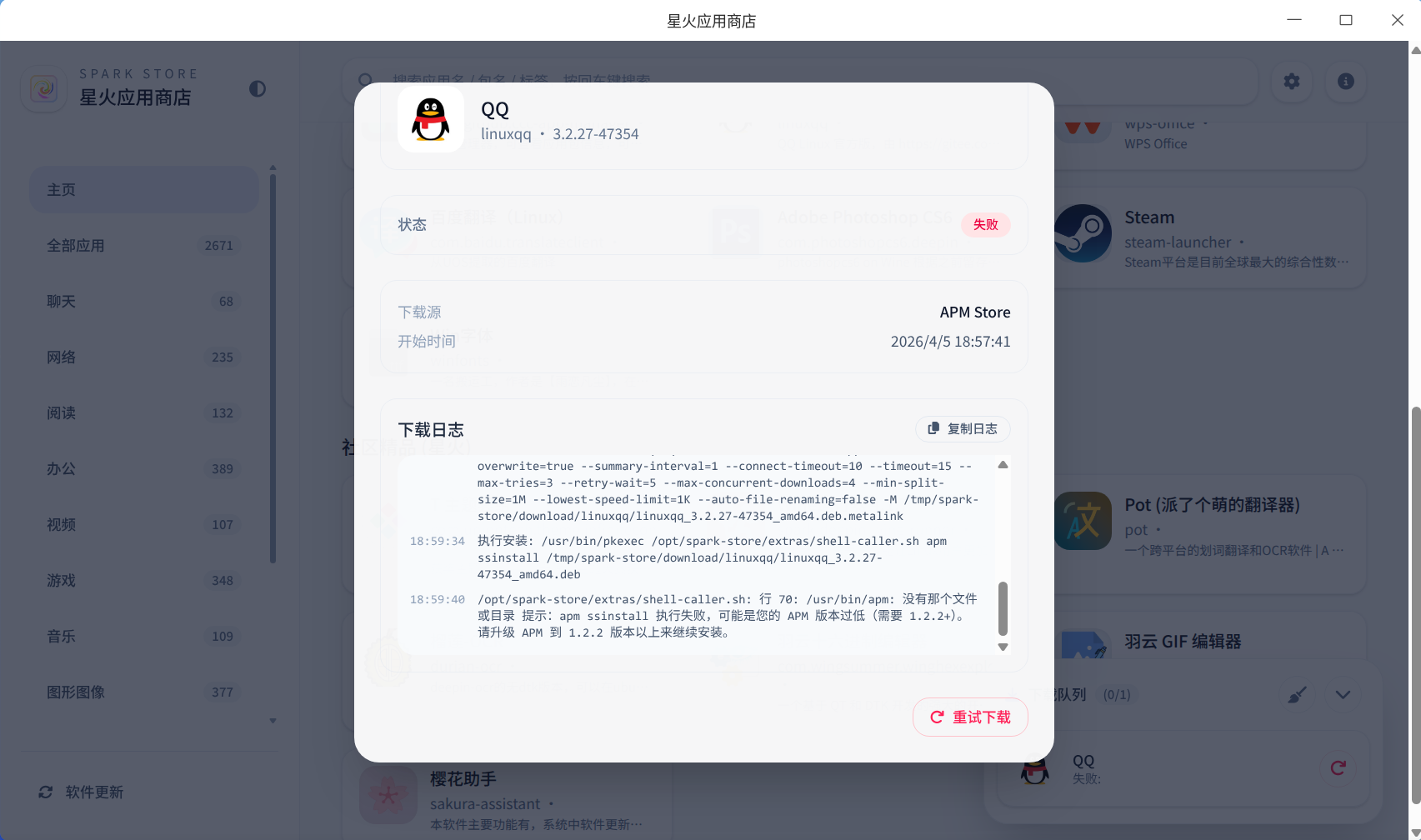
image.png

似乎还是不可以

[18:57:41] 开始下载... [18:57:54] 第 1 次重试下载... [18:58:01] 第 2 次重试下载... [18:59:40] /opt/spark-store/extras/shell-caller.sh: 行 70: /usr/bin/apm: 没有那个文件或目录
提示:apm ssinstall 执行失败,可能是您的 APM 版本过低(需要 1.2.2+)。
请升级 APM 到 1.2.2 版本以上来继续安装。

Reply View the author
神末shenmo
deepin
Spark-App
Q&A Team
2026-04-05 21:06
#2
枫晓岳

image.png

似乎还是不可以

[18:57:41] 开始下载... [18:57:54] 第 1 次重试下载... [18:58:01] 第 2 次重试下载... [18:59:40] /opt/spark-store/extras/shell-caller.sh: 行 70: /usr/bin/apm: 没有那个文件或目录
提示:apm ssinstall 执行失败,可能是您的 APM 版本过低(需要 1.2.2+)。
请升级 APM 到 1.2.2 版本以上来继续安装。

是什么平台呢?奇怪,apm应该是依赖才对

不会是debian系吧.....奇怪?!

方便给一下系统信息吗?我这边排查下

Reply View the author
WangZhongyun
deepin
2026-04-05 21:08
#3

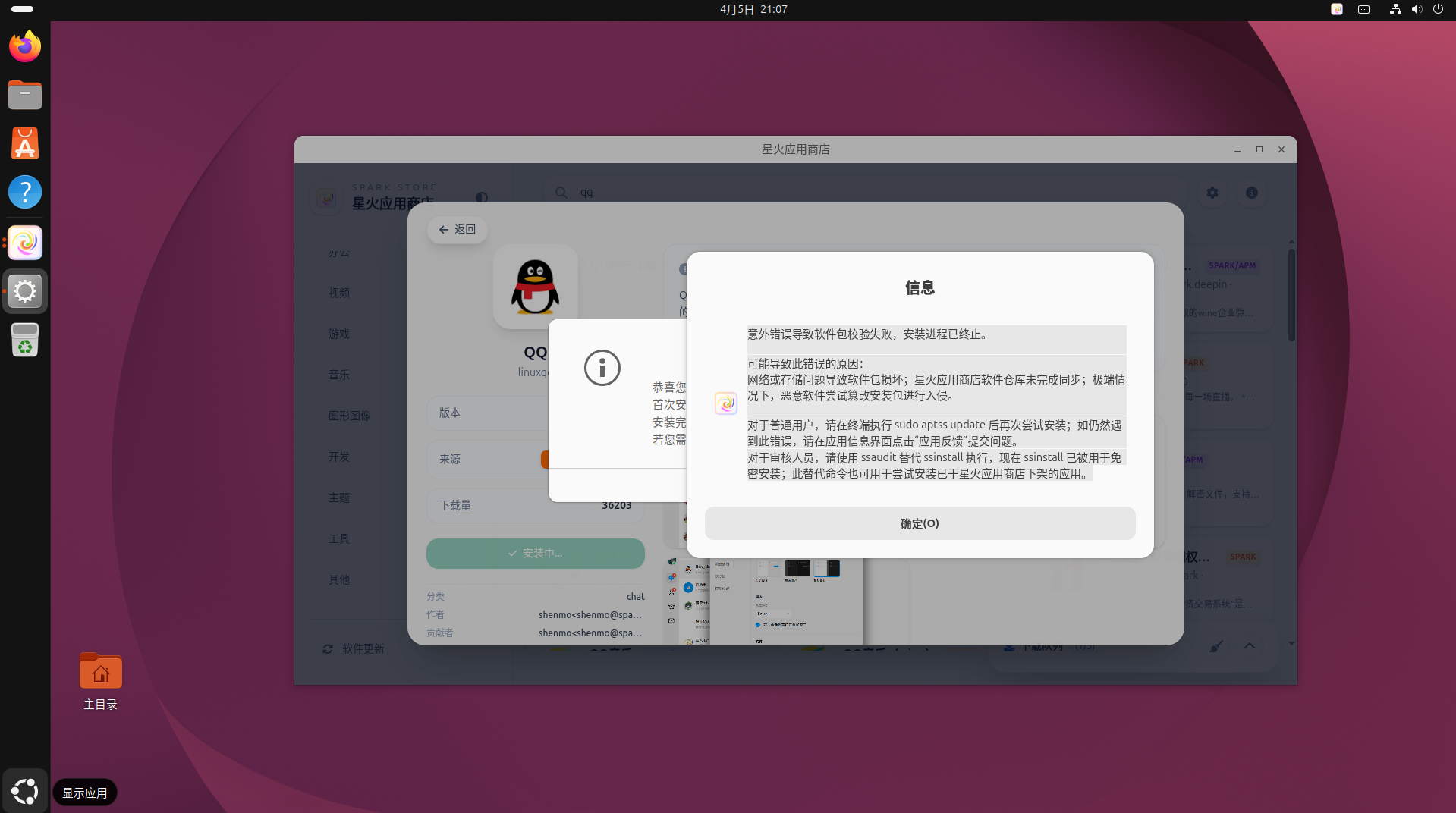
截图 2026-04-05 21-07-22.png

Reply View the author
WangZhongyun
deepin
2026-04-05 21:22
#4

Ubuntu26.04系统里wechat和QQ的SPARK和APM两种下载后安装失败

Reply View the author
WangZhongyun
deepin
2026-04-05 21:29
#5

sudo aptss update
[sudo: authenticate] 密码:
正在从服务器获取配置和镜像列表……

/usr/bin/aptss: 行 71: curl: 未找到命令
[INFO]: apt-fast.conf update done
正在从服务器获取配置和镜像列表……

/usr/bin/aptss: 行 65: curl: 未找到命令
[INFO]: sparkstore.list update done
/usr/bin/aptss: 行 71: curl: 未找到命令
[INFO]: apt-fast.conf update done
正在从服务器获取配置和镜像列表……

/usr/bin/aptss: 行 65: curl: 未找到命令
[INFO]: sparkstore.list update done
/usr/bin/aptss: 行 71: curl: 未找到命令
[INFO]: apt-fast.conf update done
Running external script: '[ ! -e /run/systemd/system ] || [ $(id -u) -ne 0 ] || systemctl start --no-block apt-news.service esm-cache.service >/dev/null 2>&1 || true'
命中:1 http://security.ubuntu.com/ubuntu resolute-security InRelease
忽略:2 http://cn.archive.ubuntu.com/ubuntu resolute InRelease
命中:3 http://mirrors.tuna.tsinghua.edu.cn/ubuntu resolute-updates InRelease
命中:4 http://mirrors.tuna.tsinghua.edu.cn/ubuntu resolute-backports InRelease
命中:2 http://mirrors.tuna.tsinghua.edu.cn/ubuntu resolute InRelease
正在读取软件包列表... 完成

Reply View the author
神末shenmo
deepin
Spark-App
Q&A Team
2026-04-05 22:16
#6
WangZhongyun

sudo aptss update
[sudo: authenticate] 密码:
正在从服务器获取配置和镜像列表……

/usr/bin/aptss: 行 71: curl: 未找到命令
[INFO]: apt-fast.conf update done
正在从服务器获取配置和镜像列表……

/usr/bin/aptss: 行 65: curl: 未找到命令
[INFO]: sparkstore.list update done
/usr/bin/aptss: 行 71: curl: 未找到命令
[INFO]: apt-fast.conf update done
正在从服务器获取配置和镜像列表……

/usr/bin/aptss: 行 65: curl: 未找到命令
[INFO]: sparkstore.list update done
/usr/bin/aptss: 行 71: curl: 未找到命令
[INFO]: apt-fast.conf update done
Running external script: '[ ! -e /run/systemd/system ] || [ $(id -u) -ne 0 ] || systemctl start --no-block apt-news.service esm-cache.service >/dev/null 2>&1 || true'
命中:1 http://security.ubuntu.com/ubuntu resolute-security InRelease
忽略:2 http://cn.archive.ubuntu.com/ubuntu resolute InRelease
命中:3 http://mirrors.tuna.tsinghua.edu.cn/ubuntu resolute-updates InRelease
命中:4 http://mirrors.tuna.tsinghua.edu.cn/ubuntu resolute-backports InRelease
命中:2 http://mirrors.tuna.tsinghua.edu.cn/ubuntu resolute InRelease
正在读取软件包列表... 完成

收到

sudo apt install curl -y 修复下

Reply View the author
神末shenmo
deepin
Spark-App
Q&A Team
2026-04-05 22:42
#7
枫晓岳

image.png

似乎还是不可以

[18:57:41] 开始下载... [18:57:54] 第 1 次重试下载... [18:58:01] 第 2 次重试下载... [18:59:40] /opt/spark-store/extras/shell-caller.sh: 行 70: /usr/bin/apm: 没有那个文件或目录
提示:apm ssinstall 执行失败,可能是您的 APM 版本过低(需要 1.2.2+)。
请升级 APM 到 1.2.2 版本以上来继续安装。

找到问题了,下一个测试版修复

您先 sudo aptss install apm -y 修复下

Reply View the author
GXDEr
deepin
2026-04-06 05:32
#8

全平台包含安同AOSC OS不?为何一直缺少依赖安装不上啊confused

Reply View the author
wcs4221
deepin
2026-04-06 06:52
#9

joy

Reply View the author
枫晓岳
deepin
2026-04-06 10:14
#10
神末shenmo

找到问题了,下一个测试版修复

您先 sudo aptss install apm -y 修复下

输入这个命令第一次还安装不上,第二次才安装上。

然后,apm安装QQ出现重复图标问题,trea出现无图标问题,apm的trae不能识别基于内存的文件系统(ramfs),临时编译用的。提示找不到文件。

Reply View the author
酷谷的谷子
deepin
2026-04-06 15:25
#11

能不能再开发阶段适配一下mint虽然是乌班图的衍生系统多多少有点不一样,未来都是专项APM了吗?

Reply View the author
神末shenmo
deepin
Spark-App
Q&A Team
2026-04-06 19:04
#12
枫晓岳

输入这个命令第一次还安装不上,第二次才安装上。

然后,apm安装QQ出现重复图标问题,trea出现无图标问题,apm的trae不能识别基于内存的文件系统(ramfs),临时编译用的。提示找不到文件。

多个图标的问题重启之后还存在吗?奇怪,在我这边除了旧版更新时第一次会这样后面就好了

缺图标重启之后会好

那我下架下trae

Reply View the author
神末shenmo
deepin
Spark-App
Q&A Team
2026-04-06 19:05
#13
酷谷的谷子

能不能再开发阶段适配一下mint虽然是乌班图的衍生系统多多少有点不一样,未来都是专项APM了吗?

都是APM优先了,不需要专门适配了

Reply View the author
神末shenmo
deepin
Spark-App
Q&A Team
2026-04-06 19:06
#14
GXDEr

全平台包含安同AOSC OS不?为何一直缺少依赖安装不上啊confused

安同非常特殊,混源可能会出大问题

建议用apm专用商店

https://github.com/elysia-best/apm-app-store

Reply View the author
枫晓岳
deepin
2026-04-06 19:31
#15
神末shenmo

多个图标的问题重启之后还存在吗?奇怪,在我这边除了旧版更新时第一次会这样后面就好了

缺图标重启之后会好

那我下架下trae

我这边新安装的,会出现重复图标。

Reply View the author
WangZhongyun
deepin
2026-04-06 19:37
#16
神末shenmo

找到问题了,下一个测试版修复

您先 sudo aptss install apm -y 修复下

谢谢指导。能安装钉钉,但不能打开钉钉使用

Reply View the author
LiuYongzhang
deepin
2026-04-06 21:07
#17

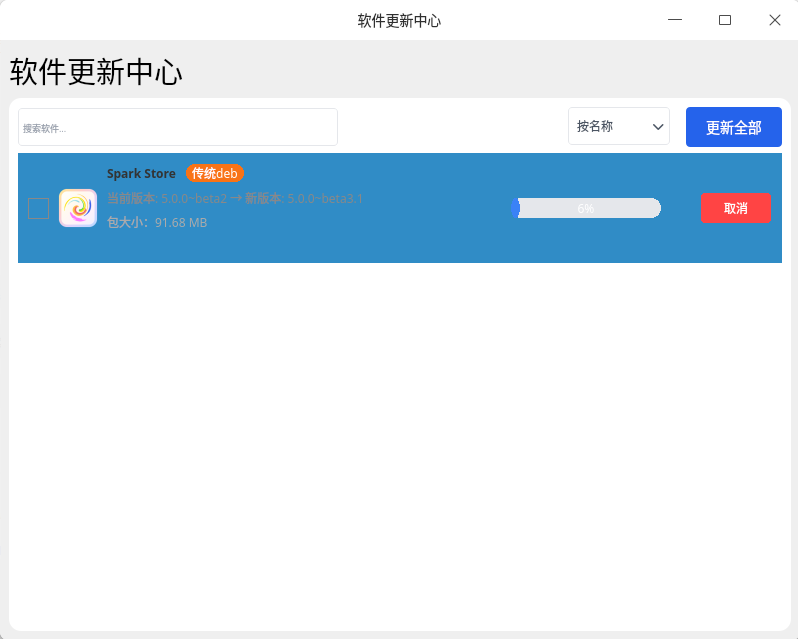
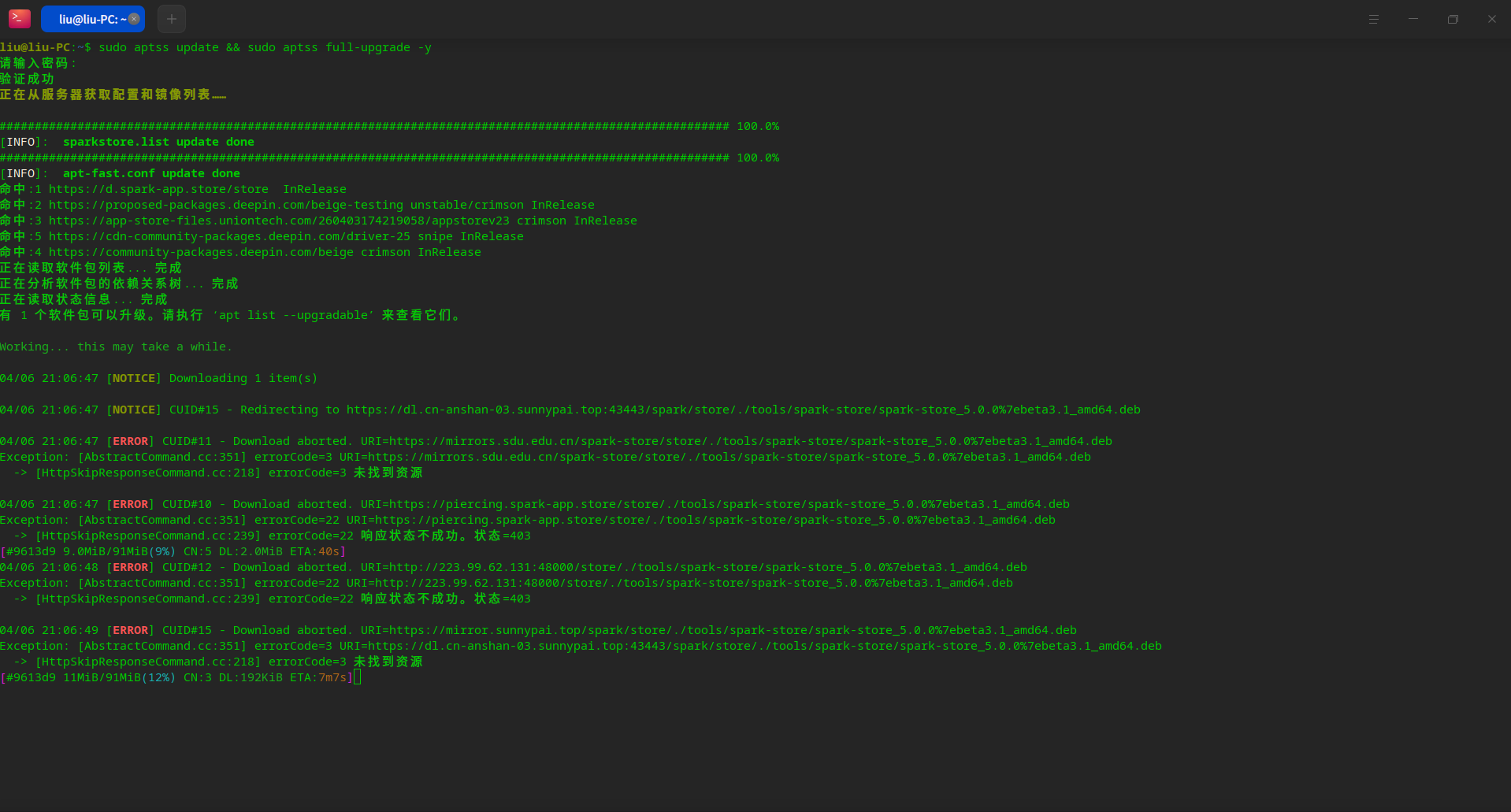
这个配色有点废眼睛,看不清,还有下载很慢
image.png

image.png

Reply View the author
神末shenmo
deepin
Spark-App
Q&A Team
2026-04-06 22:44
#18
WangZhongyun

谢谢指导。能安装钉钉,但不能打开钉钉使用

我明天看看

钉钉怪怪的
先换官方商店的吧

Reply View the author
WangZhongyun
deepin
2026-04-07 09:13
#19
神末shenmo

我明天看看

钉钉怪怪的
先换官方商店的吧

官方商店的在wayland里也打不开。不过在AnduinOS系统商店里安装能用。

Reply View the author
神末shenmo
deepin
Spark-App
Q&A Team
2026-04-07 21:06
#20
枫晓岳

我这边新安装的,会出现重复图标。

apm 1.2.4 修复了这个问题

sudo aptss update && sudo aptss install apm -y && sudo amber-pm-desktop-fix

即可修复

Reply View the author
1 / 2
To page