

 中文
中文 
deepin流云
2026-03-05 11:31 Super Moderator
Community OP
Reply Like 2 View the author

 deepin
 有没有图形化界面啊,就和Windows下那个存储空间分析软件类似的

 deepin
 文章飞书文档里复制过来的?图片全没了

厉害了,GUI出来后我再试试

 deepin
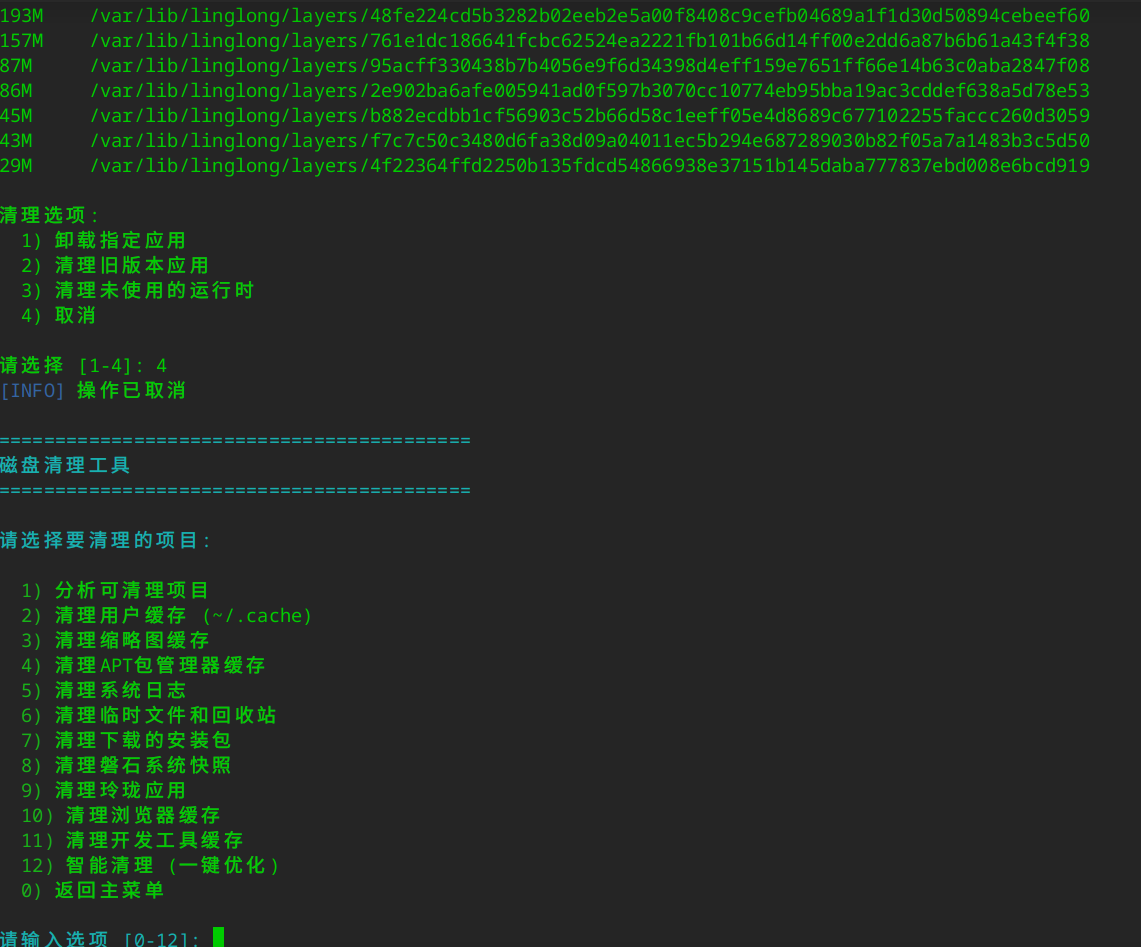
 最终,我没敢选12...
 deepin
 玲珑号称比flatpak占用磁盘更少,实际上光它的runtime占用就是flatpak的两倍以上
这个小工具非常不错,只是作者停更了。之前我也写了一个清理软件,感觉没这个好用。就没有继续折腾了。
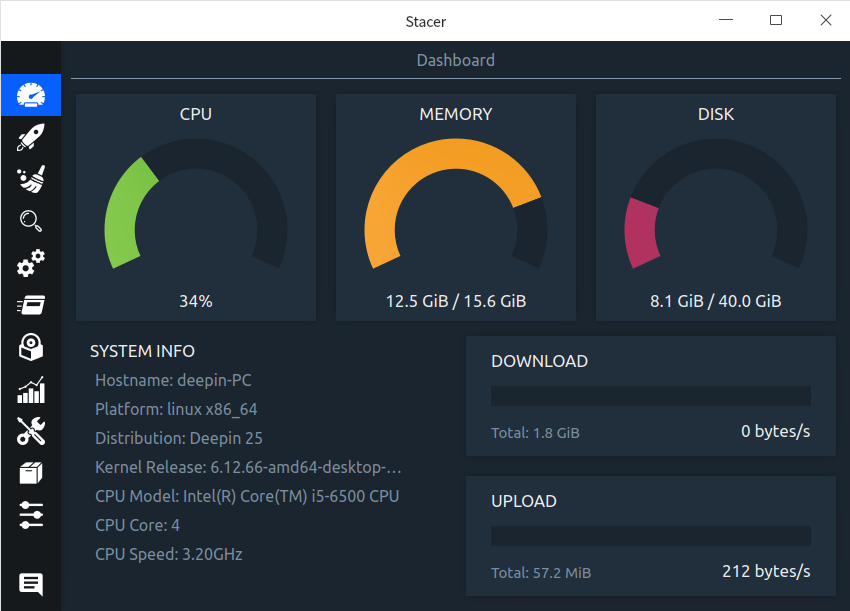
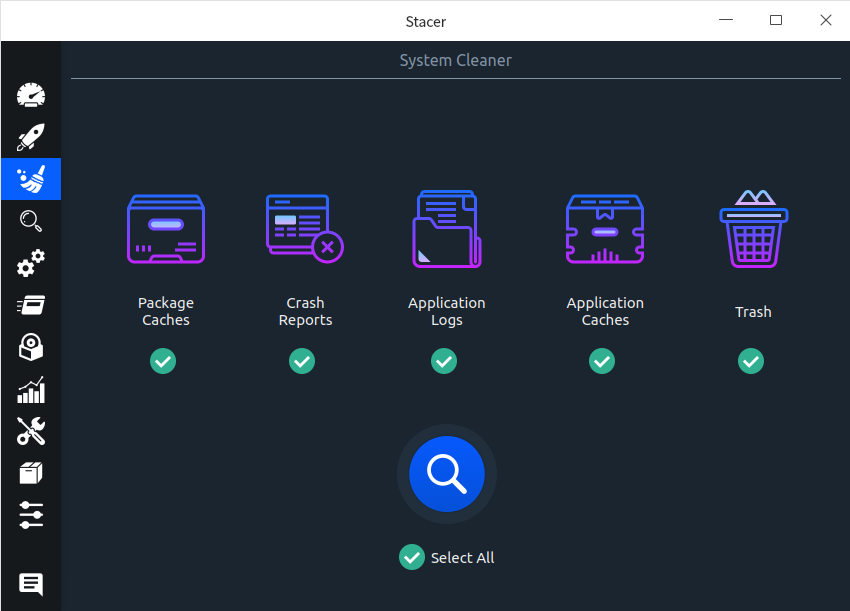
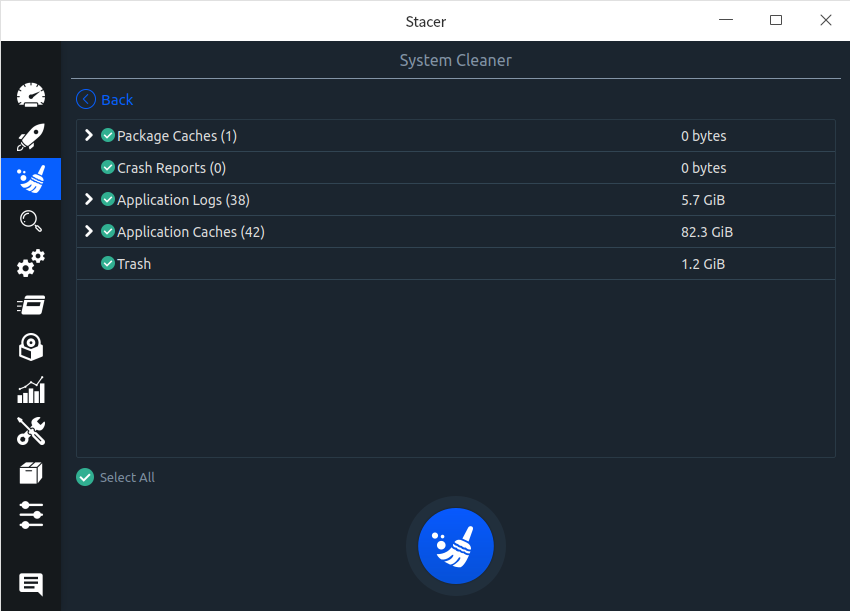
这个小工具非常不错,只是作者停更了。之前我也写了一个清理软件,感觉没这个好用。就没有继续折腾了。
是的,每次换系统必装的应用,可惜开发者不维护了。
最终,我没敢选12...
我选了,还好……没翻车

 deepin
 用shell脚本或python脚本,du -sh * | sort -n 就可以实现
$sudo du -sh * | sort -n
$sudo find / -type f -size +100m
#!/usr/bin/env python3
# -*- coding: utf-8 -*-
"""
Linux 文件夹占用情况浏览工具
使用 tkinter 图形界面,依赖系统 du 命令快速统计目录大小
"""

import os
import sys
import subprocess
import threading
import tkinter as tk
from tkinter import ttk, messagebox, filedialog
from pathlib import Path


def is_linux():
    return sys.platform.startswith("linux")


def _parse_size_to_bytes(s: str) -> int:
    s = s.strip().upper().replace(",", ".")
    units = {"K": 1024, "M": 1024**2, "G": 1024**3, "T": 1024**4}
    num = ""
    for c in s:
        if c in "0123456789.":
            num += c
        elif c in units:
            try:
                return int(float(num) * units[c])
            except ValueError:
                return 0
        else:
            break
    try:
        return int(float(num)) if num else 0
    except ValueError:
        return 0


def _get_du_fallback(path: str, max_depth: int) -> tuple[list, int]:
    """非 Linux 或 du 不可用时用 Python 递归计算(仅一层子目录)。"""
    path = os.path.abspath(path)
    if not os.path.isdir(path):
        return [], 0

    rows = []
    total_bytes = 0

    try:
        for name in os.listdir(path):
            full = os.path.join(path, name)
            try:
                if os.path.isdir(full):
                    size = _dir_size(full)
                else:
                    size = os.path.getsize(full)
            except (OSError, PermissionError):
                size = 0
            total_bytes += size
            size_str = _format_size(size)
            rows.append((name, size_str, full))
    except (OSError, PermissionError):
        pass

    rows.sort(key=lambda x: _parse_size_to_bytes(x[1]), reverse=True)
    return rows, total_bytes


def _dir_size(path: str) -> int:
    total = 0
    try:
        for entry in os.scandir(path):
            try:
                if entry.is_dir(follow_symlinks=False):
                    total += _dir_size(entry.path)
                else:
                    total += entry.stat(follow_symlinks=False).st_size
            except (OSError, PermissionError):
                pass
    except (OSError, PermissionError):
        pass
    return total


def _format_size(n: int) -> str:
    for u, unit in [(1024**4, "T"), (1024**3, "G"), (1024**2, "M"), (1024, "K")]:
        if n >= u:
            return f"{n / u:.1f}{unit}"
    return str(n)


class DiskUsageViewer(tk.Tk):
    def __init__(self):
        super().__init__()
        self.title("文件夹占用浏览 - Linux 磁盘分析")
        self.geometry("900x600")
        self.minsize(700, 400)

        self.current_path = os.path.expanduser("~")
        if is_linux() and os.path.isdir("/"):
            self.current_path = "/"
        self._scan_thread = None
        self._build_ui()

    def _build_ui(self):
        # 顶部工具栏
        top = ttk.Frame(self, padding=6)
        top.pack(fill=tk.X)

        ttk.Label(top, text="路径:").pack(side=tk.LEFT, padx=(0, 4))
        self.path_var = tk.StringVar(value=self.current_path)
        self.path_entry = ttk.Entry(top, textvariable=self.path_var, width=60)
        self.path_entry.pack(side=tk.LEFT, fill=tk.X, expand=True, padx=4)

        ttk.Button(top, text="浏览…", command=self._browse).pack(side=tk.LEFT, padx=2)
        ttk.Button(top, text="扫描", command=self._start_scan).pack(side=tk.LEFT, padx=2)
        ttk.Button(top, text="上级目录", command=self._go_parent).pack(side=tk.LEFT, padx=2)

        # 状态与进度
        self.status_var = tk.StringVar(value="就绪。选择路径后点击「扫描」。")
        ttk.Label(self, textvariable=self.status_var).pack(anchor=tk.W, padx=8, pady=2)

        self.progress = ttk.Progressbar(self, mode="indeterminate")
        self.progress.pack(fill=tk.X, padx=8, pady=2)

        # 表格
        table_frame = ttk.Frame(self, padding=8)
        table_frame.pack(fill=tk.BOTH, expand=True)

        columns = ("name", "size", "percent")
        self.tree = ttk.Treeview(table_frame, columns=columns, show="headings", height=20, selectmode="browse")
        self.tree.heading("name", text="名称")
        self.tree.heading("size", text="大小")
        self.tree.heading("percent", text="占比")
        self.tree.column("name", width=400)
        self.tree.column("size", width=120)
        self.tree.column("percent", width=100)

        scroll_y = ttk.Scrollbar(table_frame)
        scroll_x = ttk.Scrollbar(table_frame, orient=tk.HORIZONTAL)
        self.tree.configure(yscrollcommand=scroll_y.set, xscrollcommand=scroll_x.set)
        scroll_y.configure(command=self.tree.yview)
        scroll_x.configure(command=self.tree.xview)

        self.tree.pack(side=tk.LEFT, fill=tk.BOTH, expand=True)
        scroll_y.pack(side=tk.RIGHT, fill=tk.Y)
        scroll_x.pack(side=tk.BOTTOM, fill=tk.X)

        self.tree.bind("", self._on_double_click)
        self.tree.bind("", self._on_double_click)

    def _browse(self):
        path = filedialog.askdirectory(initialdir=self.current_path, title="选择要分析的目录")
        if path:
            self.path_var.set(path)
            self.current_path = path
            self._start_scan()

    def _go_parent(self):
        parent = os.path.dirname(self.current_path.rstrip("/"))
        if parent and os.path.isdir(parent):
            self.path_var.set(parent)
            self.current_path = parent
            self._start_scan()
        else:
            messagebox.showinfo("提示", "已到根目录。")

    def _on_double_click(self, event):
        sel = self.tree.selection()
        if not sel:
            return
        item = self.tree.item(sel[0])
        path = item.get("tags")
        if path and len(path) > 0:
            path = path[0]
            if os.path.isdir(path):
                self.path_var.set(path)
                self.current_path = path
                self._start_scan()

    def _start_scan(self):
        path = self.path_var.get().strip()
        if not path:
            messagebox.showwarning("警告", "请输入或选择路径。")
            return
        path = os.path.abspath(path)
        if not os.path.isdir(path):
            messagebox.showerror("错误", f"路径不是目录或不存在:{path}")
            return

        self.current_path = path
        self.path_var.set(path)
        for iid in self.tree.get_children():
            self.tree.delete(iid)
        self.status_var.set("正在扫描…")
        self.progress.start(10)
        self._scan_thread = threading.Thread(target=self._scan, args=(path,), daemon=True)
        self._scan_thread.start()

    def _scan(self, path: str):
        try:
            if is_linux():
                rows, total_bytes = _run_du_linux(path)
            else:
                rows, total_bytes = _get_du_fallback(path, 1)
        except Exception as e:
            rows, total_bytes = [], 0
            err = str(e)
        else:
            err = None

        self.after(0, lambda: self._apply_results(path, rows, total_bytes, err))

    def _apply_results(self, path: str, rows: list, total_bytes: int, error: str | None):
        self.progress.stop()
        self.status_var.set("就绪。")
        if error:
            messagebox.showerror("扫描错误", error)
            return

        for name, size_str, item_path in rows:
            pct = ""
            if total_bytes > 0 and item_path != path:
                try:
                    b = _parse_size_to_bytes(size_str)
                    pct = f"{100 * b / total_bytes:.1f}%"
                except Exception:
                    pct = ""
            self.tree.insert("", tk.END, values=(name, size_str, pct), tags=(item_path,))

        self.status_var.set(f"共 {len(rows)} 项,总大小约 {_format_size(total_bytes)}。双击目录可进入。")


def _run_du_linux(path: str) -> tuple[list, int]:
    """在 Linux 下用 du 获取一层子项。"""
    path = os.path.abspath(path)
    if not os.path.isdir(path):
        return [], 0

    try:
        result = subprocess.run(
            ["du", "-h", "--max-depth=1", path],
            capture_output=True,
            text=True,
            timeout=300,
            env={**os.environ, "LANG": "C"},
        )
    except subprocess.TimeoutExpired:
        return _get_du_fallback(path, 1)
    except FileNotFoundError:
        return _get_du_fallback(path, 1)

    if result.returncode != 0:
        return _get_du_fallback(path, 1)

    lines = result.stdout.strip().split("\n")
    rows = []
    total_bytes = 0
    size_map = {}

    for line in lines:
        if not line:
            continue
        parts = line.split("\t", 1)
        if len(parts) != 2:
            continue
        size_str, item_path = parts[0].strip(), parts[1].strip()
        name = os.path.basename(item_path.rstrip("/")) or item_path
        b = _parse_size_to_bytes(size_str)
        size_map[item_path] = b
        if os.path.normpath(item_path) == os.path.normpath(path):
            total_bytes = b
        else:
            rows.append((name, size_str, item_path))

    if total_bytes == 0 and rows:
        total_bytes = sum(size_map.get(p, 0) for _, _, p in rows)

    rows.sort(key=lambda x: size_map.get(x[2], 0), reverse=True)
    return rows, total_bytes


if __name__ == "__main__":
    app = DiskUsageViewer()
    app.mainloop()
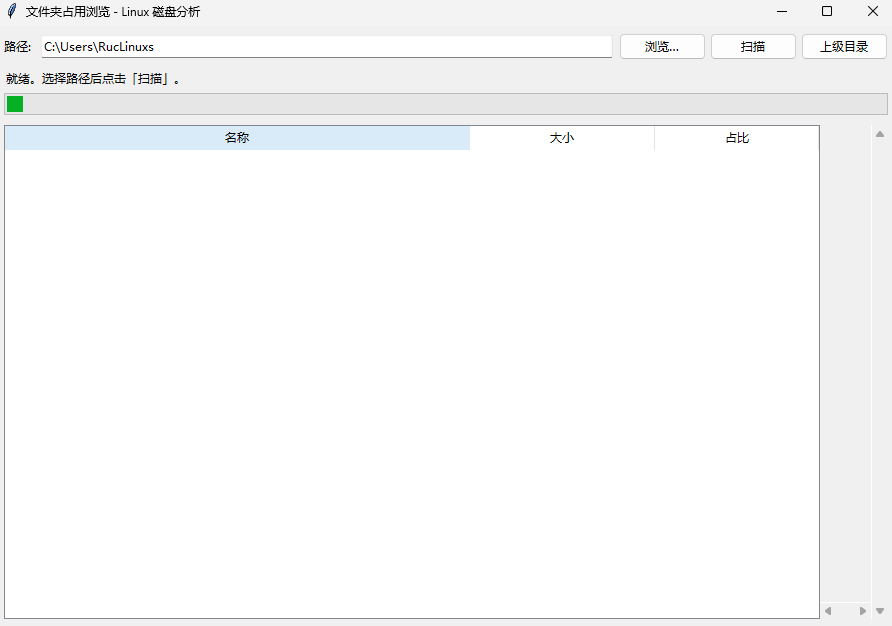
用python运行上边的代码,就可以得到窗口程序
 deepin
 我选了12 还好没有翻车
deepin 混个经验水到4级。
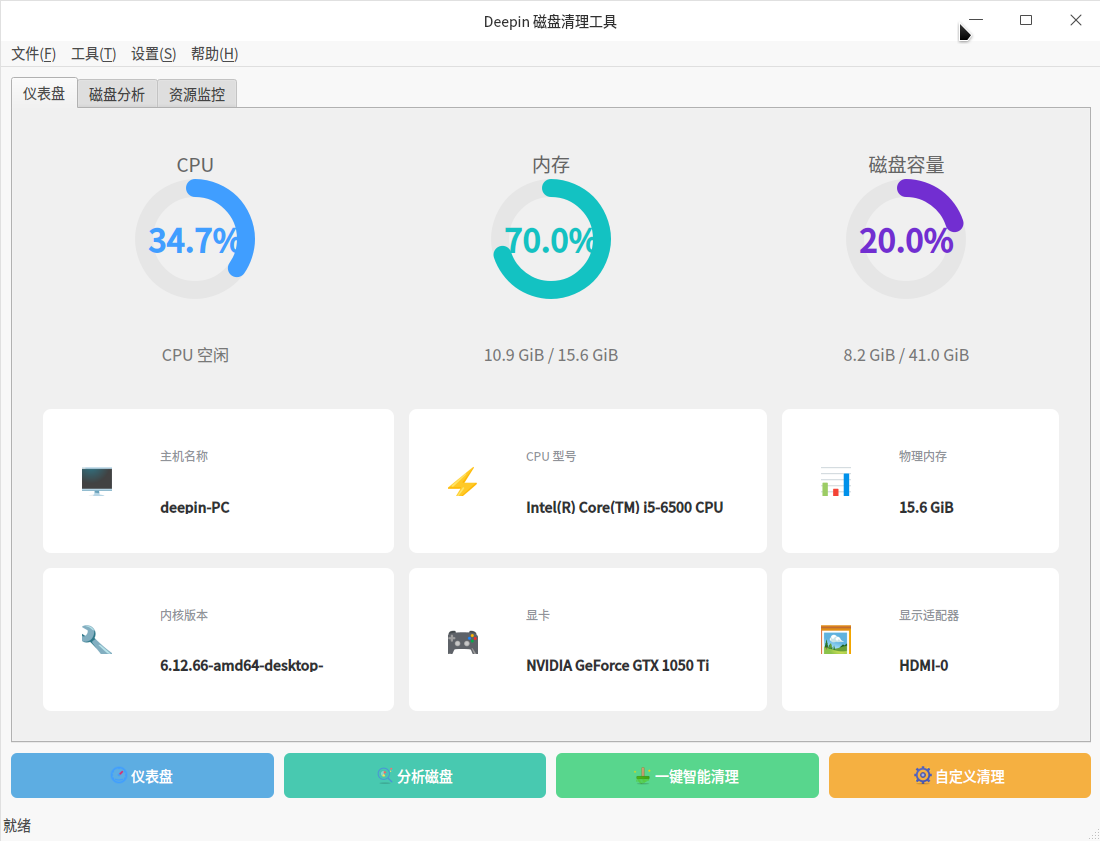
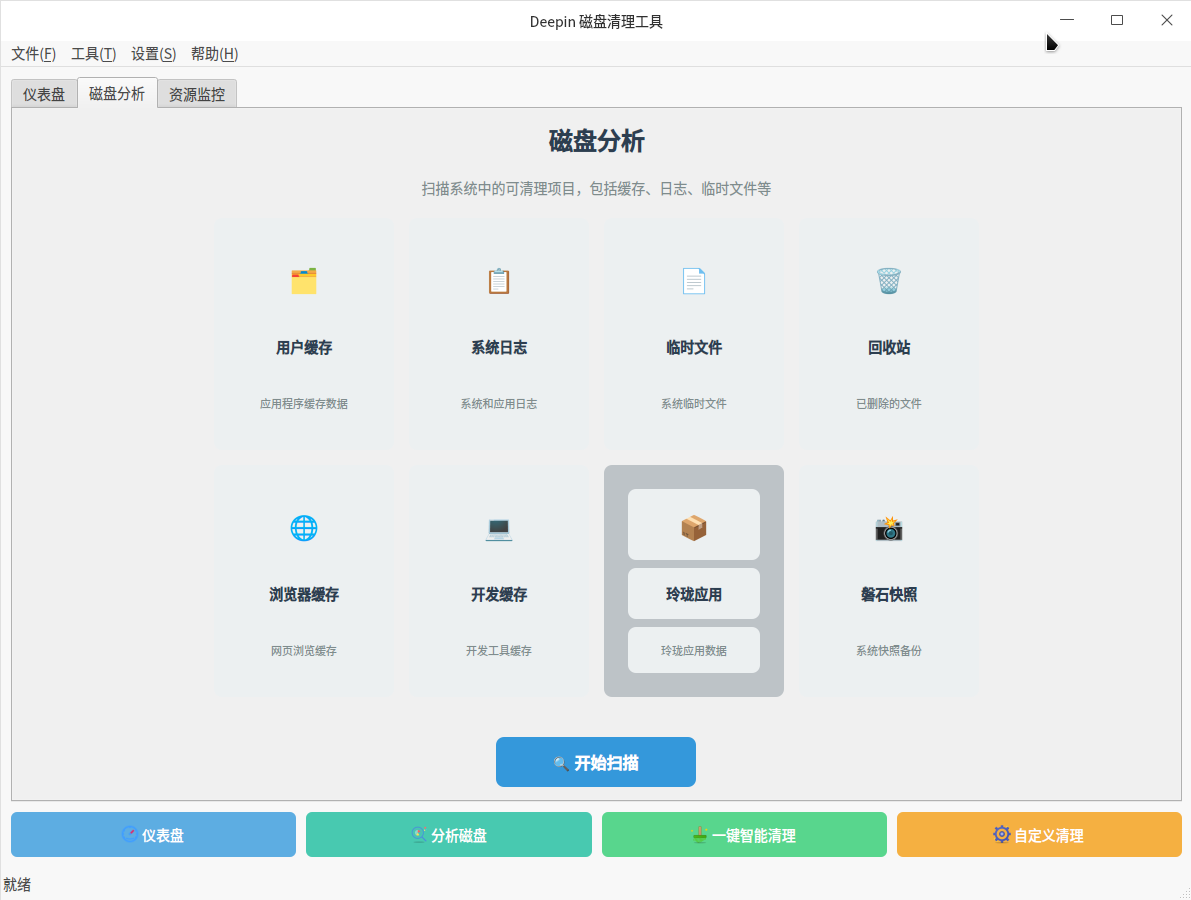
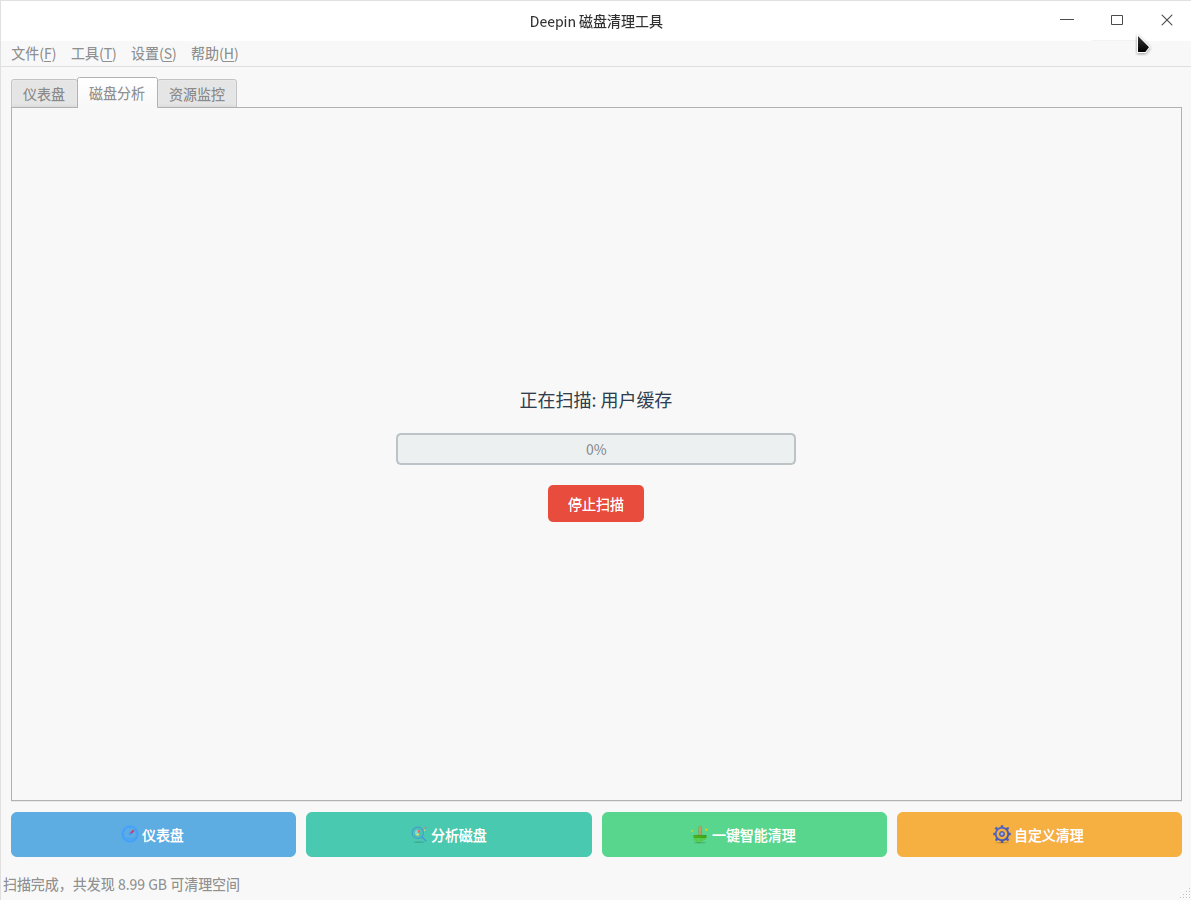
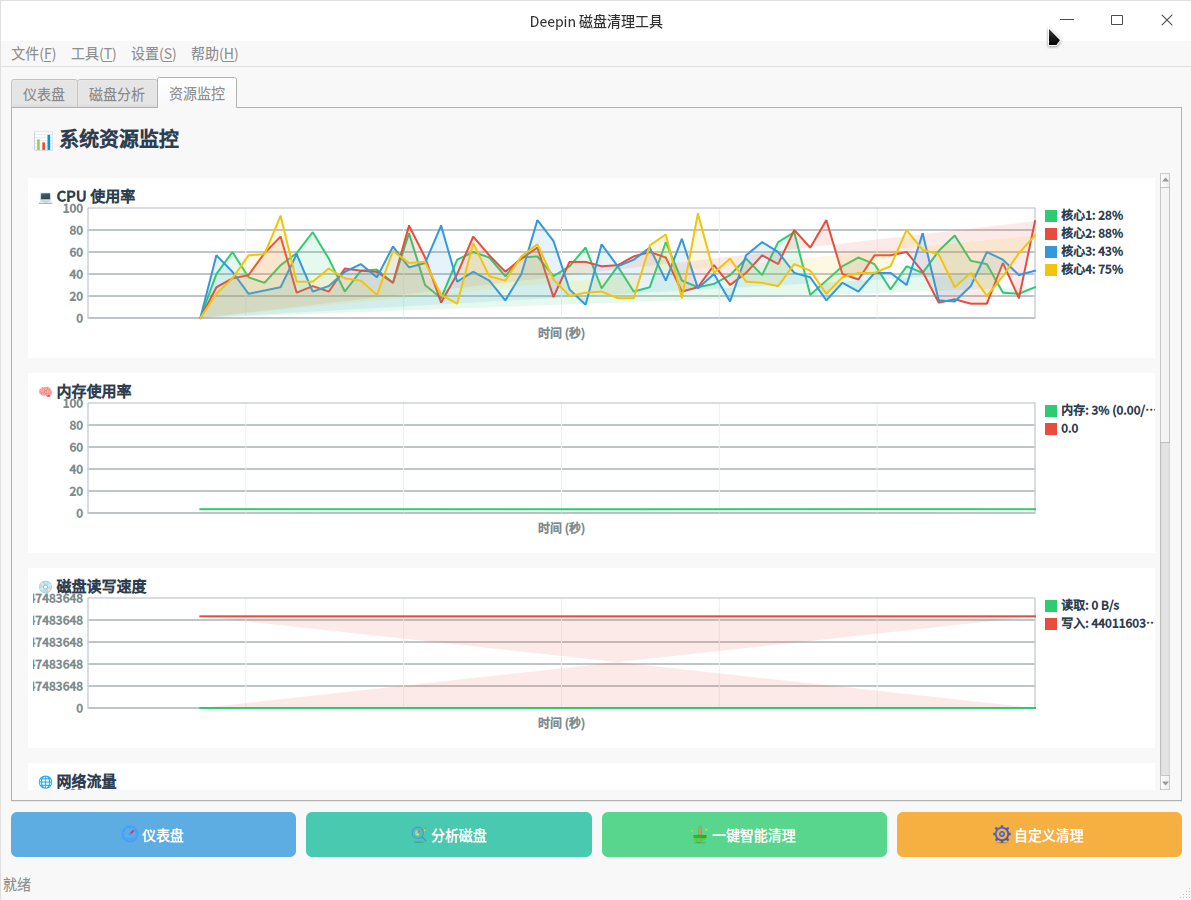
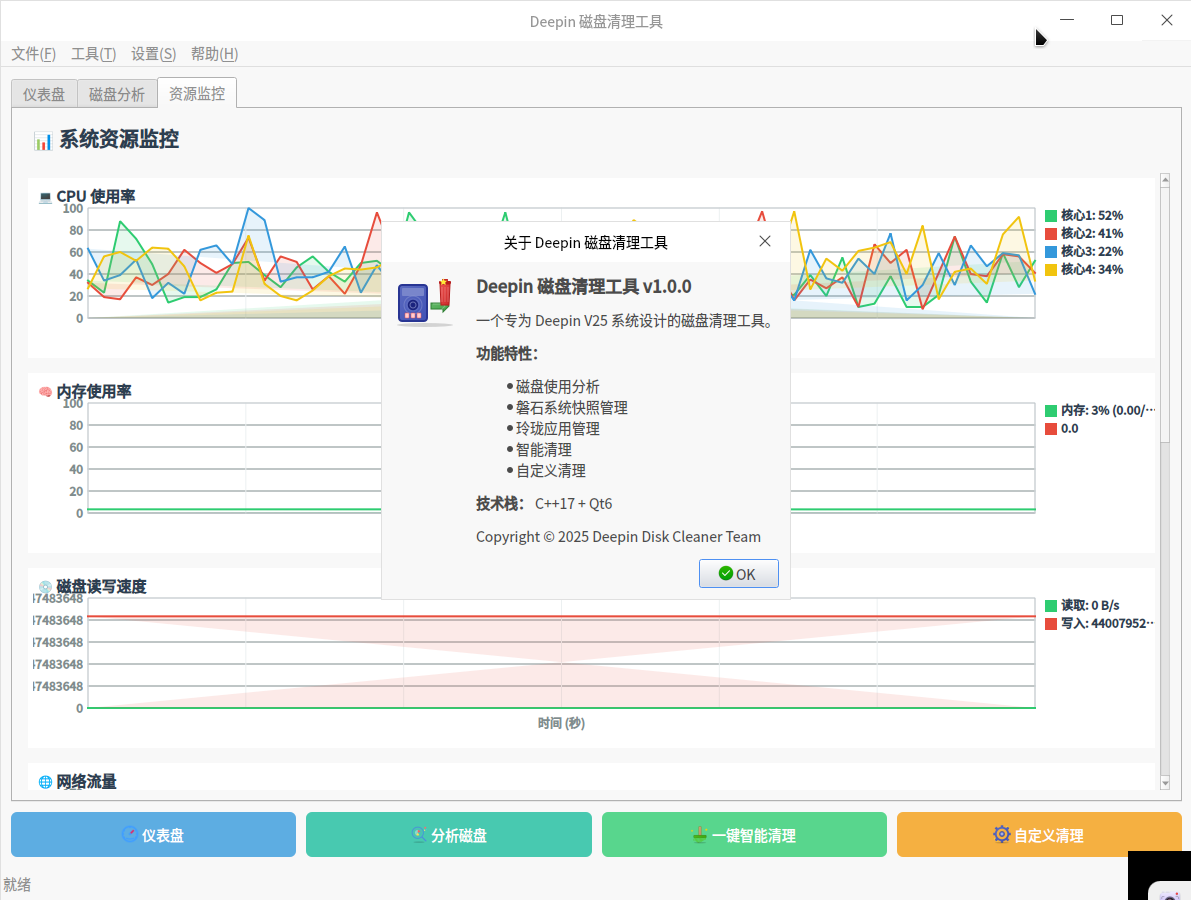
一句话丢给UOS-AI,小部分人力参与,出品如图。
 deepin
 一句话丢给UOS-AI,小部分人力参与,出品如图。
求deb安装包
 deepin
 666
deepin 这个好

ncdu
deepin 一句话丢给UOS-AI,小部分人力参与,出品如图。
有安装包吗
有安装包吗
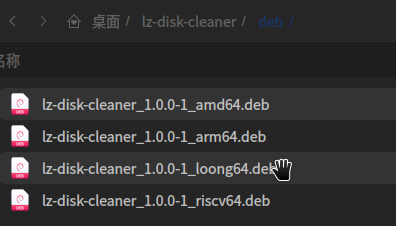
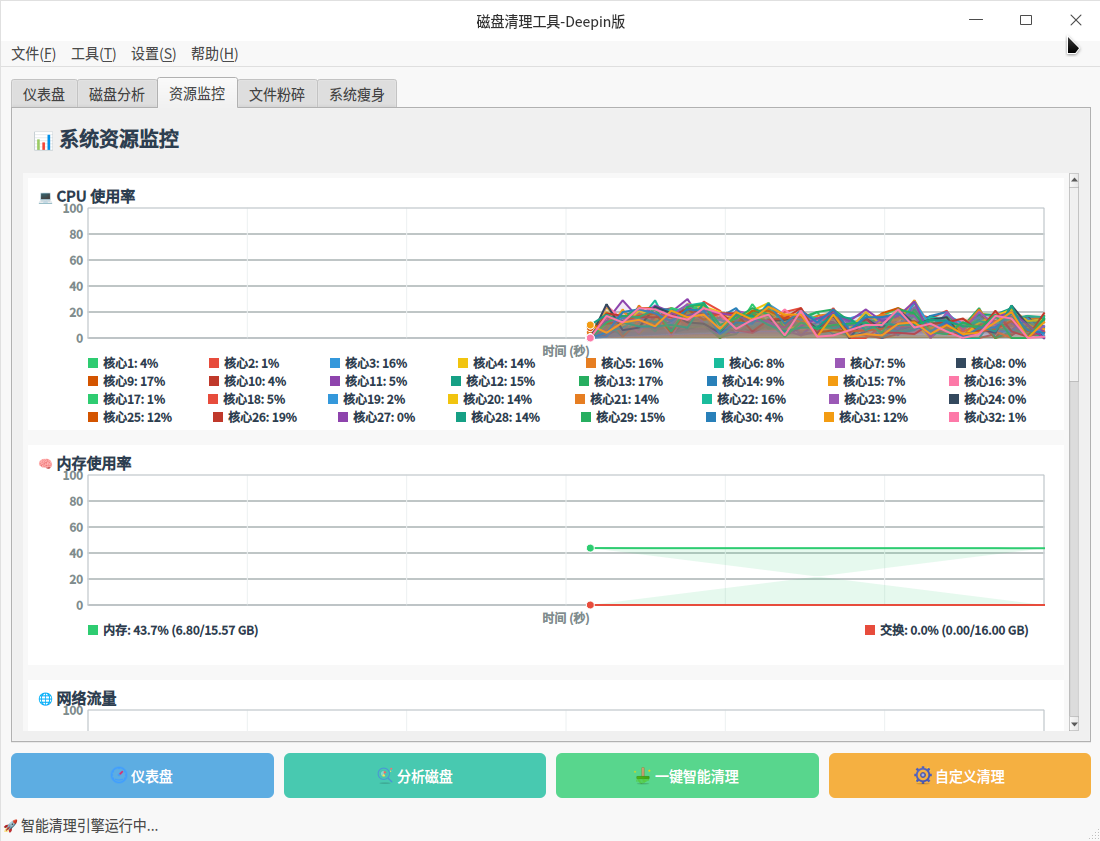
那是必须有的,而且还是全架构包。已经封测阶段。刚刚完善了多核心显示问题。
Popular Ranking
ChangePopular Events
More


 List of bugs and suggestions
技术小白0帧起手用AI搓了一个deepin25的磁盘分析工具(还有些小问题哈,先将就着看看),主要是想看看我的备用笔记本的数据盘的50多个G去哪了😂
disk_space_analyzer.zip
先看数据盘
一个不咋么用的电脑/home竟然有14个G。。
原来大头是你,企业微信、微信,还有浏览器和飞书缓存,话说企业微信我总共也用了才5个月不到吧,涨的也太快了
再看看磐石呢
快照2个,正常
修改层没合并的数据28k,忽略不计,看来定期关机是有好处的
玲珑应用
一共26个玲珑应用,其中有3个base,4个runtime?
比对了下好像也没有unuesd的base和runtime,都有应用依赖了。但这个qq可以考虑卸载了,估计是老版本了,就它一个依赖20的base,纯纯浪费。。。
总结分析
嗯,总结分析难产了,没出来。。。。就告诉我磐石版本是新的。。。
这个脚本还是需要改一改,应该根据实际情况给我一些建议:
比如叫我定期清理本地聊天记录和缓存;
如果修改层有很多没有合并的数据应该让升级到最新版本然后定期关机自动清理;
如果有unused base和runtime,可以ll-cli prune清理掉;
要是有独占1个版本base的应用,可以考虑要不要换个了。。。