

 中文
中文 
kernel-cachyos-bot deepin
2026-02-21 21:46 deepin 占个沙发: 如果使用有问题可以在这或者私信 @mozixun 反馈 ~
Reply Like 0 View the author
 deepin
 占个沙发: 如果使用有问题可以在这或者私信 @mozixun 反馈 ~

彩蛋:
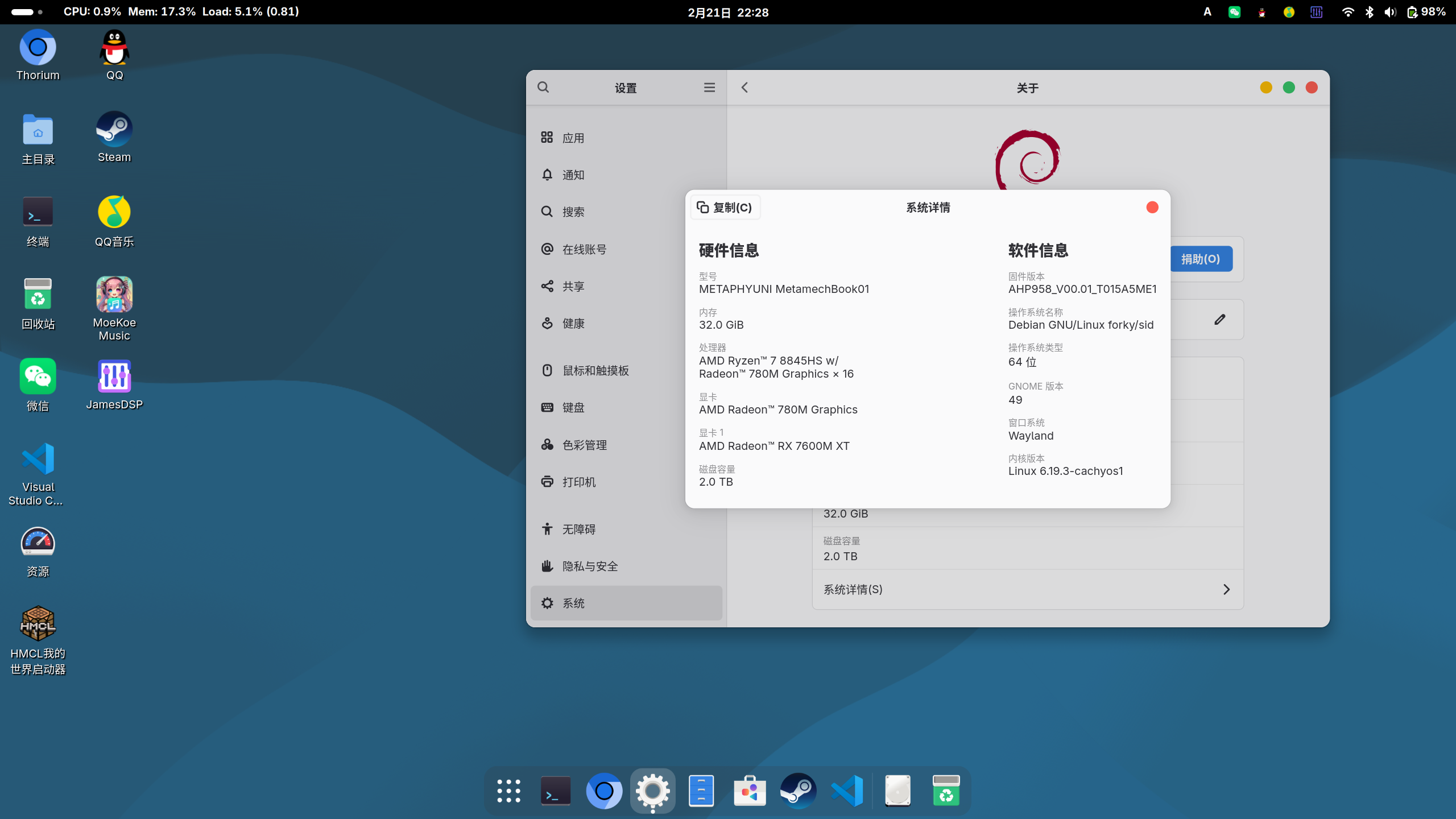

 deepin
 社区非磐石版安装这新内核顺利使用。
社区非磐石版安装这新内核顺利使用。
你指的非磐石版是直接没有磐石, 还是用deepin-immutable-ctl那套关的
我用后者是正常的
deepin 你指的非磐石版是直接没有磐石, 还是用deepin-immutable-ctl那套关的
我用后者是正常的
https://bbs.deepin.org.cn/zh/post/289527
https://bbs.deepin.org.cn/zh/post/289527
OKOK
那就是正常关闭磐石和直接干掉磐石都能正常工作了
 deepin deepin
 sudo apt install linux-headers-6.19.3-cachyos1 linux-image-6.19.3-cachyos1 -y
错误:11 https://obsci.odata.cc/home:/mozixun:/deepin-kernel-xanmod-v2/Deepin_25 ./ Release
404 Not Found [IP: 47.79.144.83 443]
正在读取软件包列表... 完成
E: 仓库 “https://obsci.odata.cc/home:/mozixun:/deepin-kernel-xanmod-v2/Deepin_25 ./ Release” 没有 Release 文件。
N: 无法安全地用该源进行更新,所以默认禁用该源
该怎么解决?还是不用管?
错误:11 https://obsci.odata.cc/home:/mozixun:/deepin-kernel-xanmod-v2/Deepin_25 ./ Release
404 Not Found [IP: 47.79.144.83 443]
正在读取软件包列表... 完成
E: 仓库 “https://obsci.odata.cc/home:/mozixun:/deepin-kernel-xanmod-v2/Deepin_25 ./ Release” 没有 Release 文件。
N: 无法安全地用该源进行更新,所以默认禁用该源
该怎么解决?还是不用管?
把这个仓库删了就行,我不再维护xanmod内核
deepin 把这个仓库删了就行,我不再维护xanmod内核
OK
 deepin
 OKOK
那就是正常关闭磐石和直接干掉磐石都能正常工作了
请问我使用这个内核和 xanmod 6.19 内核开机都卡在 deepin Logo 是什么原因呢?
➜  Downloads fastfetch
             ............                 zed@zed-work
         .';;;;;.       .,;,.             ------------
      .,;;;;;;;.       ';;;;;;;.          OS: Deepin 25 x86_64
    .;::::::::'     .,::;;,''''',.        Kernel: Linux 6.18.5-0-generic
   ,'.::::::::    .;;'.          ';       Uptime: 2 mins
  ;'  'cccccc,   ,' :: '..        .:      Packages: 2008 (dpkg)
 ,,    :ccccc.  ;: .c, '' :.       ,;     Shell: zsh 5.9
.l.     cllll' ., .lc  :; .l'       l.    Display (U27U2G6R4B): 3840x2160 @ 60 Hz in 27" [External]
.c       :lllc  ;cl:  .l' .ll.      :'    DE: DDE
.l        'looc. .   ,o:  'oo'      c,    WM: KWin (X11)
.o.         .:ool::coc'  .ooo'      o.    WM Theme: Breeze
 ::            .....   .;dddo      ;c     Icons: nirvana [GTK2]
  l:...            .';lddddo.     ,o      Cursor: bloom
   lxxxxxdoolllodxxxxxxxxxc      :l       Terminal: tabby --no-sandbox
    ,dxxxxxxxxxxxxxxxxxxl.     'o,        Terminal Font: monospace (17pt)
      ,dkkkkkkkkkkkkko;.    .;o;          CPU: 13th Gen Intel(R) Core(TM) i5-13500 (20) @ 4.80 GHz
        .;okkkkkdl;.    .,cl:.            GPU: Intel AlderLake-S GT1 @ 1.10 GHz [Integrated]
            .,:cccccccc:,.                Memory: 8.69 GiB / 61.59 GiB (14%)
                                          Swap: 0 B / 16.00 GiB (0%)
                                          Disk (/): 52.61 GiB / 215.45 GiB (24%) - ext4
                                          Disk (/home): 87.81 GiB / 679.04 GiB (13%) - ext4
                                          Local IP (enp4s0): 192.168.60.106/24
                                          Locale: zh_CN.UTF-8
请问我使用这个内核和 xanmod 6.19 内核开机都卡在 deepin Logo 是什么原因呢?
➜  Downloads fastfetch
             ............                 zed@zed-work
         .';;;;;.       .,;,.             ------------
      .,;;;;;;;.       ';;;;;;;.          OS: Deepin 25 x86_64
    .;::::::::'     .,::;;,''''',.        Kernel: Linux 6.18.5-0-generic
   ,'.::::::::    .;;'.          ';       Uptime: 2 mins
  ;'  'cccccc,   ,' :: '..        .:      Packages: 2008 (dpkg)
 ,,    :ccccc.  ;: .c, '' :.       ,;     Shell: zsh 5.9
.l.     cllll' ., .lc  :; .l'       l.    Display (U27U2G6R4B): 3840x2160 @ 60 Hz in 27" [External]
.c       :lllc  ;cl:  .l' .ll.      :'    DE: DDE
.l        'looc. .   ,o:  'oo'      c,    WM: KWin (X11)
.o.         .:ool::coc'  .ooo'      o.    WM Theme: Breeze
 ::            .....   .;dddo      ;c     Icons: nirvana [GTK2]
  l:...            .';lddddo.     ,o      Cursor: bloom
   lxxxxxdoolllodxxxxxxxxxc      :l       Terminal: tabby --no-sandbox
    ,dxxxxxxxxxxxxxxxxxxl.     'o,        Terminal Font: monospace (17pt)
      ,dkkkkkkkkkkkkko;.    .;o;          CPU: 13th Gen Intel(R) Core(TM) i5-13500 (20) @ 4.80 GHz
        .;okkkkkdl;.    .,cl:.            GPU: Intel AlderLake-S GT1 @ 1.10 GHz [Integrated]
            .,:cccccccc:,.                Memory: 8.69 GiB / 61.59 GiB (14%)
                                          Swap: 0 B / 16.00 GiB (0%)
                                          Disk (/): 52.61 GiB / 215.45 GiB (24%) - ext4
                                          Disk (/home): 87.81 GiB / 679.04 GiB (13%) - ext4
                                          Local IP (enp4s0): 192.168.60.106/24
                                          Locale: zh_CN.UTF-8
你试一下现在的cachyos内核?
加源之后直接apt search cachyos就能搜到要装的包
deepin 你试一下现在的cachyos内核?
加源之后直接apt search cachyos就能搜到要装的包
我中午安装后卡 logo 的就是这个 6.19.4 的最新版本
➜  Downloads apt search cachyos
正在排序... 完成
全文搜索... 完成
linux-headers-6.19.4-cachyos/未知,now 6.19.4-1 amd64 [已安装]
  CachyOS Linux kernel headers on amd64, This package provides kernel header files on amd64. This is useful for people who need to build external modules

linux-image-6.19.4-cachyos/未知,now 6.19.4-1 amd64 [已安装]
  CachyOS Linux kernel, This package contains the Linux kernel, modules and corresponding oth
我中午安装后卡 logo 的就是这个 6.19.4 的最新版本
➜  Downloads apt search cachyos
正在排序... 完成
全文搜索... 完成
linux-headers-6.19.4-cachyos/未知,now 6.19.4-1 amd64 [已安装]
  CachyOS Linux kernel headers on amd64, This package provides kernel header files on amd64. This is useful for people who need to build external modules

linux-image-6.19.4-cachyos/未知,now 6.19.4-1 amd64 [已安装]
  CachyOS Linux kernel, This package contains the Linux kernel, modules and corresponding oth
你是不是在用英伟达显卡
deepin 你是不是在用英伟达显卡
没有,只有 i5 13500 核显😂
没有,只有 i5 13500 核显😂
卡在启动时能不能按下esc然后看到什么启动失败导致卡住
deepin 卡在启动时能不能按下esc然后看到什么启动失败导致卡住
按了 esc、f2 都没反应,ctrl + alt + del 也无法重启,卡在 logo 只能强制关机
按了 esc、f2 都没反应,ctrl + alt + del 也无法重启,卡在 logo 只能强制关机
个人猜测你的电脑固件里有私货,所以Linux上游+cachy的补丁配置起不来,而deepin内核对很多电脑私货加了支持所以可以起来
deepin 个人猜测你的电脑固件里有私货,所以Linux上游+cachy的补丁配置起不来,而deepin内核对很多电脑私货加了支持所以可以起来
感谢,更新了大佬 6.19.5 的内核可以正常启动了
Popular Ranking
ChangePopular Events
More


 List of bugs and suggestions
爱折腾的大伙们新年快乐啊, 先拜个年 ~
该内核介绍帖与详细使用说明可见: https://bbs.deepin.org.cn/post/295765
注意: 该小号主要用途即发布CachyOS内核更新公告
6.19.3-cachyos1版本更新说明:
该内核分为三个版本: V2,V3与V4,分别对应x86_64 ISA 的V2/V3/V4标准的CPU
如果不知道您的CPU是哪个标准的, 请执行该脚本: https://dl.xanmod.org/check_x86-64_psabi.sh
点击访问V2内核源地址
点击访问V3内核源地址
点击访问V4内核源地址
(附加) 点击访问自用Debian Testing的V4内核源地址
(这个Debian Testing用内核是使用LLVM-21而非LLVM-19构建的)
祝你们用CachyOS内核用得开心 ~