

 中文
中文 
崎时 deepin
2026-02-08 23:21 deepin 还是无法加速的,在steam++的加速设置里选择system
Reply Like 1 View the author
deepin 还是无法加速的,在steam++的加速设置里选择system
deepin deepin deepin 
 deepin
 好活当赏!!!
deepin 这边可以上架到应用商店不?

 deepin
 还没试,赞一个先!
deepin 赞一个,如果是重度游戏玩家的话,steamos可以试一下,steam官方出的linux
deepin deepin 这边可以上架到应用商店不?
deepin 能不能要求过分点?
能打包成包吗?适配Deepin系统。
 deepin
 打开steam++加速后,连steam都登录不了,关闭加速后又可以登录,不知道是哪里配置出问题
但不管是否打开加速,上网是正常的
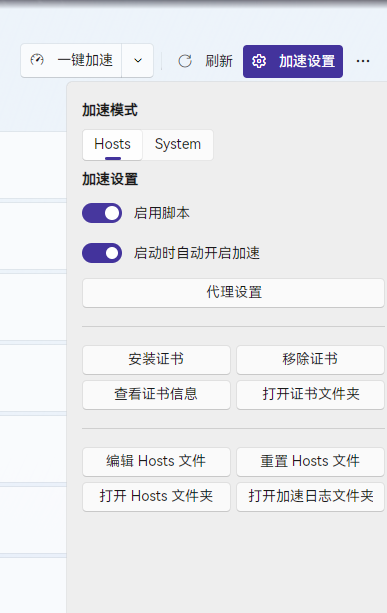
deepin 打开steam++加速后,连steam都登录不了,关闭加速后又可以登录,不知道是哪里配置出问题
但不管是否打开加速,上网是正常的
Popular Ranking
ChangePopular Events
More


 List of bugs and suggestions
第一步:
打开系统设置-开发者管理-关闭磐石只读保护-重启
第二步:
curl -sSL https://steampp.net/Install/Linux.sh | bash
# 安装steam++
第三步:
sudo find / -name "*steam*" -o -name "*Steam*" -o -name "*Watt*" -o -name "*Toolkit*" 2>/dev/null | grep -E "\.(crt|pem|cert|cer|key)"
# 查找steam++证书(你需要复制其中一个 SteamTools.Certificate.cer 的地址)
第四步:
sudo cp "替换成你复制的地址" \
/usr/local/share/ca-certificates/steamtools.crt
# 添加证书(这两行命令要一起复制)
第五步:
打开系统设置-开发者管理-打开磐石只读保护-重启
至此,steam++已经可以正常运行加速了
steam++打开后,各种浏览器报错,不安全的链接,解决方法:
以火狐为例:
打开设置-隐私与安全-查看证书-证书颁发机构-导入
此时会打开文件管理器,文件在第三步找出来的位置,导入 SteamTools.Certificate.cer 这个文件,就不会报错了
其他浏览器同理
!!!如果还是不会安装的,把教程复制发给豆包!!!