中文
中文 
WangZhongyun deepin
2022-12-02 18:02 deepin 你从BIOS里设置另一个磁盘为第一启动盘试试
Reply Like 0 View the author
 deepin
 你从BIOS里设置另一个磁盘为第一启动盘试试
 deepin
 你从BIOS里设置另一个磁盘为第一启动盘试试
下面那个是装载deepin镜像的u盘,选择后,就只能重新安装了
 deepin
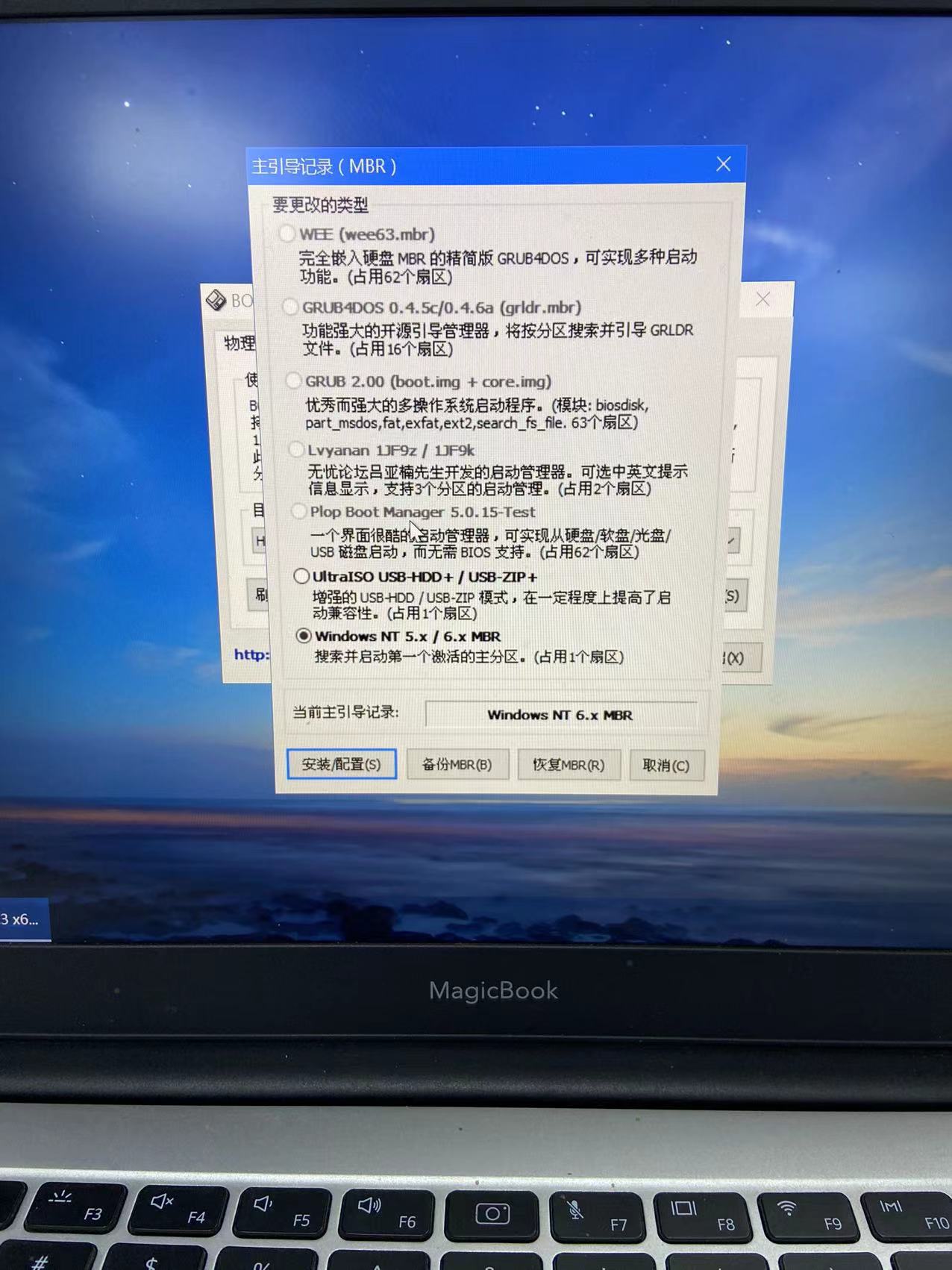
 BIOS中关闭安全引导,再重新安装Grub应该能够恢复deepin启动
deepin BIOS中关闭安全引导,再重新安装Grub应该能够恢复deepin启动
安全启动已经关闭了,grub是用pe安装吗,为什么我这个是灰的啊,无法选择

 deepin
 把efi关了,找个Lived进行os-prober操作应该还是能识别出系统的,再进行grub-mkconfig和grub-install操作

 deepin
 把efi关了,找个Lived进行os-prober操作应该还是能识别出系统的,再进行grub-mkconfig和grub-install操作
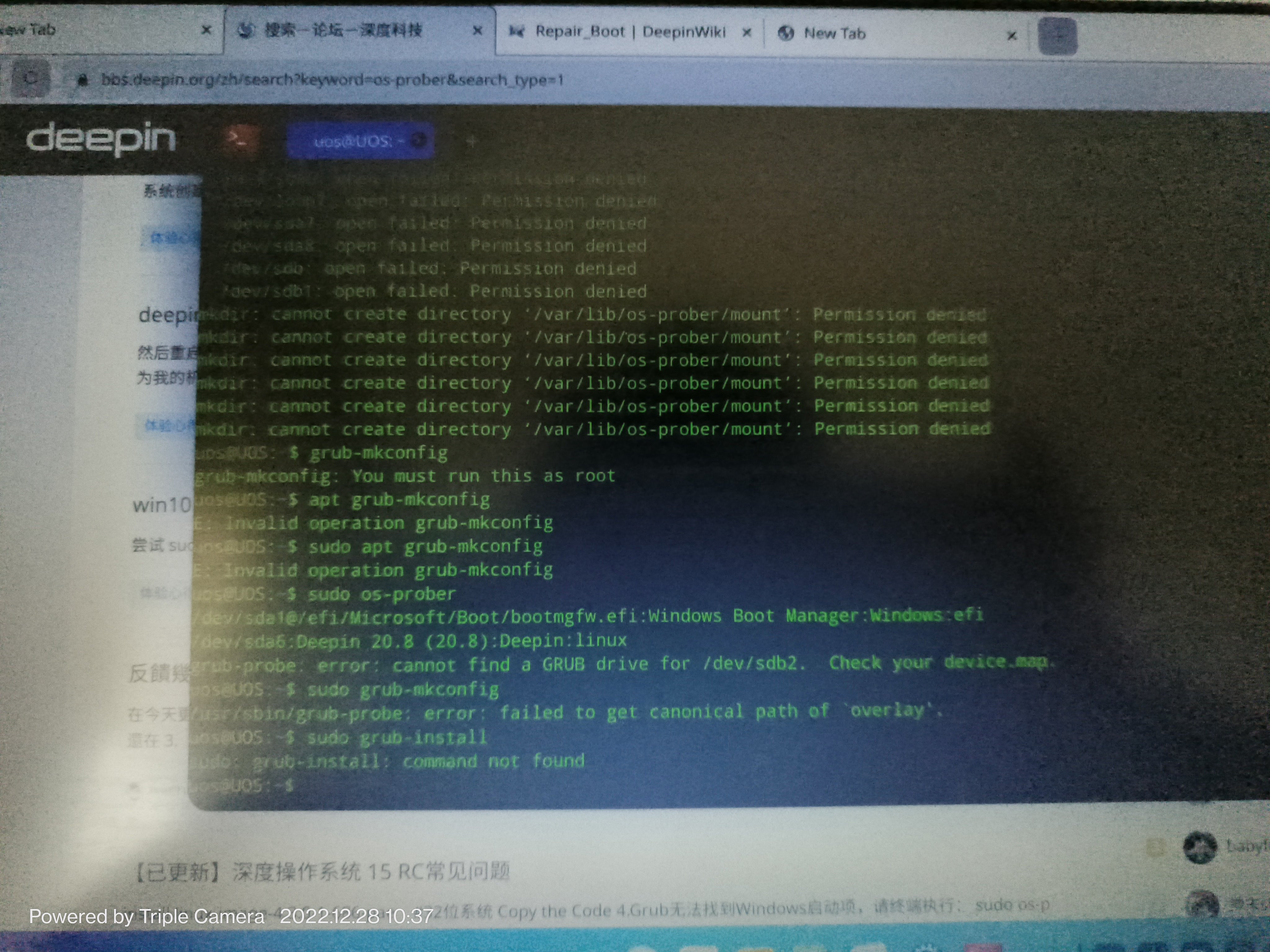
大佬,我的是在ventoy安装界面删除livecd-installer进的live模式,在终端里执行这三个命令了,可好像没起作用的样子
deepin 用从深度官网下载的livecd,有“深度系统修复工具”,引导修复还挺好使
deepin 楼主最后是怎么解决的呀?
deepin 楼主最后是怎么解决的呀?
重新安装了
Popular Ranking
ChangePopular Events
More


 is Deepin 25 using OSTree?
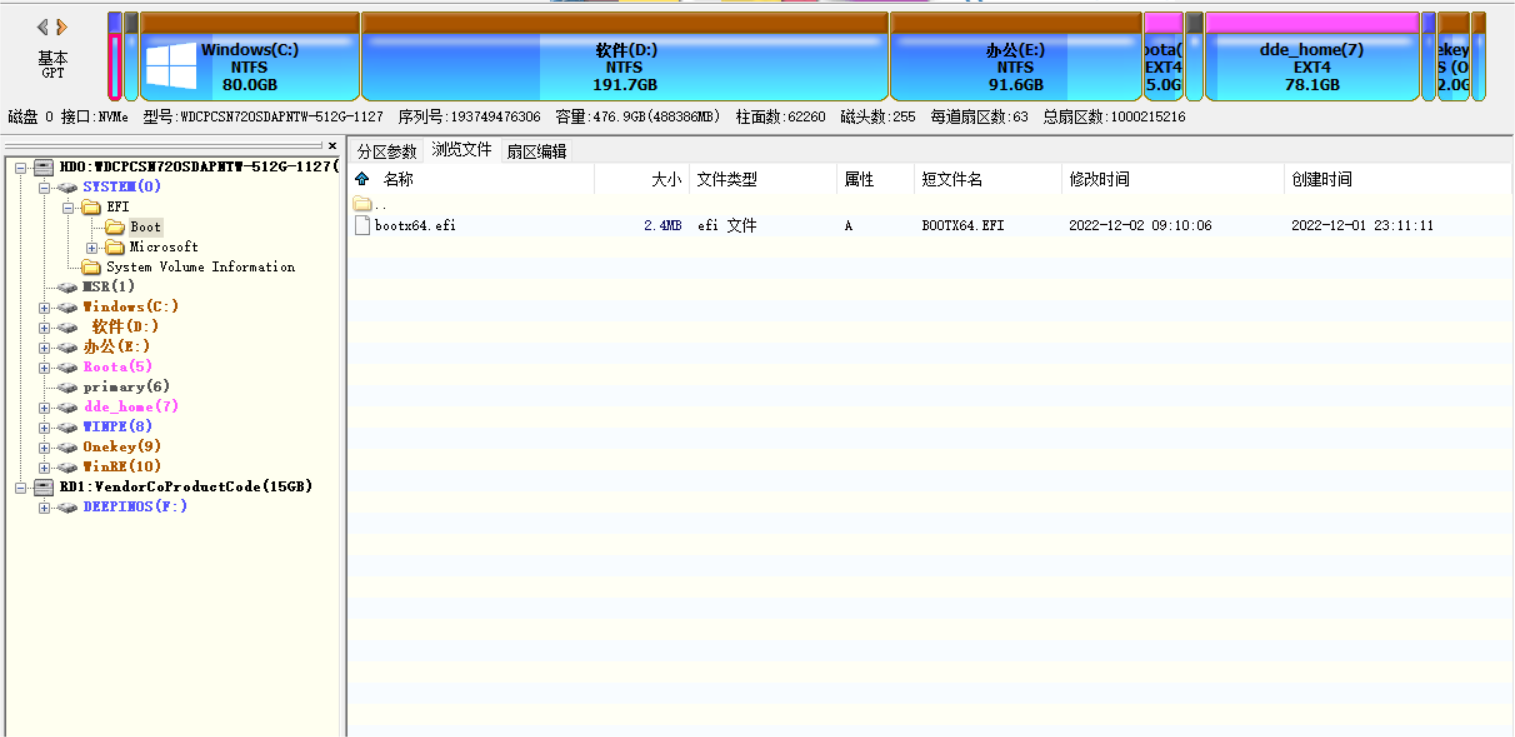
各位大佬,我电脑是magicbook14 2019款,先装的win11,然后装了v23,后面开机只能进入深度,我就在bios里面关闭了一个启动项,后面再进入提示no boot device,两个系统都无法进入,我就把安全启动开了,然后进入了安全恢复的页面,后面页面提示恢复设置,我按提示操作,现在就只能进win11,深度进不了,bios里面也只剩下win的启动项了,这个情况只能重装了吗😳
现在启动项和分区如下: