

 中文
中文 
安洛 deepin
2022-12-02 01:58 deepin 星火商店安装win字体
Reply Like 1 View the author
 deepin
 星火商店安装win字体
 deepin
 这几乎是日常问题了,字体或者设置的问题
https://bbs.deepin.org/post/246721
可以试试删除之前的WPS配置缓存文件。
缓存目录在:~/.config/Kingsoft
可以直接用文件管理器找到该文件删除(需要打开隐藏文件夹)
也可以用终端,命令行删除。
rm -rf ~/.config/Kingsoft
如果还不行,那就再试试星火应用商店,装一下windows核心字体,以及wps缺失字体。
把文件夹里面的所有字体,复制到 /usr/share/fonts/wps-offices 下面。 代码如下:
cp Fonts/ /usr/share/fonts/wps-office/
deepin 
 deepin
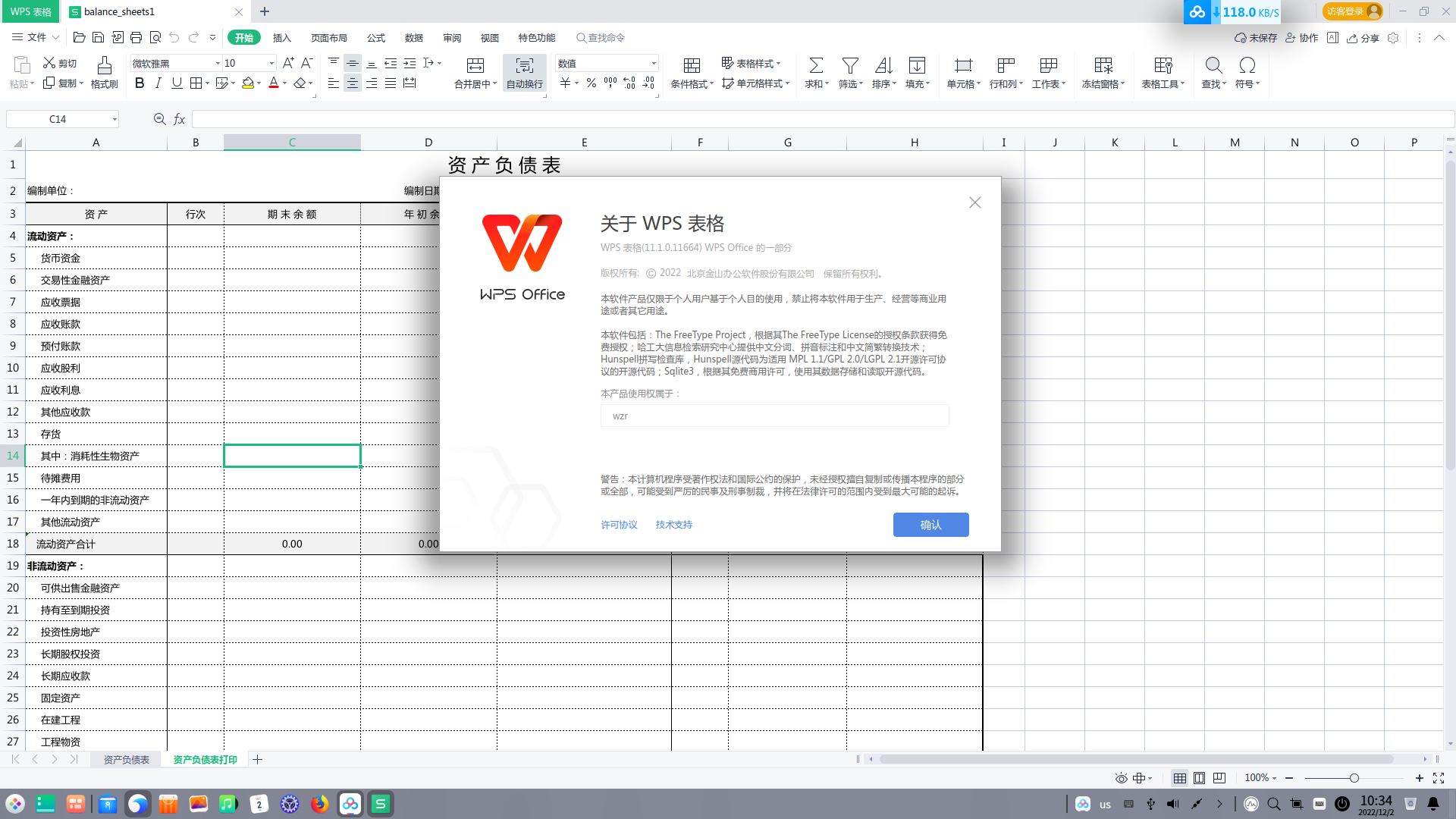
 你安装的是什么版本,我安装了常用字体,这个linux版本行号正常,试试看

 deepin
 星火商店安装win字体
多谢,已经好了,就是字体原因
deepin 这几乎是日常问题了,字体或者设置的问题
https://bbs.deepin.org/post/246721
可以试试删除之前的WPS配置缓存文件。
缓存目录在:~/.config/Kingsoft
可以直接用文件管理器找到该文件删除(需要打开隐藏文件夹)
也可以用终端,命令行删除。
rm -rf ~/.config/Kingsoft
如果还不行,那就再试试星火应用商店,装一下windows核心字体,以及wps缺失字体。
把文件夹里面的所有字体,复制到 /usr/share/fonts/wps-offices 下面。 代码如下:
cp Fonts/ /usr/share/fonts/wps-office/
多谢,星火商店下载的字体,直接安装的
deepin 你安装的是什么版本,我安装了常用字体,这个linux版本行号正常,试试看
好了,多谢

肯定是字体问题,刚装深度系统必须会出现的问题。
Popular Ranking
ChangePopular Events
More


 is Deepin 25 using OSTree?
咱也不知道为啥,以前也没发现这个问题啊,现在打开行号不居中,行号都是这种形态,不知道是为啥。