

 中文
中文 
152******14 deepin
2022-11-22 22:35 deepin 你搜一下,我记着有专门的帖子,但是但是论坛的搜索功能使用的让人太难受。
Reply Like 0 View the author
 deepin
 你搜一下,我记着有专门的帖子,但是但是论坛的搜索功能使用的让人太难受。
 deepin
 你搜一下,我记着有专门的帖子,但是但是论坛的搜索功能使用的让人太难受。
就是看了那个帖子,看到有几个小错误,我怀疑是不是以前版本适用,现在就不行了。比如现在安装就没 libvert(或libvirt),virt-install , qemu-img 等包。
deepin 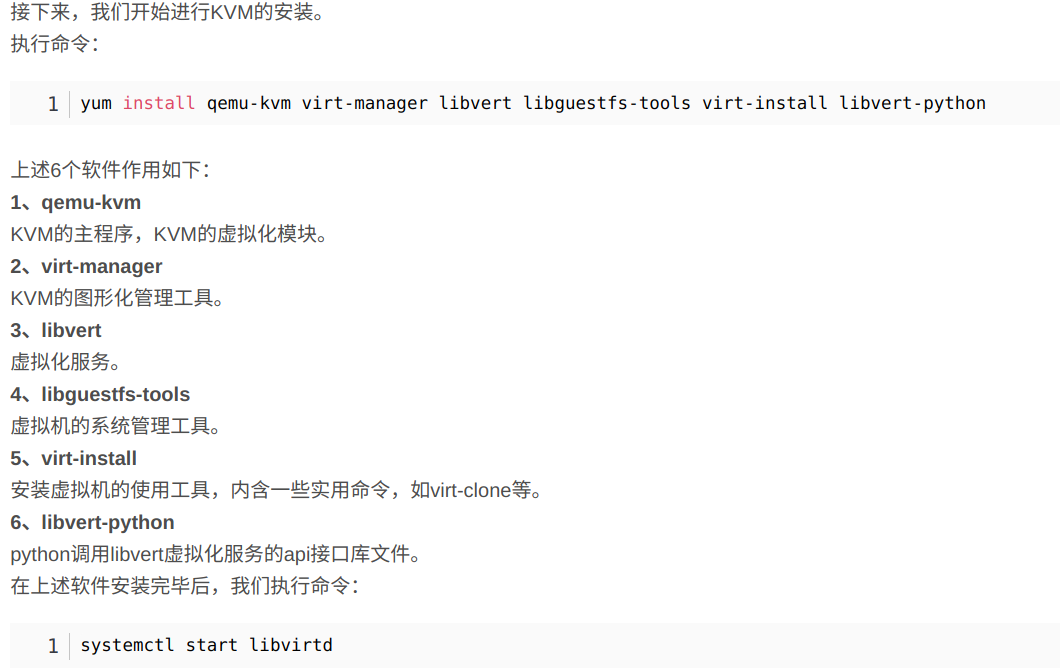
这里面 libvert 是不是写错了,网上搜的都是libvirt

 deepin
 基本就是这些了
qemu-system-x86
virt-manager
这两个就可以
其他的都是依赖,默认安装上了
 deepin
 如何使用kvm安装和管理deepin | DeepinWiki
sudo apt -y install libvirt0 libvirt-daemon qemu virt-manager bridge-utils libvirt-clients python-libvirt qemu-efi uml-utilities virtinst qemu-system
看看大佬的分享试试?
deepin 基本就是这些了
qemu-system-x86
virt-manager
这两个就可以
其他的都是依赖,默认安装上了
好谢谢。
deepin 如何使用kvm安装和管理deepin | DeepinWiki
sudo apt -y install libvirt0 libvirt-daemon qemu virt-manager bridge-utils libvirt-clients python-libvirt qemu-efi uml-utilities virtinst qemu-system
看看大佬的分享试试?
好的谢谢。

 deepin
 如果你是用virt-manager管理虚拟机,只需要:
sudo apt install virt-manager
即可,其他依赖会自动安装,比如:你不手工创建虚拟机,你不需要qemu,需要的是qemu-system-common和其他qemu-system-xxxxx,但这些都会自动安装。
安装没什么难度,安装完你需要处理一下非root使用:
Use virt-manager as a non-root user on Linux
Step 1 – Add user account to the libvirt group, and verify that user is added to libvirt group.
$ sudo usermod -a -G libvirt $(whoami)
$ id $(whoami)
Step 2 – Edit libvirtd configuration file to add group.
$ sudo less /etc/libvirt/libvirtd.conf
unix_sock_group = "libvirt"
unix_sock_rw_perms = "0770"
Step 3 – Restart libvirt daemon after making the change.
$ sudo systemctl restart libvirtd.service
deepin 说个题外话,我的20.7.1添加了debian 10的backport源,所以virt-manager的版本是2.0.0,qemu-system-common是5.2,但你们安装的virt-manager和qemu的版本都比较低,都是2018年之前发布的版本。20.7.1官方的qemu是3.x.x,qemu最新的版本是7.x.x.
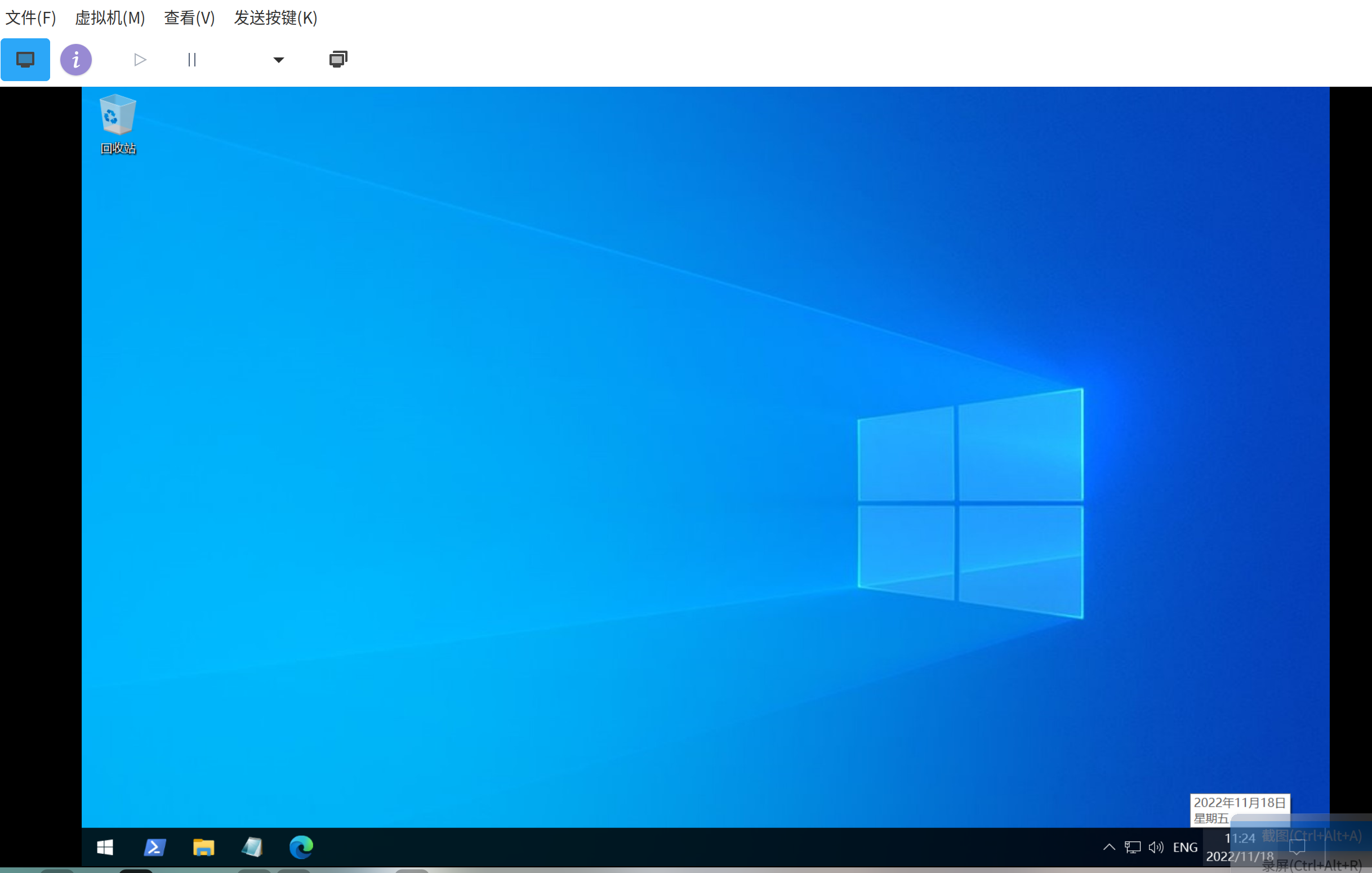
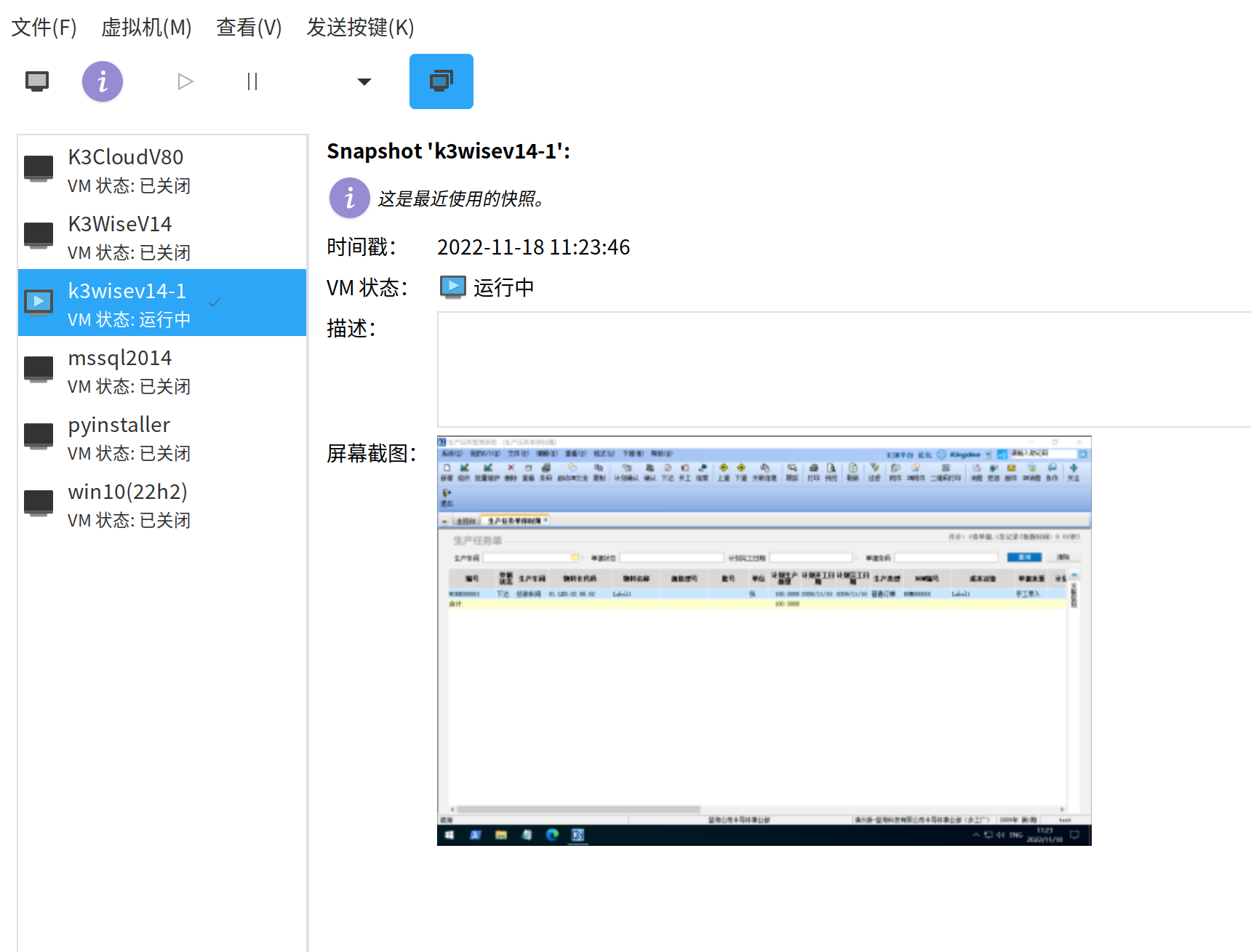
deepin qemu-kvm的性能是没问题,libvirt的硬件虚拟化也很好(相比VirtualBox,vb的bug太多了),virsh这个命令行管理工具做的超级好,但virt-manager真的不咋的,例如:快照管理,呵呵,半成品(是指virt-manager,qemu的快照是很棒的),开源社区都是这样凡是底层做的都很出色,只要涉及到gui就是烂(但,deepin是例外,gui超棒),如果virt-manager用的不顺手,一定要看看virsh。
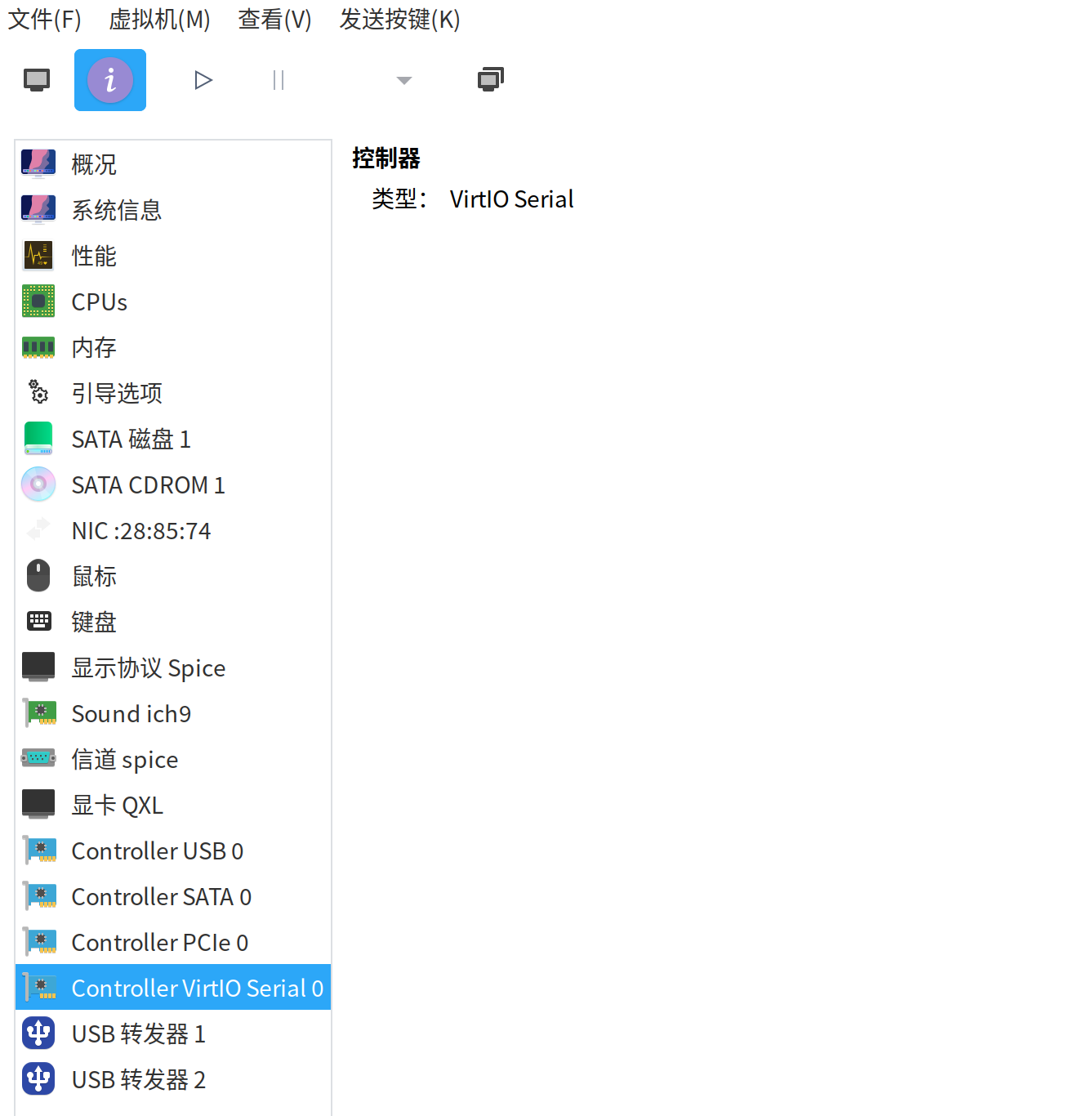
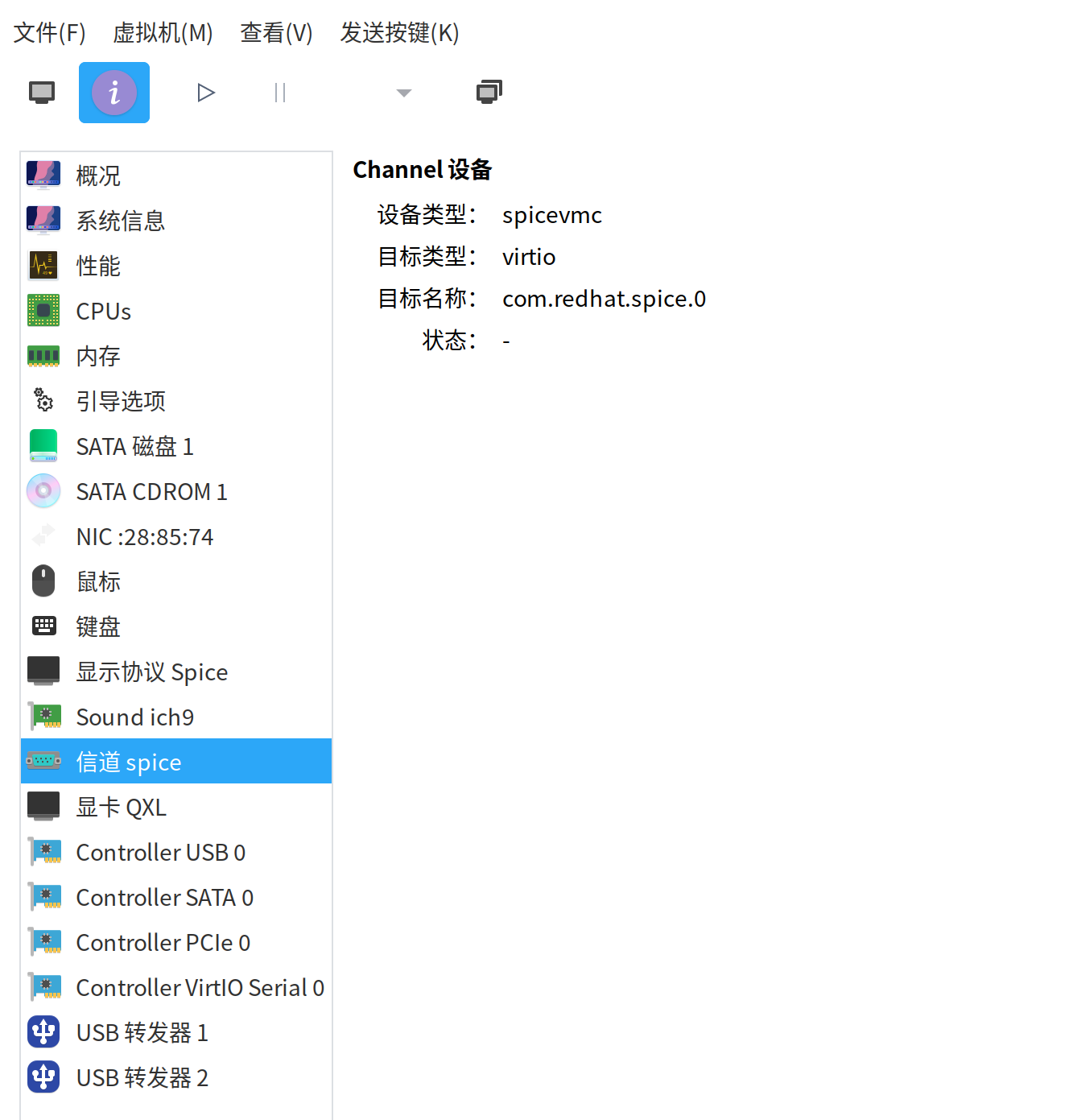
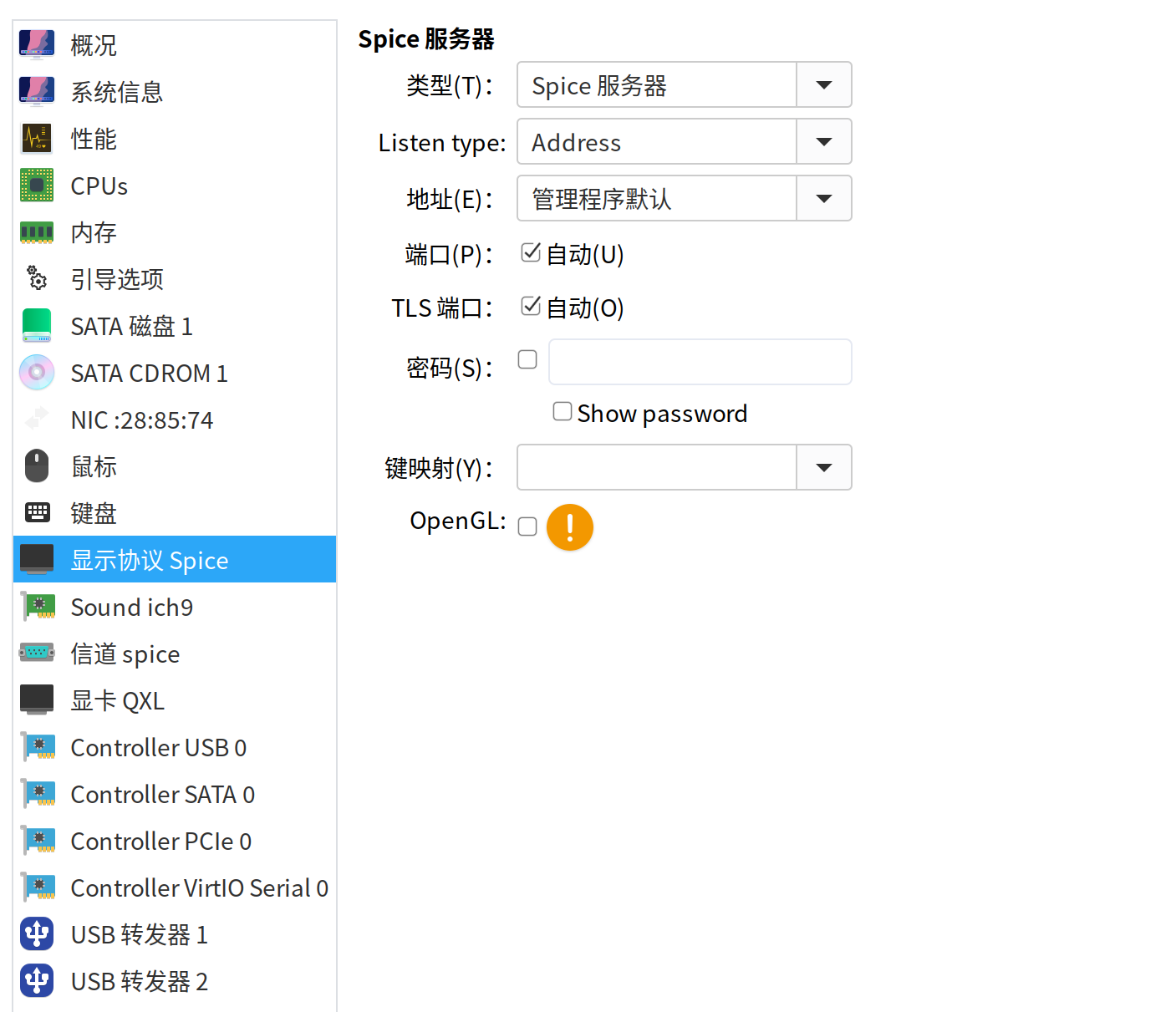
客户端os记得安装https://www.spice-space.org/download.html,解决双向粘帖的问题,以及客户端显卡QXL驱动。关于双向粘帖,下面的截图的硬件需要添加。
deepin 关于qemu的备份下次再分享



 deepin
 qemu-kvm的性能是没问题,libvirt的硬件虚拟化也很好(相比VirtualBox,vb的bug太多了),virsh这个命令行管理工具做的超级好,但virt-manager真的不咋的,例如:快照管理,呵呵,半成品(是指virt-manager,qemu的快照是很棒的),开源社区都是这样凡是底层做的都很出色,只要涉及到gui就是烂(但,deepin是例外,gui超棒),如果virt-manager用的不顺手,一定要看看virsh。
客户端os记得安装https://www.spice-space.org/download.html,解决双向粘帖的问题,以及客户端显卡QXL驱动。关于双向粘帖,下面的截图的硬件需要添加。
Popular Ranking
ChangePopular Events
More


 is Deepin 25 using OSTree?
关于KVM 要部署的软件包有以下几个不知道对不对:1. qemu-kvm (现改为qemu-system-x86); 2. virt-manager ; 3. libvert (有的资料是libvir不只知道哪个是对的) ; 4. libguestfs-tools ; 5 . virt-install ; 6. qemu-img ; 7 . libvertpython ; 安装完后执行 systemctl start libvirtd
哪位大神帮忙看看软件包名及安装程序是否有错误,希望指证。