

 中文
中文 

 deepin
 nsz@nsz-PC:/media/nsz/数据盘-3$ sudo apt install -f
正在读取软件包列表... 完成
正在分析软件包的依赖关系树... 完成
正在读取状态信息... 完成
正在修复依赖关系... 完成
下列软件包将被【卸载】:
sunloginclient
升级了 0 个软件包,新安装了 0 个软件包,要卸载 1 个软件包,有 0 个软件包未被升级。
有 1 个软件包没有被完全安装或卸载。
解压缩后将会空出 39.0 MB 的空间。
您希望继续执行吗? [Y/n] y
(正在读取数据库 ... 系统当前共安装有 248518 个文件和目录。)
正在卸载 sunloginclient (11.0.1.44968) ...
正在处理用于 desktop-file-utils (0.26-1) 的触发器 ...
正在处理用于 bamfdaemon (0.5.4-2+b1) 的触发器 ...
Rebuilding /usr/share/applications/bamf-2.index...
nsz@nsz-PC:/media/nsz/数据盘-3$ sudo apt install libappindicator3-1
正在读取软件包列表... 完成
正在分析软件包的依赖关系树... 完成
正在读取状态信息... 完成
没有可用的软件包 libappindicator3-1,但是它被其它的软件包引用了。
这可能意味着这个缺失的软件包可能已被废弃,
或者只能在其他发布源中找到
E: 软件包 libappindicator3-1 没有可安装候选
nsz@nsz-PC:/media/nsz/数据盘-3$ sudo dpkg -i SunloginClient_11.0.1.44968_amd64.deb
正在选中未选择的软件包 sunloginclient。
(正在读取数据库 ... 系统当前共安装有 248481 个文件和目录。)
准备解压 SunloginClient_11.0.1.44968_amd64.deb ...
正在解压 sunloginclient (11.0.1.44968) ...
dpkg: 依赖关系问题使得 sunloginclient 的配置工作不能继续:
sunloginclient 依赖于 libappindicator3-1;然而:
未安装软件包 libappindicator3-1。
dpkg: 处理软件包 sunloginclient (--install)时出错:
依赖关系问题 - 仍未被配置
正在处理用于 bamfdaemon (0.5.4-2+b1) 的触发器 ...
Rebuilding /usr/share/applications/bamf-2.index...
正在处理用于 desktop-file-utils (0.26-1) 的触发器 ...
在处理时有错误发生:
sunloginclient


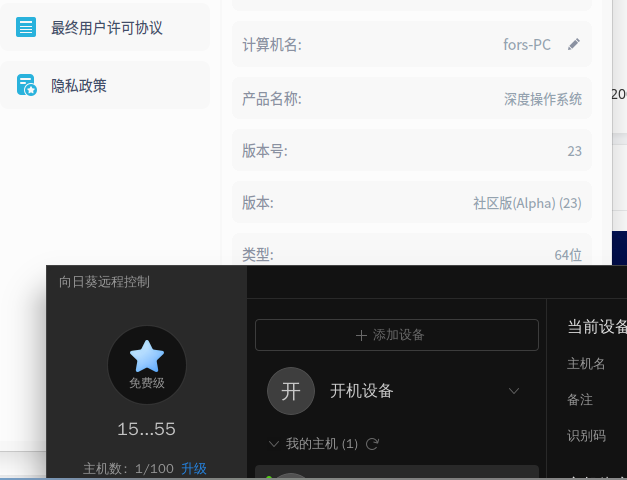


nsz@nsz-PC:/media/nsz/数据盘-3$ sudo dpkg -i Sunlo
(正在读取数据库 ... 系统当前共安装有 248518 个文件和目录。)
准备解压 SunloginClient_11.0.1.44968_amd64.deb ...
正在解压 sunloginclient (11.0.1.44968) 并覆盖 (11.0.1.44968) ...
dpkg: 依赖关系问题使得 sunloginclient 的配置工作不能继续:
sunloginclient 依赖于 libappindicator3-1;然而:
未安装软件包 libappindicator3-1。
dpkg: 处理软件包 sunloginclient (--install)时出错:
依赖关系问题 - 仍未被配置
正在处理用于 bamfdaemon (0.5.4-2+b1) 的触发器 ...
Rebuilding /usr/share/applications/bamf-2.index...
正在处理用于 desktop-file-utils (0.26-1) 的触发器 ...
在处理时有错误发生:
sunloginclient