

 中文
中文 
犇牛 deepin
2022-11-10 02:40 deepin https://bbs.deepin.org/post/245563
我的环境上,是libqt5core5a_5.15.6-1+dde_amd64.deb升级失败
强制安装这个包修复的😂
sudo dpkg -i --force-overwrite 包名
再 sudo apt install -f
Reply Like 0 View the author
 deepin
 https://bbs.deepin.org/post/245563
我的环境上,是libqt5core5a_5.15.6-1+dde_amd64.deb升级失败
强制安装这个包修复的😂
sudo dpkg -i --force-overwrite 包名
再 sudo apt install -f

 deepin
 进不了桌面了,也不知道是什么问题,如何修复?
deepin 选择单用户模式进入
再
 deepin
 系统都启动不了,只能重装了吗😭
deepin 没测试过就放出更新吗😳

 deepin
 没测试过就放出更新吗😳
这问题刚好是你遇到了2333
deepin 我搜过相关,这个大概率是系统升级受应用软件影响了,这也是LINUX最尴尬的地方。如果是,备份重装是解决最快的,只是你的应软件需要重装。可能的原因可以参看https://ywnz.com/linuxjc/9042.html
deepin 我原来是全盘安装的,启动时选择回溯到出厂模式,结果就什么也没有了。
deepin 不知道这个环境下能不能进tty ,
deepin 启动菜单选高级选项里的单用户模式
输入 root 用户密码
apt --fix-broken install
看看问题出在哪,强制安装失败的部分
比如:
apt --fix-broken install libqt5core5a
dpkg -i --force-overwrite /var/cache/apt/archives/libqt5core5a_5.15.6-1+dde_amd64.deb
apt --fix-broken install qtbase-abi-5-15-6
apt-get update && sudo apt-get dist-upgrade
deepin 不知道这个环境下能不能进tty ,
能进tty2
deepin 启动菜单选高级选项里的单用户模式
输入 root 用户密码
apt --fix-broken install
看看问题出在哪,强制安装失败的部分
比如:
apt --fix-broken install libqt5core5a
dpkg -i --force-overwrite /var/cache/apt/archives/libqt5core5a_5.15.6-1+dde_amd64.deb
apt --fix-broken install qtbase-abi-5-15-6
apt-get update && sudo apt-get dist-upgrade
好像没有损失的软件,应该是更新失败,估计是系统问题。
deepin 刚启动时,还弹出一堆USB出错:
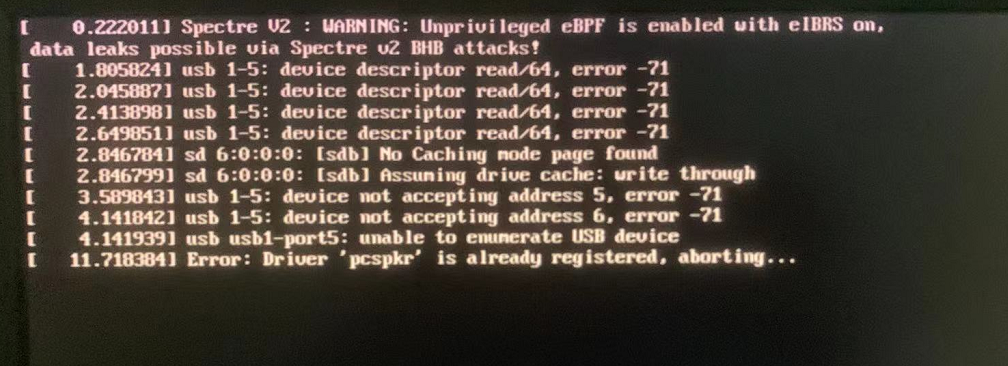
deepin 查看桌面状态,显示启动失败:
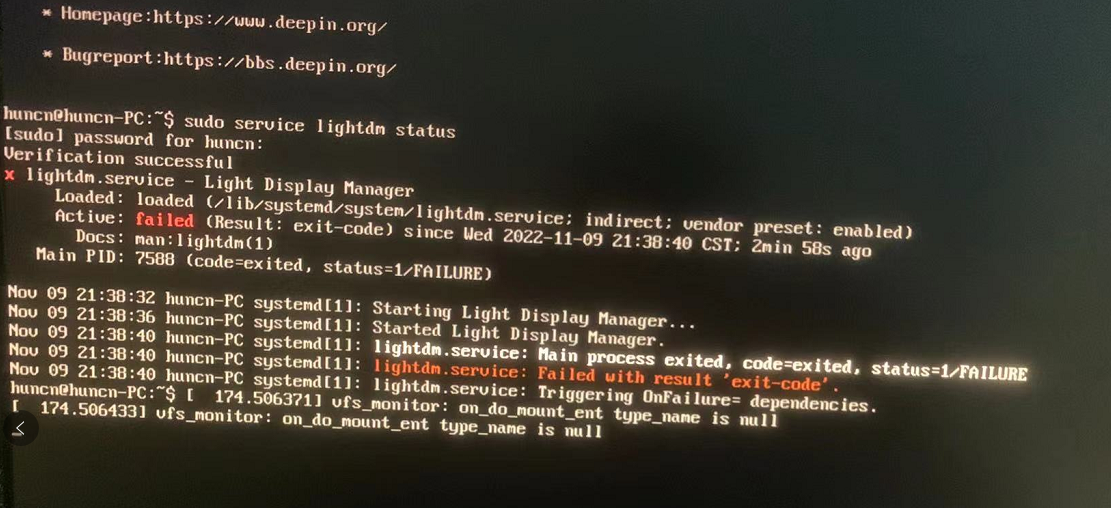
deepin 好像没有损失的软件,应该是更新失败,估计是系统问题。
没有损坏:
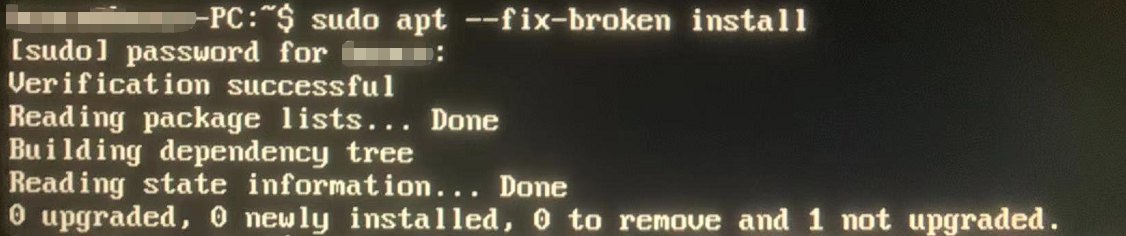
deepin 工程师看看是什么问题,怎么修复?
deepin 晕,还没有解决方案啊。等好久了。。。
再装的话以后还是用乌班图吧。稳定,流畅,无暗病,问题少,操作容易,文档多,网上易查。
 deepin
试试其它内核。
或进安全模式设置一下哪些不合理的要改掉,删除不要的软件。


进不了桌面系统了
出了一排绿字OK后,出现2行:
vfs_monitor: on_do_mount_ent type_name is null
如何修复???