

 中文
中文 
Hibanaw deepin
2022-10-27 21:06 deepin 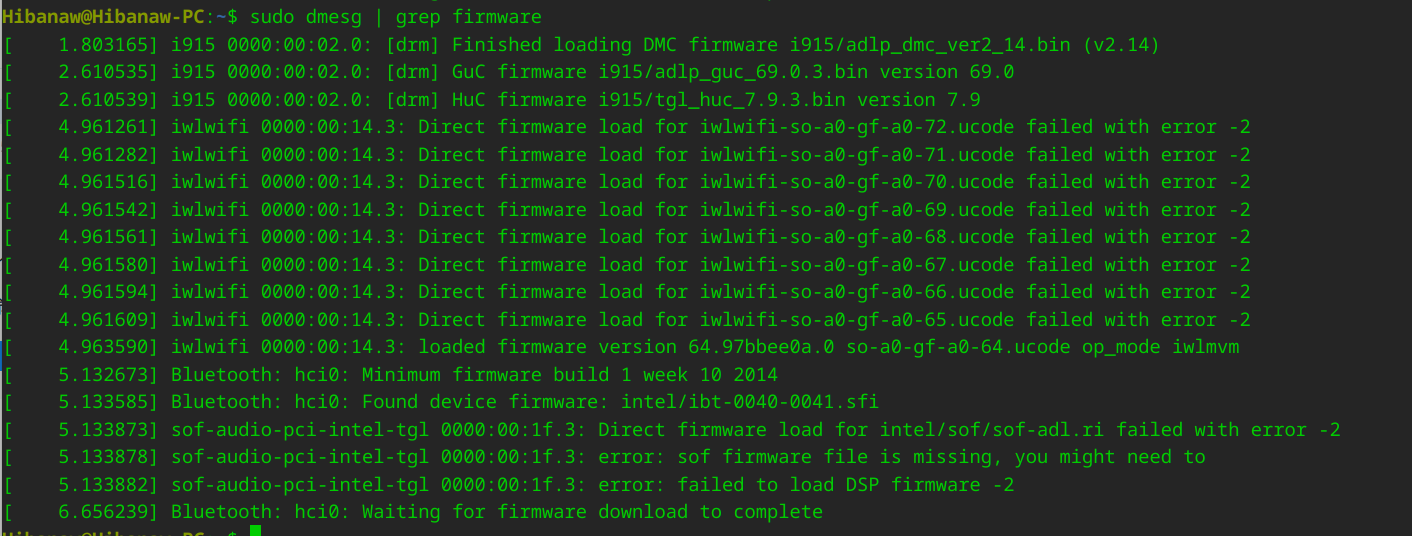
Reply Like 0 View the author
 deepin

 deepin
 要么试试这个:
sudo vi /etc/default/grub
下面这个选项后面添加snd_hda_intel.dmic_detect=0
GRUB_CMDLINE_LINUX_DEFAULT="${这里你的原有配置不要动} snd_hda_intel.dmic_detect=0"
sudo update-grub
reboot
例如:
修改前:
GRUB_CMDLINE_LINUX_DEFAULT="splash quiet "
修改后:
GRUB_CMDLINE_LINUX_DEFAULT="splash quiet snd_hda_intel.dmic_detect=0"
deepin 要么试试这个:
sudo vi /etc/default/grub
下面这个选项后面添加snd_hda_intel.dmic_detect=0
GRUB_CMDLINE_LINUX_DEFAULT="${这里你的原有配置不要动} snd_hda_intel.dmic_detect=0"
sudo update-grub
reboot
例如:
修改前:
GRUB_CMDLINE_LINUX_DEFAULT="splash quiet "
修改后:
GRUB_CMDLINE_LINUX_DEFAULT="splash quiet snd_hda_intel.dmic_detect=0"
可以选择输出设备,但是还是没有声音
 deepin
 实测,在arch linux 6.8.5分支上,y9000x 2022已解决,安装pulseudo服务,并且参考网址 https://alampy.com/2024/04/13/fix-legion-y9000x-2022-iah7-speaker-on-linux/
未来在分支 >6.9 上可能会直接解决这个问题,作者已经提交 diff


Y9000x 2022 无法输出声音