中文
中文 
gfdgd_xi deepin
2022-10-13 05:29 deepin Ecological co-builder

Reply Like 0 View the author
 deepin

 deepin
 恭喜,LINUX的乐趣就是研究、探索、讨论、解决。 不想WIN那么封闭无法修改。

 deepin
 恭喜,LINUX的乐趣就是研究、探索、讨论、解决。 不想WIN那么封闭无法修改。
问题来了,很多人:我是来用的,不是来玩的

 deepin
 问题来了,很多人:我是来用的,不是来玩的
人群不同,有些喜欢折腾有些安于现状,

人呀,必须得有危机感,在危机中找到机会!在危机中找到乐趣!
 deepin
 WPS有原生专业版,不需要wine

 deepin
 WPS有原生专业版,不需要wine
题主想用VBA,deepin用不了,只能用wine版本的
 deepin
 这个wps怎么wine
这个wps怎么wine
用星火商店里的wine 运行器安装。找到WPS软件放的位置,运行就自动安装了。
题主想用VBA,deepin用不了,只能用wine版本的
是的,WPS原生的专业版早就安装好了
 deepin
 deepin
 可以打包出来吗
可以打包出来吗
我这个大白对于打包还没有研究明白。其实很简单,用星火商城的wine 安装器就行。如果需要WPS 专业版EXE,
我可以私信给您。就是下面这个软件。很容易操作的。
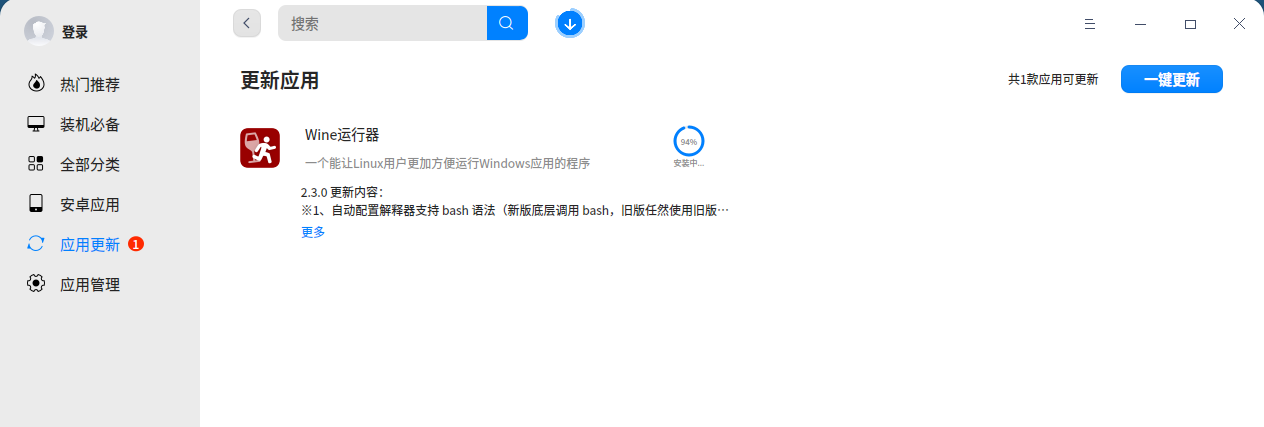
deepin 我这个大白对于打包还没有研究明白。其实很简单,用星火商城的wine 安装器就行。如果需要WPS 专业版EXE,
我可以私信给您。就是下面这个软件。很容易操作的。

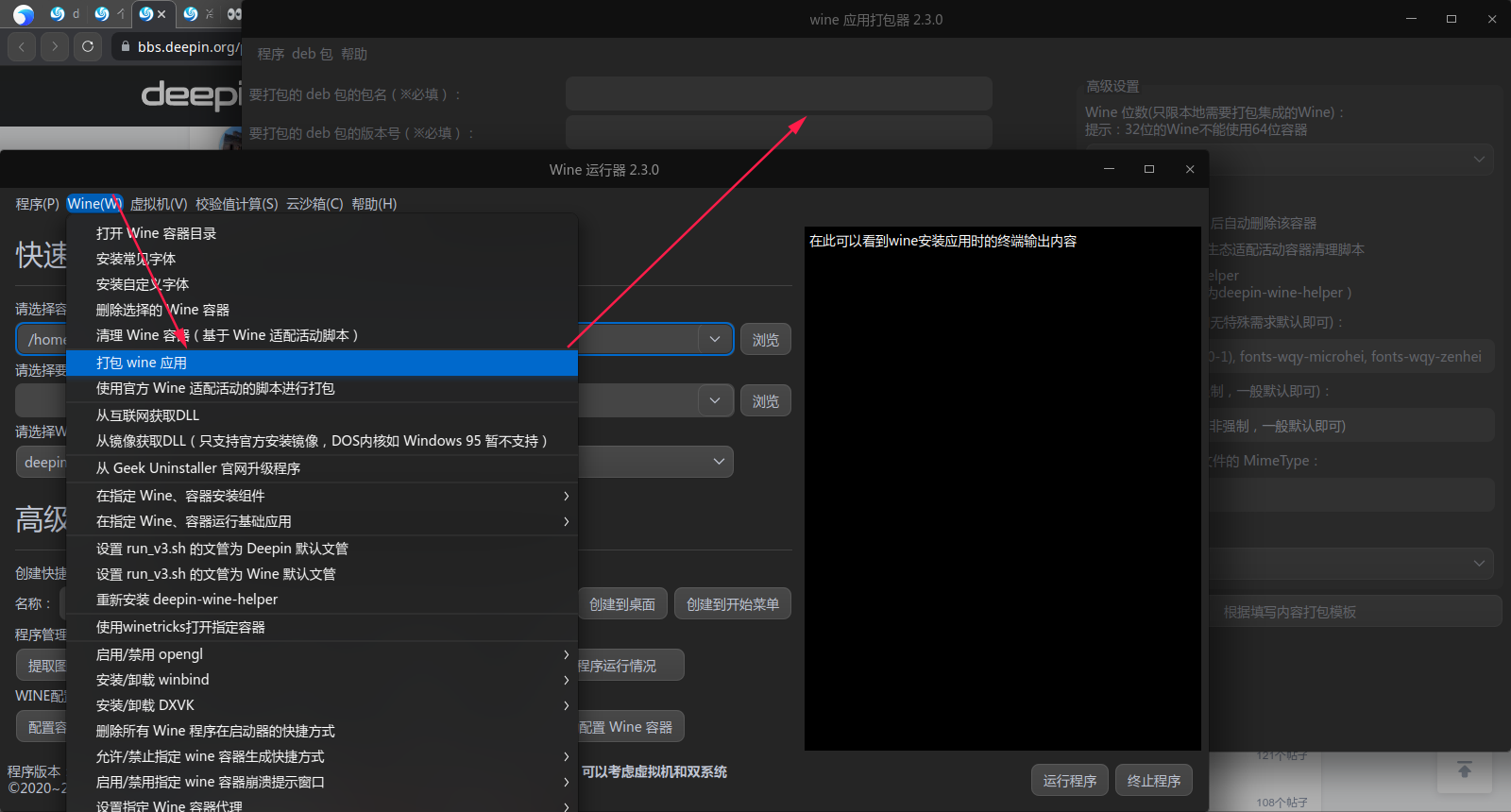
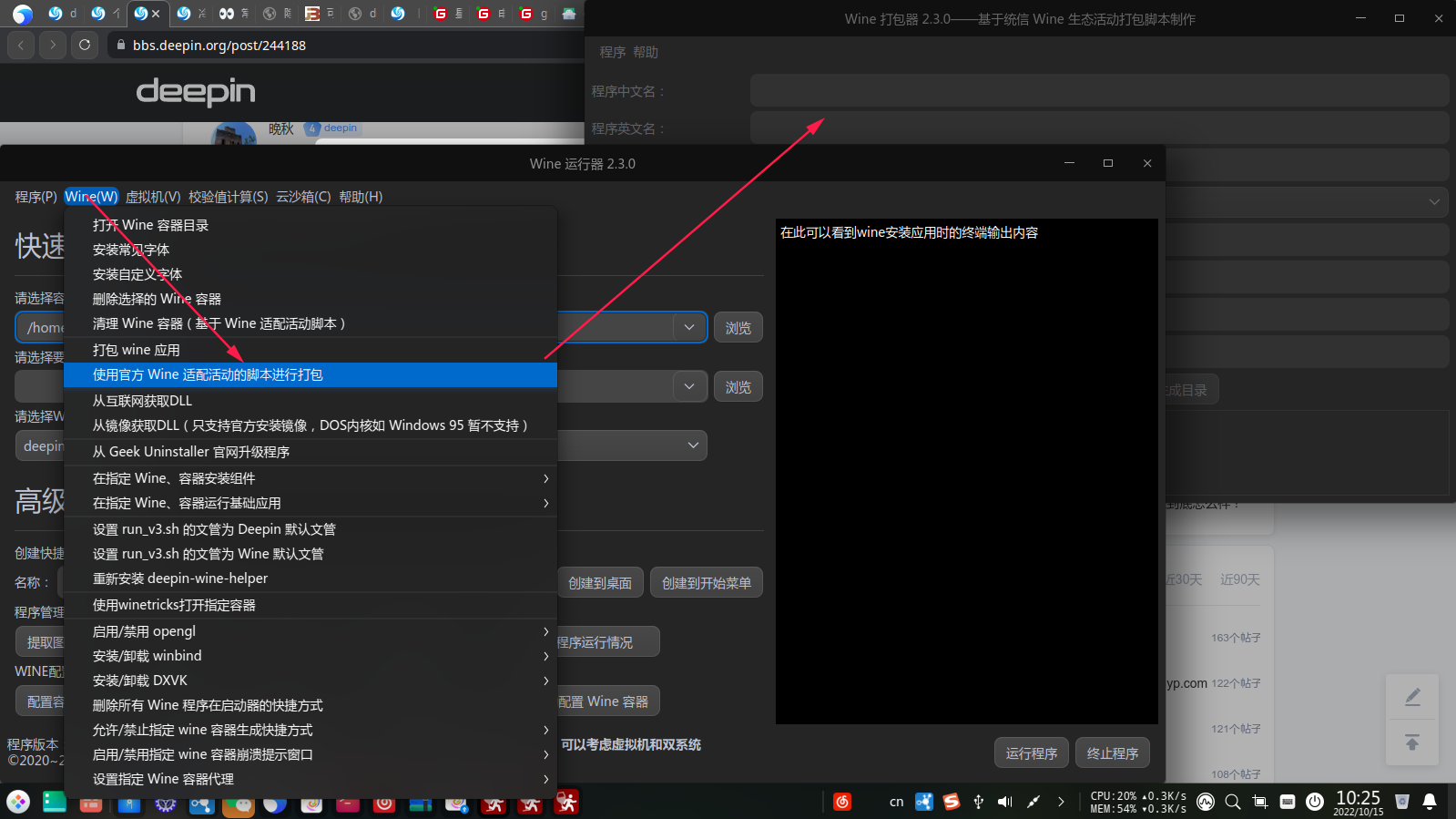
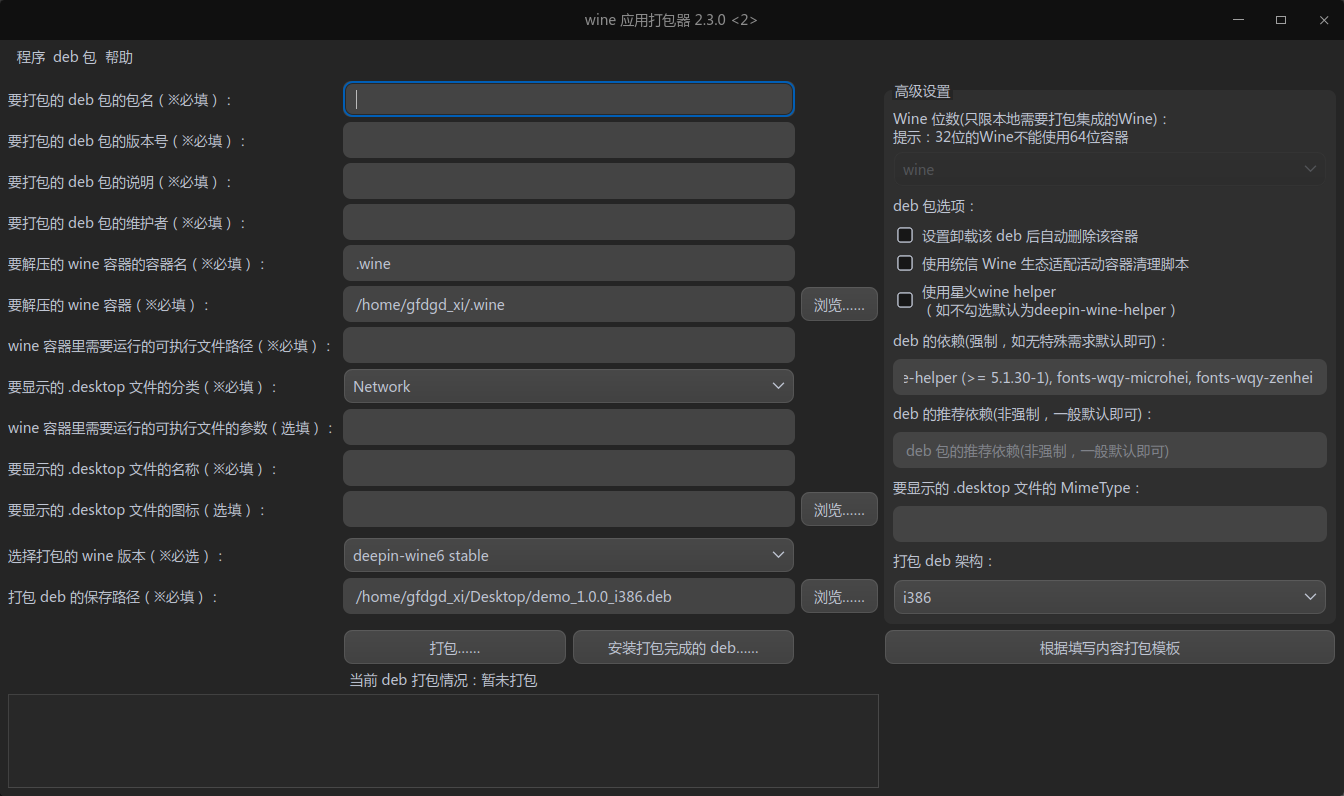
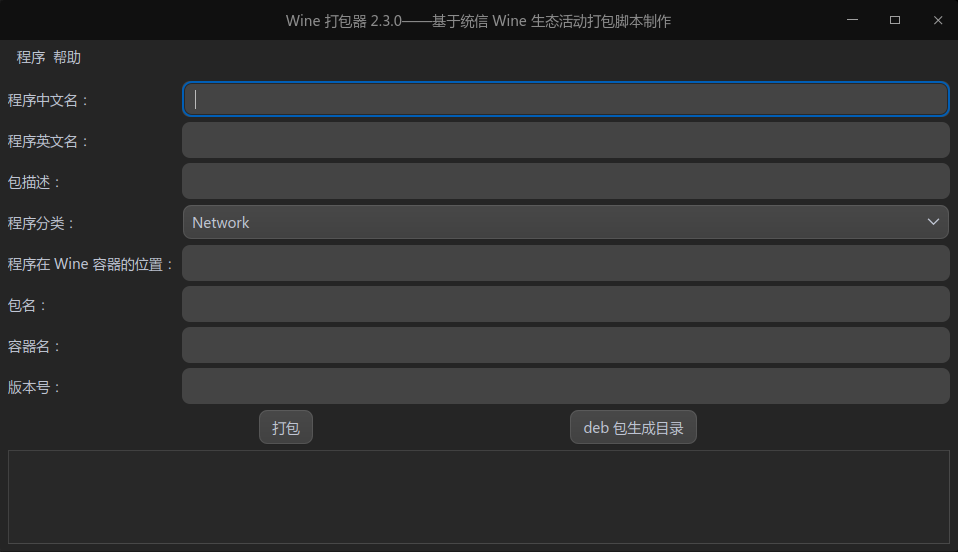
我以前试过,需要我填的东西太多了,所以没搞明白。 我再试试。但我就怕打的包与直接安装的效果会一样呀。我也不太懂。
deepin 我以前试过,需要我填的东西太多了,所以没搞明白。 我再试试。但我就怕打的包与直接安装的效果会一样呀。我也不太懂。
打包的话就是为了方便其他用户不需要自行配置,直接安装deb就可以用了
deepin 我这个大白对于打包还没有研究明白。其实很简单,用星火商城的wine 安装器就行。如果需要WPS 专业版EXE,
我可以私信给您。就是下面这个软件。很容易操作的。
我试过安装后就报错
deepin 这个wine出来的wps输入法正常吗,VBa倒是能用了。
我用的是fcitx,不能输入。
这个wine出来的wps输入法正常吗,VBa倒是能用了。
我用的是fcitx,不能输入。
我用的是搜狗输入法,能正常使用
这个wine出来的wps输入法正常吗,VBa倒是能用了。
我用的是fcitx,不能输入。
字体都装全了吧,不会因为字体没装全,所以不能输入。我这输入正常。


今天有点小激动,刚装V20.6时,就想解决Wine 版wps 专业版的问题,因为某些工作需要VBA。但wine 装的wps专业版无法全屏显示,所以一直苦脑这个问题。今天又头脑发热,想再研究一下这个问题。也是在浏览帖子,jjcui8595坛神提出的winecfg无法运行的问题。我突发灵感,是不是winecfg的默认设置有问题。所以就从网上搜到了winecfg详细的设置方法,果然找到解决办法去掉允许窗口管理器修饰窗口的勾选状态。下面就是winecfg的详细的设置的网址:
https://www.bilibili.com/read/cv12604896/
7.1.4显示设置
winecfg第三个标签是显示设置,这个主要是对窗口的显示效果做一些设置,一般用户不需要去配置。可能有如下几种应用场景:
●窗口标题栏关闭、最大化、最小化按钮显示不对的情况,可以尝试去掉允许窗口管理器修饰窗口的勾选状态。
●窗口显示不正常,如有窗口不显示、异常关闭、托盘点击无效等问题可以尝试打开虚拟桌面的选项,看运行是否正常。但是这个一般只作为分析问题对比的方法,一般不作为最终运行的方案,因为显示效果不好。
●设置窗口分辨率,在高分屏上面需要将dpi的值设置大一些。deepin-wine不需要用户手动设置,默认情况下deepin-wine会根据系统设置的缩放比设置分辨率的大小,达到自适应的效果。 作者:统信UOS官方账号 https://www.bilibili.com/read/cv12604896/ 出处:bilibili
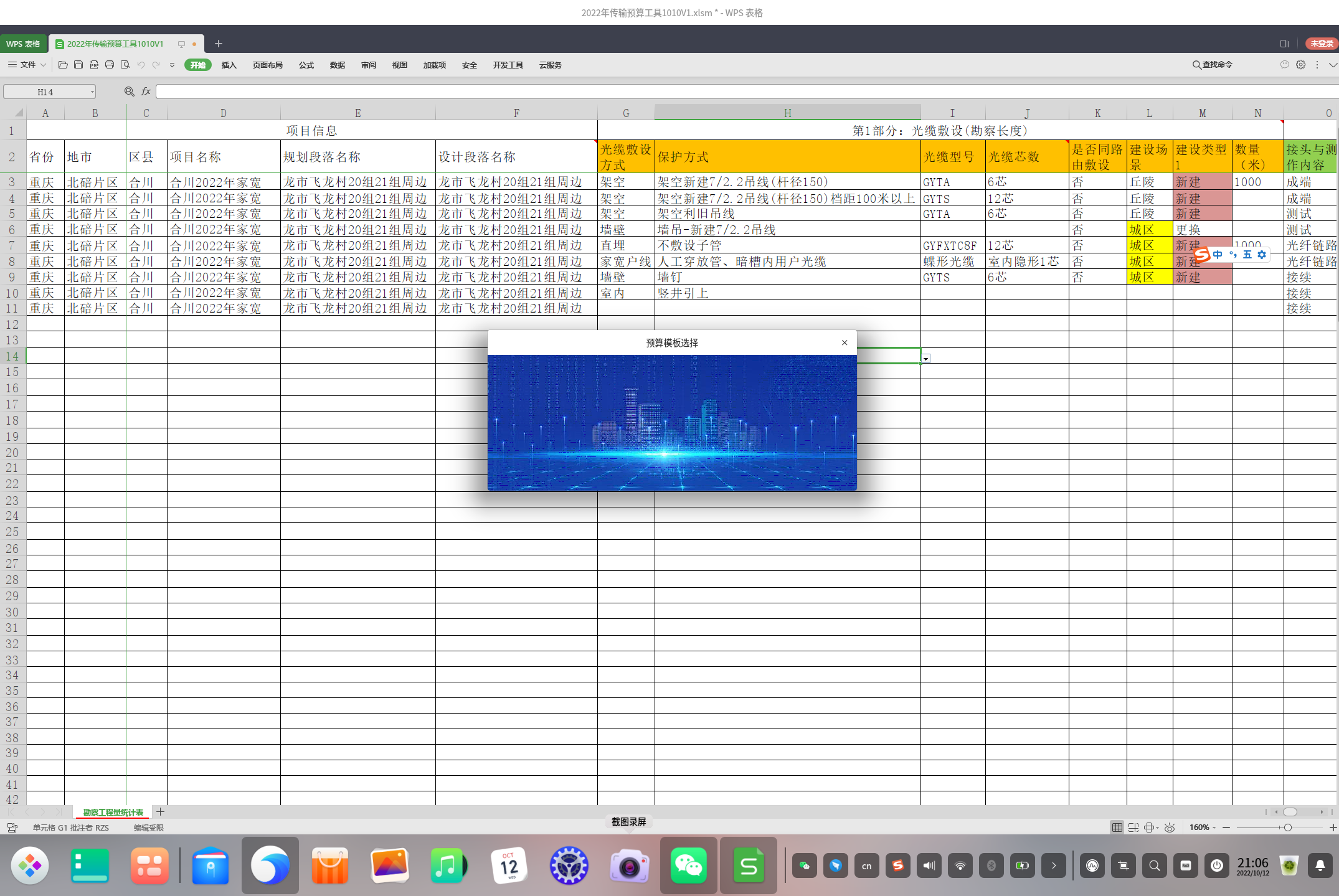
设置好的WPS 专业版运行结果如下图: