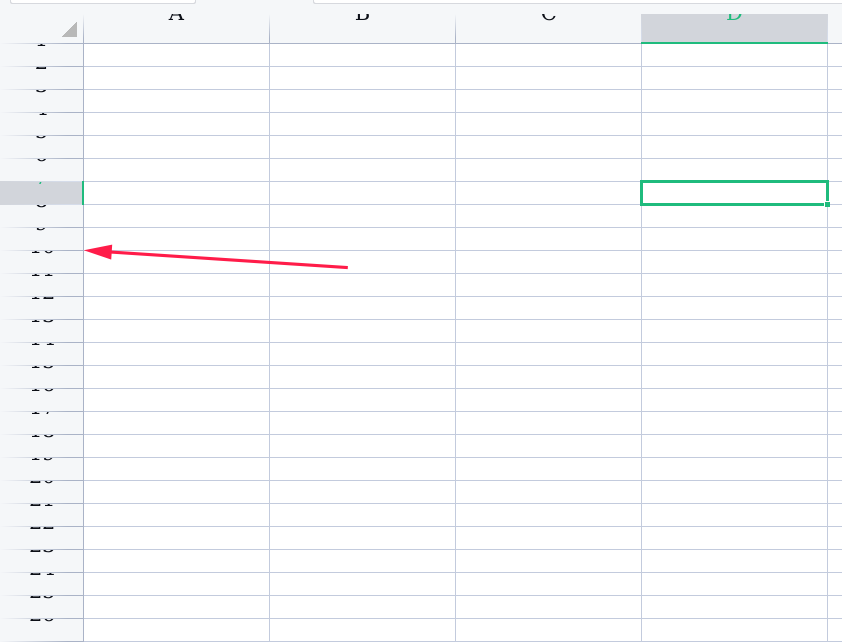
[Topic DIscussion] 有人知道wps的这个问题怎么解决吗? Resolved
Tofloor
poster avatar
melon_o
deepin
2022-10-04 18:42
Author

截图_选择区域_20221004104112.png

Reply Favorite View the author
All Replies
盘灶车站
deepin
2022-10-04 18:58
#1

换字体,从文件-选项-常规与保存-标准字体里,改成宋体。

Reply View the author
jjcui8595
deepin
2022-10-04 19:01
#2

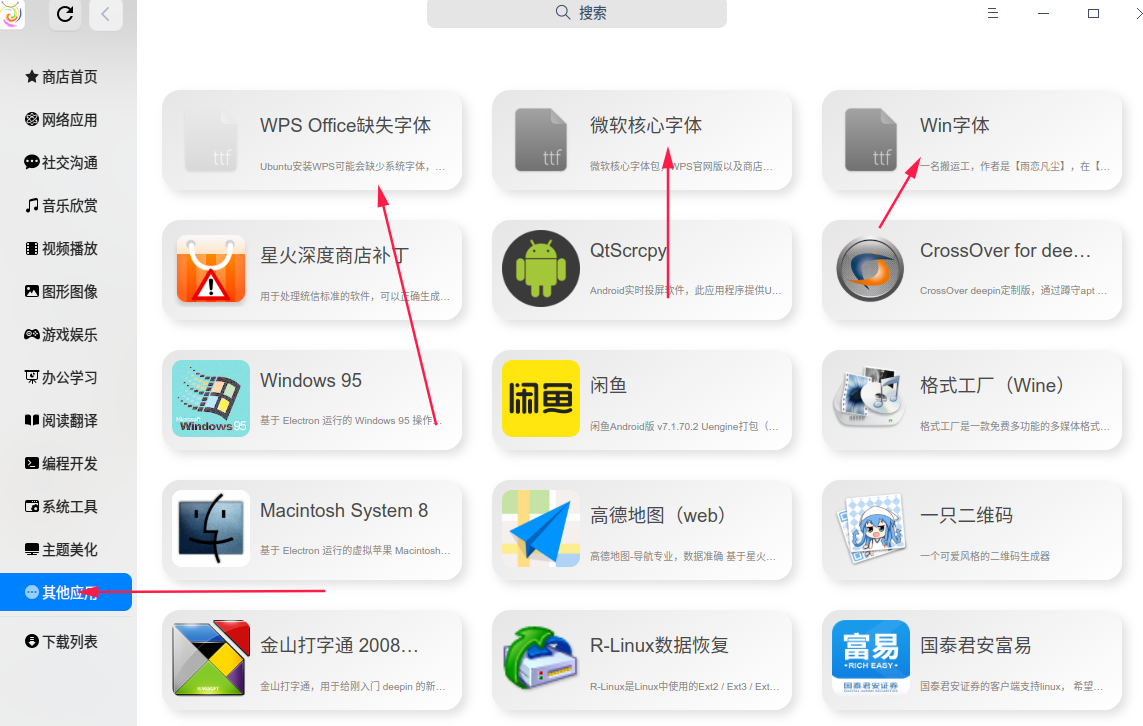
安装字体。星火应用商店里有

Reply View the author
MeowVing
deepin
2022-10-04 19:24
#3

安装 Windows 字体

Reply View the author
liwl
deepin
2022-10-04 19:25
#4

大概率是字体问题

低概率是缩放问题,我记得之前我也出现过,高分辨率屏幕

最后如果不行,可以卸载重新安装看看

Reply View the author
gshun
deepin
2022-10-04 20:09
#5

可以试试更改程序的界面字体,就是程序本身的字体,不是文档的默认编辑字体。

Reply View the author
melon_o
deepin
2022-10-04 20:33
#6

已解决,确实是缺失字体 的原因

Reply View the author
Comments
177******21
2022-10-05 01:10
怎么解决的,感谢分享下
盘灶车站
deepin
2022-10-06 03:38
#7
gshun

可以试试更改程序的界面字体,就是程序本身的字体,不是文档的默认编辑字体。

你可说到点子上了。我如果装上永中的话,永中办公软件就经常自动修改系统的默认字体,把文泉驿微米黑变成方正行楷。

Reply View the author
melon_o
deepin
2022-10-07 20:52
#8

解决方法:星火商店安装字体

截图_选择区域_20221007125050.png

Reply View the author