中文
中文 
jjcui8595 deepin
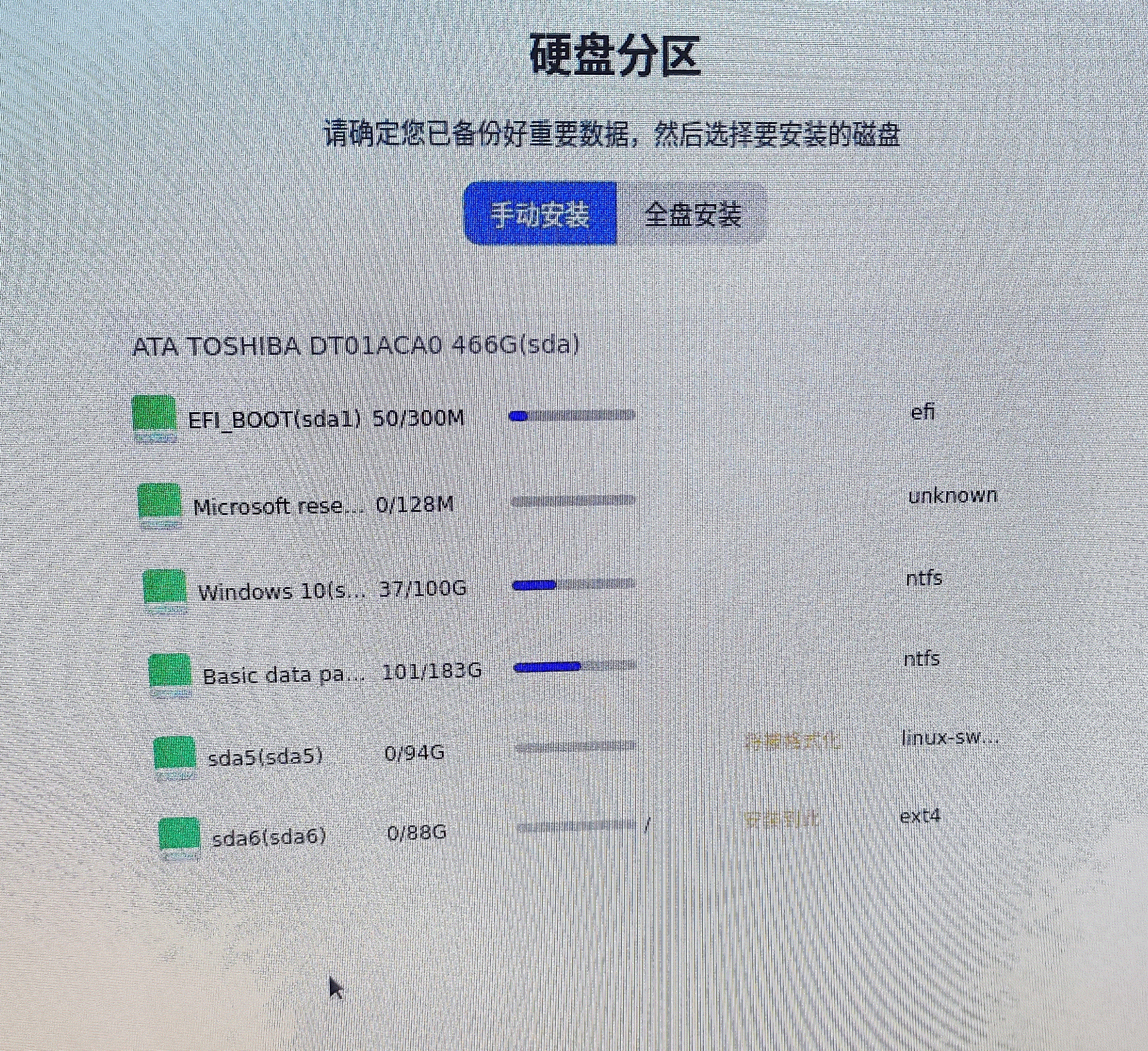
2022-09-11 04:33 deepin 删除sda5,新建swap分区,大小4G
Reply Like 0 View the author
 deepin
 删除sda5,新建swap分区,大小4G

 deepin
 这就是交换分区,都94g了

 deepin
 这就是交换分区,都94g了
这不是看着94g太大了嘛,想看看能不能小一点

 deepin
 实际内存*2或者3,16G以上实际内存的,交换内存可设可不设
deepin 这不是看着94g太大了嘛,想看看能不能小一点
删了重来呗
 deepin
 用Gparted分区工具把你的linux-swap分区调小一点就行了啊。

 deepin
 我只有8G 内存,不设置swap,目前用着正常。
 deepin
 删除sda5,新建swap分区,大小4G

 deepin
 手动安装的确不好设置,是否可以优化一下?

每一次安装V20.6,不知道如何设置交换分区,现在已熟练掌握了。通过这个帖子又涨知道了,交换分区是实际分区的2-3倍。我装V20.7是2倍。我的是8G,设与不设感觉不出什么区别,可能会有作用吧。
Popular Ranking
ChangePopular Events
More


 Which version of the Deepin system is the best?
安装双系统时,老电脑运存不够,想要挂载一个4G交换分区,但是没有,该怎么办呢?
电脑小白,求大佬指点