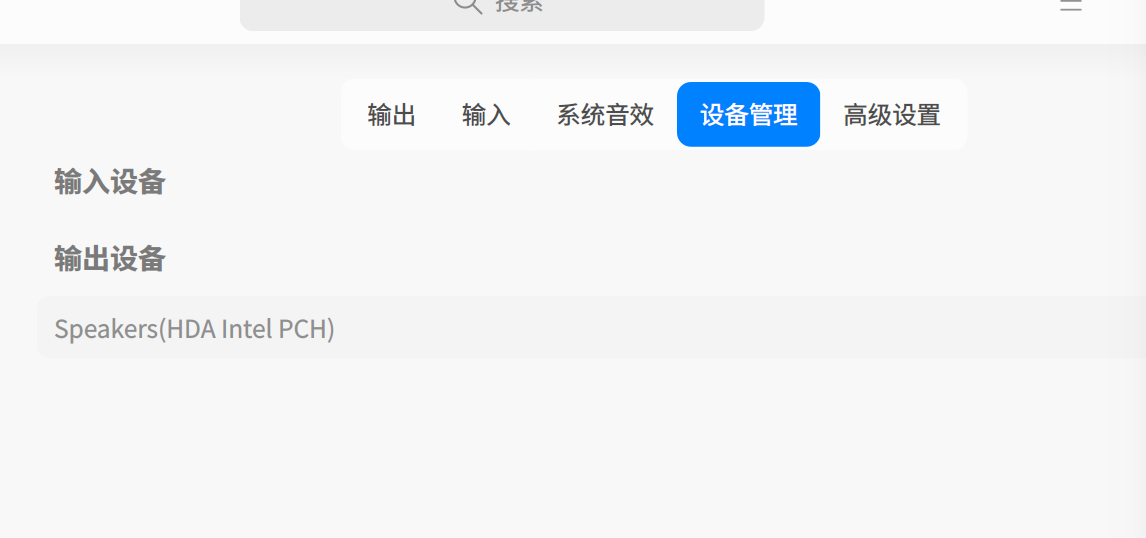
[Topic DIscussion] 笔记本电脑没声音,声音输出设备无选项,声音输入设备无选项
Tofloor
poster avatar
183******87
deepin
2022-09-08 02:13
Author

系统安装] 笔记本电脑没声音,声音输出设备无选项,声音输入设备无选项

Reply Favorite View the author
All Replies
海豚湾
deepin
2022-09-08 03:34
#1

试试这个:https://bbs.deepin.org/post/202812

试试这个方法
sudo vi /etc/default/grub
下面这个选项后面添加snd_hda_intel.dmic_detect=0
GRUB_CMDLINE_LINUX_DEFAULT="${这里你的原有配置不要动} snd_hda_intel.dmic_detect=0"
sudo update-grub
reboot
亲测有效

Reply View the author
wyz144343
deepin
2022-09-08 06:33
#2

如果是AMD设备的通过这个试试,https://bbs.deepin.org/zh/post/234086

我就是通过他改好的。

Reply View the author
zhada
deepin
2023-08-16 08:08
#3
海豚湾

试试这个:https://bbs.deepin.org/post/202812

试试这个方法
sudo vi /etc/default/grub
下面这个选项后面添加snd_hda_intel.dmic_detect=0
GRUB_CMDLINE_LINUX_DEFAULT="${这里你的原有配置不要动} snd_hda_intel.dmic_detect=0"
sudo update-grub
reboot
亲测有效

essx8336经测试无效!

Reply View the author
晚秋(lateautumn)
Moderator
2024-06-04 16:34
#4

我的华为笔记本是利用alsamixer这个命令手动调好的。

Reply View the author
不时之需
deepin
2025-01-13 20:34
#5
海豚湾

试试这个:https://bbs.deepin.org/post/202812

试试这个方法
sudo vi /etc/default/grub
下面这个选项后面添加snd_hda_intel.dmic_detect=0
GRUB_CMDLINE_LINUX_DEFAULT="${这里你的原有配置不要动} snd_hda_intel.dmic_detect=0"
sudo update-grub
reboot
亲测有效

你好,我原来没有输出和输入设备,加这个配置后,输出设备出来了,但是还是没有输入设备,有解吗
声音.png

Reply View the author