

 中文
中文 
Jokul deepin
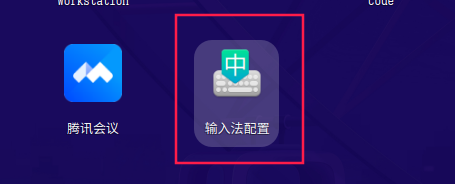
2022-09-06 17:49 deepin 启动器里有的,如果没有的话 到/usr/share/applications/里面找找看
Reply Like 0 View the author
 deepin
 启动器里有的,如果没有的话 到/usr/share/applications/里面找找看
 deepin
 启动器里有的,如果没有的话 到/usr/share/applications/里面找找看
启动器和/usr/share/applications/里面都没有。从20.6升级的这台电脑有,新装的20.7这台确实没有。😭
deepin 启动器和/usr/share/applications/里面都没有。从20.6升级的这台电脑有,新装的20.7这台确实没有。😭
那你重装一下 fcitx5吧
1.sudo apt purge *fcitx*

2.sudo apt update

3.sudo apt install fcitx5
启动器和/usr/share/applications/里面都没有。从20.6升级的这台电脑有,新装的20.7这台确实没有。😭
系统默认一定会有的,应该是你执行了某个命令把输入法配置器删掉了
deepin 那你重装一下 fcitx5吧
1.sudo apt purge *fcitx*

2.sudo apt update

3.sudo apt install fcitx5
好的,我试试,谢谢啦。
 deepin
 你得安装fcitx-config-common:
sudo apt install fcitx-config-common
Popular Ranking
ChangePopular Events
More


 Which version of the Deepin system is the best?
从20.6升级到20.7系统自带这个程序,但是新安装的20.7没有自带这个程序,昨天发了一个反馈没有官方回答,希望官方能够回复一下,怎样才能获得这程序,需要使用。