

 中文
中文 
山水之道 deepin
2022-09-05 06:04 deepin 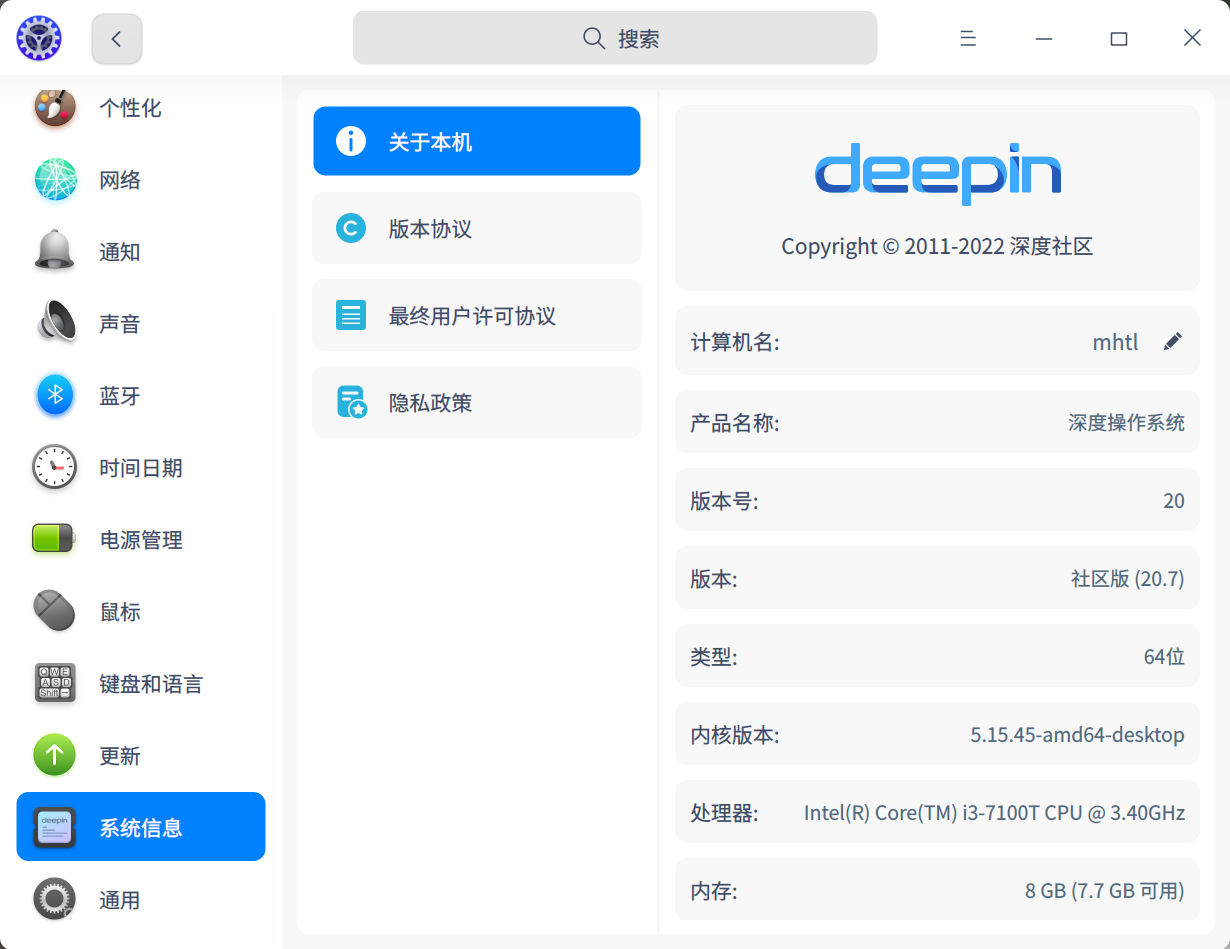
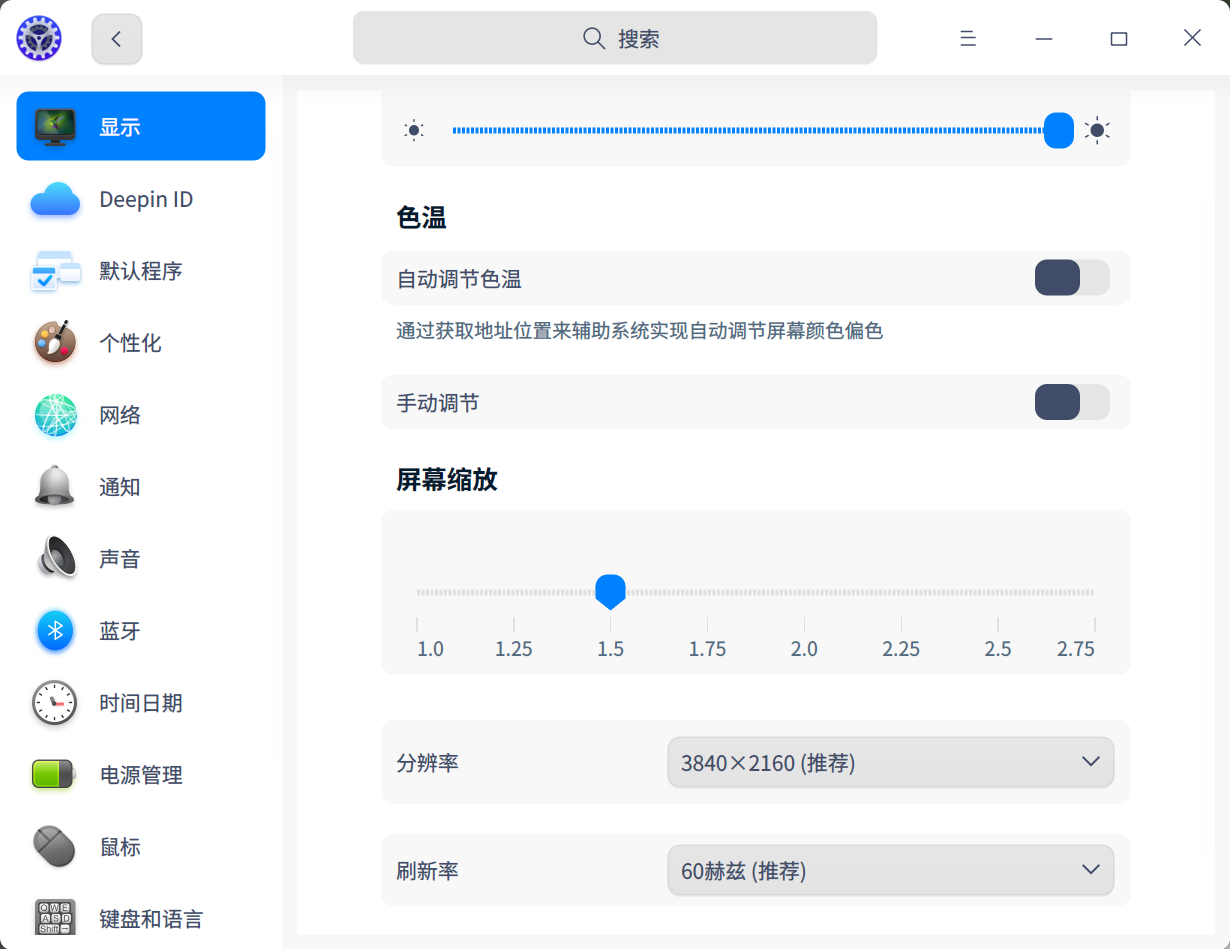
我的跟你的显示不太一样,是你的投影问题吧。
Reply Like 0 View the author
deepin
我的跟你的显示不太一样,是你的投影问题吧。

 deepin
 装nvidia-detect,用root执行这个程序,就会recommand装哪个包
 deepin
我的跟你的显示不太一样,是你的投影问题吧。
你这张图是接上投影仪的显示吗?
我觉得投影仪没问题,因为在Windows机器上完全正常,只是我的深度无法指定HDMI口输出。
deepin 装nvidia-detect,用root执行这个程序,就会recommand装哪个包
在其它帖子里看到了版主的类似提示,但是安装失败了。 卡在NVIDIA-Setting上。
后来发现是要先完全移除那个老的通用显卡Nevouse的驱动,然后再从NVIDIA上下载驱动在sudo init 3下安装原厂驱动。后来也失败了。 当中借鉴了几个本论坛和其它论坛的帖子。
所以重新安装了一遍系统,因为目前从设备信息上看,驱动是正常的,显卡也是正常的,投影仪也是能找到的。
问题只是deepin无法指定输出端口为HDMI,似乎只差最后一口气?
顺便说一下,同样的机器,同样的投影仪,安装了优麒麟就可以用Fn+F8来切换输出到HDMI,跟Windows下的切换是一模一样的,所以这应该是放在系统级别的功能。让用户自己解决还是有些难度。
deepin 投影仪接口为什么显示为LVDS?
deepin HDMI输出到投影仪和输出到一般显示器会有区别嘛?
笔记本不能输出到投影仪,直接无法去访问客户啊
deepin deepin 回帖重复了
deepin 更新在楼顶
deepin 定心折腾了一下,搞定了。
思路总结一下
希望对有类似需要的机友有所提示。
自力更生,丰衣足食!
deepin https://www.nvidia.com/Download/index.aspx 找到自己的显卡的正确驱动,下载之
NVIDIA-Linux-x86_64-390.157.run
sudo apt install build-essential libglvnd-dev pkg-config
https://linuxconfig.org/how-to-install-the-nvidia-drivers-on-ubuntu-20-04-focal-fossa-linux
Disable Nouveau Nvidia driver.Next step is to disable the default nouveau Nvidia driver. Follow this guide on how to disable the default Nouveau Nvidia driver.
First step is to Blacklist Nvidia nouveau driver. Open up terminal and enter the following commands:
$ sudo bash -c "echo blacklist nouveau > /etc/modprobe.d/blacklist-nvidia-nouveau.conf"
$ sudo bash -c "echo options nouveau modeset=0 >> /etc/modprobe.d/blacklist-nvidia-nouveau.conf"
Confirm the content of the newly created modeprobe file blacklist-nvidia-nouveau.conf:
$ cat /etc/modprobe.d/blacklist-nvidia-nouveau.conf
blacklist nouveau
options nouveau modeset=0
Enter the following Linux command to update kernel initramfs:
$ sudo update-initramfs -u
WARNING
Depending on your Nvidia VGA model your system might misbehave. At this stage be ready to get your hands dirty. After the reboot you may end up without GUI at all. Be sure that you have the SSH enabled on your system to be able login remotely or use CTRL+ALT+F2 to switch TTY console and continue with the installation.
Make sure you reboot your system before you proceed to the next step.
Stop Desktop Manager.In order to install new Nvidia driver we need to stop the current display server. The easiest way to do this is to change into runlevel 3 using the telinit command. After executing the following linux command the display server will stop, therefore make sure you save all your current work ( if any ) before you proceed:
$ sudo telinit 3
Hit CTRL+ALT+F1 and login with your username and password to open a new TTY1 session or login via SSH.
Install Nvidia Driver.To start installation of Nvidia driver execute the following linux command and follow the wizard:
$ sudo bash NVIDIA-Linux-x86_64-440.44.run
重启
若需要Uninstall之前的版本
sudo apt purge nvidia-*
NVIDIA-Linux-x86_64-xxx.run -no-x-check -no-nouveau-check -no-opengl-files
The Nvidia driver is now installed.Reboot your system:
$ sudo reboot
Configure NVIDIA X Server Settings.After reboot your should be able to start NVIDIA X Server Settings app from the Activities menu.
或者这么移除
$ sudo dpkg -P $(dpkg -l | grep nvidia-driver | awk '{print $2}')
$ sudo apt autoremove
$ sudo apt install xserver-xorg-video-nouveau
Reboot your system.
Once your system has rebooted confirm loaded nouveau modules:
$ lsmod | grep nouveau
nouveau              1949696  4
mxm_wmi                16384  1 nouveau
ttm                   106496  1 nouveau
drm_kms_helper        184320  1 nouveau
drm                   491520  7 drm_kms_helper,ttm,nouveau
i2c_algo_bit           16384  1 nouveau
wmi                    32768  3 wmi_bmof,mxm_wmi,nouveau
video                  49152  1 nouveau
Popular Ranking
ChangePopular Events
More


 Which version of the Deepin system is the best?
中秋节把这问题搞定了,总结在楼下。。。。
++++
09-07更新一下。
找了个显示器试了一下,同样问题,说明不是投影仪问题,而是nvidia显卡输出的HDMI无法输出的问题。
但是,在重启的过程中,在登录之前,显示器上能显示deepin的蓝光标。 只是密码登录后,显卡无法输出了,这是为什么?
////////// 以下旧信息//////////////
新装的系统20.7, 无法通过HDMI外接投影仪,笔记本自带的Fn+F8切换显示的功能无效,按了没有任何显示和反应,但是Fn + 其它的功能键是有效的。
Win+P也无效。
在系统显示里没有多显示器输出的选项
在设备管理器里能看到两张显卡工作正常
在显示设备里能检测到两个设备,其中一个是投影仪。该投影仪连接其它Windows 笔记本的HDMI 能正常工作。
所以如何让deepin系统能指定从HDMI 口输出?