[Seek Help] 20.7
Tofloor
poster avatar
133******49
deepin
2022-09-03 04:28
Author

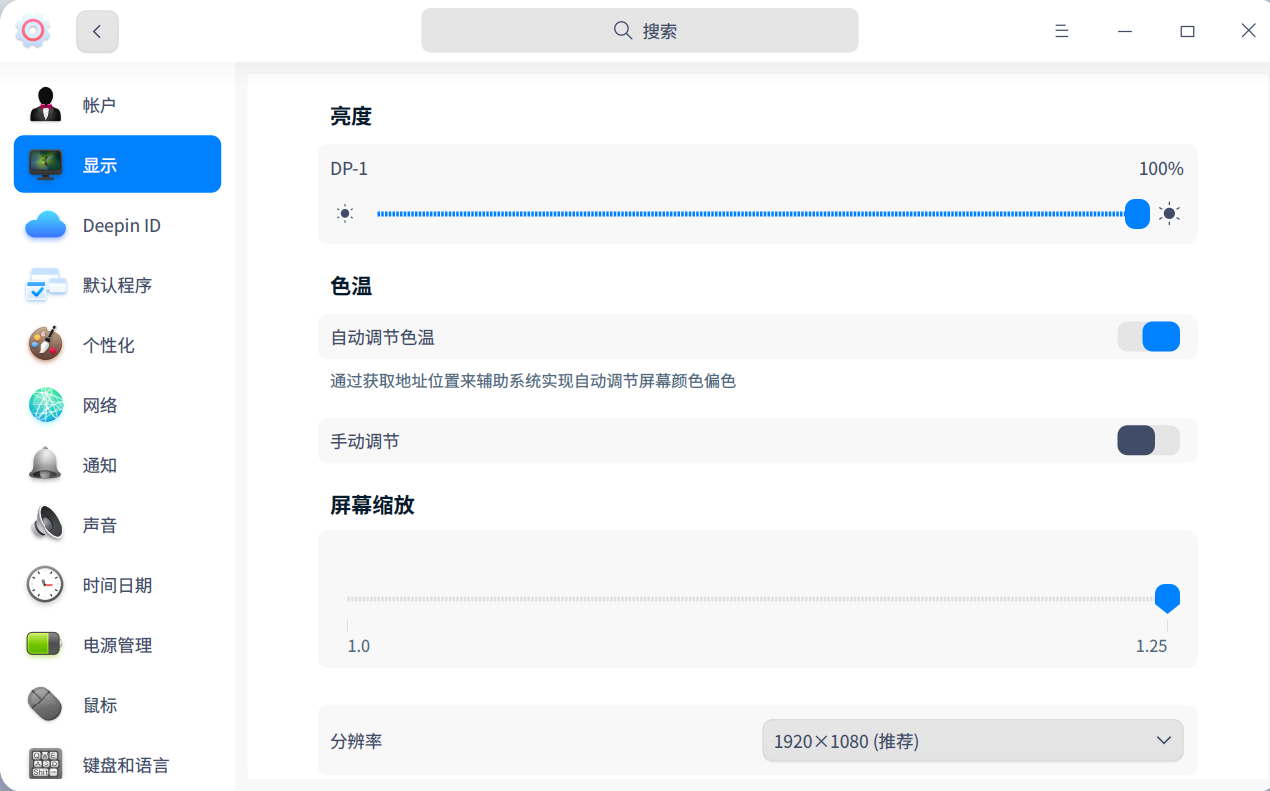
20.7不能设置屏幕分辨率啊,很烦恼。字体图片都很大,显得很粗糙。

Reply Favorite View the author
All Replies
1 / 2
To page
Ziggy
deepin
2022-09-03 04:30
#1

缺乏配置参数等有效信息

提问的智慧 | DeepinWiki

Reply View the author
Misaka
deepin
2022-09-03 04:53
#2

截图_选择区域_20220902205240.png

Reply View the author
jjcui8595
deepin
2022-09-03 05:08
#3

正确安装显卡驱动

Reply View the author
133******49
deepin
2022-09-03 05:21
#4
jjcui8595

正确安装显卡驱动

我这个直接没有选项。在哪里可以有直接打驱动的软件?

Reply View the author
133******49
deepin
2022-09-03 05:49
#5

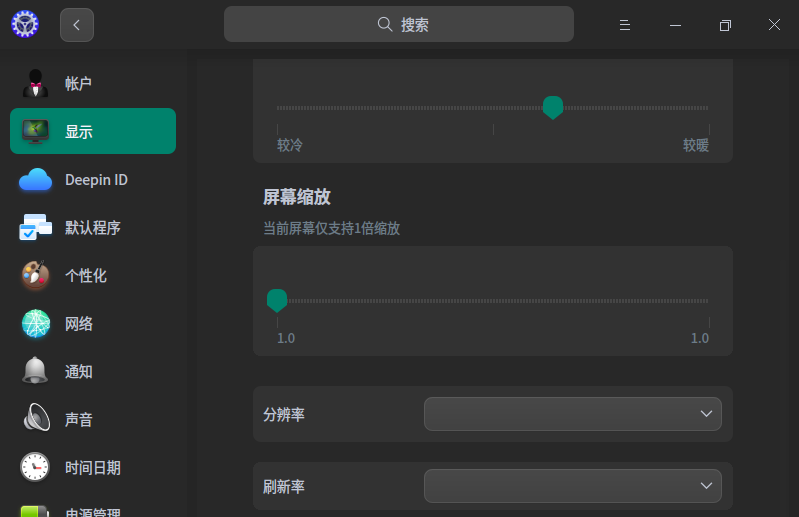
image.png
image.png

Reply View the author
133******49
deepin
2022-09-03 05:55
#6
133******49

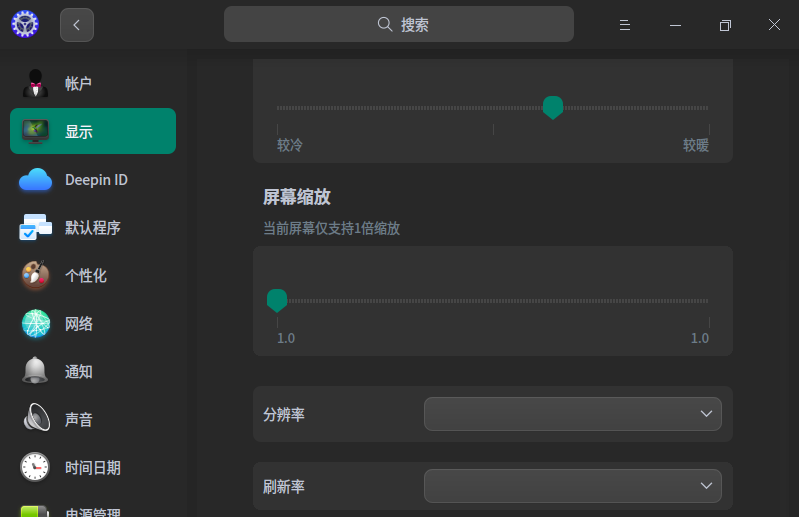
image.png
image.png

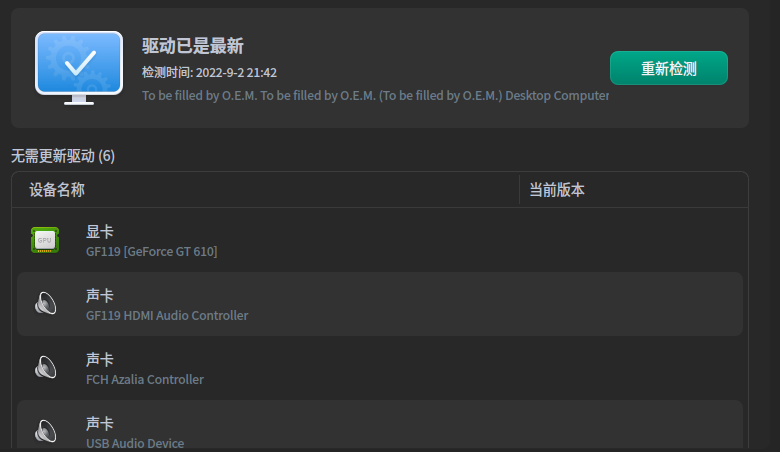
都是系统自带的最新版,有显卡驱动 啊

Reply View the author
133******49
deepin
2022-09-03 05:56
#7
133******49

image.png
image.png

没有选项

Reply View the author
jjcui8595
deepin
2022-09-03 06:18
#8

什么显卡

Reply View the author
133******49
deepin
2022-09-03 06:24
#9
jjcui8595

什么显卡

GT610

Reply View the author
133******49
deepin
2022-09-03 06:25
#10

截图_选择区域_20220902214344.png

Reply View the author
133******49
deepin
2022-09-03 06:27
#11
133******49

截图_选择区域_20220902214344.png

英伟达的独立显卡GT610,解决不了

Reply View the author
WangZhongyun
deepin
2022-09-03 16:43
#12
133******49

英伟达的独立显卡GT610,解决不了

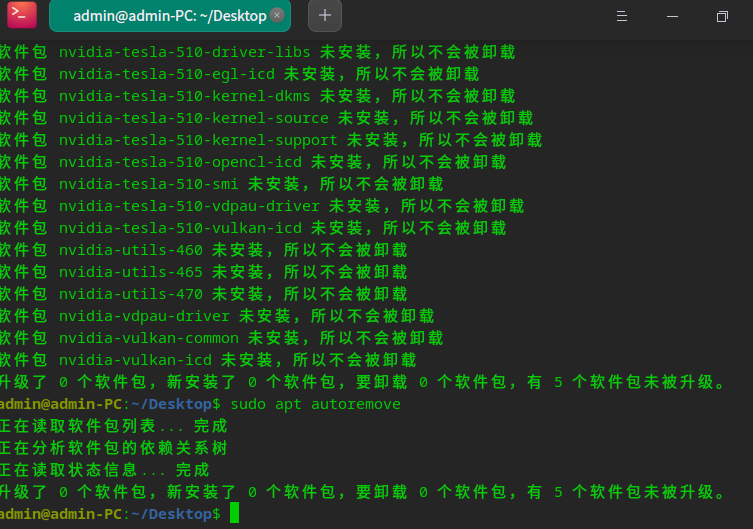
sudo apt purge nvidia*

完成后继续完成下列终端命令

sudo apt autoremove

Reply View the author
133******49
deepin
2022-09-03 17:45
#13

没有卵用

截图_选择区域_20220903093813.png

Reply View the author
133******49
deepin
2022-09-03 17:45
#14
It has been deleted!
133******49
deepin
2022-09-03 17:46
#15
WangZhongyun

sudo apt purge nvidia*

完成后继续完成下列终端命令

sudo apt autoremove

执行了上述命令,但好像没得卵用

Reply View the author
WangZhongyun
deepin
2022-09-03 20:38
#16
133******49

执行了上述命令,但好像没得卵用

然后要重启

Reply View the author
WangZhongyun
deepin
2022-09-03 20:46
#17

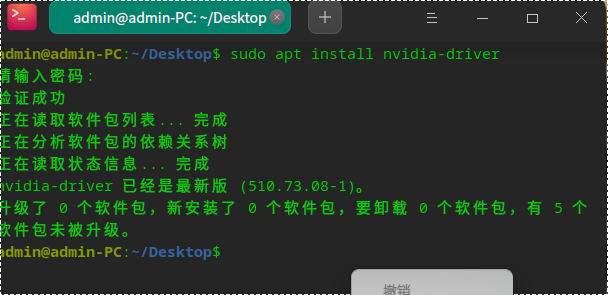
如果还不行的话,试试再完成这终端命令后重启:sudo apt install nvidia-driver

安装中如果提示驱动不匹配,就记下提示建议的驱动名称后中止这过程。

再命令安装这建议的(如nvidia-tesla-470-driver)驱动:sudo apt install nvidia-tesla-470-driver

驱动安装成功后重启进入系统。

Reply View the author
133******49
deepin
2022-09-03 22:40
#18

还是不行,另外自己下了个GT610的驱动是 .run格式的。更新驱动不认。
截图_选择区域_20220903143437.png

Reply View the author
133******49
deepin
2022-09-03 22:42
#19
133******49

还是不行,另外自己下了个GT610的驱动是 .run格式的。更新驱动不认。
截图_选择区域_20220903143437.png

截图_选择区域_20220903144005.png

Reply View the author
ThinKinG
deepin testing team
2022-09-05 21:04
#20

请问是升级后不能调节分辨率吗?

Reply View the author
1 / 2
To page