

 中文
中文 
xuqi
2022-08-31 18:48 deepin testing team
- https://bbs.deepin.org/zh/post/237402
- 看看这个帖子,尝试扩容一下吧~
Reply Like 0 View the author

 deepin
 安装的时候自定义 分离256GB装了deepim
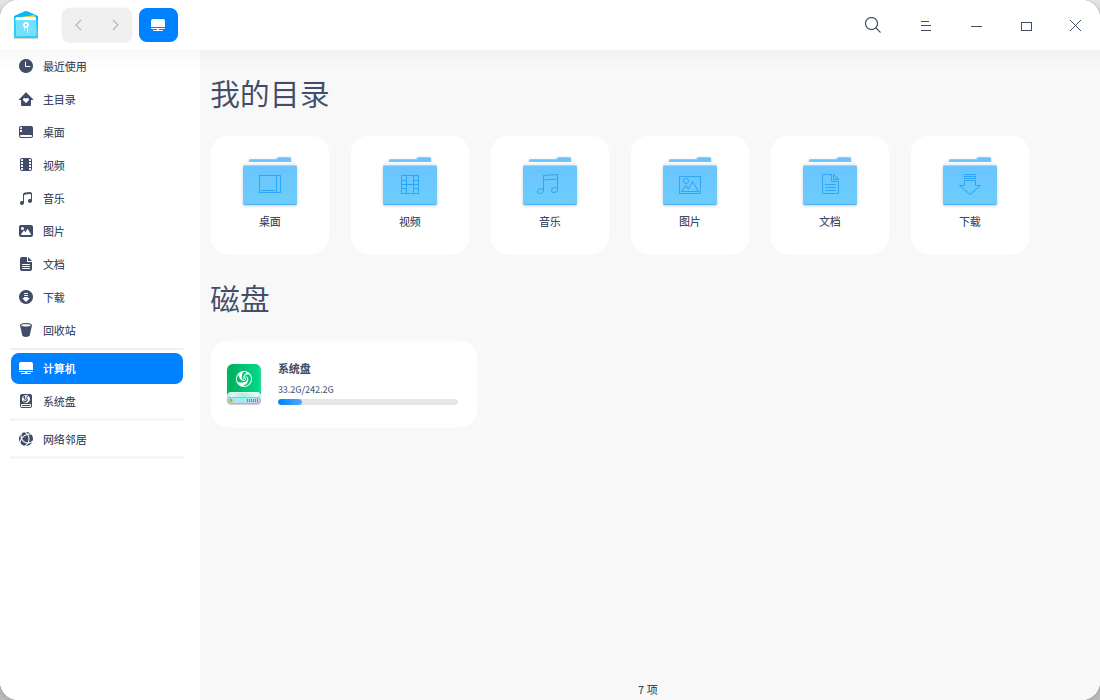

 deepin
 你是不是软件都装里边了

 deepin
 你是不是软件都装里边了
是,安装了显卡和cuda开发工具,安装后,一下子就满了
sudoapt install nvidia-driver nvidia-cuda-dev nvidia-cuda-toolkitnvidia-nsight nvidia-visual-profiler
 deepin
 用Gparted工具,从系统盘后面的分区腾出空白空间,然后给系统盘。具体操作可以参考这个视频:

15太少了,我都是100
 deepin
 真的不建议把一个数据盘搞那么大,毕竟电脑不是手机。切分成几块,在需要的时候还能互相搬数据。
扩容的前提是数据备份,或者能承受丢失数据。
把数据盘搞那么大,眼睁睁的看着那800多g的空白空间,现在连个备份的地儿都没有。
deepin 用Gparted工具,从系统盘后面的分区腾出空白空间,然后给系统盘。具体操作可以参考这个视频:
谢谢,按视频和上面帖子步骤,系统扩容成功了😂 ~
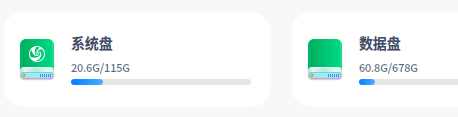


 deepin
 你是不是软件都装里边了
怎么能装到别的地方?? 商店下载的是不是直接装到系统盘了啊
deepin 怎么能装到别的地方?? 商店下载的是不是直接装到系统盘了啊
它装软件是有固定目录的,只要你将那个目录挂载到其它地方就行
Popular Ranking
ChangePopular Events
More


 Which version of the Deepin system is the best?
怎么分,数据盘的空闲空间,到系统盘呀~