

 中文
中文 
liwl deepin
2022-08-21 18:53 deepin 先创建一个desktop,然后+,应该可以
Reply Like 0 View the author
 deepin
 先创建一个desktop,然后+,应该可以

 deepin
 先创建一个desktop,然后+,应该可以
我创建了,我上面描述的就有,我创了个 desktop,然后把那个desktop加进去,是红色的。
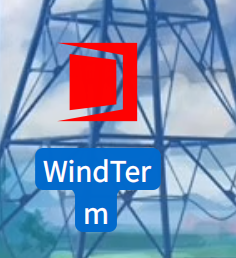

下方是 desktop 内容:
[Desktop Entry]
Name=WindTerm
Comment=A professional cross-platform SSH/Sftp/Shell/Telnet/Serial terminal
GenericName=Connect Client
Exec=/usr/bin/windterm
Type=Application
Icon=/home/i78/software/WindTerm_2.5.0/windterm.png
StartupNotify=false
StartupWMClass=Code
Categories=Application;Development
Actions=new-empty-window
Keywords=windterm

[Desktop Action new-empty-window]
Name=New Empty Window
Icon=/home/i78/software/WindTerm_2.5.0/windterm.png
Exec=/usr/bin/windterm
我创建了,我上面描述的就有,我创了个 desktop,然后把那个desktop加进去,是红色的。
下方是 desktop 内容:
[Desktop Entry]
Name=WindTerm
Comment=A professional cross-platform SSH/Sftp/Shell/Telnet/Serial terminal
GenericName=Connect Client
Exec=/usr/bin/windterm
Type=Application
Icon=/home/i78/software/WindTerm_2.5.0/windterm.png
StartupNotify=false
StartupWMClass=Code
Categories=Application;Development
Actions=new-empty-window
Keywords=windterm

[Desktop Action new-empty-window]
Name=New Empty Window
Icon=/home/i78/software/WindTerm_2.5.0/windterm.png
Exec=/usr/bin/windterm
红色的图标吗?这个是Icon指定的吧
deepin 红色的图标吗?这个是Icon指定的吧
不是红色的图标,是红色的字体,代表失败,那个 图标+windterm 那一行是红色的,代表失败,是无效的
deepin 不是红色的图标,是红色的字体,代表失败,那个 图标+windterm 那一行是红色的,代表失败,是无效的
拷贝一份deepin-terminal的,然后对应修改参数
deepin 拷贝一份deepin-terminal的,然后对应修改参数
并不行呀
deepin 感觉应该跟

这个有关,deb包安装的会有一个 X-Deepin-AppID,我将自己的windterm.desktop中随便写个AppID就无法添加进默认程序里,如果写别的终端的 AppID,双击打开快捷方式就变成了打开 AppID 对应的那个程序(尽管Exec指定的是windterm)。所以这种情况要怎么才能成功添加进默认程序呢
deepin sudo update-alternatives --install /usr/bin/deepin-terminal windterm /usr/bin/windterm 100
虽然不合适,但是我通过这种方式达成了我的目的。

 deepin
 我在应用商店安装的tabby都不能添加为默认终端,好神奇
Popular Ranking
ChangePopular Events
More


 Which version of the Deepin system is the best?
在
默认程序中的终端处只会显示使用 deb 安装的其它终端,而我想将默认终端改成windterm(windterm没有提供 deb包),但是我点下面的+号,然后试了windterm.desktop和/usr/bin/windterm,加上后都是红色的,无法成功添加。