中文
中文 
璀璨星空 deepin
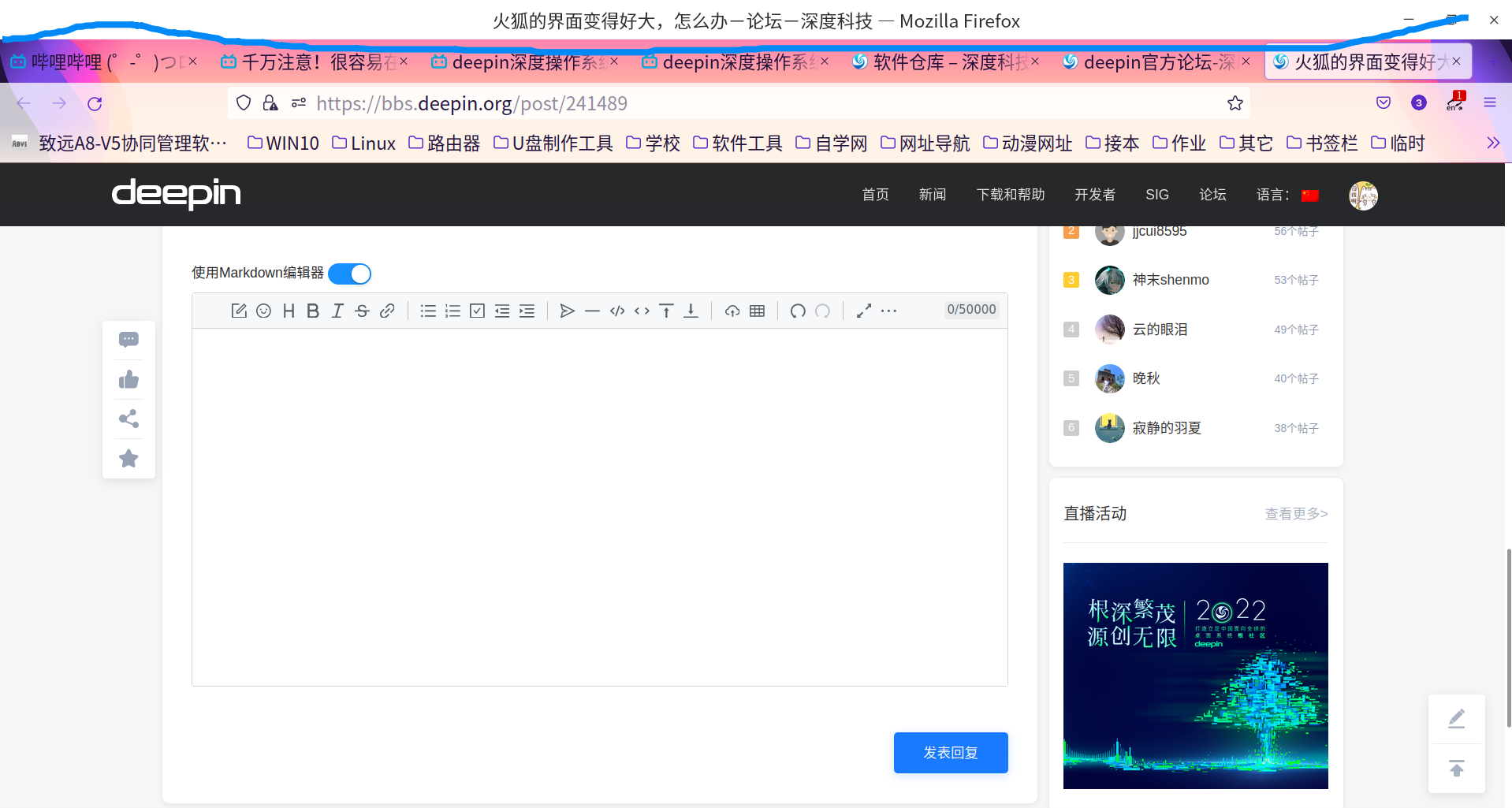
2022-08-12 02:51 deepin 你的为啥没有这个大额头咋调的?求
Reply Like 0 View the author
 deepin
 你的为啥没有这个大额头咋调的?求

 deepin
 额头处右键,个性设置,左下角标题栏取取消勾选
 deepin
 如果你只是想缩小火狐内的网页的话你到火狐设置里面调全局缩放就行。
或者你也可以去系统设置的显示里面看看缩放比例,以及去个性化,字体里面看看字体缩放。
 deepin
 deepin
 https://blog.shenmo.tech/post/%E4%BF%AE%E5%A4%8D%E7%81%AB%E7%8B%90103%E7%89%88%E6%9C%AC%E5%B7%A8%E5%A4%A7%E8%BF%87%E5%A4%A7ui%E9%97%AE%E9%A2%98/
deepin 额头处右键,个性设置,左下角标题栏取取消勾选
多谢
deepin 这个调过,电脑重新开机还是一样
deepin https://blog.shenmo.tech/post/%E4%BF%AE%E5%A4%8D%E7%81%AB%E7%8B%90103%E7%89%88%E6%9C%AC%E5%B7%A8%E5%A4%A7%E8%BF%87%E5%A4%A7ui%E9%97%AE%E9%A2%98/
感谢

 deepin
 点击 菜单 > 更多工具 > 定制工具栏... 进入 定制 Firefox 页面。在页面左下角的 密度 里面可以设置标题栏、工具栏等宽度。
 deepin
 https://blog.shenmo.tech/post/%E4%BF%AE%E5%A4%8D%E7%81%AB%E7%8B%90103%E7%89%88%E6%9C%AC%E5%B7%A8%E5%A4%A7%E8%BF%87%E5%A4%A7ui%E9%97%AE%E9%A2%98/
感谢
 deepin
 https://blog.shenmo.tech/post/%E4%BF%AE%E5%A4%8D%E7%81%AB%E7%8B%90103%E7%89%88%E6%9C%AC%E5%B7%A8%E5%A4%A7%E8%BF%87%E5%A4%A7ui%E9%97%AE%E9%A2%98/
感谢大神,成功解决问题。
Popular Ranking
ChangePopular Events
More


 Which version of the Deepin system is the best?
如图,像被放大了一样,也没调过什么,更新后就成这样了