

 中文
中文 
xuqi
2022-07-18 18:55 deepin testing team
如图,输入一个S,就会出来之前搜索过的记录,请问这个记录怎么删除,怎么设置不让记录
Reply Like 0 View the author

 deepin
 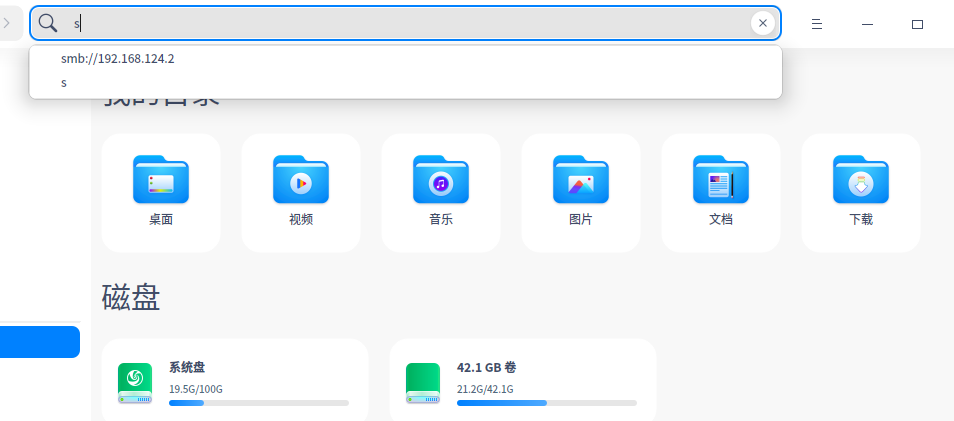 如图,输入一个S,就会出来之前搜索过的记录,请问这个记录怎么删除,怎么设置不让记录

如图,输入一个S,就会出来之前搜索过的记录,请问这个记录怎么删除,怎么设置不让记录

 deepin
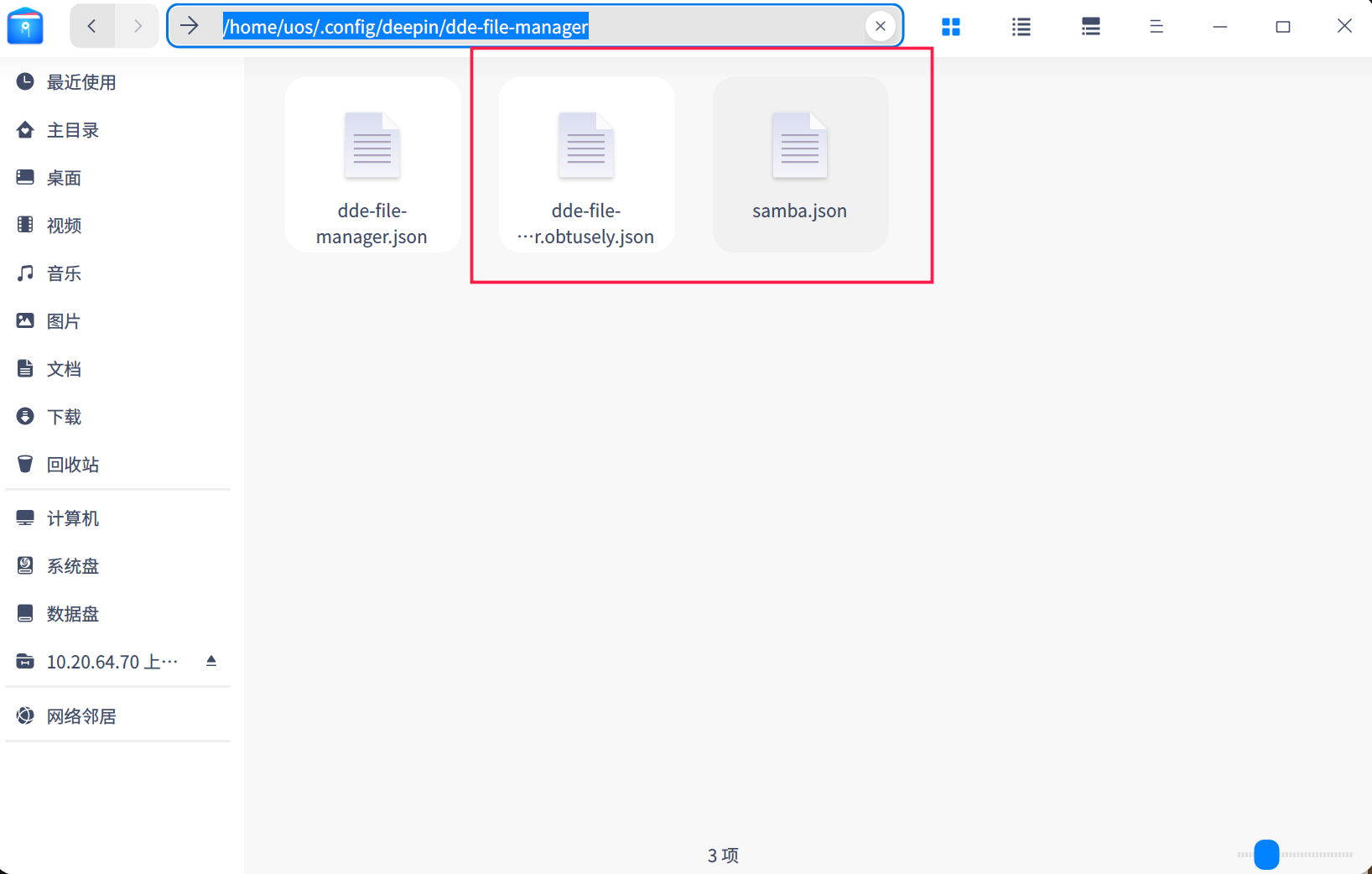
 ~/.config/deepin/dde-file-manager/dde-file-manager.obtusely.json这个文件,打开,找到SearchHistory这一项,就在这个文件开头就是,删掉后面中括号里的内容,再打开文件管理器就没有搜索记录了,你可以根据这个写个脚本,我技术有限,不知道怎么写
deepin 已测试成功,感谢大神
deepin 手动方法测试成功,脚本给过权限试了下没成功,不知道什么原因,我用命令行cd到dde-file-manager后用vi打开编辑 dde-file-manager.obtusely.json的,dd删行,ESC结束,WQ保存
 deepin
 右上角菜单-连接到服务器,从那里的输入下拉框中清除访问记录后,重启文件管理器,之后所有访问记录被清除。
Popular Ranking
ChangePopular Events
More


 Which version of the Deepin system is the best?