[Share Experiences] 安装完Refind,重启后无法进入系统
Tofloor
poster avatar
漂泊的旅客
deepin
2022-07-16 00:10
Author

根据大佬的热帖(https://bbs.deepin.org/post/221068),在“终端”上完成安装refind。

image.png

重启电脑,自动执行“UFFI-rEFind Boot Manager".紧接着就卡在了rEFind界面。

e395013d916b637d6e4e66decf5c8fc.jpg

d7eca7ab8d897b000dc76cb2a3d75ff.jpg

只能手动通过更改其他”UFFI-Windows Boot Manager",进入系统。

653559a4d1f858f6d94e7bc2663f56d.jpg

请问有什么办法删除或调整“UFFI-rEFind Boot Manager"吗?还是我设置不到位,导致refind无法识别我的双系统(Windows 10+Deepin)?

Reply Favorite View the author
All Replies
漂泊的旅客
deepin
2022-07-16 00:40
#1

经常一个小时的折腾,目前的解决方案:

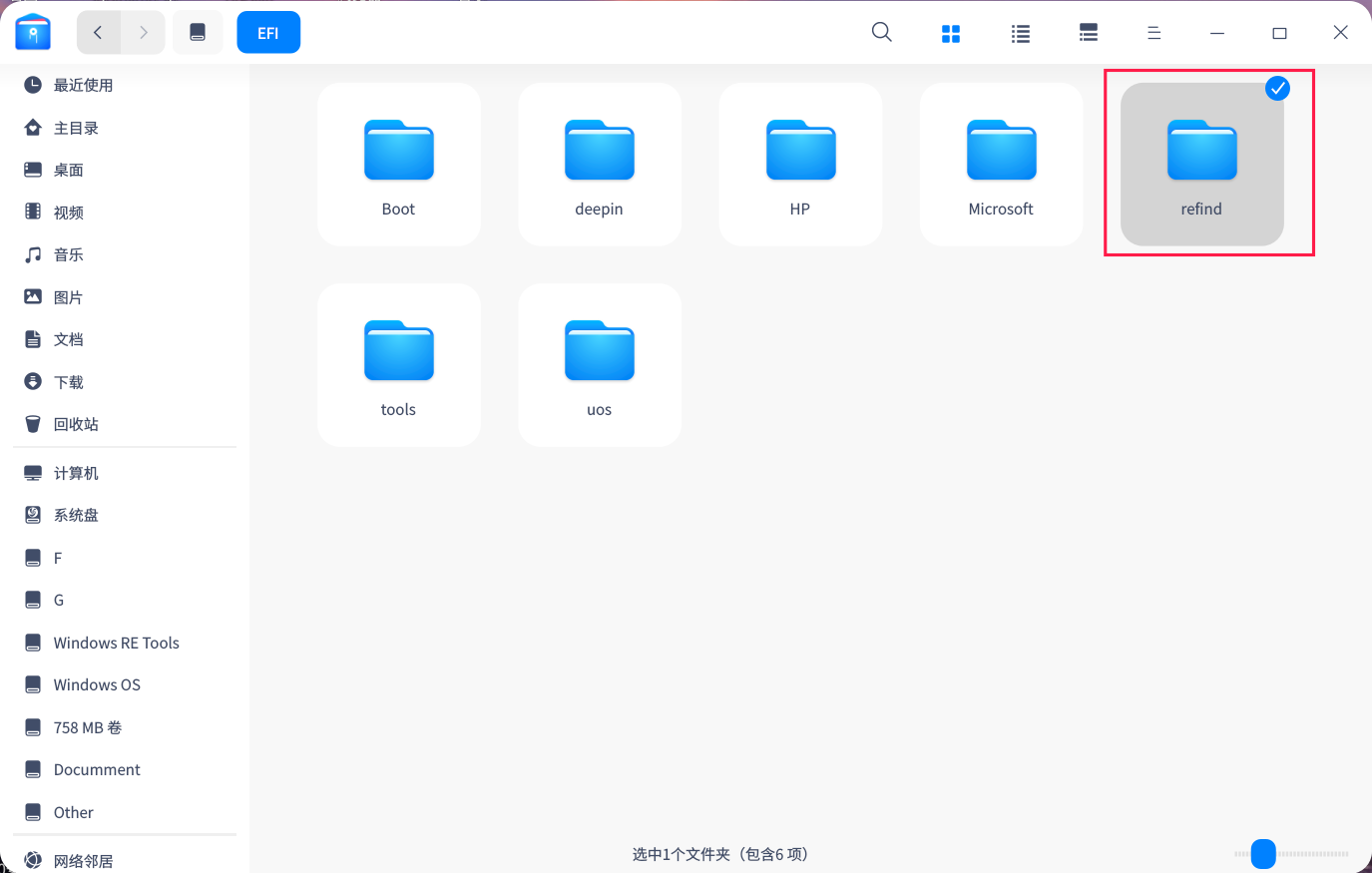
1.以“管理员身份打开”进入以下位置:file:///boot/efi/EFI

2.删除“refind”文件夹,重启系统确认,一切恢复正常。
截图_dde-file-manager_20220715162558.png

3.在"终端“输入”sudo apt remove refind"来卸载“refind”。
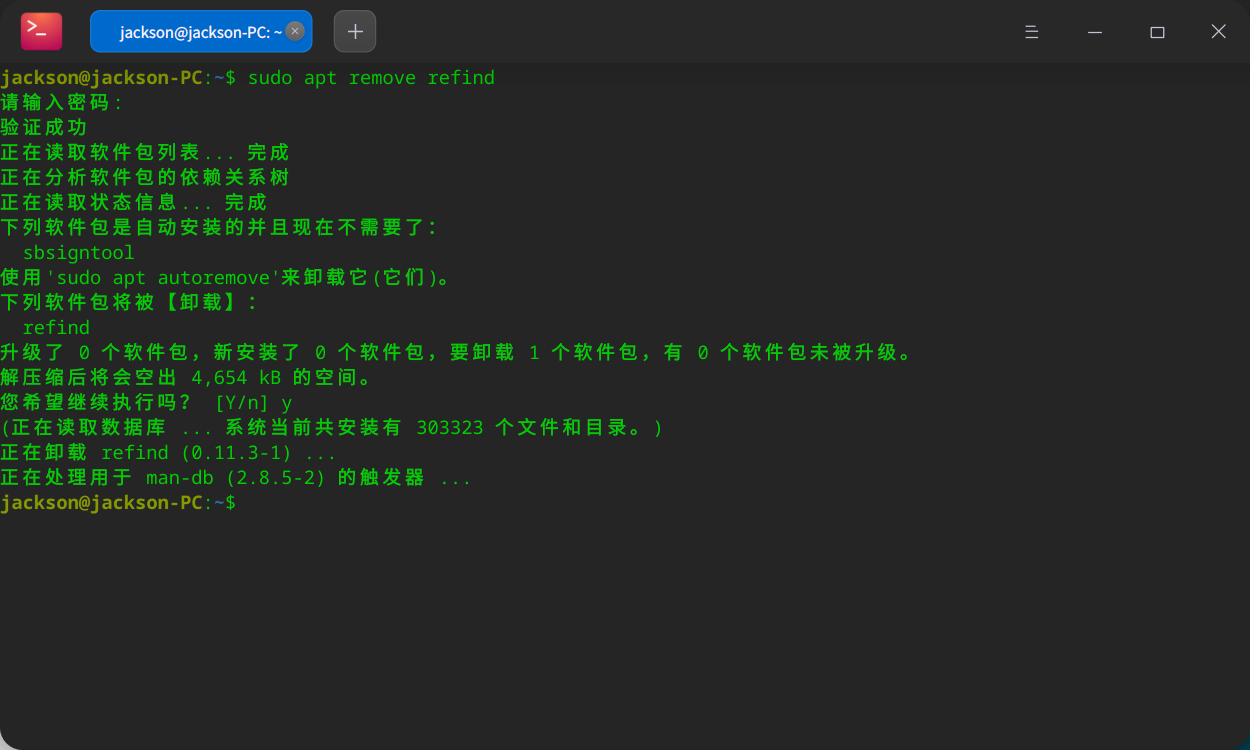
image.png

不过现象的原因还是没找到,还需要求助大佬:为什么refind无法找到(Windows 10 +Deepin)启动项?

Reply View the author
rhymos
deepin
2022-07-16 02:07
#2

之前安装系统用了legacy?

也可能没关闭安全模式?

Reply View the author
漂泊的旅客
deepin
2022-07-16 04:45
#3
rhymos

之前安装系统用了legacy?

也可能没关闭安全模式?

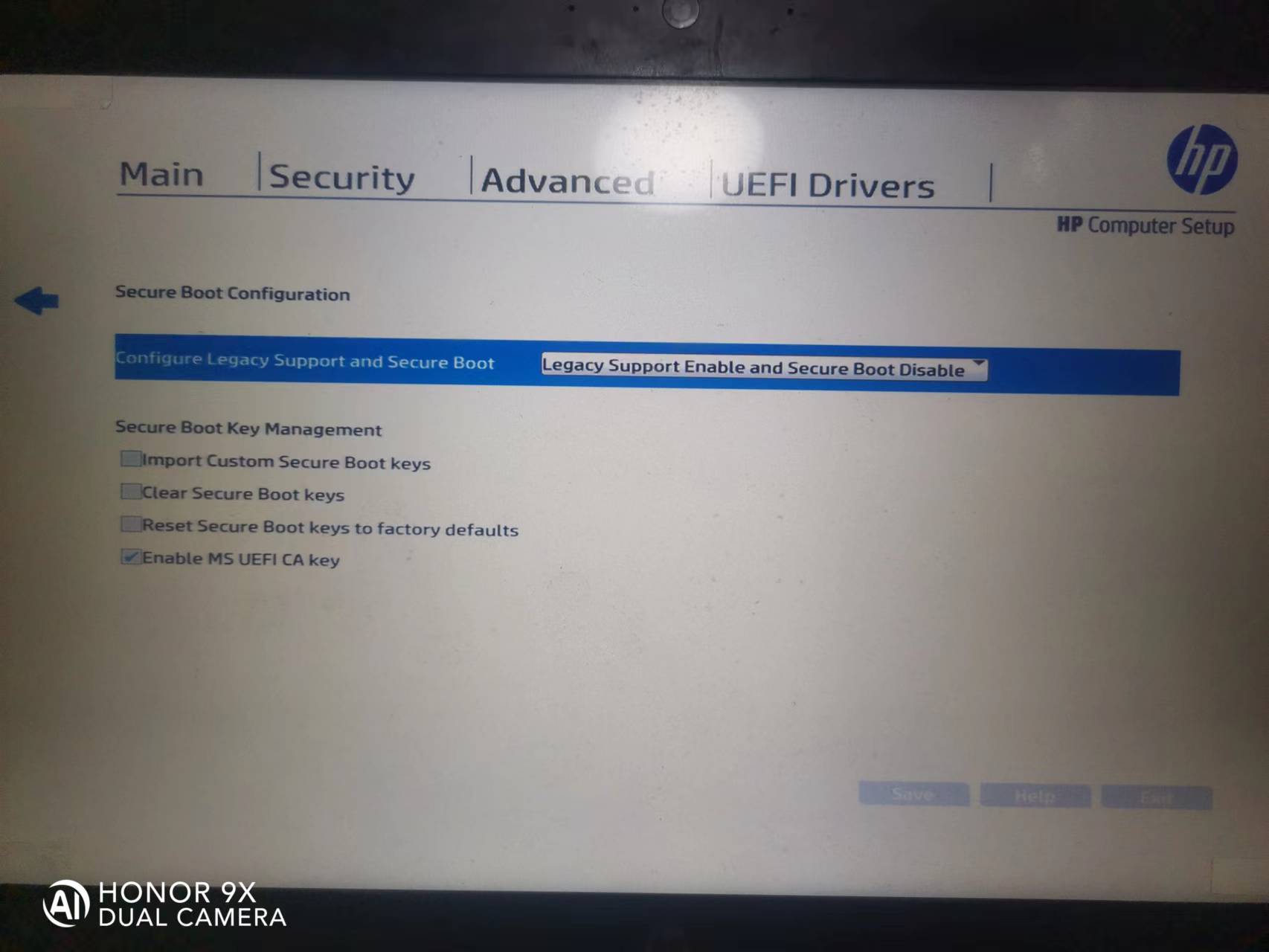
刚才检查了一下BIOS设置,默认是开启legacy,关闭了安全模式!

那么我是不是可以这样理解,refind需要关闭安全模式,此外还需要切换为UFFI模式?

29667c755f1f52ab1eed33a7f5108b3.jpg

Reply View the author
deepinuser17
deepin
2022-07-16 06:20
#4

Refind要求UEFI.

Reply View the author
漂泊的旅客
deepin
2022-07-16 07:33
#5
deepinuser17

Refind要求UEFI.

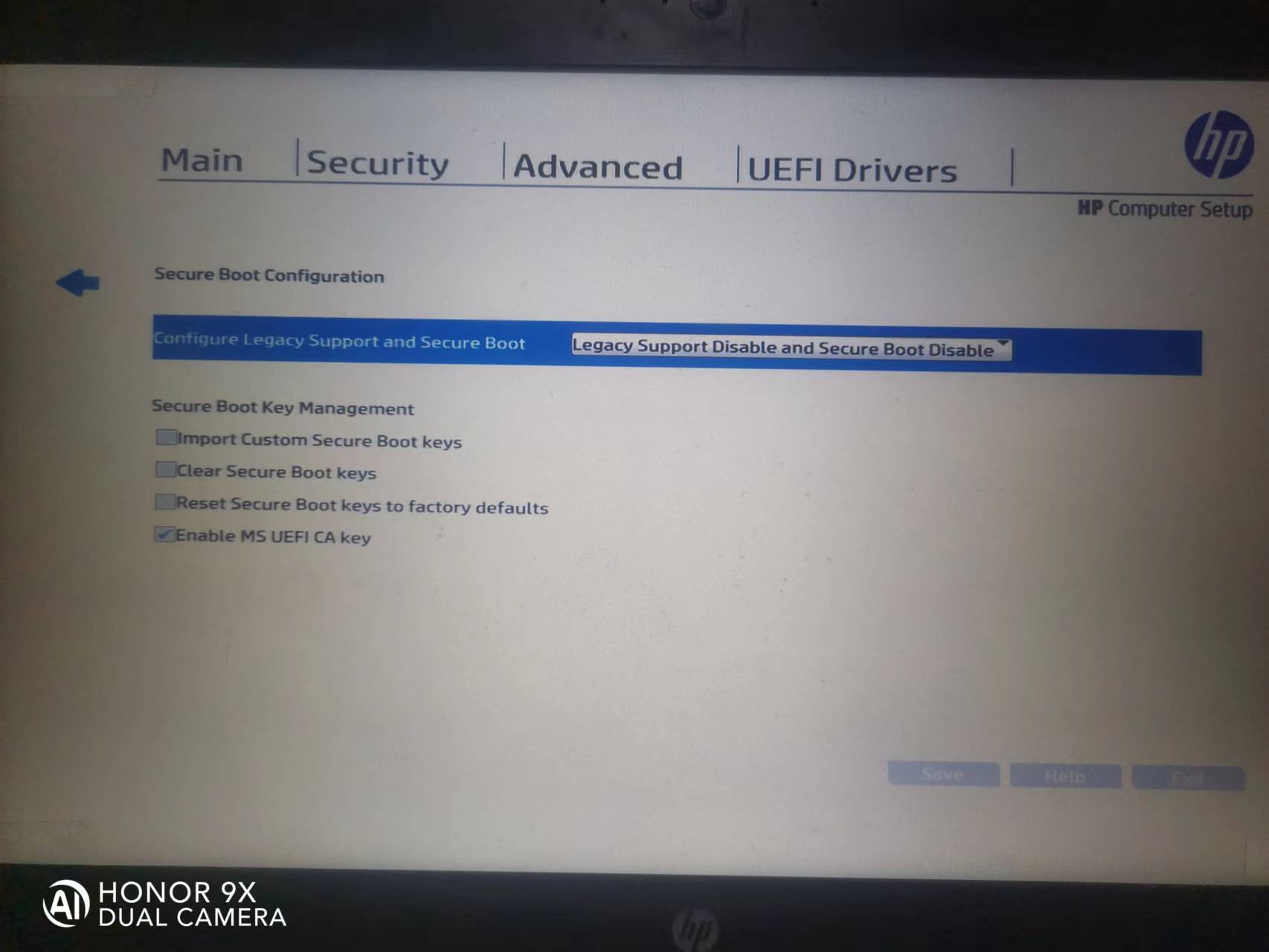
根据大家的反馈,我把BIOS的安全选项关了,改成UFFI,重启还是不行。

0c0c730b1d4ae1ea9e7cbba699392b5.jpg

Reply View the author
hotime
deepin
2022-07-16 16:09
#6
It has been deleted!