

 中文
中文 
Merlin deepin
2022-07-15 19:11 deepin 好的这个问题已经记录并反馈。
Reply Like 0 View the author
 deepin
 好的这个问题已经记录并反馈。

 deepin
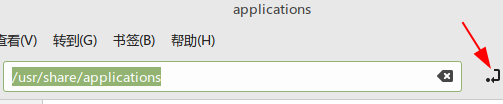
 ctrl+L应该可以显示。
要是能在文管界面加个切换键显示绝对路径就更方便了,以下图片截于linuxmint。

 deepin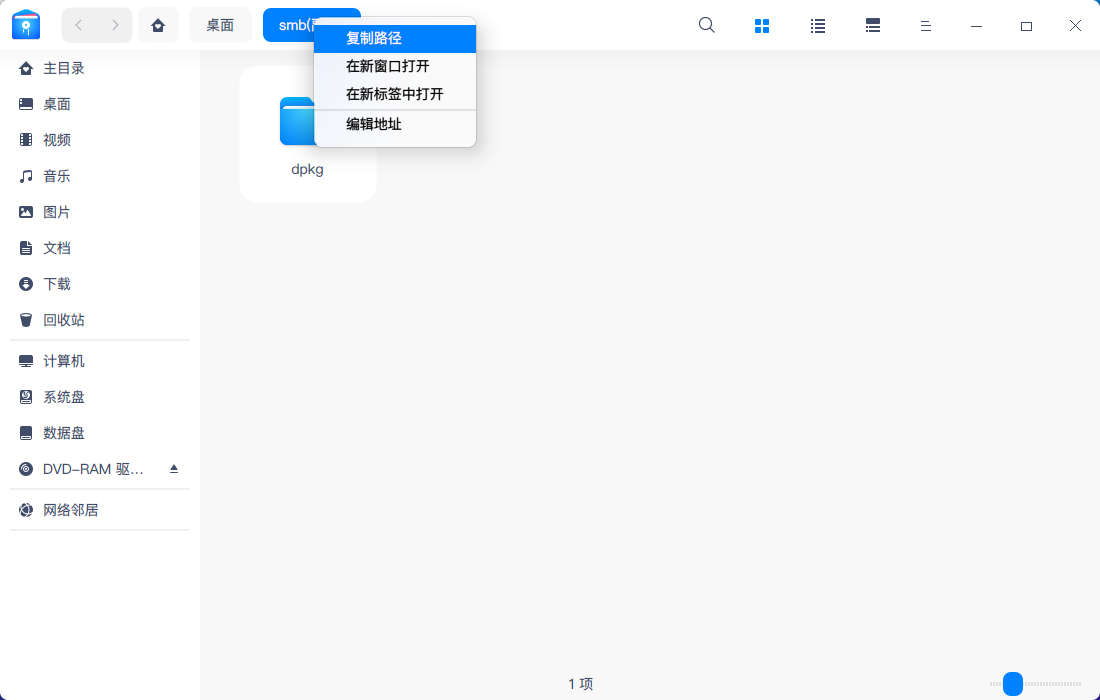
 deepin
 做成那种可以自由拷贝粘贴的,类似文本方式,这样我就能截取需要的部分,有的时候不用全路径,还有更改路径
deepin 做成那种可以自由拷贝粘贴的,类似文本方式,这样我就能截取需要的部分,有的时候不用全路径,还有更改路径
好吧 ctrl + l 确实能用,厉害
deepin ctrl+L应该可以显示。
要是能在文管界面加个切换键显示绝对路径就更方便了,以下图片截于linuxmint。
好像现在已经支持了 ctrl + l
 deepin
 做成那种可以自由拷贝粘贴的,类似文本方式,这样我就能截取需要的部分,有的时候不用全路径,还有更改路径
点击上面的编辑就可以
deepin
点击上面的编辑就可以
是的,还有ctrl + l 更方便

 deepin
 我觉得windows那套逻辑就挺好
deepin 我觉得windows那套逻辑就挺好
deepin 可以通过快捷键快速操作:【ctrl+l】进入地址栏编辑状态,之后【ctrl+c】复制
Popular Ranking
ChangePopular Events
More


 Which version of the Deepin system is the best?
文件系统的文件地址栏,能不能搞的能复制粘贴。文件地址每次还要打开终端pwd 然后复制粘贴。对于共享地址不方便。