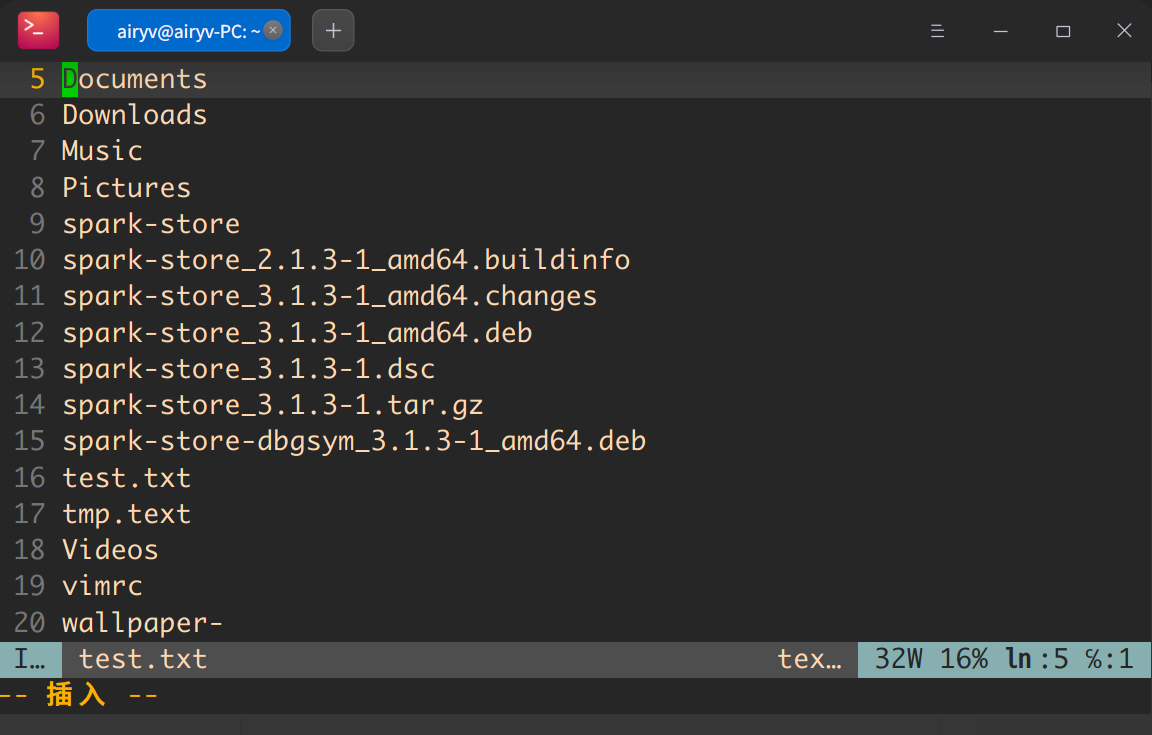
因为比较喜欢Monaco字体,主要是终端下使用,但是Deepin不识别,最后改了一下配置,配置文件感觉很贴心啊。
方法为:安装Monaco字体,然后在 ~/.config/deepin/deepin-terminal/config.conf目录中修改字体为Monaco即可。
~/.config/deepin/deepin-terminal/config.conf
效果如图:
给你点赞
字体很清晰 👍
这个写代码确实舒服,
给你推荐个Comic Sans MS
也不错
字体不错~
怎么安装字体,可以给个方法吗?
Featured Collection
Popular Ranking
Popular Events


 中文
中文 
 deepin deepin
  deepin
 deepin
 deepin
  deepin


 Which version of the Deepin system is the best?
因为比较喜欢Monaco字体,主要是终端下使用,但是Deepin不识别,最后改了一下配置,配置文件感觉很贴心啊。
方法为:安装Monaco字体,然后在
~/.config/deepin/deepin-terminal/config.conf目录中修改字体为Monaco即可。效果如图: