

 中文
中文 
Albedo deepin
2022-06-09 19:31 deepin 使用了sudo apt install linux-image-deepin-experiment-amd64 linux-headers-deepin-experiment-amd64命令
Reply Like 0 View the author
 deepin
 使用了sudo apt install linux-image-deepin-experiment-amd64 linux-headers-deepin-experiment-amd64命令

 deepin
 试下这个 sudo apt install linux-image-5.17.3-amd64-desktop linux-headers-5.17.3-amd64-desktop
deepin sudo dpkg --configure -a
sudo apt install -f
修复
deepin sudo dpkg --configure -a
sudo apt install -f
修复
修复时接着报错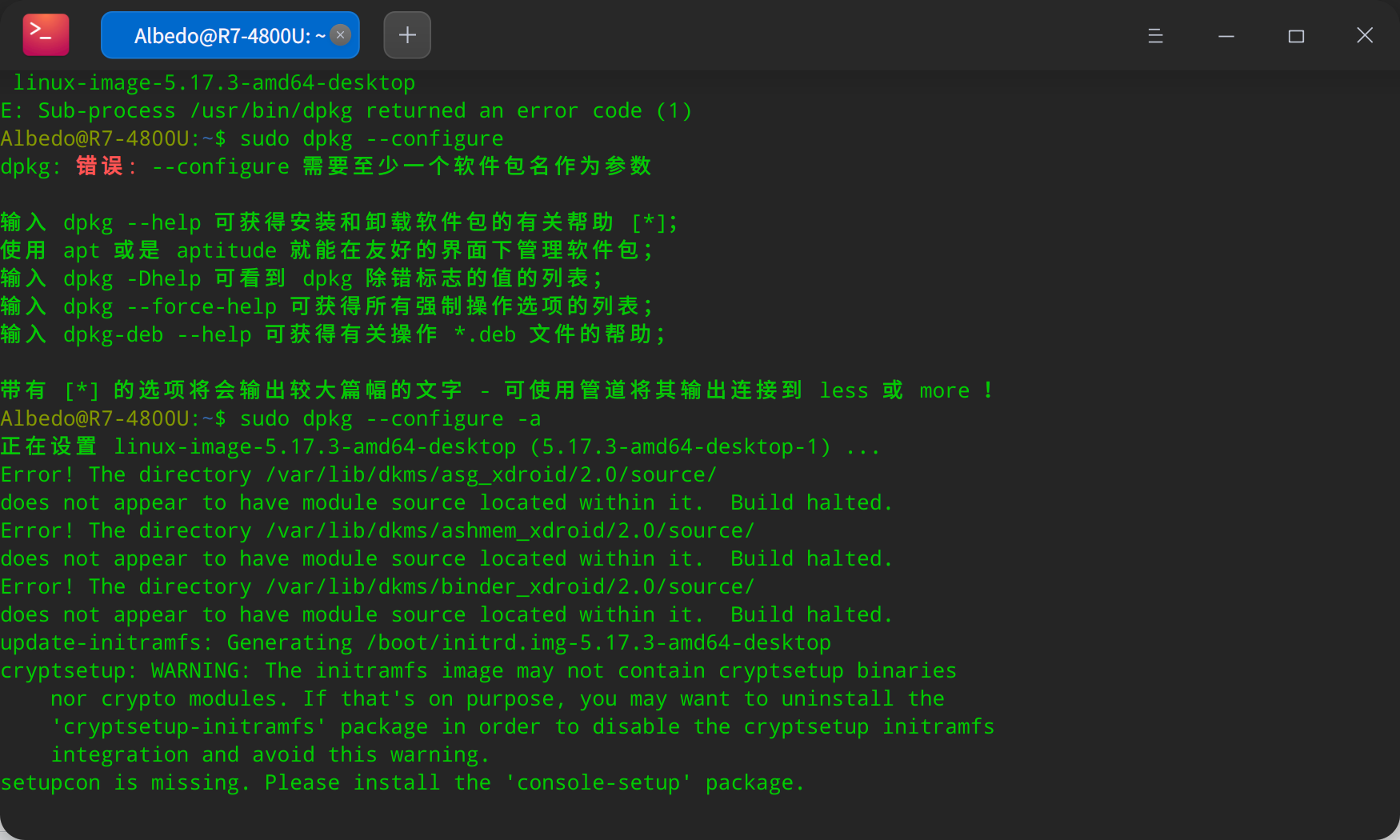
deepin 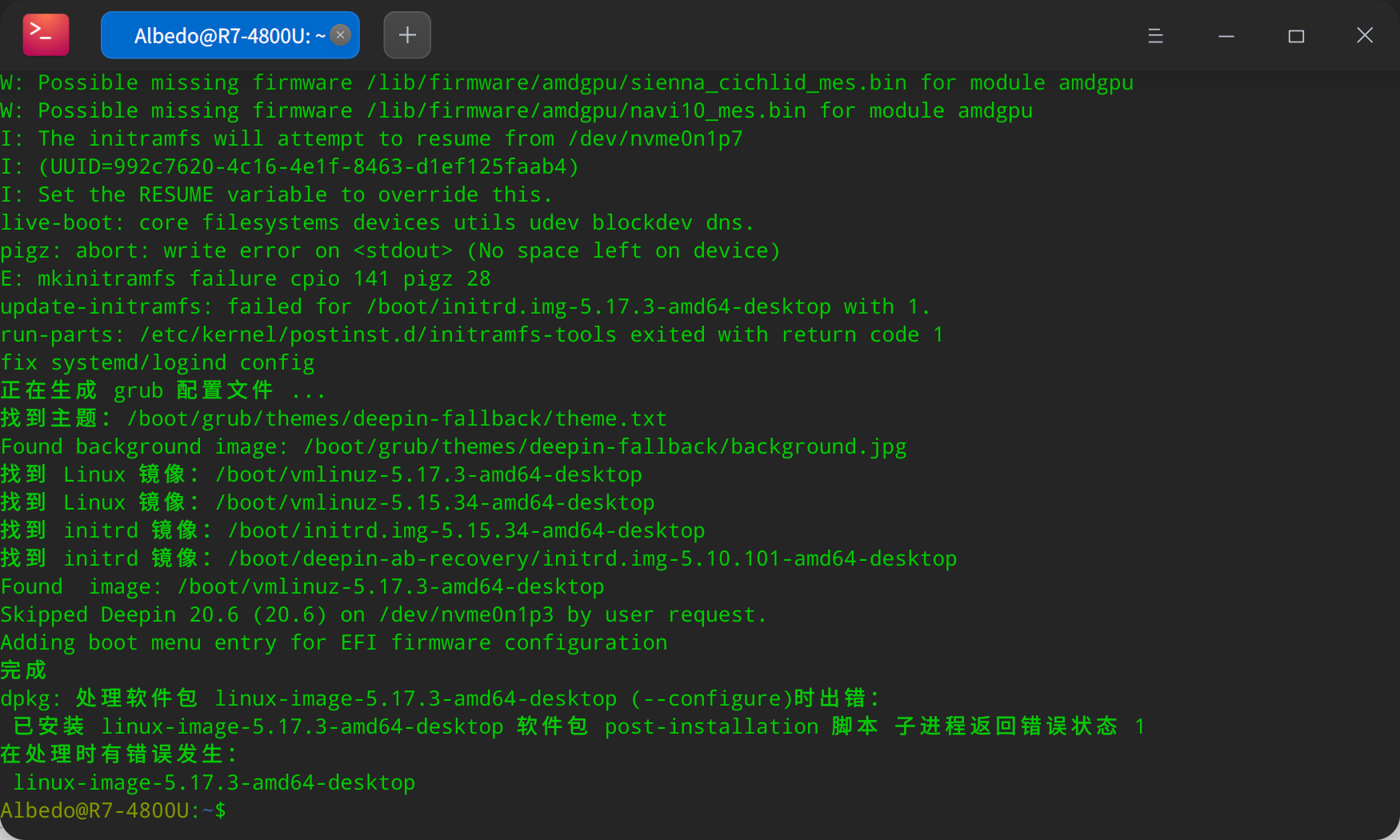
deepin
报错是磁盘空间不足了
deepin 报错是磁盘空间不足了
已经解决,进入LIVECD系统将BOOT分区扩大到1g后成功安装,初始分区512Mb不太足够
Popular Ranking
ChangePopular Events
More


 Which version of the Deepin system is the best?
两台电脑均升级提示dpkg出错,请问是分区大小引起的吗?有没有解决方法?