

 中文
中文 
神末shenmo deepin
2022-05-30 00:22 deepin Spark-App
Q&A Team
alt+space应该就能选择拖动了
Reply Like 0 View the author
 deepin
 alt+space应该就能选择拖动了

 deepin
 alt+space应该就能选择拖动了
只能拖动左右不能改变上下的空间,还是看不到

 deepin
 按Tab键切换到确定按钮。
 deepin
 你是不是缩放了

 deepin deepin
 deepin
 可以安装virt-manager,它是KVM的图形管理工具,界面小很多。KVM是linux自带的虚拟化解决方案,既然linux本身就有虚拟化功能,又何必再另外安装,装个图形工具就好。
安装:
sudo apt install virt-manager
解除必须以管理员身份运行:
sudo usermod -aG libvirt {用户名}
deepin 你是不是缩放了
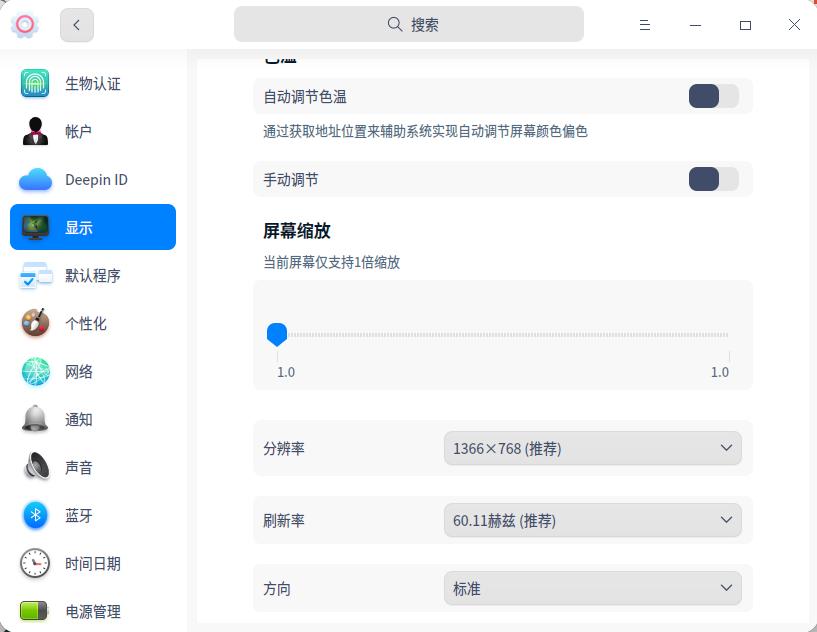
1.0到1.0怎么缩放
deepin
1.0到1.0怎么缩放
你没法缩放。。

 deepin
1.0到1.0怎么缩放
选小字号试试
 deepin
 alt+F7 或者按住ctrl拖动标题栏
才发现deepin不能按住alt拖动窗口
 deepin
 估计官方会回复你,“非问题,三方软件未按照统信DTK规则开发”,仔细想想,确实不是DTK的问题。
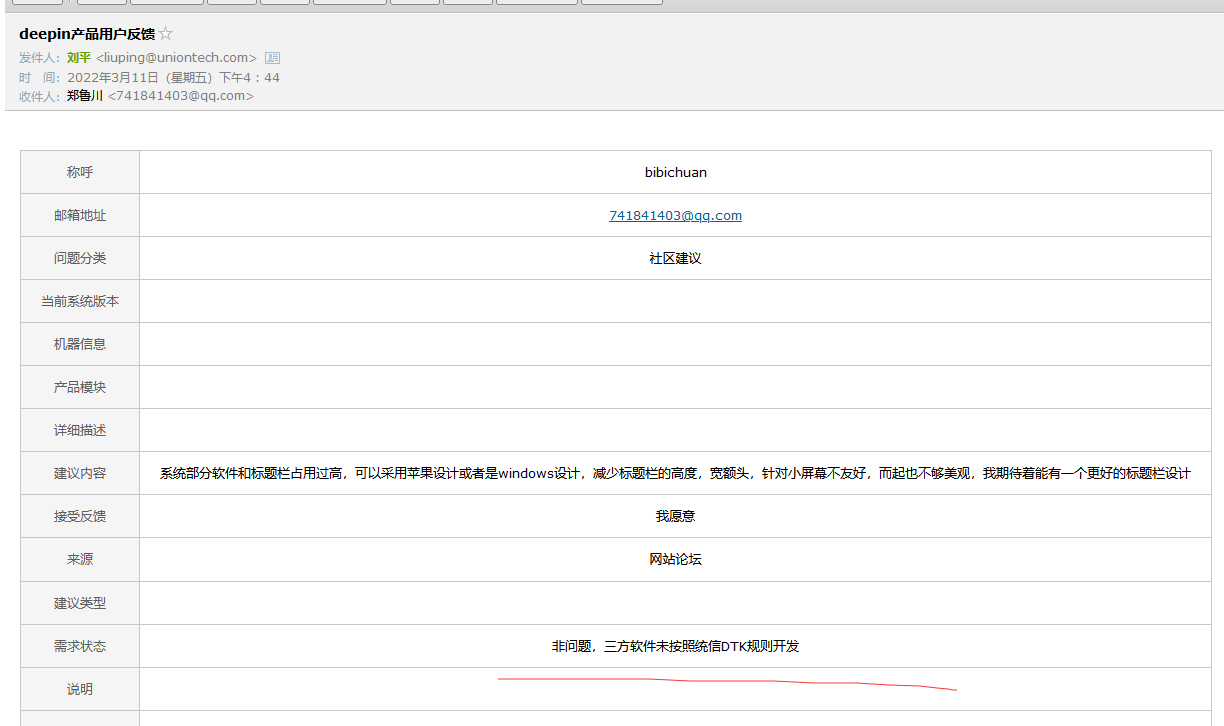
deepin 估计官方会回复你,“非问题,三方软件未按照统信DTK规则开发”,仔细想想,确实不是DTK的问题。
hhh
Popular Ranking
ChangePopular Events
More


 Which version of the Deepin system is the best?
确定键够不着啊