

 中文
中文 
andktan deepin
2022-05-27 22:34 deepin 
Reply Like 1 View the author
 deepin
 deepin
 复制路径真的是魔鬼
 deepin
 复制路径真的是魔鬼
是啊,在 windows 里面复制路径都一步到位,在 deepin 里面每次复制路径,复制过去还要手动删掉 file:// ,更糟糕的是 file:// 后面还紧跟着一个 /,一不小心就删多了,要么就少删了一个 / ,每次都小心翼翼,心累

 deepin
 复制路径的时候可以直接 Ctrl+L 然后 ctrl + C,不比你手动点来的快么?
而且还没有 file://

 deepin
Ctrl+L,会显示出完整路径,然后再Ctrl+C吧
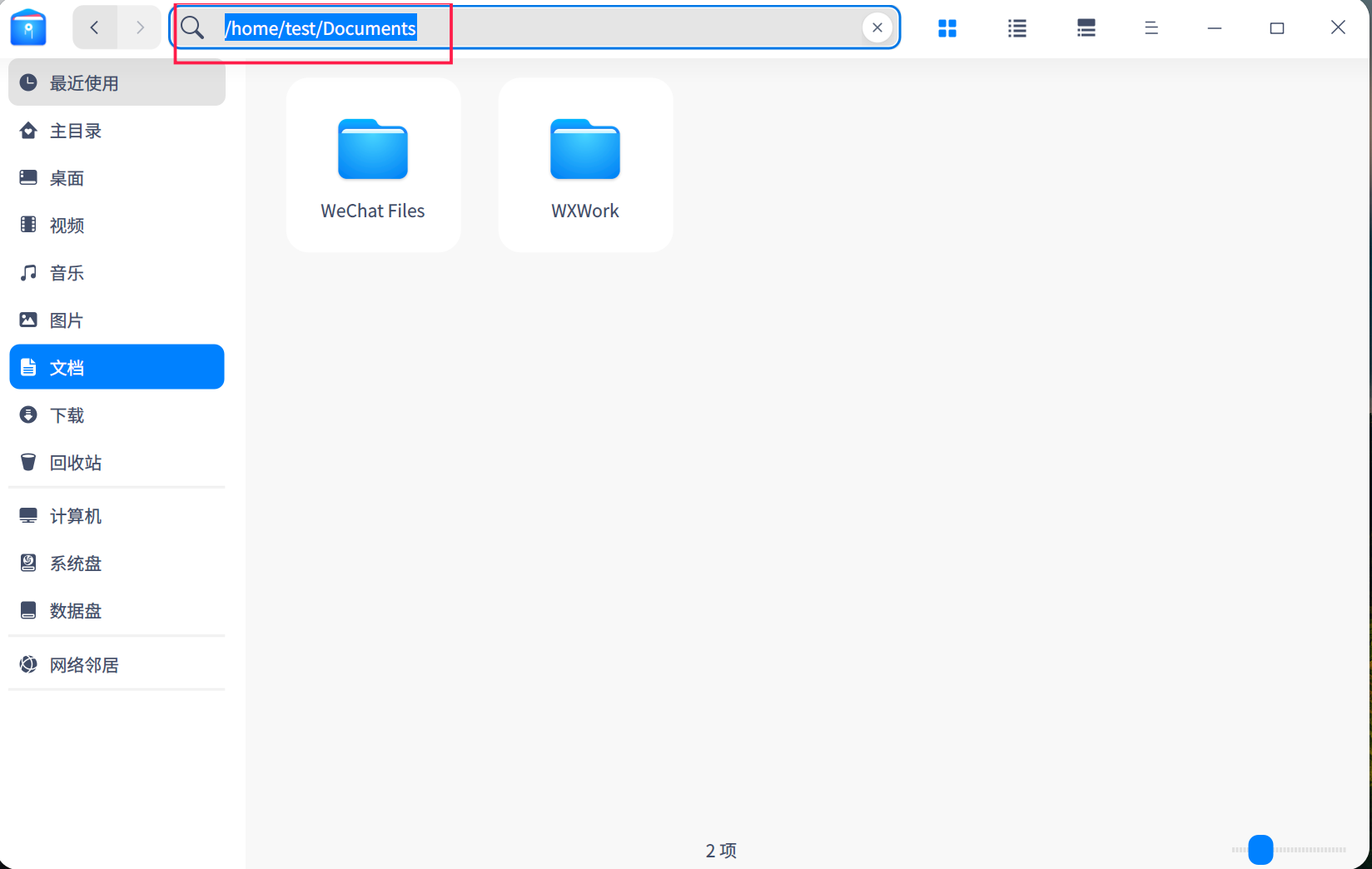
 deepin
 你图中这个文管叫什么名字啊?
deepin下可以安装不,想试试
deepin deepin 好的,感谢
deepin 复制路径的时候可以直接 Ctrl+L 然后 ctrl + C,不比你手动点来的快么?
而且还没有 file://
哈哈,还有这个快捷键,多谢老兄告知
Popular Ranking
ChangePopular Events
More


 Which version of the Deepin system is the best?
第一个:
这个列头建议增加可选 用户、用户组、权限
类似于命令行的 ll 效果,把用户组、用户、权限都列出来:
第二个细节建议:
点击复制路径的时候,建议只要到根目录就可以了,那个 file:// 不要,不然每次复制完路径都要手动删掉 file:// 好麻烦,或者再加一个选项 “复制路径(带协议)”