

 中文
中文 
babyfengfjx
2022-05-25 21:21 Super Moderator
CQA
不知道其他版本内核是否好使,内测可以安装5.17版本内核,有可能兼容你这个设备:https://shimo.im/docs/gvVqRVpeE1Pu0qyP/read
Reply Like 0 View the author

不知道其他版本内核是否好使,内测可以安装5.17版本内核,有可能兼容你这个设备:https://shimo.im/docs/gvVqRVpeE1Pu0qyP/read

 deepin
 不知道其他版本内核是否好使,内测可以安装5.17版本内核,有可能兼容你这个设备:https://shimo.im/docs/gvVqRVpeE1Pu0qyP/read
看到一个
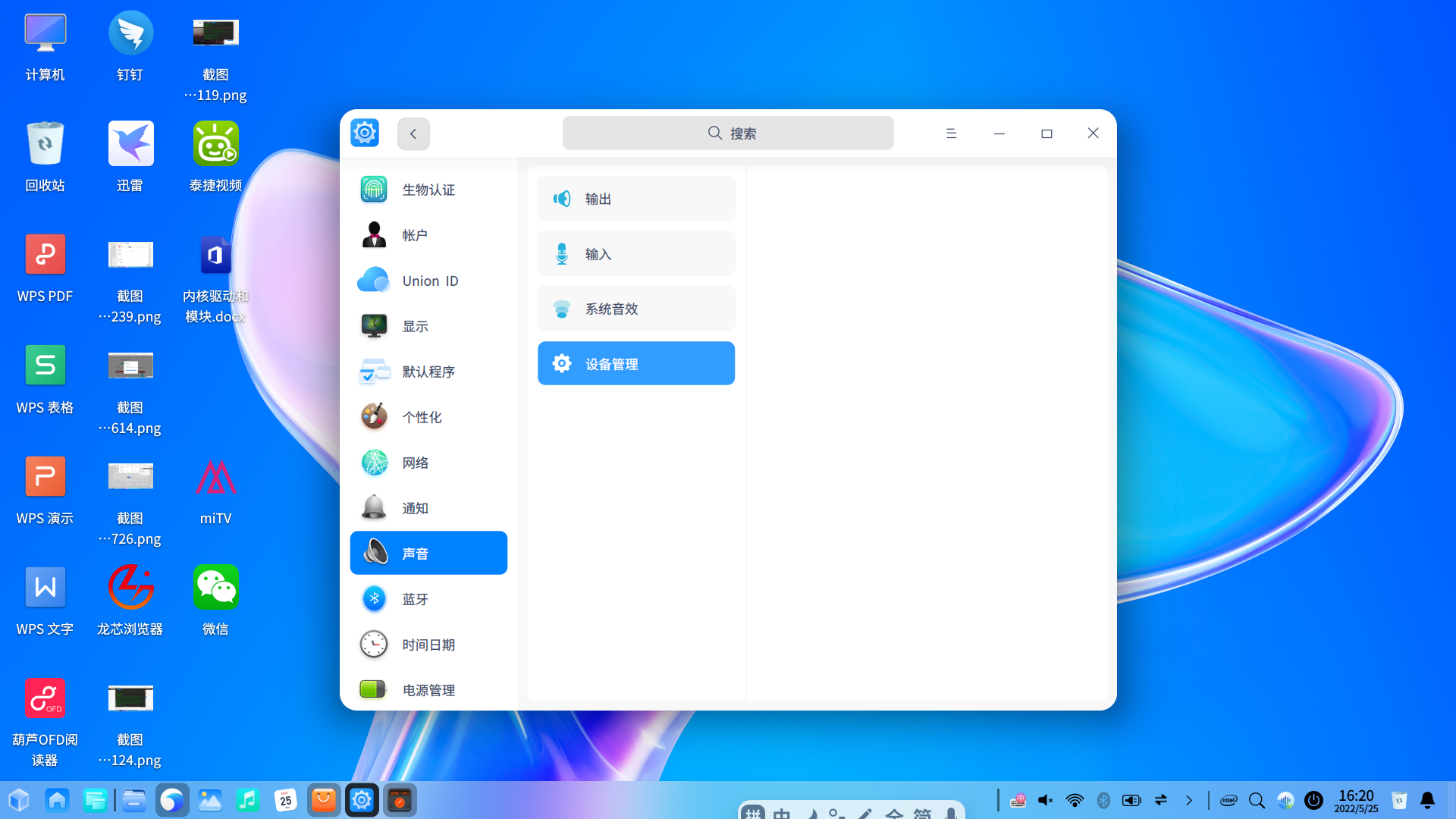
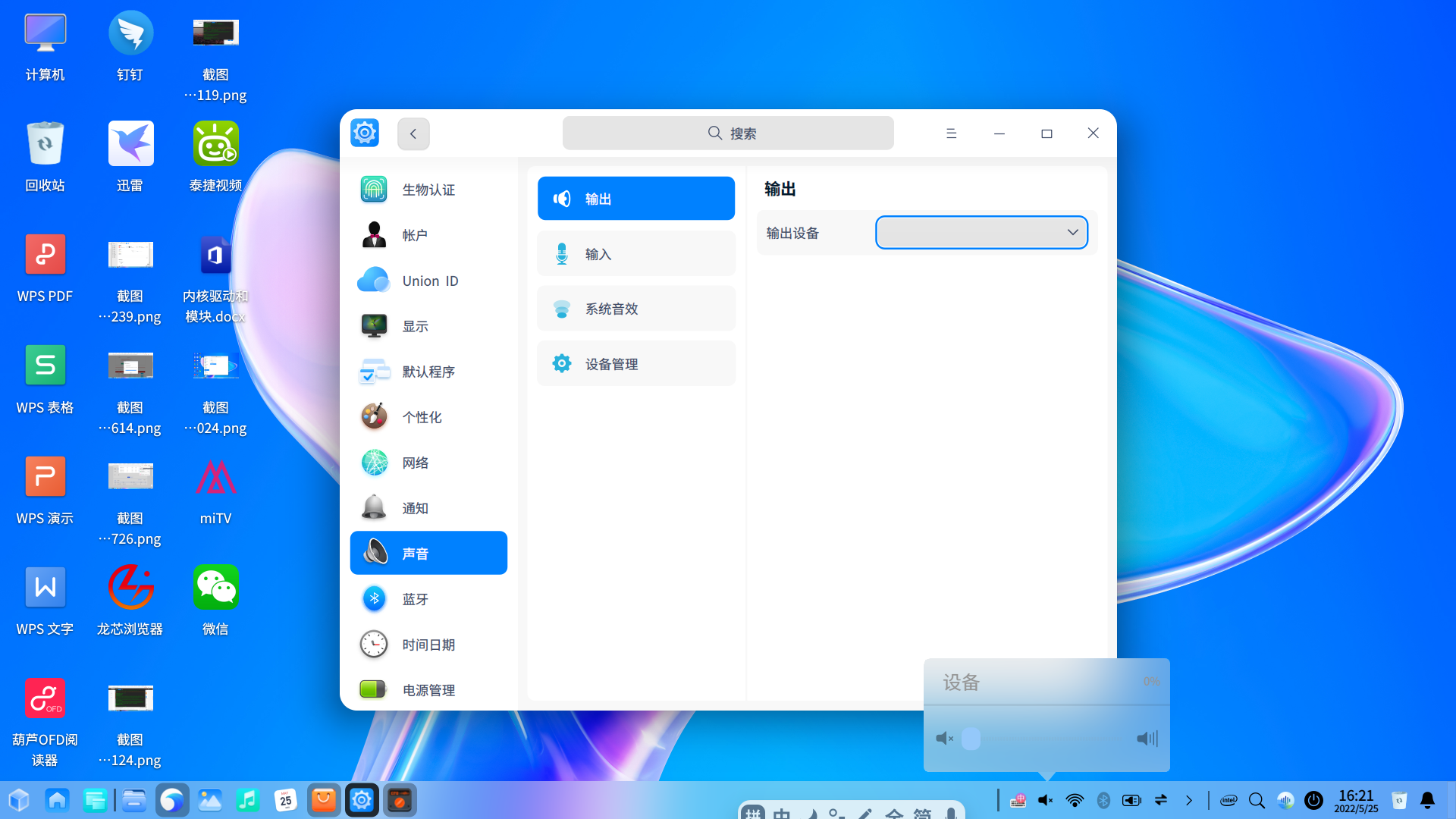
测试声卡的过程相对要顺利一些,也更简单。起初电脑放不出声音,在Deepin设置中的“声音”→“高级设置”中设备列表是空的。然后在内核中打开声卡驱动相关的选项,重新编译之后,声音播放就正常了。
内核中打开声卡驱动相关的选项 是哪一个呀?谢谢
deepin deepin 不知道其他版本内核是否好使,内测可以安装5.17版本内核,有可能兼容你这个设备:https://shimo.im/docs/gvVqRVpeE1Pu0qyP/read
加载模块
root@nsz:/home/nsz# lsmod
Module Size Used by
rfcomm 40960 16
nfnetlink_queue 28672 0
nfnetlink_log 24576 0
msr 16384 0
ccm 20480 6
xt_CHECKSUM 16384 1
xt_tcpudp 16384 5
nft_chain_nat 16384 4
xt_comment 16384 0
xt_MASQUERADE 16384 1
nf_nat 40960 2 nft_chain_nat,xt_MASQUERADE
nf_conntrack 122880 2 nf_nat,xt_MASQUERADE
nf_defrag_ipv6 20480 1 nf_conntrack
nf_defrag_ipv4 16384 1 nf_conntrack
nft_compat 20480 7
bridge 245760 0
stp 16384 1 bridge
llc 16384 2 bridge,stp
nf_tables 217088 50 nft_compat,nft_chain_nat
nfnetlink 20480 4 nfnetlink_queue,nft_compat,nf_tables,nfnetlink_log
st 57344 0
cmac 16384 0
bnep 20480 2
binfmt_misc 16384 1
btusb 49152 0
btrtl 20480 1 btusb
btbcm 24576 1 btusb
btintel 36864 1 btusb
btmtk 16384 1 btusb
bluetooth 471040 42 btrtl,btmtk,btintel,btbcm,bnep,btusb,rfcomm
uvcvideo 98304 0
videobuf2_vmalloc 16384 1 uvcvideo
videobuf2_memops 16384 1 videobuf2_vmalloc
videobuf2_v4l2 32768 1 uvcvideo
videobuf2_common 53248 4 videobuf2_vmalloc,videobuf2_v4l2,uvcvideo,videobuf2_memops
videodev 196608 3 videobuf2_v4l2,uvcvideo,videobuf2_common
mc 40960 4 videodev,videobuf2_v4l2,uvcvideo,videobuf2_common
ecdh_generic 16384 1 bluetooth
ecc 36864 1 ecdh_generic
iwlmvm 364544 0
mac80211 643072 1 iwlmvm
coretemp 16384 0
libarc4 16384 1 mac80211
kvm_intel 262144 0
iwlwifi 307200 1 iwlmvm
kvm 557056 1 kvm_intel
mei_hdcp 20480 0
rapl 20480 0
input_leds 16384 0
cfg80211 368640 3 iwlmvm,iwlwifi,mac80211
joydev 24576 0
mei_me 24576 1
intel_cstate 20480 0
iTCO_wdt 16384 0
pcspkr 16384 0
intel_rapl_msr 16384 0
mxm_wmi 16384 0
intel_pmc_bxt 16384 1 iTCO_wdt
mei 77824 3 mei_hdcp,mei_me
ee1004 16384 0
serio_raw 16384 0
iTCO_vendor_support 16384 1 iTCO_wdt
mac_hid 16384 0
acpi_pad 184320 0
ip_tables 28672 0
x_tables 40960 6 nft_compat,xt_tcpudp,xt_CHECKSUM,xt_comment,ip_tables,xt_MASQUERADE
autofs4 32768 2
btrfs 1126400 0
blake2b_generic 20480 0
xor 24576 1 btrfs
raid6_pq 114688 1 btrfs
zstd_compress 290816 1 btrfs
libcrc32c 16384 4 nf_conntrack,nf_nat,btrfs,nf_tables
psmouse 139264 0
i2c_i801 32768 0
xhci_pci 16384 0
i2c_smbus 16384 1 i2c_i801
xhci_pci_renesas 16384 1 xhci_pci
wmi 24576 1 mxm_wmi
i915 2326528 48
drm_buddy 20480 1 i915
video 49152 1 i915
i2c_algo_bit 16384 1 i915
ttm 65536 1 i915
drm_dp_helper 131072 1 i915
cec 53248 2 drm_dp_helper,i915
drm_kms_helper 159744 2 drm_dp_helper,i915
syscopyarea 16384 1 drm_kms_helper
sysfillrect 16384 1 drm_kms_helper
sysimgblt 16384 1 drm_kms_helper
fb_sys_fops 16384 1 drm_kms_helper
drm 548864 28 drm_dp_helper,drm_kms_helper,drm_buddy,i915,ttm
root@
deepin snd_hda_intel 没有 加载
deepin  deepin
 一般在现有config文件基础上编译,尽量少修改配置
deepin 一般在现有config文件基础上编译,尽量少修改配置
deepin 一般在现有config文件基础上编译,尽量少修改配置
声卡驱动我对比了一下5.10的,没有改 贴的这些,都是默认的 不知道为什么 snd_hda_intel 模块没有
deepin 你这个是UOS吧。我在UOS下编译了5.18内核,重启后找不到Realtek8111有线网卡,手动安装网卡驱动也不行。在deepin 20.6, 5.17.3内核下编译5.18,安装后网卡正常。应该是config文件的问题
deepin 你这个是UOS吧。我在UOS下编译了5.18内核,重启后找不到Realtek8111有线网卡,手动安装网卡驱动也不行。在deepin 20.6, 5.17.3内核下编译5.18,安装后网卡正常。应该是config文件的问题
是UOS 可能是吧,我用的是它默认的配置文件拷贝过去的
deepin 你这个是UOS吧。我在UOS下编译了5.18内核,重启后找不到Realtek8111有线网卡,手动安装网卡驱动也不行。在deepin 20.6, 5.17.3内核下编译5.18,安装后网卡正常。应该是config文件的问题
不知道怎么手动安装声卡驱动了 以前安装过alsa 现在忘求了
deepin 一般在现有config文件基础上编译,尽量少修改配置
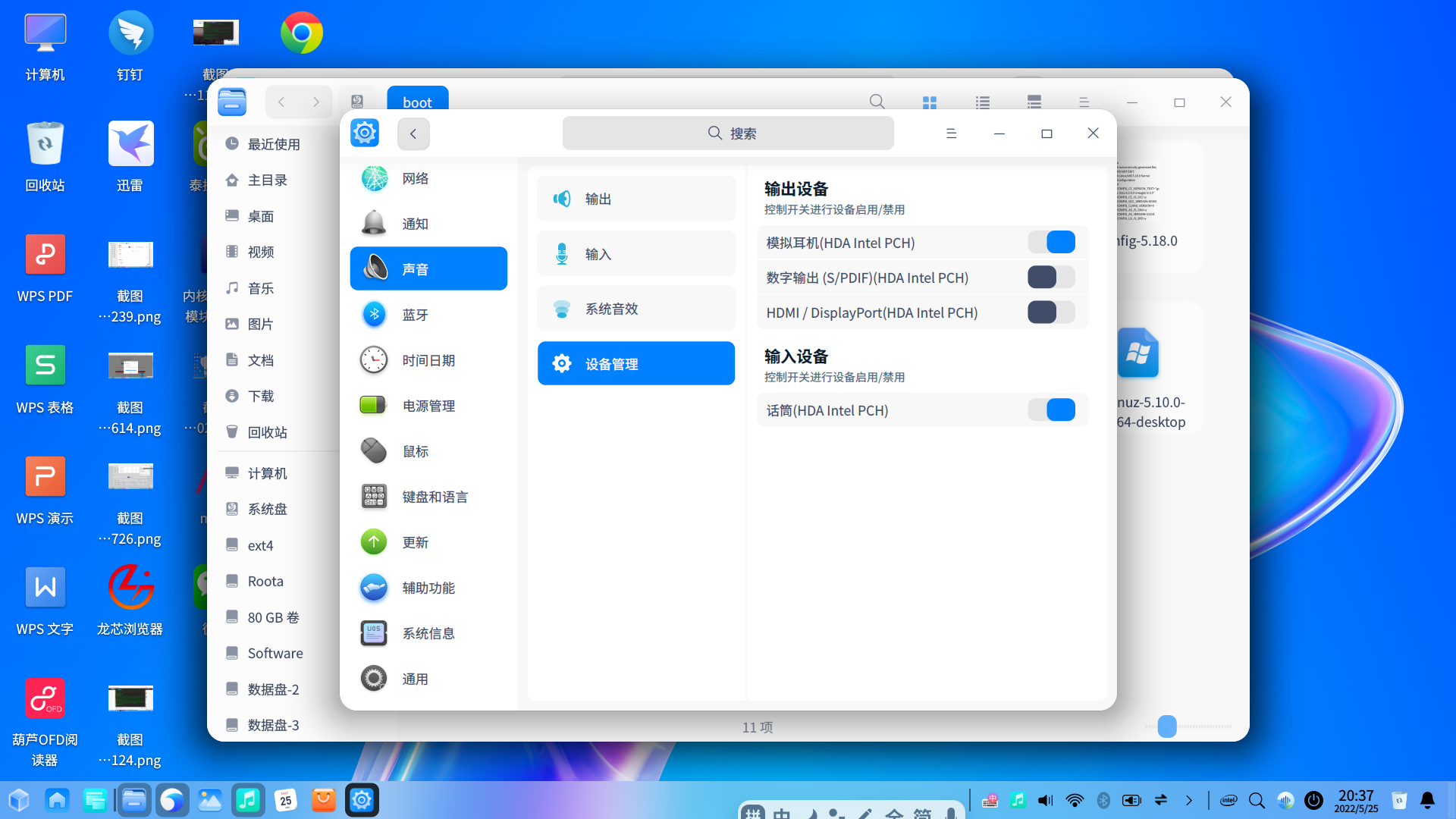
回到 原5.10下声音选项 扬声器 没了
deepin 不知道其他版本内核是否好使,内测可以安装5.17版本内核,有可能兼容你这个设备:https://shimo.im/docs/gvVqRVpeE1Pu0qyP/read
应该是电脑太热了 不是配置的问题

 deepin
 怎么解决的,烦请教下小白
deepin 怎么解决的,烦请教下小白
自编内核 小白不适合
Popular Ranking
ChangePopular Events
More


 Which version of the Deepin system is the best?
linux内核编译,小喇叭静音,声音输出输入为空,设备管理信息为空