

 中文
中文 
liwl deepin
2022-05-15 23:39 deepin 物理机,还是虚拟机?
Reply Like 0 View the author
 deepin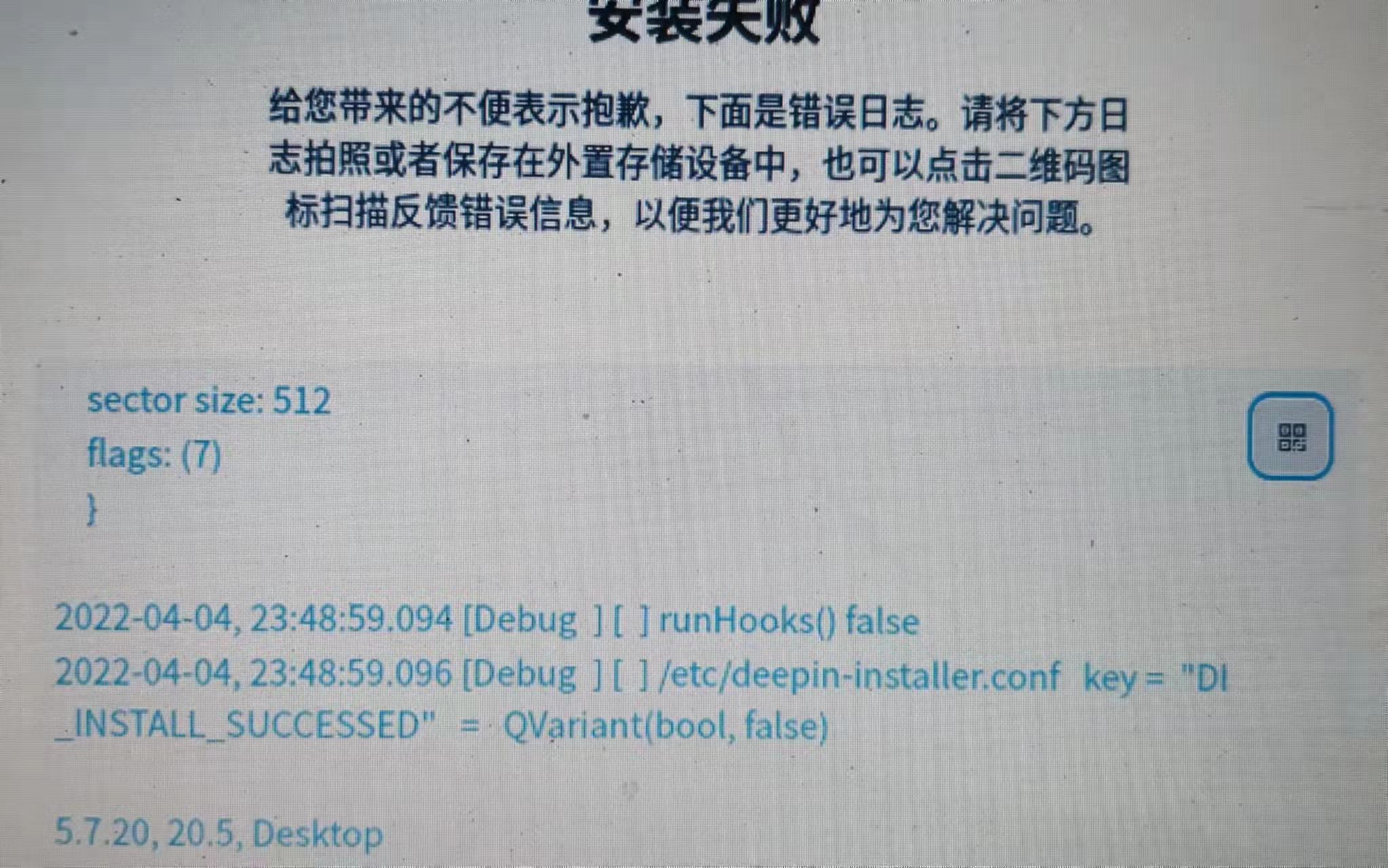
 deepin
 物理机,还是虚拟机?

 deepin
 下面的命令试试,一般是那个update,clean,upgrade,fix 命令之后就可以了。
Apt命令
您可以通过以下命令来查看、安装、卸载、清理、升级等信息。
desccommand更新包列表sudo apt-get update安装/升级所有可用更新sudo apt-get dist-upgrade安装应用程序更新sudo apt-get upgradedselect安装更新sudo apt-get dselect-upgrade查找软件包apt-cache search packagename显示包相关信息apt-cache show package显示系统安装统计信息apt-cache stats显示包的相关依赖sudo apt-cache depends package安装软件sudo apt-get install package重装软件sudo apt-get install package --reinstall强制安装软件sudo apt-get -f install package卸载软件sudo apt-get remove package卸载软件及配置sudo apt-get remove package --purge清理旧版本软件缓存sudo apt-get autoclean清理所有软件缓存sudo apt-get clean清理不再使用的孤立软件sudo apt-get autoremove删除更新和升级的缓存软件cd /var/cache/apt/archives & sudo rm *.deb
Deb命令
您可以通过以下命令来查看、安装、卸载、清理、升级等信息。
desccommand查看软件包的详细情况。sudo dpkg -l查询已安装的deb包的信息。sudo dpkg -s查看软件包的安装情况。sudo dpkg -L package查看软件属于哪个软件包。sudo dpkg -S安装deb包,部分存在depends关系,需要使用sudo apt-get -f install来解决。sudo dpkg -i卸载指定的deb包,不删除软件包的配置文件。sudo dpkg -r卸载deb包同时也删除配置文件,部分存在depends关系,需要使用sudo apt-get remove来解决。sudo dpkg -P
deepin 物理机,还是虚拟机?
物理机,i7的cpu
deepin 物理机,i7的cpu
是否关闭了安全启动?
是否创建了efi分区?
deepin 是否关闭了安全启动?
是否创建了efi分区?
安全启动我在bios里面没找到,我硬盘是什么分区都没有,直接全盘安装。

 deepin deepin
 换个硬盘再来安装
deepin 换个硬盘再来安装
都不行 我电脑2个硬盘一个固态 一个机械
Popular Ranking
ChangePopular Events
More



 Which version of the Deepin system is the best?