

 中文
中文 
jjcui8595 deepin
2022-05-14 04:01 deepin 参考这个
https://club.uniontech.com/?client=2#/detail?id=6fd5a6a223a642c0bb78f16ba85548d6
Reply Like 0 View the author
 deepin
 参考这个
https://club.uniontech.com/?client=2#/detail?id=6fd5a6a223a642c0bb78f16ba85548d6
 deepin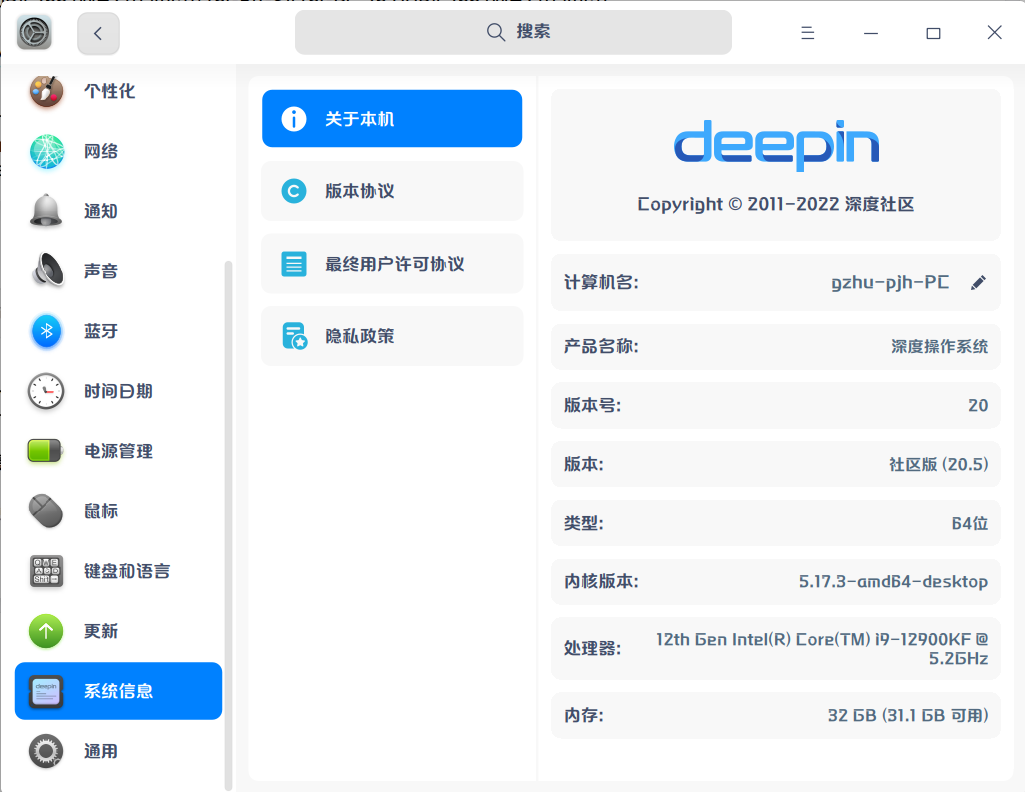

 deepin
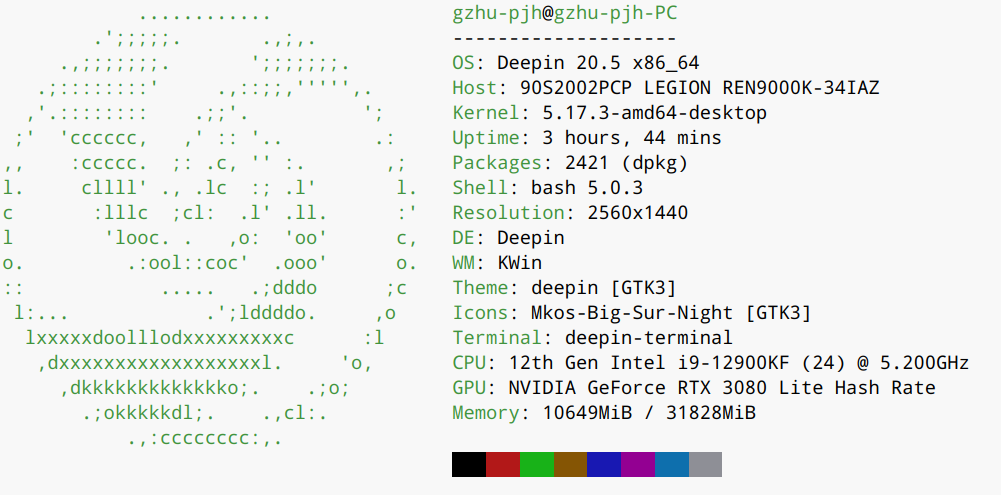
 20.5可选内核是5.15,你的内核应该是内测版本吧
deepin 20.5可选内核是5.15,你的内核应该是内测版本吧
是的,我5.15的内核分辨率也是正常的
 deepin
 lspci看下你的设备信息吧
deepin lspci看下你的设备信息吧
widon@widon:~$ lspci
00:00.0 Host bridge: Intel Corporation Device 4c43 (rev 01)
00:01.0 PCI bridge: Intel Corporation Device 4c01 (rev 01)
00:08.0 System peripheral: Intel Corporation Device 4c11 (rev 01)
00:14.0 USB controller: Intel Corporation Tiger Lake-H USB 3.2 Gen 2x1 xHCI Host Controller (rev 11)
00:14.2 RAM memory: Intel Corporation Tiger Lake-H Shared SRAM (rev 11)
00:16.0 Communication controller: Intel Corporation Tiger Lake-H Management Engine Interface (rev 11)
00:17.0 SATA controller: Intel Corporation Device 43d2 (rev 11)
00:1c.0 PCI bridge: Intel Corporation Tiger Lake-H PCI Express Root Port #5 (rev 11)
00:1d.0 PCI bridge: Intel Corporation Device 43b2 (rev 11)
00:1f.0 ISA bridge: Intel Corporation Device 4388 (rev 11)
00:1f.3 Audio device: Intel Corporation Tiger Lake-H HD Audio Controller (rev 11)
00:1f.4 SMBus: Intel Corporation Tiger Lake-H SMBus Controller (rev 11)
00:1f.5 Serial bus controller [0c80]: Intel Corporation Tiger Lake-H SPI Controller (rev 11)
00:1f.6 Ethernet controller: Intel Corporation Ethernet Connection (10) I219-V (rev 11)
01:00.0 PCI bridge: Intel Corporation Device 4910
02:01.0 PCI bridge: Intel Corporation Device 490f
02:04.0 PCI bridge: Intel Corporation Device 490f
02:05.0 PCI bridge: Intel Corporation Device 490f
03:00.0 VGA compatible controller: Intel Corporation DG1 [Iris Xe Graphics] (rev 01)
04:00.0 Audio device: Intel Corporation Device 490d
05:00.0 Memory controller: Intel Corporation Device 490e
06:00.0 Non-Volatile memory controller: Shenzhen Longsys Electronics Co., Ltd. Device 1d97 (rev 01)
07:00.0 Network controller: Realtek Semiconductor Co., Ltd. RTL8821CE 802.11ac PCIe Wireless Network Adapter
我现在装的是uos了,声卡好像也有问题
deepin 用我的这个 办法吧,我去年 已经在论坛发出解决方案 了
https://bbs.deepin.org/post/220095
Popular Ranking
ChangePopular Events
More


 Which version of the Deepin system is the best?
处理器 : 11th Gen Intel(R) Core(TM) i7-11700 @ 2.50GHz (八核 / 十六逻辑处理器)
主板 : H510M BOMBER (MS-7D22)
内存 : 16GB(GSA16GPC-26 DDR4 2667MHz (0.4ns))/16GB(GSA16GPC-26 DDR4 2667MHz (0.4ns))
显示适配器 : Intel Corporation
音频适配器 : Intel Corporation/Intel Corporation
存储设备 : EAGET SSD (1.00 TB)
蓝牙 : Bluetooth Radio
网络适配器 : RTL8821CE 802.11ac PCIe Wireless Network Adapter
鼠标 : Usb Mouse (SiGma Micro Usb Mouse)
键盘 : USB Keyboard (China Resource Semico USB Keyboard)
widon@widon-deepin:~$ uname -a
Linux widon-deepin 5.15.24-amd64-desktop #2 SMP Wed Mar 9 09:40:26 CST 2022 x86_64 GNU/Linux
请问如何做????现在屏幕亮度调不了,分辨率调不了,公司的机子,在线等。。。