

 中文
中文 
老咸鱼 deepin
2022-05-09 07:34 deepin 应该是340或390版本才对啊,安装失败提示什么
你的内核版本是那个,换过低版本内核装吗
那个显卡驱动版本肯定不支持510的内核
Reply Like 0 View the author
 deepin
 应该是340或390版本才对啊,安装失败提示什么
你的内核版本是那个,换过低版本内核装吗
那个显卡驱动版本肯定不支持510的内核

 deepin
 应该是340或390版本才对啊,安装失败提示什么
你的内核版本是那个,换过低版本内核装吗
那个显卡驱动版本肯定不支持510的内核
deepin20.5/UOS21.1,能降到4.X内核吗?
 deepin
 你得把具体的显卡型号,以及内核的输出(从日志那里导出来)给发上来,才能让坛友帮你分析是哪儿出了问题吧
deepin deepin20.5/UOS21.1,能降到4.X内核吗?
应该可以,不放心可以用备份工具备份再装内核
如果启动不了的,启动项里有高级启动
在里面选择内核版本启动
deepin 是N卡独立,还是i+N双显卡?
 deepin
 是N卡独立,还是i+N双显卡?
笔记本,i915+GT635M
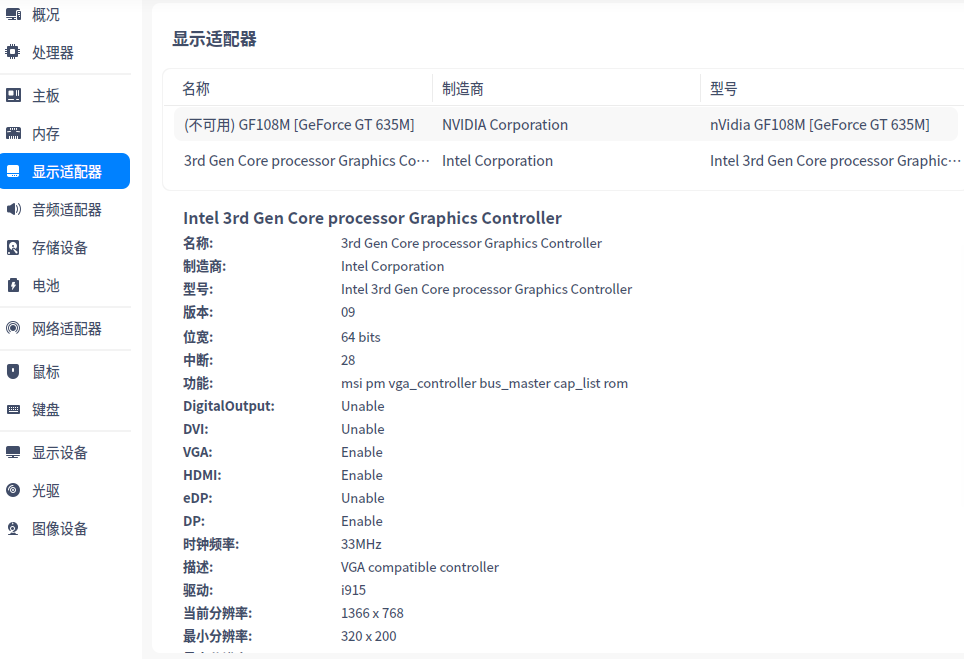
deepin 打开终端运行一下:nvidia-detect
然后把结果贴上来
bash:未找到命令
deepin 打开终端运行一下:nvidia-detect
然后把结果贴上来
root@deep-PC:/home/deep/Desktop# nvidia-detect
Detected NVIDIA GPUs:
01:00.0 VGA compatible controller [0300]: NVIDIA Corporation GF108M [GeForce GT 635M] [10de:0de3] (rev a1)
Checking card: NVIDIA Corporation GF108M [GeForce GT 635M] (rev a1)
Your card is only supported up to the 390 legacy drivers series.
It is recommended to install the
nvidia-legacy-390xx-driver
package.
deepin 命令行安装:nvidia-legacy-390xx-driver,好像安上了
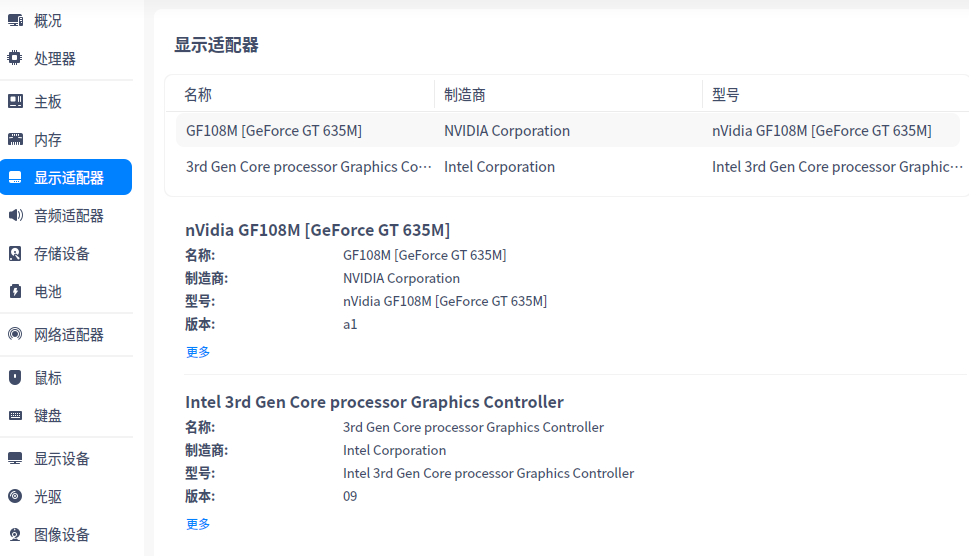
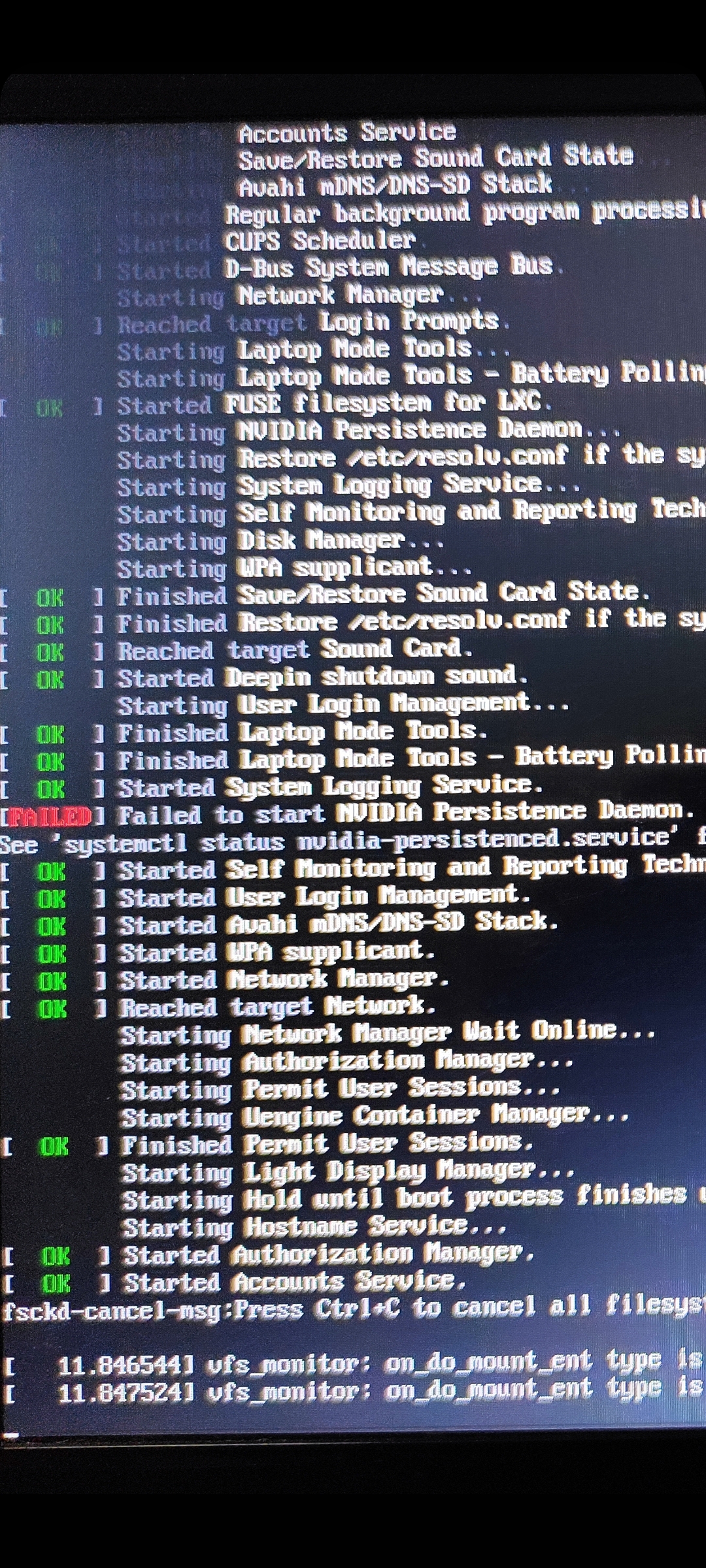
deepin 切换后进不了桌面了。
怎么切换回intel显卡?

 deepin
 切换后进不了桌面了。
怎么切换回intel显卡?
这个界面的时候按 Ctrl + Alt + F2,进入 tty2,输入用户名密码登录后,执行 sudo apt autopurge nvidia-legacy-390xx-driver 卸载驱动然后重启试试看。没动过配置文件啥的话应该可以正常启动图形界面的。
 deepin
 看我发的教程
deepin 阴差阳错,解决了!
进入tty,autopurge了390xx的驱动,重启,还是显示empty or too long
装低一点驱动怎么样?
进入tty,apt install nvidia-legacy-340xx-driver,重启,直接黑屏,出错信息都不显示
进入tty,卸载340xx驱动,重启,还是黑屏
进入tty,重新安装390xx驱动,重启,竟然可以登陆了,进入桌面右下角的切换器显示nvidia显卡。
打开游戏《末日血战》,能较流畅运行,说明驱动装上了,以前用集显可是进入游戏后根本动不了,卡死。

 deepin
 阴差阳错,解决了!
进入tty,autopurge了390xx的驱动,重启,还是显示empty or too long
装低一点驱动怎么样?
进入tty,apt install nvidia-legacy-340xx-driver,重启,直接黑屏,出错信息都不显示
进入tty,卸载340xx驱动,重启,还是黑屏
进入tty,重新安装390xx驱动,重启,竟然可以登陆了,进入桌面右下角的切换器显示nvidia显卡。
打开游戏《末日血战》,能较流畅运行,说明驱动装上了,以前用集显可是进入游戏后根本动不了,卡死。
这就好了?要多装几次就行了?
Popular Ranking
ChangePopular Events
More


 Which version of the Deepin system is the best?
显卡是Nvidia 635M
安装340xx、390xx、430xx都不成功。
最好是详细的操作。