

 中文
中文 
andktan deepin
2022-04-26 18:18 deepin https://bbs.deepin.org/zh/post/234948
https://bbs.deepin.org/post/234823
Reply Like 0 View the author
 deepin
 https://bbs.deepin.org/zh/post/234948
https://bbs.deepin.org/post/234823

 deepin
 https://bbs.deepin.org/zh/post/234948
https://bbs.deepin.org/post/234823
谢谢,我参考下
 deepin
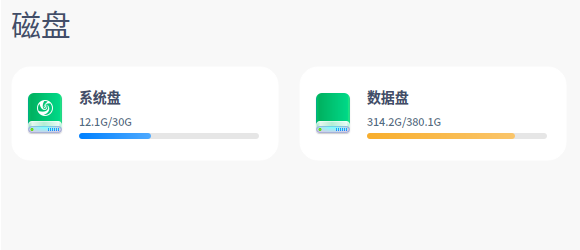
 如果不想重装,用live系统启动电脑,将隐藏的rootb分区删除(15G),并入系统分区roota,这样系统分区就有30G了。
 deepin
 记得安装进入图形界面后(一定要在进入全盘安装选择界面之前),切换到命令行,修改sudo vi /etc/deepin-installer.conf中的相关配置(如partition_full_disk_large_root_part_range=15:15改为30:30和partition_root_space_required=15改为30)并保存,再切换回图形界面继续安装,选择全盘安装时,系统盘大小应会为你修改的数值(硬盘足够大)。
Popular Ranking
ChangePopular Events
More


 Which version of the Deepin system is the best?
求解决全盘安装导致更新后,系统盘占用过大的方法,每次系统更新后,系统盘可用空间要越来越小了,再这么下去就不能更新了。求解决方案