

 中文
中文 
qq8645 deepin
2022-04-24 20:40 deepin virtualbox版本低吧,去virtualbox官网下载个最新版试试。
Reply Like 0 View the author
 deepin
 virtualbox版本低吧,去virtualbox官网下载个最新版试试。
 deepin
 virtualbox版本低吧,去virtualbox官网下载个最新版试试。
官网下载的最新版也是一样的提示
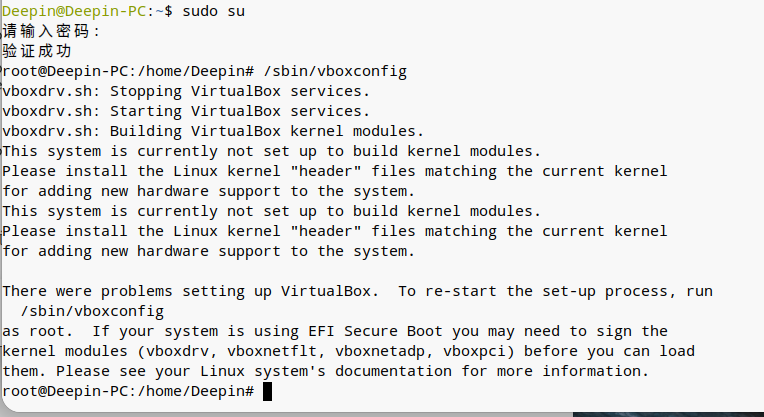
deepin 百度搜索结果提示运行/sbin/vboxconfig,提示如下缺少kernel或者header,这个要怎么安装上
 deepin
 用pe装 别直接ios镜像


 deepin
 我以前在ubuntu上遇到这个问题的解决记录,给你参考,一般都能解决。
故障现象VERR_VM_DRIVER_NOT_INSTALLED (-1908)
The VirtualBox Linux kernel driver is either not loaded or not set up correctly. Please try setting it up again by executing

'/sbin/vboxconfig'

as root.

If your system has EFI Secure Boot enabled you may also need to sign the kernel modules (vboxdrv, vboxnetflt, vboxnetadp, vboxpci) before you can load them. Please see your Linux system's documentation for more information.

where: suplibOsInit what: 3 VERR_VM_DRIVER_NOT_INSTALLED (-1908) - The support driver is not installed. On linux, open returned ENOENT.
按以上说明
sudo '/sbin/vboxconfig'
加载modules
sudo modprobe vboxdrv
sudo modprobe vboxnetflt
sudo modprobe vboxnetadp
sudo modprobe vboxpci
报错没有找到vboxdrv
sudo apt install dkms
后再执行
sudo /sbin/vboxconfig
如果加载vboxdrv出错,也是采用以下办法,解决EFI Secure Boot问题。
openssl req -new -x509 -newkey rsa:2048 -keyout MOK.priv -outform DER -out MOK.der -nodes -days 36500 -subj "/CN=Descriptive common name/"
sudo /usr/src/linux-headers-$(uname -r)/scripts/sign-file sha256 ./MOK.priv ./MOK.der $(modinfo -n vboxdrv)
tail $(modinfo -n vboxdrv) | grep "Module signature appended"
sudo mokutil --import MOK.der
mokutil --test-key MOK.der
接上
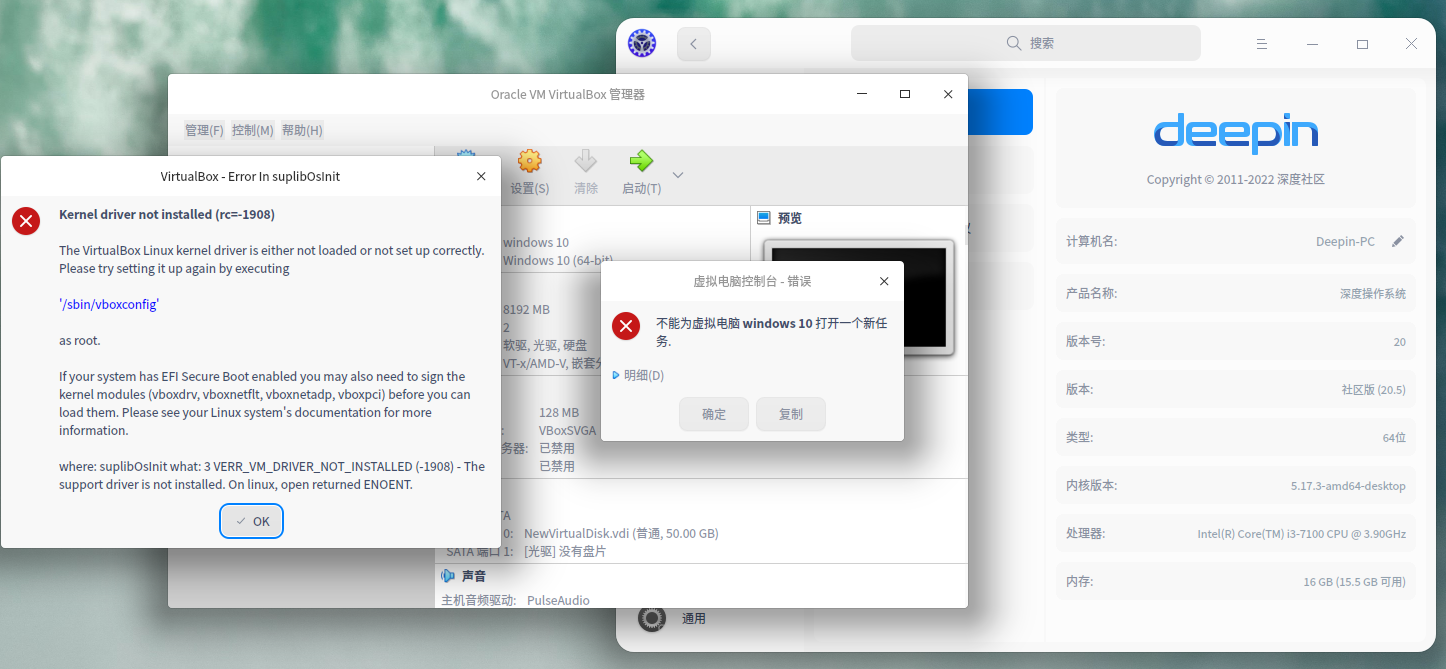
错误信息如下:
启动虚拟机报错:
Kernel driver not installed (rc=-1908)
The VirtualBox Linux kernel driver is either not loaded or not set up correctly. Please try setting it up again by executing
'/sbin/vboxconfig'
as root.
If your system has EFI Secure Boot enabled you may also need to sign the kernel modules (vboxdrv, vboxnetflt, vboxnetadp, vboxpci) before you can load them. Please see your Linux system's documentation for more information.
where: suplibOsInit what: 3 VERR_VM_DRIVER_NOT_INSTALLED (-1908) - The support driver is not installed. On linux, open returned ENOENT.
提示请执行以下指令,执行
sudo /sbin/vboxconfig
报错不能加载模块 modprobe,Failed to enroll secure boot key。
出现此问题的原因是,Ubuntu Kernel 使用 EFI_SECURE_BOOT_SIG_ENFORCE 内核配置,这样会阻止内核载入第三方模块。
sudo apt install mokutil
sudo mokutil --disable-validation
执行后,终端会让你设置8-16位密码(之后要用)
接下来,重启电脑,会出现蓝屏,按下任意键进入选择界面 :
选项如下:
Continue boot
- Change Secure Boot state
- Enroll key from disk
- Enroll hash from disk
选择Change Secure Boot state,接下来会让你输入之前的密码。
我的系统很调皮,没有让我直接输入密码,而是要求 Enter password character 7,意思是输入密码的第7位(这点要注意!)。
接下来进入Disable Secure Boot选择界面,选择 yes(不要直接按下Enter),然后按下Enter。
然后下个界面又回到最开始的界面,选择reboot,重新进入系统。OK。
安装Oracle VM VirtualBox Extension Pack。
sudo adduser  vboxusers
# 或者sudo usermod -aG vboxusers
感谢以上各位大佬,以上各个方法都试过了,启动虚拟机还是会报同样的错误,暂时先放弃了没时间折腾了,回头老老实实装双系统吧
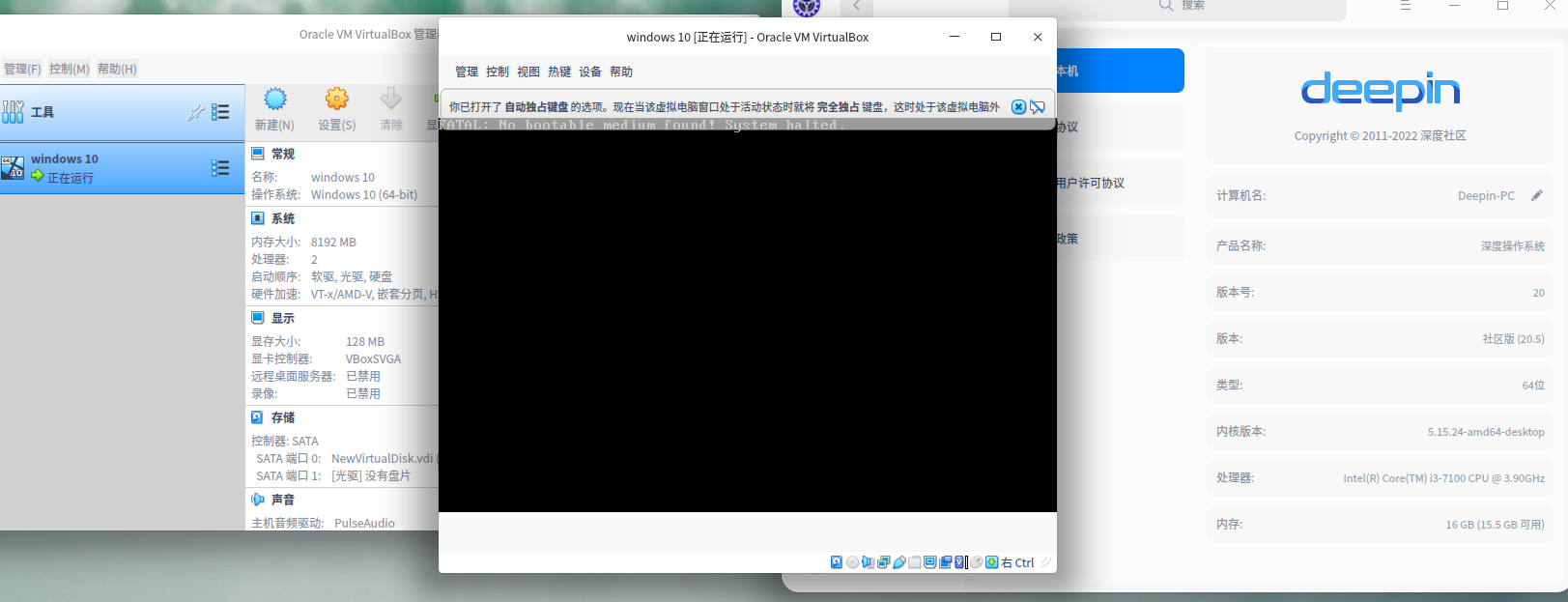
deepin 本来计划放弃了,回头安装双系统的,突然想到前几天安装过5173新内核,是不是这个原因造成的软件不兼容啊,赶紧重启选择51524内核启动,这次虚拟机可以启动了,没有报上边的错误了。再次感谢以上各位大佬的指点🙏
 deepin
 1.sudo deepin-editor /usr/share/virtualbox/src/vboxhost/vboxnetflt/linux/VBoxNetFlt-linux.c
2.在第40行下面添加一行,内容为#include小于号linux/ethtool.h大于号
3.sudo /sbin/vboxconfig
 deepin
 百度搜索结果提示运行/sbin/vboxconfig,提示如下缺少kernel或者header,这个要怎么安装上
sudo apt-get install linux-headers-$(uname -r)
virtualBox这种软件有几个内核模块,一般安装过程过程中会根据内核进行模块编译,编译的过程中会需要内核头文件以及一些编译工具如gcc之类,在不同的发行版内,内核头文件软件包的名字稍有不同.有叫kernel-headers 有叫linux-headers.
有的发行版会安装dkms,把vbox的模块源代码安装到dkms,运行的内核版本变化时,dkms会调用编译工具编译并安装内核模块.
常见问题一般为,1编译工具缺少组件,2缺少内核头文件,3内核头文件虽然安装了但编译工具不知道他的位置.4,内核头文件的格式在不同内核版本中有结构区别.(印象中2.6->3.x产生了大的变化.),4运行权限的问题,有的软件会有专门的用户组.
Popular Ranking
ChangePopular Events
More


 Which version of the Deepin system is the best?
VirtualBox安装后配置全局设置,启动虚拟win10会报错,百度上搜索结果几乎没有能用的