

 中文
中文 
帅哥 deepin
2022-04-23 20:34 deepin 那你得在安装系统之前提前分4G空间,在安装时把那4G空间的文件系统选择为交换空间
Reply Like 0 View the author

 deepin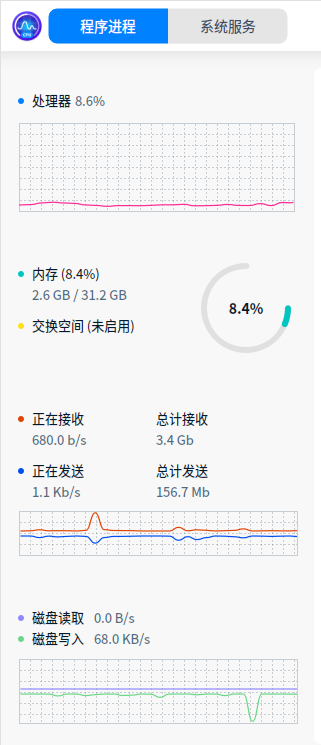
deepin 那你得在安装系统之前提前分4G空间,在安装时把那4G空间的文件系统选择为交换空间
deepin 那你得在安装系统之前提前分4G空间,在安装时把那4G空间的文件系统选择为交换空间
弄了半天才装好,再装好麻烦,没有补救措施吗?

 deepin
 deepin
 交换空间还是有用的,参考
https://bbs.deepin.org/phone/zh/post/233465
 deepin
 如果在系统安装时候没有创建swap分区,可以尝试通过 mkswap + swapon 创建swap分区。
deepin 创建文件交换,不用分区。
 deepin
 创建交换文件,比较简单一些
deepin 交换空间还是有用的,参考
https://bbs.deepin.org/phone/zh/post/233465
谢谢了,感觉好复杂,整篇的命令
deepin 交换空间还是有用的,参考
https://bbs.deepin.org/phone/zh/post/233465
谢谢了,全是命令操作,好怕输错就覆水难收了
deepin 交换空间还是有用的,参考
https://bbs.deepin.org/phone/zh/post/233465
谢谢了
deepin 谢谢了,全是命令操作,好怕输错就覆水难收了
其实看明白到不复杂,喜欢dp的肯定是爱折腾的,都是爱学习的伙伴
Popular Ranking
ChangePopular Events
More


 Which version of the Deepin system is the best?