

 中文
中文 
depend deepin
2022-04-21 17:20 deepin 好神奇
Reply Like 1 View the author
 deepin
 好神奇

 deepin
 好神奇
我也觉得神奇
deepin 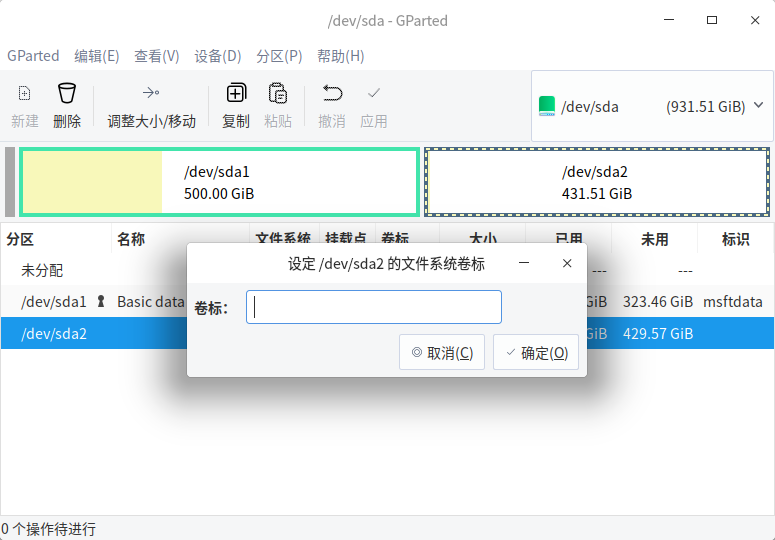
我删除分区后,重新新建的可以改名,但名称里不能输入中文😃,可以复制粘贴中文过去,哈哈哈哈

 deepin
 😂 从来没有想过要改名字。今天我才发现确实是有的可以改名字,有的不可以改名字。在我电脑中,可以改名字的是系统所在的硬盘的分区。其它硬盘在的分区是不能改名字的。
 deepin
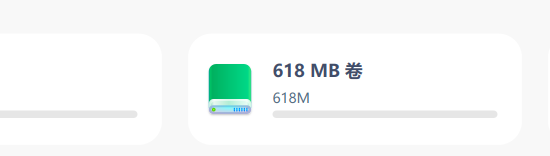
 这不都是基操了,我的hidden的分区都显示呢

 deepin
 这么神奇啊,以前没注意
 deepin
 目前不支持ntfs格式的分区重命名哦

 deepin
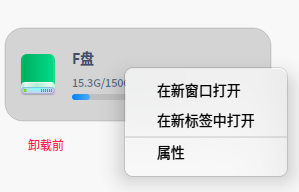
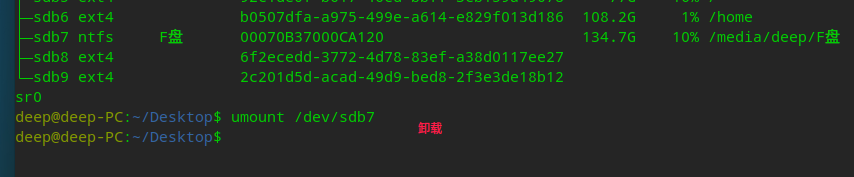
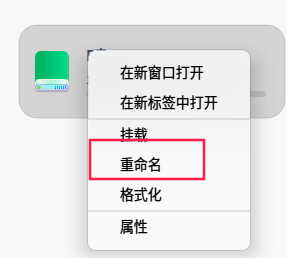
 卸载后,再点右键就会出现重命名。
 deepin
 我的都可以,你这个真是😂
deepin 我的都可以,你这个真是😂
NTFS格式的分区不能直接修改。
deepin NTFS格式的分区不能直接修改。
我的全是ext4,ntfs就不清楚了。但是发贴人的那个视频,第一排有个ntfs格式的分区右击有重命名选项
deepin 我的全是ext4,ntfs就不清楚了。但是发贴人的那个视频,第一排有个ntfs格式的分区右击有重命名选项
好像是挂载到/media的分区不能直接改名
Popular Ranking
ChangePopular Events
More


 Which version of the Deepin system is the best?
请问这是怎么回事?? 怎么修改