

 中文
中文 
liuyongjin1987 deepin
2022-04-21 04:00 deepin 不知道还会不会卡死了~
Reply Like 1 View the author
deepin 不知道还会不会卡死了~
deepin 
 deepin
 只要在更新就好,鼓励一下。

 deepin
 下了,装不了。
 deepin
 支持一波。。
 deepin
 直接下载安装不就得了
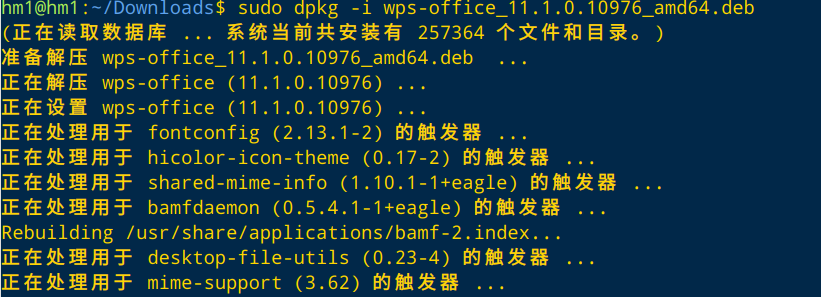

 deepin
 下了,装不了。
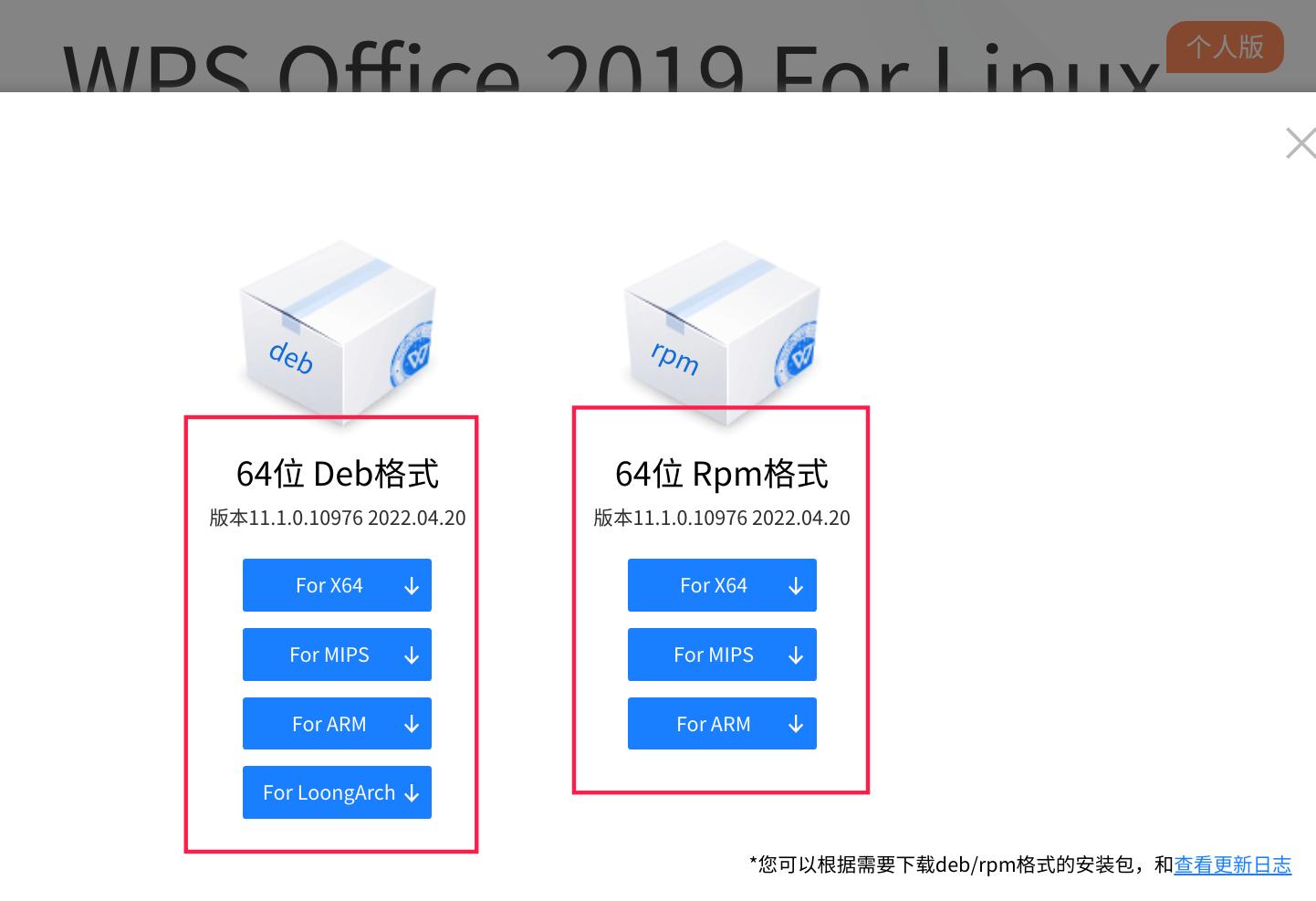
下载错架构了吧
deepin An error occurred while applying changes: dpkg: error processing archive /media/afang/bak1tb/我的文件/应用大全/图形办公/wps-office_11.1.0.10976_amd64.deb (--install):
new wps-office package pre-installation script subprocess returned error exit status 2
Errors were encountered while processing:
 deepin
 An error occurred while applying changes: dpkg: error processing archive /media/afang/bak1tb/我的文件/应用大全/图形办公/wps-office_11.1.0.10976_amd64.deb (--install):
new wps-office package pre-installation script subprocess returned error exit status 2
Errors were encountered while processing:
是不是架构不对呢?
 deepin
deepin 原来从应用商店里的安装了旧版本,今天从金山官网下载新版本for X64的deb文件,用“软件包安装器”安装时出错:
Selecting previously unselected package wps-office.
(Reading database ... 313835 files and directories currently installed.)
Preparing to unpack .../wps-office_11.1.0.10976_amd64.deb ...
系统中存在版本 cn.wps.wps-office 或 cn.wps.wps-office-pro 与此版本不能共存,无法安装此安装包
An error occurred while applying changes:
An error occurred while applying changes: dpkg: error processing archive /home/software/中文字处理/wps-office_11.1.0.10976_amd64.deb (--install):
new wps-office package pre-installation script subprocess returned error exit status 2
Errors were encountered while processing:
/home/software/中文字处理/wps-office_11.1.0.10976_amd64.deb
卸载旧版本后安装就正常了。
但这样操作不被应用商店所认可,它还认为你没有安装WPS,所以不会提示更新,也无权“催更”。
deepin 原来从应用商店里的安装了旧版本,今天从金山官网下载新版本for X64的deb文件,用“软件包安装器”安装时出错:
Selecting previously unselected package wps-office.
(Reading database ... 313835 files and directories currently installed.)
Preparing to unpack .../wps-office_11.1.0.10976_amd64.deb ...
系统中存在版本 cn.wps.wps-office 或 cn.wps.wps-office-pro 与此版本不能共存,无法安装此安装包
An error occurred while applying changes:
An error occurred while applying changes: dpkg: error processing archive /home/software/中文字处理/wps-office_11.1.0.10976_amd64.deb (--install):
new wps-office package pre-installation script subprocess returned error exit status 2
Errors were encountered while processing:
/home/software/中文字处理/wps-office_11.1.0.10976_amd64.deb
卸载旧版本后安装就正常了。
但这样操作不被应用商店所认可,它还认为你没有安装WPS,所以不会提示更新,也无权“催更”。
得用purge清除一下,再安装试试
deepin 新版本对这些旧问题还是没有改进:
1.阅读pdf文件时无法插入批注;
2.多页表格的标签重命名时无法输入中文;
3.mathtype的公式显示会出现乱码;
4.本地云空间缓存文件打开读写后不会更新到云上;
5.无法强制指定一个文档为“多人共享文档”;
6.缺少windows版本中“打开文件所在目录”功能;
7.没有OCR等应用程序;
8.拖拉文件到WPS窗口是打开而不是上传,这样不便于zip等文件的上传;
 deepin
 我是 官网下载,然后把旧版先卸载,重启电脑,然后再安装,没问题。好几个版本都是这样装的
deepin 感觉打开文件你上个版本要快 设置成多组件模式
deepin 新版本对这些旧问题还是没有改进:
1.阅读pdf文件时无法插入批注;
2.多页表格的标签重命名时无法输入中文;
3.mathtype的公式显示会出现乱码;
4.本地云空间缓存文件打开读写后不会更新到云上;
5.无法强制指定一个文档为“多人共享文档”;
6.缺少windows版本中“打开文件所在目录”功能;
7.没有OCR等应用程序;
8.拖拉文件到WPS窗口是打开而不是上传,这样不便于zip等文件的上传;
语言表达不清的可以录屏发送
deepin 卸载原旧版本能安装好了!

 deepin
 旧版WPS确实存在触摸板过度灵敏的问题
但是新版把PDF编辑砍了
有点难以取舍了
deepin 旧版WPS确实存在触摸板过度灵敏的问题
但是新版把PDF编辑砍了
有点难以取舍了
编辑是不是变会员功能了
deepin 编辑是不是变会员功能了
要这样的话我还是别升级了
Popular Ranking
ChangePopular Events
More


 Which version of the Deepin system is the best?
WPS Office 20220420更新了
希望尽快上架