

 中文
中文 
Breeze deepin
2022-05-28 05:43 deepin deepin-superuser:
libime-bin

这回总没错了吧
发现我是没有安装fcitx5本身?
sudo apt install fcitx5
就可以正常安装了,谢谢
Reply Like 0 View the author
 deepin
 libime-bin
这回总没错了吧
发现我是没有安装fcitx5本身?
sudo apt install fcitx5
就可以正常安装了,谢谢
deepin libime-bin
这回总没错了吧
两种都安装上了, nice
 deepin
 各位大佬,请问一下,我在执行方案一代码的时候,卡在了make merged-plugins。导致后面的步骤都无法进行。用搜索引擎查找也没有发现类似的问题。😭
卡在这一步了。

后面的无法进行

deepin V23可用吗?刚安装配好,怕搞崩了
 deepin
 V23可用吗?刚安装配好,怕搞崩了
可以用
http://120.132.17.134:3000/better-dde/ppa/raw/branch/master/fcitx5-flypy/fcitx5-flypy_5.0.3_all.deb
deepin 可以用
http://120.132.17.134:3000/better-dde/ppa/raw/branch/master/fcitx5-flypy/fcitx5-flypy_5.0.3_all.deb
打不开了😧
deepin 打不开了😧

 deepin
 双拼两周,打字50/min😂
deepin 双拼两周,打字50/min😂
我已经学废了,现在打字慢的很,换了别人的设备都不会打字了😂
 deepin
 各位大佬,请问一下,我在执行方案一代码的时候,卡在了make merged-plugins。导致后面的步骤都无法进行。用搜索引擎查找也没有发现类似的问题。😭
卡在这一步了。
后面的无法进行
同樣的問題,請問解決了嗎?
deepin 請問遇到這種情況怎麼辦?
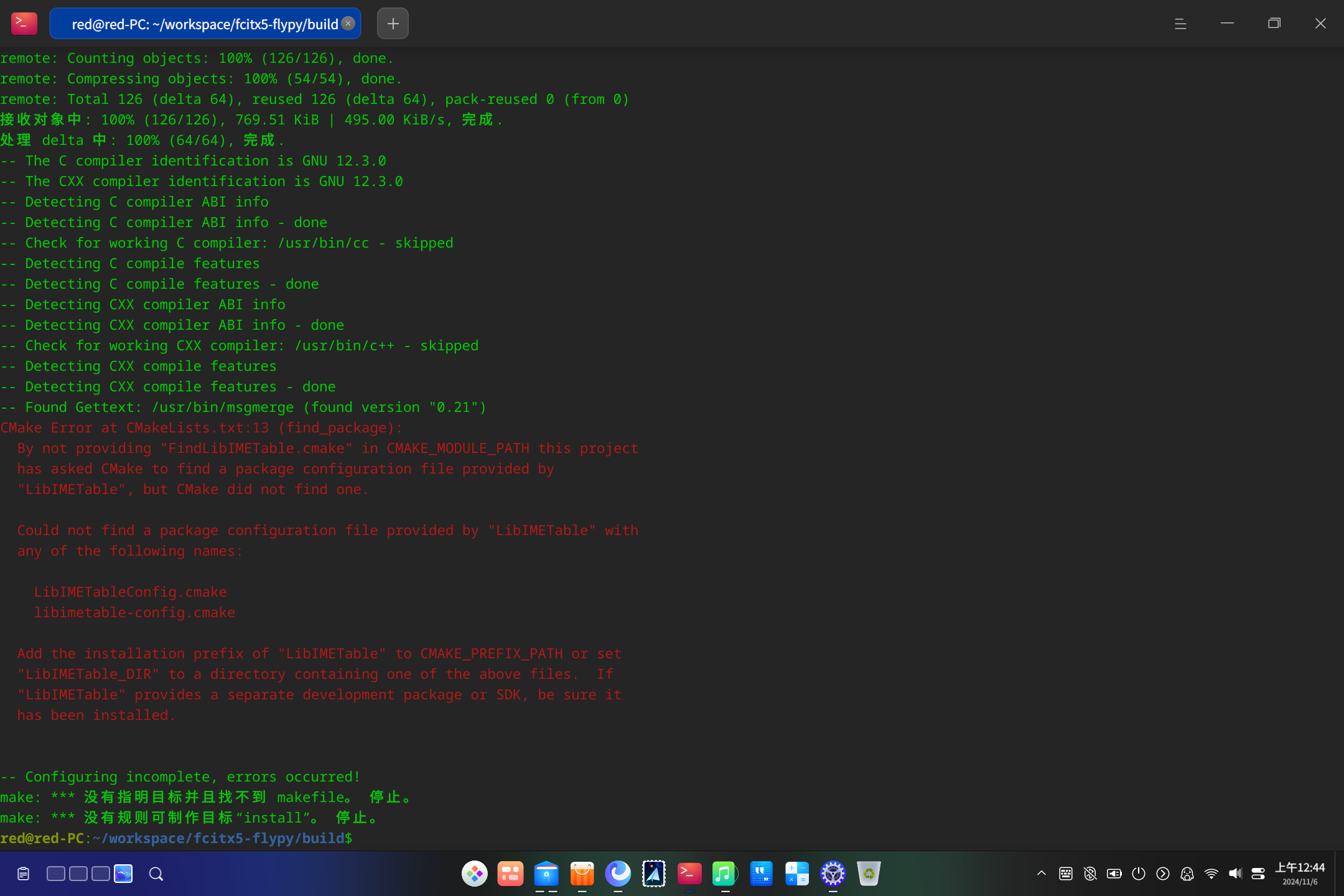
deepin 請問遇到這種情況怎麼辦?
如果是V20报这个错,推荐方法二
或者直接使用打包好的
http://120.132.17.134:3000/better-dde/ppa/raw/branch/master/fcitx5-flypy/fcitx5-flypy_5.0.3_all.deb
deepin 如果是V20报这个错,推荐方法二
或者直接使用打包好的
http://120.132.17.134:3000/better-dde/ppa/raw/branch/master/fcitx5-flypy/fcitx5-flypy_5.0.3_all.deb
非常感谢大佬,我的是v23。但😢 这个链接一直显示正在加载诶。
deepin https://github.com/better-dde/ppa/blob/master/fcitx5-flypy/fcitx5-flypy_5.0.3_all.deb 这个好像可以用
deepin https://github.com/better-dde/ppa/blob/master/fcitx5-flypy/fcitx5-flypy_5.0.3_all.deb 这个好像可以用
主要是github速度慢才放了个国内的链接 结果国内那个貌似挂了😂
deepin 主要是github速度慢才放了个国内的链接 结果国内那个貌似挂了😂
确实很慢,一直加载,最后也没能打开。
 deepin
 一开始用'sudo apt install fcitx-[Tab]'找的 我还想怎么没有fcitx5-rime呢 然后就一步一步的编译,用AI找着错误都快编译完了,出现一个错误是“Fcitx5Core”找不到 我寻思怎么会找不到这个呢 应该有啊 然后就翻翻评论区吧 这一看没事,好家伙 V23有fcitx5-rime 然后我又试了一下 Tab还是没看到,心里想既然说有,那应该就是有 直接下载吧 嘿~ 可以下载 突然就想,刚才指定就是用的fcitx- Tab的…… 好了 用上了 心满意足了~
Popular Ranking
ChangePopular Events
More


 A bug with the language select
转载于:https://blog.kt286.com/post/use-flypy-in-deepin/
前言
之前一直在使用全拼输入法,但是全拼有一个众所周知的问题:重码率高。虽然这类输入法大都有词频动态调整、云输入等功能。但是每个用户习惯不同,换台设备后打字效率就会降低。而五笔输入法需要记忆大量字根,上手难度大。所以在网上看到小鹤音形的时候眼前一亮,决定尝试一下。
介绍
小鹤音形分双拼和双形两部分,简单理解就是先告诉输入法这个字怎么读,再告诉输入法怎么写。通过两个维度确定一个字,极大减少了重码问题。详细介绍见小鹤音形官网1。下边放一下双拼键位图和鹤形字根图备忘。
双拼
双形
使用
方案1:rime 挂接(官方)
小鹤官方只提供了 Windows 和 Android 版安装包,其他平台需要使用 rime 挂接。但是 deepin 仓库中未提供 fcitx5-rime 包,需要我们自己编译安装。
编译安装完成后,下载小鹤网盘2中挂接文件
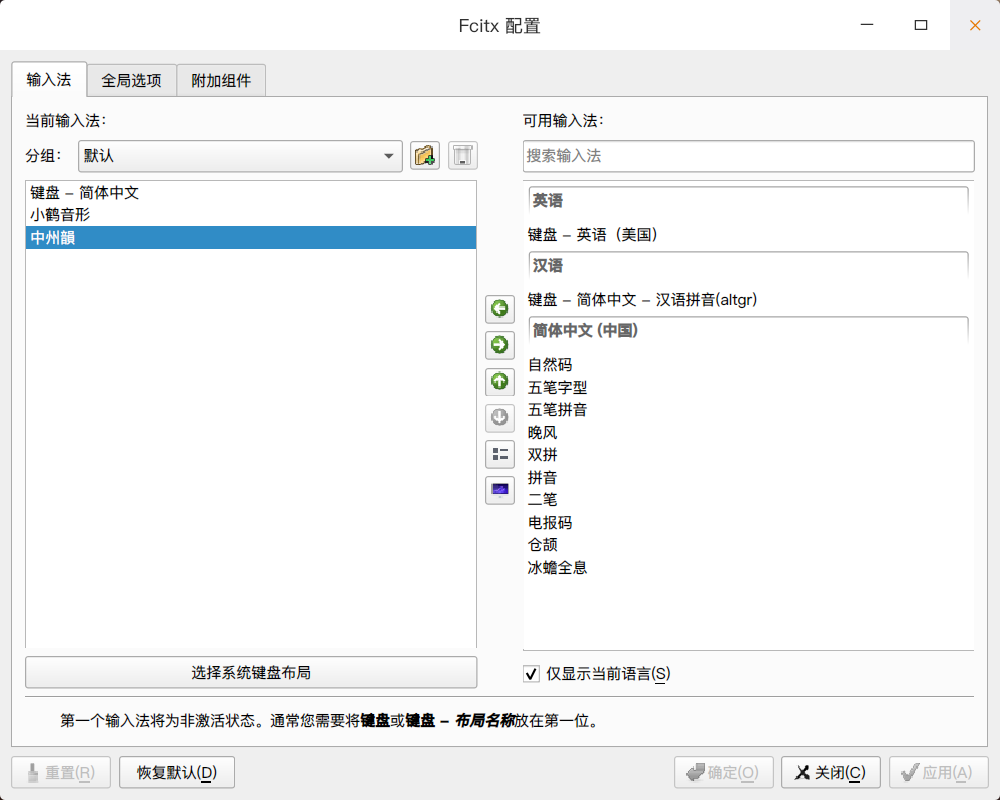
3.1.挂接——音形码/小鹤音形“鼠须管”for macOS.zip。解压后,将 rime 目录中所有文件复制到~/.local/share/fcitx5/rime目录中。重启 fcitx5 ,添加中州韻输入法后即可使用。方案2:fcitx5-flypy
fcitx5-flypy 是基于公开码表打造的适配 fcitx5 的输入法,无需安装 rime 即可使用。编译安装方法如下